
ASUS Vivobook Laptop Business Computer 2025-2026
4.1Editor score
24GB RAM and 1TB Storage
10-Core Intel i5 CPU
Lifetime Microsoft Office Included
This guide compares the top ASUS Business Laptop models for professionals, highlighting performance, security, display quality, and portability features.
Choosing the right laptop for professional work requires balancing performance with durability and security. ASUS offers a wide range of business machines designed to meet diverse enterprise needs efficiently.
We analyzed ten distinct ASUS models based on processor power, memory capacity, storage options, and build quality. Each entry provides detailed insights into real-world usability for office environments.
Each selection highlights key strengths and potential trade-offs to help you find the perfect match. Please note that specific configurations and availability may change over time.
4.1Editor score

5.0Editor score

This section provides a side-by-side look at the core specifications of every model featured in this guide to help you quickly identify differences.

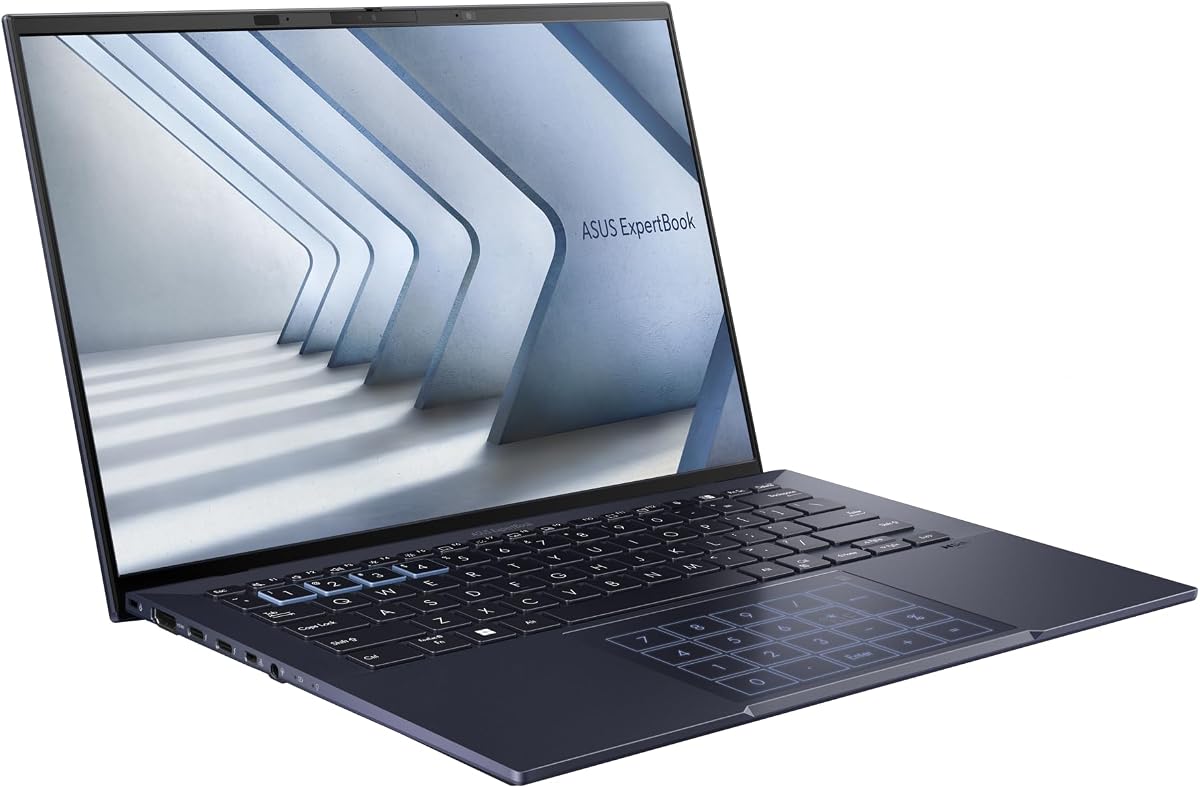
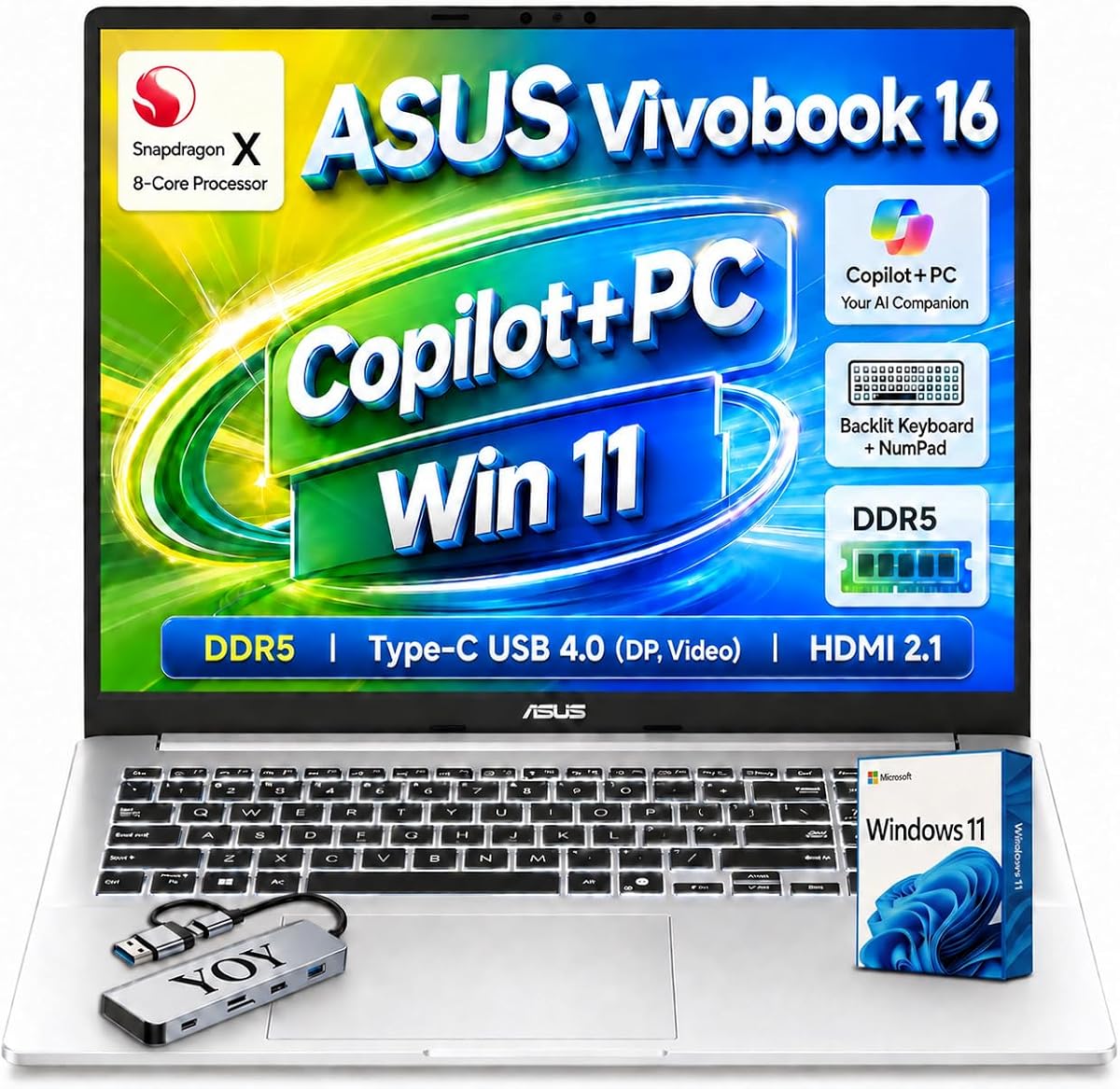


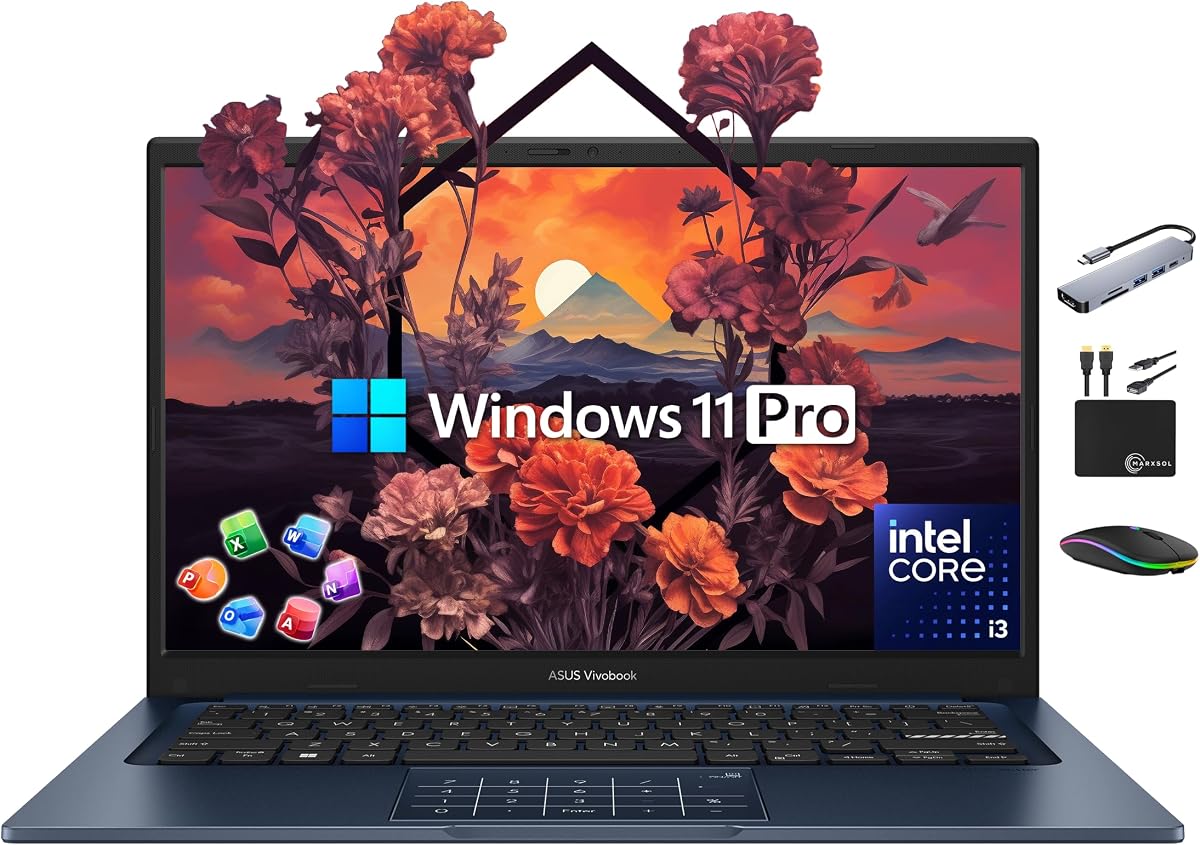
This model stands out as a highly affordable option for small businesses needing robust multitasking capabilities. It delivers solid performance with generous memory allocation suitable for demanding workloads without breaking the budget.
We may earn a commission when you buy through this link, at no additional cost to you.
The inclusion of 24GB RAM ensures smooth operation across multiple browser tabs and enterprise applications. The Intel i5-1334U processor provides ample power for daily productivity tasks including data analysis and video conferencing.
While the display is functional, it lacks the vibrancy found in premium OLED panels. However, the practical addition of a privacy shield adds a layer of security often missing in budget categories.
Small business owners looking for a cost-effective solution with extended storage and software support will find this laptop particularly compelling. It balances basic needs with premium features remarkably well.
The 24GB of RAM allows users to run heavy applications without system lag, ensuring productivity remains high throughout the workday.
A lifetime license for Microsoft Office is included, saving users from recurring subscription costs and ensuring immediate readiness for document creation.
We may earn a commission when you buy through this link, at no additional cost to you.
Designed for enterprise environments, this laptop combines high-end processing power with enhanced security features. The integration of AI capabilities sets it apart for users dealing with complex computational tasks.
We may earn a commission when you buy through this link, at no additional cost to you.
Equipped with Intel Core Ultra 5 technology, it offers significant efficiency gains through its dedicated NPU. This allows for faster processing of AI workloads which is critical for modern business applications.
The build quality adheres to military standards ensuring reliability in transit. While the cost is higher, the durability and performance justify the investment for corporate fleets.
IT managers seeking durable and secure devices with future-proof AI capabilities will appreciate this model. It represents a strong choice for professional deployment.
The built-in AI Boost NPU handles specialized workloads efficiently, freeing up CPU resources for other critical tasks.
Features like TPM 2.0 and fingerprint readers ensure sensitive business data remains protected against unauthorized access attempts.
We may earn a commission when you buy through this link, at no additional cost to you.
This laptop is the ultimate choice for professionals who prioritize portability without sacrificing visual quality. Its lightweight design makes it ideal for frequent travelers or remote workers.
We may earn a commission when you buy through this link, at no additional cost to you.
The OLED screen delivers deep blacks and vibrant colors which enhance presentations and creative work. Coupled with a fast processor, it ensures a smooth and responsive user experience.
While storage is modest, the speed of the PCIe 4.0 SSD mitigates access time issues. The inclusion of a dedicated Copilot key highlights its focus on next-generation productivity.
Business professionals seeking the best balance of weight and premium display quality should consider this model. It sets a high standard for modern portable computing.
At just 2.18 pounds, this device is easy to carry anywhere reducing physical strain during daily commutes or travel.
ASUS has focused on sustainability throughout the product lifecycle making this an eco-friendly choice for responsible businesses.
We may earn a commission when you buy through this link, at no additional cost to you.
This model offers a spacious screen that is beneficial for users working with extensive spreadsheets or multiple windows. The large display area significantly improves workflow efficiency.
We may earn a commission when you buy through this link, at no additional cost to you.
The system employs advanced thermal management to maintain stability under load. This ensures that performance remains consistent even during prolonged usage sessions.
Connectivity is comprehensive with multiple USB ports and Ethernet options. However, the absence of a fingerprint reader might be a drawback for users prioritizing biometric security.
Users needing a larger canvas for work will find this laptop highly practical. It delivers reliable performance suitable for diverse business scenarios.
The 15.6-inch display provides ample room for multitasking and viewing detailed documents comfortably.
ExpertCool technology keeps the device running cool ensuring uninterrupted work without performance throttling.
We may earn a commission when you buy through this link, at no additional cost to you.
This device brings high-resolution visuals to a compact form factor ideal for detailed work. The OLED technology provides superior contrast and color accuracy.
We may earn a commission when you buy through this link, at no additional cost to you.
The magnesium-lithium alloy chassis keeps the unit lightweight yet sturdy. It is designed to withstand the rigors of daily business use effectively.
While the specifications are robust, the price point reflects the premium screen technology. It is well suited for roles requiring accurate visual rendering.
Professionals who value display quality and portability will find this model appealing. It combines performance with visual excellence in a portable package.
The 2.8K OLED HDR display offers vibrant colors and deep blacks enhancing visual tasks significantly.
Military-grade certification ensures the device can handle drops and shocks encountered during travel.
We may earn a commission when you buy through this link, at no additional cost to you.
This laptop introduces the next generation of AI computing through its Snapdragon architecture. It is designed to leverage new Copilot+ features effectively.
We may earn a commission when you buy through this link, at no additional cost to you.
The hardware accelerates AI tasks significantly making daily workflows faster and more efficient. This includes improvements in video conferencing and voice recognition.
Battery life is a standout feature thanks to the ARM-based architecture. Users can expect extended usage times without needing to plug in frequently.
Early adopters of AI computing technology will appreciate the performance gains. It represents a shift towards smarter and more efficient business computing.
The Hexagon NPU delivers up to 45 TOPS enabling complex AI workloads with ease.
Optimized power management ensures all-day productivity without constant access to a power outlet.
We may earn a commission when you buy through this link, at no additional cost to you.
This 2026 update brings reliable performance and a spacious screen to the budget-friendly range. It ensures users have enough power for modern applications.
We may earn a commission when you buy through this link, at no additional cost to you.
The 10-Core processor handles multitasking efficiently ensuring smooth operation. The display brightness is sufficient for various lighting conditions including bright offices.
It comes with a bundled docking station which adds significant value. This makes connecting to external monitors and peripherals seamless.
Businesses looking for a reliable and versatile option with extra connectivity accessories will find it useful. It balances core specs with practical extras well.
The bundled hub simplifies connectivity allowing quick expansion to dual monitor setups.
With 16GB RAM and an i7 processor daily tasks are completed swiftly without delays.
We may earn a commission when you buy through this link, at no additional cost to you.
Offering a compelling alternative to Intel this model delivers strong performance at a lower cost. The Ryzen processor is highly efficient for general business tasks.
We may earn a commission when you buy through this link, at no additional cost to you.
The 16-inch screen provides a comfortable workspace for reading and writing documents. It is an excellent option for those on a tight budget.
Battery performance can vary depending on usage intensity but generally meets expectations. The keyboard backlighting is a nice touch for working in dimmer environments.
Budget-conscious buyers seeking reliable AMD performance should look at this option. It provides essential features without unnecessary bloat.
High performance is delivered at a price point that fits well within tight business budgets.
The WUXGA resolution ensures text and images remain sharp during long work sessions.
We may earn a commission when you buy through this link, at no additional cost to you.
This model serves as an essential entry point for small teams needing basic functionality. It covers the fundamental requirements of a standard office environment.
We may earn a commission when you buy through this link, at no additional cost to you.
Storage speeds are fast ensuring quick boot times and application launches. The inclusion of USB-C allows for modern peripheral connections.
It runs Windows Home which may lack specific enterprise management tools. This is a consideration for IT departments requiring centralized control.
Individual users or small teams with basic needs will find it suitable. It offers good value for the hardware provided.
Core productivity tools are supported effectively allowing for smooth daily operations.
Modern ports ensure compatibility with a wide range of external devices and displays.
We may earn a commission when you buy through this link, at no additional cost to you.
This laptop maximizes memory on a low processor to create a smooth experience for multitasking. It is ideal for users who run many browser tabs simultaneously.
We may earn a commission when you buy through this link, at no additional cost to you.
The lightweight design makes it perfect for remote workers who carry their device daily. It combines convenience with practical storage options.
While the CPU is entry-level the high RAM compensates for many standard tasks. Users should avoid heavy video editing or gaming on this device.
Students and casual professionals needing portability and ample memory will find it beneficial. It offers a unique value proposition in the entry-level segment.
24GB of RAM allows for smooth switching between multiple applications without slowdown.
The 14-inch chassis is easy to carry making it a great companion for mobile work.
We may earn a commission when you buy through this link, at no additional cost to you.
Selecting the ideal business laptop requires evaluating several critical factors to ensure the device meets your professional needs effectively.
The processor is the brain of the laptop and dictates how fast your applications run. For general office work an Intel Core i5 or i7 is sufficient but demanding tasks may require higher-end options. Look for models with multiple cores to handle multitasking efficiently.
Focus on the number of cores and threads to ensure smooth performance across multiple applications.
RAM determines how many applications you can run simultaneously without lag. For modern business software at least 16GB is recommended to ensure future-proofing. Some models offer 24GB or 32GB for heavy workloads.
Prioritize at least 16GB of RAM for optimal multitasking capability.
Fast storage is essential for booting up and loading large files quickly. NVMe SSDs provide the best performance compared to traditional hard drives. Consider total capacity based on your local file needs and cloud storage usage.
Choose an NVMe SSD with ample capacity for fast data access and system speed.
A clear display reduces eye strain during long working hours. Look for screens with high resolution and anti-glare coatings for better visibility. OLED panels offer superior contrast but standard IPS screens are often sufficient.
Select a display with high resolution and anti-glare features for comfortable viewing.
Business laptops often travel so durability is a key consideration. Many models feature military-grade certification to withstand drops and shocks. A sturdy chassis ensures longevity in varied working environments.
Opt for laptops with military-grade durability to ensure reliability during travel.
Protecting sensitive data is critical for any business. Look for features like fingerprint readers TPM chips and physical privacy shutters for webcams. These tools add essential layers of security to your device.
Ensure the laptop includes hardware security like TPM 2.0 and biometric sensors.
Having the right ports saves the need for extra adapters. Check for USB Type-C and Type-A ports HDMI and Ethernet depending on your needs. Modern devices should support USB-C charging for convenience.
Verify the presence of essential ports like USB-C HDMI and Ethernet for connectivity.
Windows 11 Pro offers enhanced security and management features for businesses. It includes tools for better networking and data protection. Home versions may suffice for individuals but Pro is preferred for teams.
Choose Windows 11 Pro for better security controls and enterprise management tools.
Proper care extends the life of your business laptop significantly. Start by avoiding extreme temperatures and keeping the device clean from dust and debris.
Use the power adapter and peripherals that match the device specifications. Incorrect chargers can damage the battery and motherboard over time.
Regularly update your operating system and drivers to maintain security and performance. Backup your important data frequently to prevent loss due to hardware failure.
For heavy multitasking look for models with at least 16GB of RAM and a multi-core processor. The ExpertBook B3 with 32GB RAM is an excellent choice for demanding workflows.
Yes many models like the ExpertBook B9 are designed to be lightweight and durable. They meet military standards for durability making them ideal for frequent travelers.
Some specific bundles include a lifetime license for Microsoft Office Professional. Check the product details carefully to confirm software inclusions before purchase.
OLED displays offer deeper blacks and better contrast while IPS screens are often more affordable. Both provide good viewing angles but OLED is generally considered premium.
Battery life varies by model and usage but most offer all-day productivity. The Snapdragon-based Vivobook 16 is known for extended battery life due to efficient architecture.
Some models have soldered RAM which cannot be upgraded. Always check the specifications for upgradeability before purchasing if you plan to expand memory later.
Most models include USB Type-C ports which support video output. You may need an adapter for older HDMI or VGA connections depending on your monitor.
Yes many models feature TPM 2.0 chips and fingerprint readers for secure access. Windows 11 Pro also adds further enterprise management and security capabilities.
This guide highlights a wide range of ASUS laptops suitable for various professional needs. Whether you need budget options or premium OLED displays there is a model for every requirement.
Prioritize performance and durability based on your daily workload to ensure long-term satisfaction. Security features are also vital for protecting sensitive business data effectively.
Always check current availability and configurations as they may vary by region and time.