
2×2 4k Video Wall Controller
4.6Editor score
Affordable price point available
Supports HDMI and DVI inputs
Simple remote and button controls
This guide compares the top HDMI Video Wall Controllers for creating seamless multi-screen displays with features like 4K support, rotation, and audio
Creating a seamless multi-screen display requires a reliable HDMI Video Wall Controller that can split and manage signals across multiple monitors or TVs effectively.
We compared ten leading models based on resolution support, display modes, control options, and audio handling to find the best solutions for your setup needs.
Each pick highlights key strengths and trade-offs to help you choose the right controller, though prices and availability may change over time at retailers.
4.6Editor score

4.8Editor score

4.2Editor score
The following table provides a side-by-side comparison of all ten selected HDMI Video Wall Controllers, highlighting their core specifications and key capabilities for easy reference.

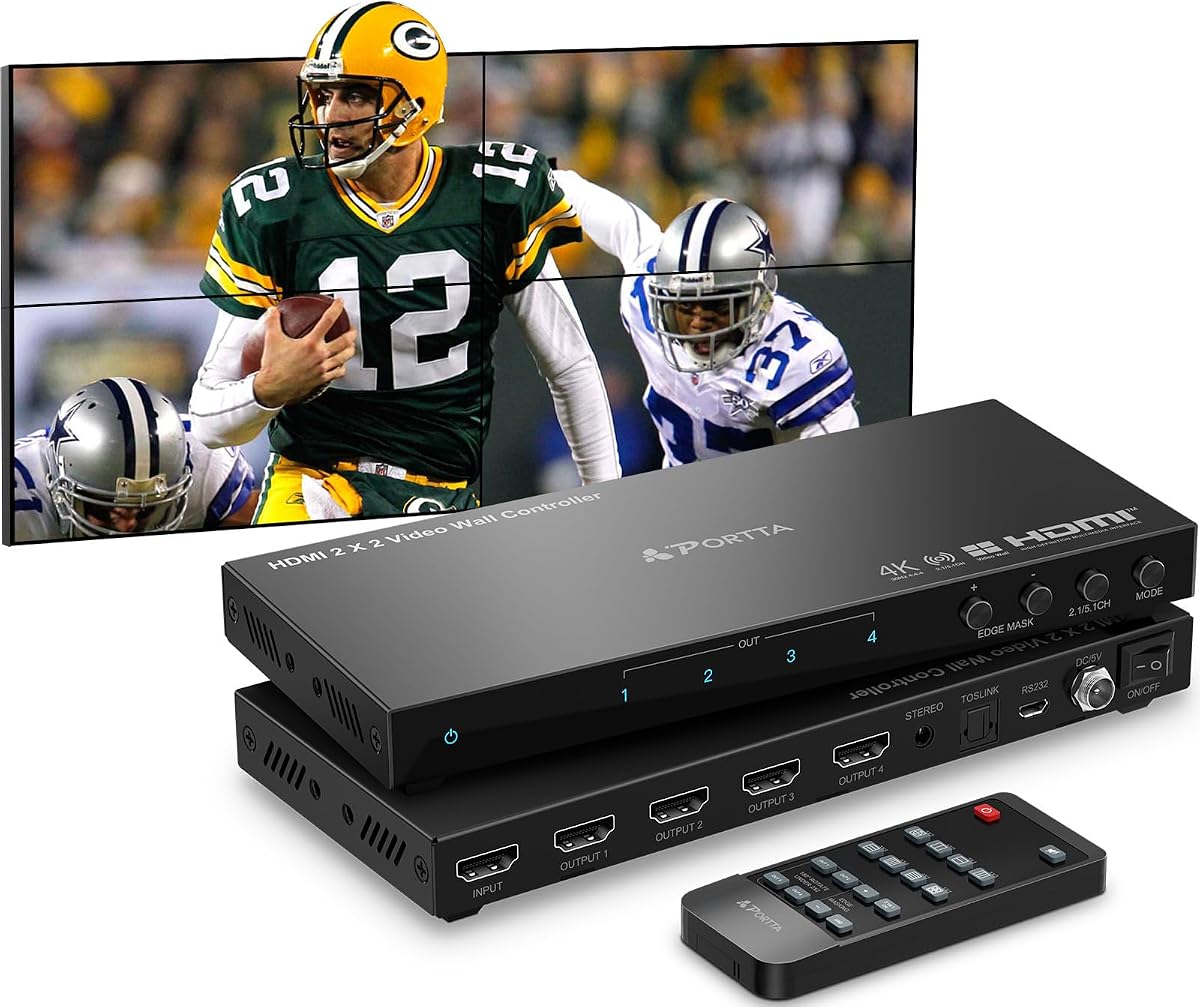


This J-Tech Digital processor stands out with a high satisfaction rating and the ability to combine four displays into one seamless wall.
We may earn a commission when you buy through this link, at no additional cost to you.
It supports 4K inputs at 30Hz while outputting 1080p signals, and it includes optical and analog audio extraction for external sound systems.
The 180-degree rotation works in specific modes to align images around bezels, though splitter mode does not support rotation or masking.
Home users and small businesses benefit from the flexibility, and lifetime technical support ensures help when needed for complex setups.
The edge masking feature removes distorted pixels at the edges of each screen to reduce the visible gap between displays.
Users can route audio to external speakers through SPDIF or 3.5mm ports while keeping the video signal on the wall.
We may earn a commission when you buy through this link, at no additional cost to you.
This controller offers an accessible entry point for creating video walls while still providing essential features like rotation and multiple layouts.
We may earn a commission when you buy through this link, at no additional cost to you.
It accepts HDMI and DVI inputs and supports eleven splicing modes, allowing users to arrange content across four screens flexibly.
Rotation and edge masking are available in specific modes to minimize bezel impact, though users must select modes carefully.
The memory function ensures settings are preserved after power loss, making it a reliable choice for cost-conscious buyers.
At a lower price, this device delivers core video wall functionality without requiring expensive additional hardware or software.
Users can control the device through IR remote, RS232, or physical buttons, making setup straightforward for non technical users.
We may earn a commission when you buy through this link, at no additional cost to you.
This premium model offers advanced features like web control and seamless switching, making it ideal for professional environments requiring frequent changes.
We may earn a commission when you buy through this link, at no additional cost to you.
It accepts 4K at 60Hz inputs and can output at lower resolutions, supporting various displays while preserving image quality across the wall.
The multiviewer presets allow users to display multiple source signals on a single screen without external matrix hardware.
Businesses that need remote management and consistent image quality will appreciate the robust capabilities despite the higher cost.
Administrators can control the video wall remotely via LAN, enabling changes without physical access to the device.
Seamless switching prevents visual glitches when changing sources, ensuring a professional appearance during live presentations.
We may earn a commission when you buy through this link, at no additional cost to you.
This OREI processor allows connection of both HDMI and USB-C sources, offering modern connectivity for laptops and media players.
We may earn a commission when you buy through this link, at no additional cost to you.
It accepts 4K at 60Hz inputs, which is useful for high refresh content, though outputs may vary depending on the selected mode.
Audio can be extracted via SPDIF or analog outputs, allowing separate audio handling while displaying visuals on the wall.
Users who need versatile input options and remote control via RS-232 will find this device a practical choice.
The inclusion of USB-C means users can connect modern laptops directly without needing HDMI adapters.
RS-232 allows integration with control systems for large scale installations in commercial or institutional settings.
We may earn a commission when you buy through this link, at no additional cost to you.
This model focuses on ease of use with USB-C and HDMI inputs and a dual voltage supply for international travelers.
We may earn a commission when you buy through this link, at no additional cost to you.
It supports 4K inputs at 60Hz but outputs 1080p, which is sufficient for most multi-screen displays while saving bandwidth.
Optical audio extraction ensures high quality sound routing, and RS-232 control adds flexibility for automation.
Users who travel frequently or need USB-C connectivity will find the power and input versatility very convenient.
The dual voltage power supply allows the device to work with different electrical standards without extra adapters.
USB-C support means newer devices can connect directly, reducing cable clutter and adapter requirements.
We may earn a commission when you buy through this link, at no additional cost to you.
This device combines a 4×4 matrix with video wall capabilities, allowing any source to be displayed on any screen.
We may earn a commission when you buy through this link, at no additional cost to you.
Web control enables remote management, which is beneficial for facilities where the display wall is not easily accessible.
It supports 4K at 60Hz inputs, ensuring high quality video transmission across the matrix.
Organizations needing both matrix switching and video wall splitting in one unit will find this a comprehensive solution.
Users can route any of four inputs to any of four outputs independently, providing maximum display flexibility.
Web control allows IT teams to adjust settings from anywhere, reducing maintenance time and effort.
We may earn a commission when you buy through this link, at no additional cost to you.
This controller supports a wide range of splicing modes, including vertical and horizontal arrangements, to fit various wall layouts.
We may earn a commission when you buy through this link, at no additional cost to you.
Edge masking helps reduce bezel visibility by adjusting the output picture edge, creating a more unified image.
Audio can be extracted via Toslink or 3.5mm jack, allowing external audio systems to play independently.
Users who need portrait orientation support and flexible layouts will appreciate the versatility this device offers.
The eleven splicing modes allow for creative arrangements beyond standard grids, such as portrait stacks.
Edge masking cuts the image edge slightly to hide dark bezel borders between screens.
We may earn a commission when you buy through this link, at no additional cost to you.
This controller delivers true 4K output on each of the four HDMI ports, allowing for high resolution displays.
We may earn a commission when you buy through this link, at no additional cost to you.
It accepts HDMI and USB-C inputs at 60Hz, ensuring smooth playback of modern media content.
Each port supports 180-degree rotation, which helps align screens installed in different orientations.
Users who prioritize high resolution outputs and simple plug and play operation will find this device suitable.
With 4K output on each port, displays can show crisp content without downscaling.
Rotation support allows screens to be mounted upside down or vertically without adjusting software settings.
We may earn a commission when you buy through this link, at no additional cost to you.
This controller includes USB playback capabilities, allowing users to play media directly from a storage device without a PC.
We may earn a commission when you buy through this link, at no additional cost to you.
It supports HDMI 2.0 inputs and can output 4K video, ensuring high quality playback for digital signage.
Image brightness, contrast, and color temperature can be adjusted, allowing fine tuning for different room lighting.
Digital signage applications benefit from the ability to play media autonomously without requiring a connected computer.
USB auto display allows content to play without a constant external PC connection, reducing hardware needs.
Users can adjust brightness and contrast to ensure visibility in bright or dim environments.
We may earn a commission when you buy through this link, at no additional cost to you.
This controller expands the display area to six screens, allowing for larger video walls without requiring a more complex matrix.
We may earn a commission when you buy through this link, at no additional cost to you.
It accepts 4K inputs and supports HDMI and USB-C sources, making it easy to connect modern devices.
The multiple splice modes support arrays like 2×3 or 3×2, offering flexibility for different room dimensions.
Projects requiring a larger display footprint will find this device a scalable and straightforward solution for setup.
By supporting six HDMI outputs, this unit enables larger walls without needing multiple controllers.
Plug and play design reduces installation time, allowing users to get the display running quickly.
We may earn a commission when you buy through this link, at no additional cost to you.
Selecting the right HDMI Video Wall Controller requires evaluating several technical and practical factors to ensure compatibility with your displays and use case.
Check the input and output resolution limits of the controller. Some support 4K inputs but output only 1080p, which may be sufficient for most walls but insufficient for high detail tasks.
Verify that the controller handles the resolution of your source devices and monitors to avoid scaling issues or loss of sharpness.
Look for controllers offering multiple splicing modes like 2×2, 1×4, or portrait orientations. The more modes available, the greater the flexibility for your layout.
Ensure the controller supports the specific grid you need, whether it is horizontal, vertical, or mixed arrangement.
Control can be managed via remote, RS-232, LAN, or web interfaces. Remote controls are easy for basic use, while RS-232 or LAN enable automation for commercial setups.
Choose a control method that matches your installation requirements, especially if you need remote access or integration with other systems.
Many controllers include audio extraction ports like SPDIF or 3.5mm outputs. This allows you to route sound to external speakers while keeping video on the wall.
If your setup requires separate audio routing, confirm that the controller has dedicated audio outputs and supports your preferred audio format.
Bezel visibility can be reduced by image rotation and edge masking. Rotation allows screens to align visually around bezels, while masking hides dark edges.
Ensure the controller supports rotation and masking in the display modes you intend to use, as some devices limit these features.
Modern controllers may support HDMI, USB-C, or DVI inputs. USB-C is increasingly important for connecting laptops without adapters.
Match the input types to your source devices to simplify cabling and avoid the need for additional converters.
Consider power requirements and whether the device supports dual voltage for international use. Also check for memory functions that save settings after power cycles.
Stable power and reliable connectivity ensure the wall operates consistently without frequent manual reconfiguration.
Prices vary widely from budget to premium models. Determine your needs and balance cost with features like web control or higher resolutions.
Look for warranties and technical support options to protect your investment and ensure help is available if issues arise.
Connect your source device to the HDMI or USB-C input and link the four displays to the outputs. Power on the controller before turning on the displays to ensure proper handshake.
Select the desired display mode using the remote or buttons. Adjust the rotation or masking settings to align the screens visually and reduce bezel gaps.
Keep the controller in a well ventilated area to prevent overheating. Update firmware if available and restart the device periodically to maintain stable performance.
Some controllers support 4K outputs on all ports while others downscale to 1080p. Check the product specifications to ensure the output resolution matches your monitor capabilities and intended use case.
Most controllers work without a PC once configured, using a single source like a media player. Some advanced units allow autonomous playback from USB drives, reducing hardware requirements.
Edge masking removes a few pixels from the output edge of each screen to hide dark bezel gaps. This creates a more seamless appearance across multiple displays in the wall.
Many controllers offer RS-232, LAN, or web control for remote management. This is useful for commercial installations where physical access is limited or frequent adjustments are needed.
Several models support portrait modes for 1×2 or 1×3 layouts. Ensure the controller allows rotating the output to match your monitor orientation.
Most basic controllers do not support HDMI ARC for audio return. They typically rely on SPDIF or analog audio outputs for external sound systems.
The J-Tech Digital HDMI Video Wall Controller leads as the best overall choice due to its high satisfaction rating and robust feature set.
Prioritize models with the right resolution support and control options to match your installation needs and avoid compatibility issues.
Prices and availability change over time so check current listings to confirm the best fit for your budget and technical requirements.