
ASUS Dual GeForce RTX 5060 Ti 16GB
4.7Editor score
Affordable high performance
16GB GDDR7 VRAM
Compact 2.5 slot design
Find the best GPU for Davinci Resolve with our expert guide comparing top models for performance, rendering speed, and video editing efficiency.
Choosing the right graphics processing unit is critical for smooth video editing and rendering tasks in modern creative software applications.
We analyzed performance metrics, memory capacity, and architectural efficiency to determine which cards deliver the best value for professional workflows.
Each pick highlights key strengths and potential trade-offs to help you make an informed decision based on your specific production needs and budget.
4.7Editor score

4.6Editor score
4.9Editor score
This table provides a side-by-side overview of key specifications and features to help you quickly identify the most suitable graphics card for your editing workstation.




The GIGABYTE GeForce RTX 5080 Gaming OC stands out as a powerhouse for video editors seeking top-tier performance without sacrificing reliability.
We may earn a commission when you buy through this link, at no additional cost to you.
Powered by the latest Blackwell architecture and equipped with 16GB of GDDR7 memory, this card handles complex timelines and heavy effects with ease.
While the price reflects its high-end status, the investment pays off through significantly reduced render times and smoother real-time playback.
Editors who need consistent performance for 8K workflows or intensive color grading will find this card an ideal centerpiece for their workstation.
The integrated AI acceleration features speed up noise reduction and upscaling tasks significantly compared to previous generations.
The WINDFORCE cooling system ensures the card maintains optimal temperatures even during long rendering sessions without throttling.
We may earn a commission when you buy through this link, at no additional cost to you.
The PNY NVIDIA Quadro RTX 4000 offers professional-grade stability that is crucial for businesses relying on consistent daily output.
We may earn a commission when you buy through this link, at no additional cost to you.
Its early adoption of ray tracing technology makes it a solid choice for projects involving 3D elements within DaVinci Resolve.
Though it lacks the raw power of newer cards, its optimized drivers ensure fewer crashes during complex project exports.
This card is best suited for users who prioritize system reliability over bleeding-edge performance metrics in their creative workflow.
Quadro drivers are certified for professional applications, reducing the likelihood of crashes during critical project deadlines.
Advanced shading features provide immersive VR experiences which can be useful for virtual production workflows.
We may earn a commission when you buy through this link, at no additional cost to you.
The NVIDIA Titan RTX remains a legendary card known for its balance between gaming performance and professional creative capabilities.
We may earn a commission when you buy through this link, at no additional cost to you.
With its massive number of CUDA cores and Tensor cores, it handles AI-driven editing features in DaVinci Resolve exceptionally well.
Its age means it may not be as efficient as modern counterparts, but it still delivers robust performance for mid-level projects.
Users looking for a card that can handle both work and play without compromise will appreciate the versatility of the Titan RTX.
Tensor cores provide dedicated support for machine learning tasks which accelerates many modern video editing features.
A high core count ensures parallel processing tasks are completed quickly, reducing overall project rendering times.
We may earn a commission when you buy through this link, at no additional cost to you.
The ASRock Radeon AI PRO R9700 distinguishes itself with a massive 32GB of video memory designed for extreme workloads.
We may earn a commission when you buy through this link, at no additional cost to you.
This extra capacity allows editors to work with 8K raw footage and complex 3D assets without running into memory limits.
The professional focus of this card ensures it can handle sustained loads typical in server or multi-user workstation environments.
Editors who need to run multiple applications simultaneously without swapping to system RAM will benefit most from this card's design.
The wide memory bus provides sufficient bandwidth to feed data to the GPU quickly during high-resolution timeline scrubbing.
DisplayPort 2.1a outputs enable high-bandwidth connections to modern monitors for accurate color grading work.
We may earn a commission when you buy through this link, at no additional cost to you.
The GIGABYTE Radeon RX 9070 XT offers a compelling mix of power and affordability for independent creators and small studios.
We may earn a commission when you buy through this link, at no additional cost to you.
It provides ample VRAM for most modern editing tasks while maintaining a price point that fits smaller budgets more easily.
The WINDFORCE cooling system keeps temperatures low ensuring the card performs consistently during long export sessions.
Those who do not require ISV certification but need raw power will find this card to be a practical and efficient choice.
Thermal conductive gel and fan design work together to dissipate heat efficiently during extended usage periods.
RGB lighting allows users to match the card aesthetics with their workstation setup for a cohesive visual experience.
We may earn a commission when you buy through this link, at no additional cost to you.
The NVD RTX PRO 6000 Blackwell is an absolute beast designed for enterprises that need unmatched memory and reliability.
We may earn a commission when you buy through this link, at no additional cost to you.
Its 96GB of ECC memory ensures data integrity and allows for extremely complex scenes that would crash other cards.
While the price is prohibitive for most individuals, it is a necessary tool for large studios handling massive scale projects.
This card is the ultimate choice for professionals who need to run simulations or generative AI models locally without limitations.
ECC memory corrects errors in real time which is critical for maintaining accuracy in long rendering jobs.
5th Gen Tensor cores significantly reduce the time required to process generative AI effects in post production.
We may earn a commission when you buy through this link, at no additional cost to you.
The ASUS TUF Gaming GeForce RTX 5080 is engineered for durability and high performance in demanding professional environments.
We may earn a commission when you buy through this link, at no additional cost to you.
Military-grade components ensure that the card can withstand the rigorous demands of daily professional use without failure.
Its large thermal design with multiple fans keeps the GPU cool allowing for sustained performance without thermal throttling.
Users who need a reliable card that can operate 24/7 in a production server setup will appreciate the build quality.
Auto-Extreme manufacturing ensures consistent quality control which reduces the risk of hardware defects in the field.
Phase-change thermal pads provide better heat transfer than traditional paste ensuring stable performance over time.
We may earn a commission when you buy through this link, at no additional cost to you.
The ASRock Intel Arc Pro B60 represents a strong entry into the professional GPU market with competitive memory and specs.
We may earn a commission when you buy through this link, at no additional cost to you.
It offers a substantial 24GB of VRAM which supports modern editing workflows without the premium cost of other high-end cards.
The card includes ISV certified drivers which provide a level of assurance regarding software compatibility for creative apps.
This option is ideal for cost conscious professionals who want to support diverse hardware ecosystems without sacrificing core specs.
Four DisplayPort 2.1 outputs allow for expansive multi-monitor workspaces essential for reference and timeline viewing.
Dual media transcoders support efficient encoding of multiple video formats simultaneously during export processes.
We may earn a commission when you buy through this link, at no additional cost to you.
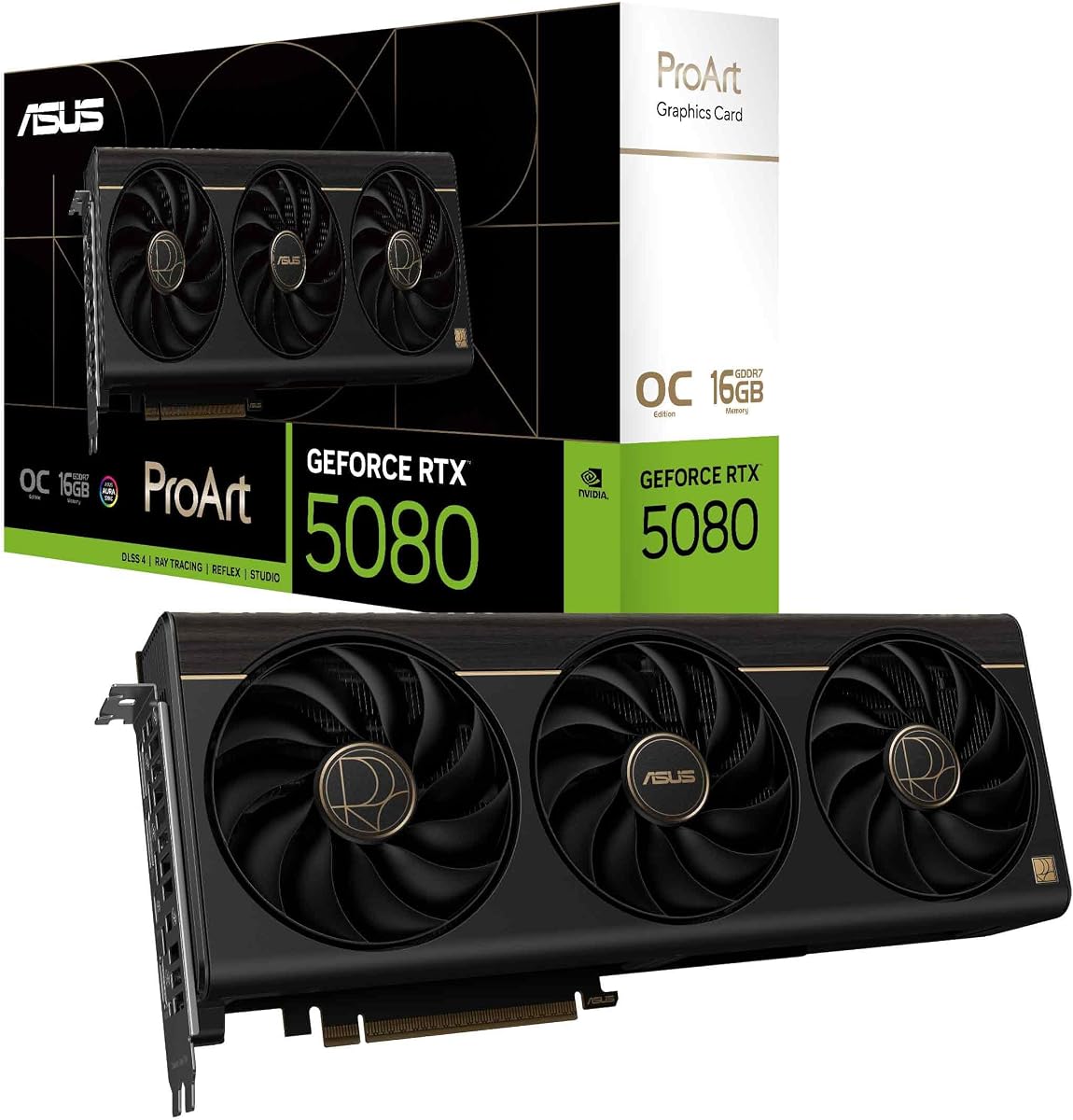
The ASUS ProArt GeForce RTX 5080 delivers a premium experience with top tier ratings from users who value reliability and looks.
We may earn a commission when you buy through this link, at no additional cost to you.
Its integrated USB Type-C port adds convenience for connecting modern displays or accessories directly to the GPU output.
The minimalist design with wood trim makes it a standout component in any high-end workstation build aesthetic.
This card is perfect for creators who want the best balance of performance and style without compromising on any features.
The brown wood-patterned trim and ProArt logo give the card a sophisticated look suitable for high-end workspaces.
MaxContact heatsink design ensures direct heat transfer for optimal thermal performance during heavy usage tasks.
We may earn a commission when you buy through this link, at no additional cost to you.
The ASUS Dual GeForce RTX 5060 Ti offers a fantastic entry point for editors needing solid performance on a tighter budget.
We may earn a commission when you buy through this link, at no additional cost to you.
Its compact 2.5 slot design makes it easy to install in smaller cases which is great for portable workstations.
The 0dB technology ensures silent operation when the GPU is under light loads providing a quiet editing environment.
Beginners and hobbyists will find this card provides more than enough power for 4K editing without a high price tag.
The small form factor allows compatibility with a wider range of PC cases including compact workstation builds.
Dual BIOS allows users to toggle between quiet and performance modes depending on their current editing needs.
We may earn a commission when you buy through this link, at no additional cost to you.
Selecting the right graphics card involves balancing budget with specific performance needs for your editing tasks.
Video memory is critical for storing frame buffers and effects data during playback. Higher VRAM allows you to work with 8K footage and complex timelines without stuttering.
Look for at least 16GB of VRAM for modern professional editing to ensure smooth performance and future compatibility.
CUDA cores on NVIDIA cards and stream processors on AMD cards determine parallel processing power. More cores generally mean faster render times for effects.
Prioritize cards with higher core counts if you plan to do heavy color grading or complex motion graphics work regularly.
High-performance GPUs require significant power and cooling. Ensure your power supply unit can handle the peak wattage of the card you choose.
Check the TDP and recommended PSU wattage before purchase to avoid system instability or shutdowns under load.
Efficient cooling prevents thermal throttling which slows down rendering speeds. Air cooling is standard but liquid solutions exist for extreme workloads.
Select a card with a robust cooler design that fits your case dimensions to maintain stable performance over time.
Modern editing requires high bandwidth connections for monitors and storage. PCIe 5.0 and DisplayPort 2.1 support ensure your system is future ready.
Check that your monitor setup matches the available ports on the card to get the best resolution and refresh rate.
Entry level cards offer great value for 4K editing but may struggle with 8K or heavy AI effects. High end cards deliver speed at a premium cost.
Assess your specific workload to find the sweet spot where you pay only for the performance you actually need.
ISV certification ensures the card drivers are tested for professional software. This reduces crashes and bugs in applications like DaVinci Resolve.
If your work depends on stability and deadlines, prioritize certified Quadro or Pro cards over consumer gaming alternatives.
AI features like noise reduction and upscaling rely on Tensor cores. Cards with dedicated AI accelerators will process these tasks faster.
For workflows involving AI tools, choose a card with the latest generation AI cores to maximize efficiency.
After installing the card, ensure you download the latest drivers from the manufacturer's website to guarantee optimal compatibility with DaVinci Resolve.
Keep the inside of your PC clean by dusting out fans and vents regularly to prevent overheating and extend the lifespan of the hardware.
Monitor your GPU temperatures during rendering to ensure the cooling system is functioning correctly and adjust fan curves if necessary for noise or performance.
For most editing tasks a gaming GPU offers excellent performance and value. Professional GPUs provide certified drivers and stability for enterprise environments but are more expensive.
Editing 8K footage requires substantial memory to prevent crashes. Aim for at least 24GB or 32GB of VRAM to handle raw footage and effects smoothly.
Yes DaVinci Resolve supports AMD cards but NVIDIA cards often have better optimization for certain AI features. Check specific codec support before buying.
High-end cards typically require 850W or more. Always check the manufacturer's minimum wattage recommendation and ensure you have the required power connectors.
Yes newer architectures generally offer better hardware acceleration for encoding and decoding. This significantly reduces export times compared to older hardware.
Ensure your motherboard has a PCIe x16 slot and enough physical space for the card. Also check your power supply has enough wattage and connectors.
Use the Studio drivers provided by NVIDIA rather than Game Ready drivers for better stability and fewer crashes during creative work.
DaVinci Resolve supports multi GPU setups but only with specific configurations. Check software documentation to ensure your system is properly configured for scaling.
Choosing the right GPU depends heavily on your specific workflow and budget constraints but all listed options offer strong performance.
Prioritize VRAM capacity and cooling efficiency to ensure your workstation remains stable during long project sessions.
Prices fluctuate regularly so check current availability and deals before making your final purchase decision today.