
USB 3.0 to Ethernet Adapter
4.5Editor score
Gigabit Ethernet speeds
Plug and Play setup
Compact durable design
This guide compares the top 10 Ethernet adapters for Nintendo Switch to help you choose the best wired connection for stable online gaming and fast downloads.
Finding a reliable Ethernet adapter for your Nintendo Switch is essential for serious gamers who want stable connections. A good adapter eliminates lag and ensures smooth online multiplayer experiences across all your favorite titles.
We evaluated ten top-rated adapters based on compatibility, build quality, and real-world performance. Each product was selected for its ability to provide consistent Gigabit speeds without requiring complex driver installations or extra power sources.
Every pick below highlights specific strengths like portability or premium materials. Prices fluctuate frequently so check current listings before buying to ensure you get the best value for your gaming setup needs.
4.5Editor score

4.6Editor score

4.7Editor score
Here is a side-by-side comparison of all ten adapters to help you see the differences in speed, compatibility, and design at a glance.





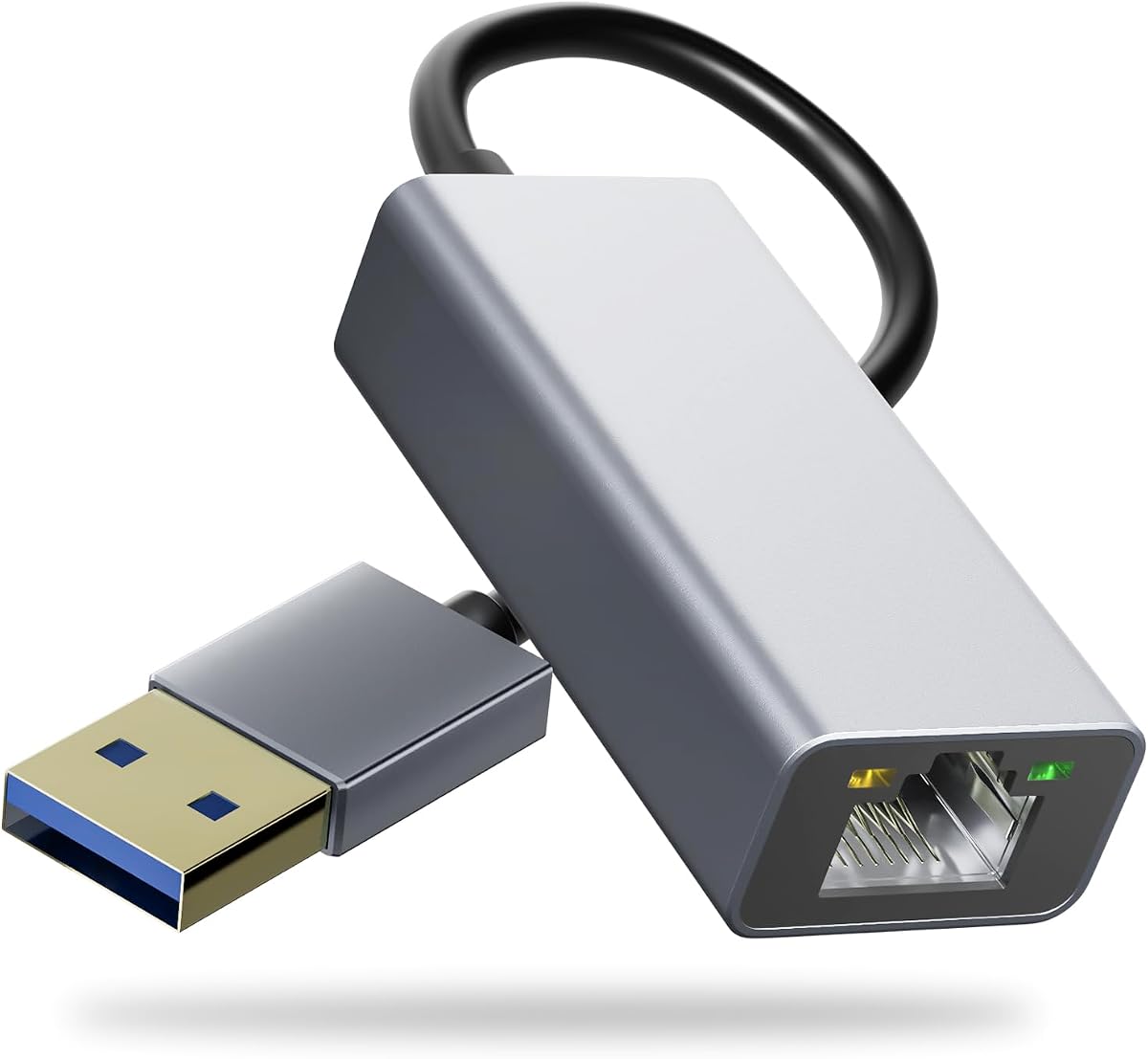

This TP-Link adapter stands out as the top choice due to its perfect blend of speed and portability. With a 4.6 rating from thousands of users, it consistently delivers fast wired connections.
We may earn a commission when you buy through this link, at no additional cost to you.
The foldable USB connector makes it incredibly easy to carry in a backpack without snagging on other items. It supports full Gigabit speeds and is explicitly designed to work with the Nintendo Switch without extra software.
While the aluminum body feels sturdy, the compact size means you must handle it with care during frequent plug and play. The cybersecurity certification adds peace of mind for users concerned about network safety.
You should buy this if you travel often and need a reliable adapter that fits in any pocket. It is the best all-rounder for most Nintendo Switch owners seeking stability.
The device adheres to U.S. Cybersecurity and Infrastructure Security Agency standards ensuring your data remains safe while gaming online.
Weighing almost nothing and folding flat it slips easily into console cases for instant setups anywhere you play.
We may earn a commission when you buy through this link, at no additional cost to you.
This official HORI adapter is the premium choice for those who want guaranteed compatibility with their console. It features a 4.7 rating and is designed specifically to plug into the Switch dock.
We may earn a commission when you buy through this link, at no additional cost to you.
The connection is rock solid and works seamlessly without any risk of compatibility issues that third-party adapters might face. The design matches the Nintendo aesthetic and includes a protective case for storage.
The main downside is the price which is higher than generic options but you are paying for the official certification and reliability. It is not designed for handheld mode as it requires the dock.
Buy this if you want the safest investment for your console and often play in docked mode. It is the best premium option for dedicated Switch users.
It slides directly into the dock port without extra dongles ensuring a clean stable connection every time.
Being officially licensed by Nintendo means you avoid potential firmware glitches or connection drops common with generic brands.
We may earn a commission when you buy through this link, at no additional cost to you.
This generic adapter offers the most affordable entry point into wired gaming with solid performance for the price. It holds a 4.5 rating and delivers full Gigabit speeds easily on any compatible device.
We may earn a commission when you buy through this link, at no additional cost to you.
You get essential features like Plug and Play compatibility with the Switch and backward compatibility with USB 2.0 ports. It is perfect for casual gamers who want better speeds without spending much money.
The plastic housing feels less durable than premium options but works well for home setups where it won't get tossed around. You might not get a robust warranty compared to bigger brands.
Pick this if you are on a tight budget and just need a reliable cable for a stationary setup. It is the best budget option for saving money.
At under ten dollars this adapter provides the same Gigabit speeds as expensive models making it great for value seekers.
It works with any device with a USB A port including laptops and consoles for flexible connectivity options.
We may earn a commission when you buy through this link, at no additional cost to you.
The UGREEN basic adapter is known for its extremely small footprint making it great for tight setups. It has a 4.6 rating and is widely trusted for its consistency across different operating systems.
We may earn a commission when you buy through this link, at no additional cost to you.
It delivers 1000Mbps speed and is fully compatible with both standard Switch and Switch OLED models. The compact design means it barely protrudes from your dock saving valuable space.
The downside is that the small connector can be tricky to plug and unplug without accidentally bumping it. The plastic body is less robust than metal alternatives but sufficient for home use.
Choose this if you need an adapter that hides away neatly in your entertainment center. It is the best option for compact setups.
Its tiny profile allows it to fit comfortably in crowded console cabinets without interfering with ventilation.
It works seamlessly across Windows macOS and Linux providing flexibility for multi device households.
We may earn a commission when you buy through this link, at no additional cost to you.
This aluminum version from UGREEN improves on the basic model with better thermal management and durability. It maintains a 4.6 rating and feels more premium in hand due to the metal construction.
We may earn a commission when you buy through this link, at no additional cost to you.
The aluminum shell helps dissipate heat during long gaming sessions preventing the adapter from overheating. It also includes an LED indicator that lets you know instantly if the connection is active.
It is slightly heavier and costs more than plastic versions but the trade-off is a longer lifespan. The extra weight might make it less ideal for travel compared to the tiny models.
Buy this if you plan to use it in a stationary docked setup and value durability over travel convenience. It is the best metal build option.
The metal body draws heat away from the internal chip ensuring consistent speeds even after hours of use.
A simple LED light tells you at a glance if your wired connection is live so you never guess.
We may earn a commission when you buy through this link, at no additional cost to you.
While primarily for USB-C laptops this adapter also works with Switch docks that support USB-C connections. It boasts a 4.7 rating and offers a sleek aluminum design that resists daily wear and tear.
We may earn a commission when you buy through this link, at no additional cost to you.
The USB-C interface is future proof and works with modern laptops as well as gaming consoles. It is a great all-purpose tool if you own multiple devices with different port types.
It is not a direct fit for the Switch dock without verifying the port type. The aluminum case is strong but requires care to avoid scratching your desk or console.
Select this if you need one adapter for your Switch and laptop to save money. It is the best option for modern USB-C devices.
USB-C is becoming standard on new consoles and computers so this adapter ensures your setup stays current.
The aluminum alloy case protects internal electronics from bumps and drops while looking premium on your desk.
We may earn a commission when you buy through this link, at no additional cost to you.
This adapter stands out because it offers both USB-C and USB-A connectors in a single compact unit. It has a 4.7 rating and is perfect for users who switch between different devices frequently.
We may earn a commission when you buy through this link, at no additional cost to you.
You get maximum versatility as it works with Switch, modern laptops, and older computers without needing multiple dongles. The design is compact enough to keep in a pocket for travel.
The dual connector design makes the head slightly larger which could block adjacent ports on smaller devices. The cable length is short which limits reach to your router or modem.
Pick this if you need one solution for many devices and hate carrying adapters. It is the best versatile option for mixed setups.
Having both USB-A and USB-C ends means you rarely need a different adapter when moving between computers.
Weighing almost nothing and fitting in a pocket it is perfect for business trips or visiting friends.
We may earn a commission when you buy through this link, at no additional cost to you.
Plugable is known for excellent customer support and this adapter includes lifetime backing for peace of mind. It has a 4.6 rating and uses a reliable chipset that ensures smooth data transfer without drops.
We may earn a commission when you buy through this link, at no additional cost to you.
The ASIX chipset inside supports advanced features like Energy Efficient Ethernet which helps reduce power usage. It is a solid choice for users who prioritize reliability over fancy design features.
The plastic shell is functional but not the most stylish compared to metal options. The price is higher than budget adapters reflecting the added support and quality assurance.
Choose this if you value warranty support and want a trusted brand name. It is the best choice for peace of mind.
Plugable provides lifetime technical support from experts ensuring you get help whenever you need it.
The ASIX chipset delivers consistent speeds and includes power saving features for better efficiency.
We may earn a commission when you buy through this link, at no additional cost to you.
This adapter is designed with travel in mind offering a very lightweight and compact profile. It has a 4.7 rating and delivers the required speeds for online gaming and video streaming.
We may earn a commission when you buy through this link, at no additional cost to you.
The sleek design slips easily into a laptop bag or pocket without adding bulk to your gear. It is a great option for users who need a reliable connection while on the road.
The plastic build is durable enough for travel but lacks an LED indicator for status checking. It may not be as stylish as premium metal options on your home desk.
Buy this if you need a portable adapter that is easy to pack. It is the best travel-friendly choice.
Its small footprint makes it ideal to carry in a pocket ensuring you have internet wherever you go.
The low weight ensures it does not strain your bag when combined with other travel gear.
We may earn a commission when you buy through this link, at no additional cost to you.
This UGREEN model features a braided cable and aluminum shell for maximum durability. It holds a 4.6 rating and is built to withstand frequent plugging and unplugging without wear.
We may earn a commission when you buy through this link, at no additional cost to you.
The braided cable resists tangling and prevents internal wires from breaking. The anti-fingerprint finish keeps the adapter looking clean even after long periods of use.
The braided cable is slightly longer than standard options which might limit portability. The price is higher than basic models reflecting the premium materials used.
Choose this if you expect to move the adapter often and want a long lasting solution. It is the best durable option.
The woven nylon jacket protects the cable from fraying and keeps it from tangles in your bag.
The metal shell resists smudges keeping your adapter looking new even after heavy daily use.
We may earn a commission when you buy through this link, at no additional cost to you.
Choosing the right adapter involves considering speed, build quality, and compatibility with your specific setup.
Ensure the adapter supports at least 1000Mbps to take full advantage of your internet plan. Faster speeds mean quicker game updates and smoother downloads.
Look for clear Gigabit Ethernet specs in the product description to avoid slower USB 2.0 adapters.
Check your Switch dock or console USB port type before buying. Most adapters use USB-A but newer docks support USB-C.
Select a USB-A adapter for standard docks and USB-C for newer models to ensure a direct fit.
The adapter should work immediately after plugging in without needing driver software. Nintendo Switch does not support driver installations.
Verify that the product explicitly states Plug and Play or driver-free for Nintendo Switch.
Aluminum shells dissipate heat better than plastic and resist bending. Plastic is lighter but may break if dropped frequently.
Choose metal for durability if you leave it plugged in at home and plastic for travel.
Short cables save space but may not reach your router if placed far from the console. Long cables offer flexibility but can get in the way.
Pick a cable length that matches your desk layout to avoid signal interference or tripping.
Well known brands like TP-Link and UGREEN offer better warranties and support. Generic brands may save money but lack protection if it fails.
Consider buying from a reputable seller to ensure you can get help if issues arise.
Officially licensed adapters are designed specifically to work without compatibility issues. Third-party adapters are often cheaper but may have firmware risks.
Opt for official licenses if you want guaranteed safety for your console hardware.
More expensive adapters often offer better materials and longer warranties. Budget options provide the same speed but may break sooner.
Decide your budget balance and choose a model that meets your needs without overpaying.
To use your adapter, simply plug it into the USB port on your Switch dock. Ensure the connection is fully seated to avoid loose signals during gameplay.
Connect an Ethernet cable from the adapter to your modem or router. Wait for the LED light to turn on to confirm the link is active.
Avoid bending the adapter at sharp angles to prevent internal damage. Keep it clean by wiping with a dry cloth regularly to remove dust.
No you do not need any drivers. The Nintendo Switch automatically recognizes compatible adapters through Plug and Play so you just plug it in to use it.
Generally no because handheld mode does not provide access to the dock USB port. You must place the console in the dock to connect an adapter for wired internet.
Yes these adapters work with almost any router that has an Ethernet port. Ensure your router supports Gigabit speeds for the best performance with these adapters.
It often improves download speeds by stabilizing the connection. A wired link prevents WiFi drops that slow down large file transfers on the Switch.
The UGREEN basic model or the Cyberguys adapter is best. They are very compact and lightweight making them easy to pack for trips away from home.
Yes metal and reinforced adapters last years with care. Avoid forcing the connector into the port to keep the adapter functioning correctly long term.
We have reviewed ten excellent options ranging from budget picks to official licensed adapters. The TP-Link UE306 and HORI adapter stand out for reliability and build quality.
Prioritize speed and compatibility to ensure a stable gaming experience. Choose aluminum builds for home use and compact plastic options for travel.
Remember that prices change frequently so check current listings before purchasing. Your ideal adapter depends on your specific needs and budget constraints.