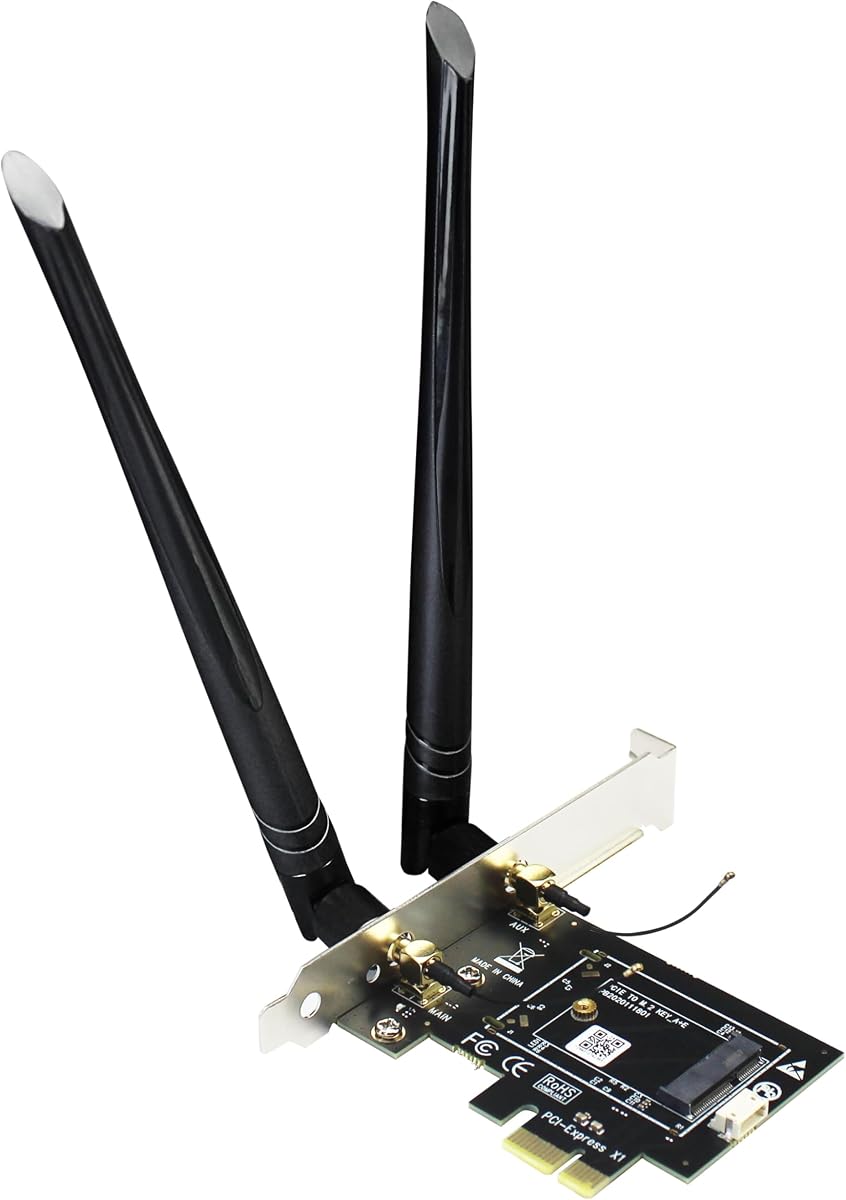
GLOTRENDS WA01 Adapter
4.1Editor score
M.2 Key E to PCIe X1
Works with Coral TPU
Includes 6-dBi Antenna Kits
This guide compares the top M2 Key E WiFi cards for laptops and desktops, focusing on speed, compatibility, and features to help you choose the right wireless
Finding the right wireless network adapter can transform your computing experience. M2 Key E WiFi cards offer modern connectivity standards for laptops and desktops. Understanding which model fits your system is essential for optimal performance.
We evaluated ten leading models based on speed, compatibility, and real-world reliability. Our analysis covers Wi-Fi 6E and Wi-Fi 7 options from trusted manufacturers. Each product was reviewed against specific technical criteria.
Each pick highlights key strengths and potential limitations for your setup. Please note that product availability and specifications may change over time. Always verify compatibility with your motherboard before purchasing any adapter.
4.1Editor score

4.5Editor score

4.1Editor score
This side-by-side comparison highlights the unique features and technical specifications of each adapter to help you make an informed decision based on your specific hardware needs.

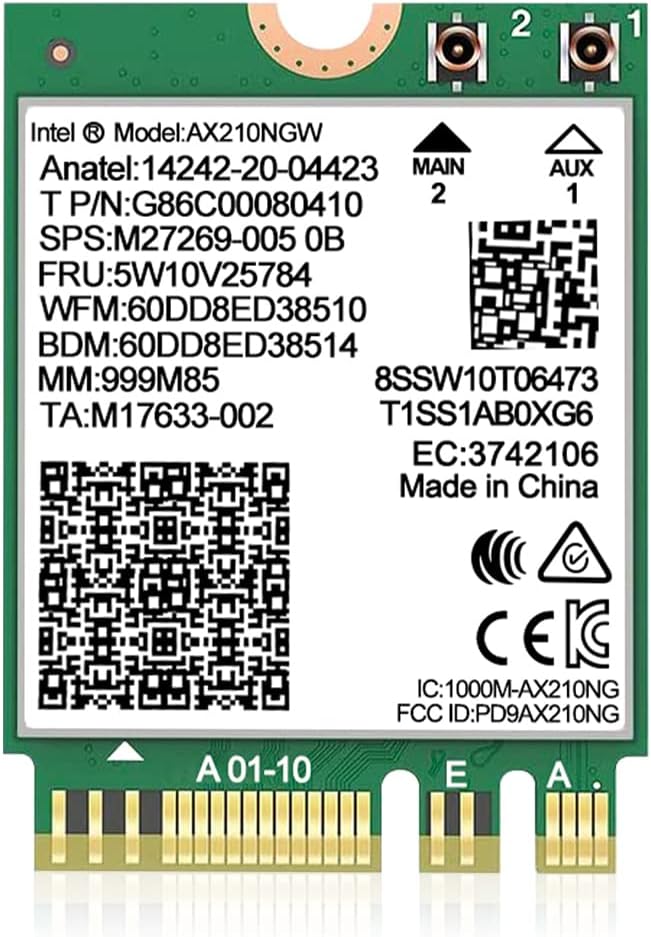





This adapter stands out as a top choice for wireless upgrades. It delivers strong performance across multiple frequency bands. The included antenna kit ensures robust signal transmission.
We may earn a commission when you buy through this link, at no additional cost to you.
The AX210 chipset brings modern standards to older machines. Users benefit from tri-band connectivity that reduces congestion. The high gain antennas extend effective range significantly.
While installation requires some technical knowledge, the results are worth it. Compatibility covers most modern motherboards with standard slots. Drivers are easy to find on manufacturer sites.
If you need reliable high speed connectivity this card is ideal. It balances performance and features well for most users. We highly recommend it for general upgrades.
Tri-band support means you can connect on 2.4GHz, 5GHz, or 6GHz depending on your router and needs for better throughput.
This package includes brackets and cables so you can secure the card properly without hunting for extra parts later.
We may earn a commission when you buy through this link, at no additional cost to you.
For tight budgets this adapter offers great value. It converts M.2 slots to PCIe X1 seamlessly. The range of supported modules is impressive for the cost.
We may earn a commission when you buy through this link, at no additional cost to you.
Users can attach various wireless modules to desktop boards. The included antennas help maintain good signal strength. It works well with older and newer chipsets.
Note that Bluetooth needs a USB connection for full function. This adds a small step to setup but is manageable. Performance is solid for everyday tasks.
Choose this if you want flexibility without high cost. It opens up many options for your existing hardware. A practical solution for many desktop builds.
This adapter supports nearly all standard M.2 WiFi modules so you can use whatever card fits your needs.
The connection leverages the PCIe bus for reliable data throughput ensuring stable wireless operation.
We may earn a commission when you buy through this link, at no additional cost to you.
This card brings next gen standards to compatible laptops. It delivers peak speeds for demanding workloads. Tri-band support keeps connections smooth even during congestion.
We may earn a commission when you buy through this link, at no additional cost to you.
MLO technology allows simultaneous band use for stability. Users will notice lower lag in gaming or streaming. The hardware is built for modern environments.
Keep in mind you need a supporting router to see full gains. Windows 11 is required for full feature access. But the performance is top tier.
Enthusiasts should consider this for future proofing. It maximizes your wireless potential with advanced features. A worthy investment for serious users.
MLO lets devices use multiple channels at once to reduce latency and increase reliability significantly.
Wider channels enable faster data rates for quicker transfers and smoother high definition video streams.
We may earn a commission when you buy through this link, at no additional cost to you.
This module offers solid performance for laptop upgrades. It uses the trusted AX210 chipset for consistency. Tri-band support improves connectivity in dense areas.
We may earn a commission when you buy through this link, at no additional cost to you.
Windows support is broad covering most current systems. The card integrates cleanly into standard M.2 slots. Bluetooth pairing works well with peripherals.
You will need to source your own antenna cables though. This can add steps for some users. But the core wireless performance is reliable.
Ideal for those who want a straightforward Intel solution. It delivers consistent results across daily tasks. A safe choice for many laptops.
Intel hardware ensures stable connections and easy driver updates for smooth operation over time.
Access to 6GHz helps avoid crowded frequencies for a better user experience during peak hours.
We may earn a commission when you buy through this link, at no additional cost to you.
This card brings powerful networking to laptops. It supports tri-band connections for flexible setup. MU-MIMO technology enhances data exchange with routers.
We may earn a commission when you buy through this link, at no additional cost to you.
Users enjoy lower latency for interactive sessions. The Bluetooth version matches the latest standards easily. Security protocols are up to date.
Make sure you have the correct slot on your board. Compatibility is broad but checking specs helps avoid issues. Drivers are available online.
Recommended for users wanting solid speeds. It handles multiple devices efficiently without dropping signals. A dependable option for general use.
Multiple input multiple output helps the card talk to multiple devices at once for better efficiency.
Latest security standards protect your connection from unauthorized access keeping data safer on networks.
We may earn a commission when you buy through this link, at no additional cost to you.
This card includes everything needed for a full setup. Antennas are high gain for extended reach. Bracket support simplifies physical mounting in cases.
We may earn a commission when you buy through this link, at no additional cost to you.
Users benefit from strong signal across rooms. Tri-band support keeps speeds steady. Bluetooth integration works well with headsets and mice.
Installation is straightforward for those comfortable with hardware. Make sure your chassis has space for the brackets. Performance remains consistent.
Good for desktops needing extra range. The included parts reduce extra shopping. Reliable for most standard home networks.
These antennas boost signal strength significantly so you can connect from farther away with stability.
Cables and brackets are included so you do not need to search for extra parts before installation.
We may earn a commission when you buy through this link, at no additional cost to you.
This module targets advanced users needing top speeds. It supports the latest Wi-Fi 7 standards. MLO helps utilize multiple bands for throughput.
We may earn a commission when you buy through this link, at no additional cost to you.
Gaming and streaming benefit from reduced lag. Drivers are focused on modern Windows versions. Bluetooth integration ensures smooth peripheral use.
Keep in mind OS requirements are strict. Older systems may not see full function. But for compatible machines it shines.
Buy this for cutting edge connectivity needs. It maximizes your bandwidth potential effectively. A strong pick for tech enthusiasts.
Supporting new standards ensures your system stays ready for upcoming router upgrades and improvements.
Optimized for gaming and streaming so reactions happen faster without frustrating delays on the link.
We may earn a commission when you buy through this link, at no additional cost to you.
This adapter offers a balanced performance package. Dual-band support helps manage traffic efficiently. It fits well into standard slots easily.
We may earn a commission when you buy through this link, at no additional cost to you.
Bluetooth 5.2 provides reliable peripheral connections. Linux support broadens its utility for developers. Speeds are adequate for browsing and video.
It lacks the newest 6GHz band but is cost effective. For basic needs it performs reliably day to day. Drivers are easy to find.
Choose this for standard upgrades without high costs. It handles common tasks with ease. A solid entry level option.
Supports both 2.4 and 5GHz bands so you can pick the best option for your environment.
Works with Linux systems so you can use it on open platforms without issues if you know setup.
We may earn a commission when you buy through this link, at no additional cost to you.
This adapter expands your motherboard options significantly. It connects M.2 modules to PCIe slots. Antennas help maintain good range.
We may earn a commission when you buy through this link, at no additional cost to you.
Bluetooth works via USB for maximum flexibility. You can reuse existing cards effectively without issues. Setup is straightforward with clear instructions.
Keep in mind you need your own wireless module. But this adds adaptability to your hardware. Good for upgrading older desktops.
Buy this to add wireless to legacy systems. It enables reuse of modules efficiently. A practical tool for custom builds.
Uses PCIe x1 slots to host M.2 modules giving you more freedom for hardware upgrades.
Bluetooth signals go over USB so you can connect to headers on your board easily.
We may earn a commission when you buy through this link, at no additional cost to you.
This card targets high performance gaming and work. It supports Wi-Fi 7 for future needs. Low latency helps competitive play.
We may earn a commission when you buy through this link, at no additional cost to you.
Intel optimization ensures tight integration on supported CPUs. Bluetooth 5.4 keeps peripherals responsive. Software helps prioritize traffic.
Limitations include specific CPU requirements. But the results are solid when conditions align. A powerful choice for focused users.
Select this for optimized high speed use. It prioritizes traffic well for gaming. Recommended for compatible systems.
Optimized to reduce delays so your inputs register instantly on the network for better gaming.
Built for Intel platforms so drivers and software work smoothly with your system setup.
We may earn a commission when you buy through this link, at no additional cost to you.
Selecting the right adapter involves checking compatibility and features carefully. Here are key factors to consider before buying.
Check if your system supports Wi-Fi 6E or 7. Newer standards provide more bandwidth and less interference. Ensure your router matches these standards for best results.
Choose the highest standard your router and OS can handle.
Verify you have an M.2 Key E slot. Some systems use CNVio2 which is not universally compatible. Read documentation carefully before ordering a card.
Match the slot type exactly to avoid hardware incompatibility issues.
Modern adapters include Bluetooth 5.2 or 5.3. Newer versions offer better range and lower power use. Ensure the card supports your peripherals.
Prioritize recent Bluetooth versions for better peripheral performance.
Some cards come with antennas and brackets. Others require you to source these separately. Antennas improve range and signal stability significantly.
Look for kits that include antennas for easier setup and better signal.
Windows 10 and 11 are commonly supported. Some newer cards require 11 for full features. Check OS requirements in the product description.
Ensure your OS matches card requirements before purchasing.
Most cards work with Intel and AMD systems. Some high-end models may restrict support. Verify chipset support to avoid issues.
Confirm CPU compatibility with your motherboard.
Drivers should be easy to find from manufacturer sites. Proprietary software can help manage traffic. Ensure you can install drivers without hassle.
Check for driver support on the official website.
Cards are generally 2230 but height matters. Ensure there is clearance in your chassis. Brackets need space to secure properly.
Measure your slot clearance before buying to avoid fitting issues.
Always power off your computer before opening the case. Ground yourself to prevent static damage. Locate the M.2 slot on the motherboard.
Insert the card firmly and secure with the screw. Attach antennas and cables carefully to ensure good contact. If using a PCIe adapter connect all cables properly.
Install drivers from the manufacturer website. Reboot your system to ensure detection. Check network settings to configure your wireless preferences.
An M2 Key E WiFi card is a compact network adapter that connects to your motherboard's M.2 Key E slot. It provides modern wireless connectivity for laptops and desktops that need upgrading.
No many M2 Key E adapters do not support CNVio2. This protocol is proprietary and requires specific cards. Check your motherboard manual before purchasing.
If you have an M.2 Key E slot on a desktop board you may need a PCIe adapter. Laptops usually connect directly to the internal slot without extra parts.
Wi-Fi 6E adds the 6GHz band for more available channels. This reduces congestion and increases speed in busy networks.
Most cards work with 10 and 11 but newer Wi-Fi 7 models often require 11. Always check the product specifications for OS requirements.
Yes many cards support low latency modes. Newer models like Wi-Fi 7 are ideal for competitive gaming due to faster response times.
We reviewed ten options ranging from budget adapters to premium Wi-Fi 7 models. Each offers distinct benefits depending on your setup.
Prioritize compatibility and speed standards to match your needs. Ensure your OS and slots are supported before purchasing.
Prices change frequently so check current listings for the best value. We hope this guide helps you upgrade your wireless experience.