
USB Logic Analyzer 24MHz 8 Channel Debug Tool for Arduino ARM FPGA
4.5Editor score
8 digital channels at 24MHz
Compatible with Saleae software
Supports UART SPI IIC protocols
This guide compares the top 10 Logic Analyzers for Electronics Projects based on channel count, sampling rate, and protocol decoding support.
Choosing the right Logic Analyzer for Electronics Projects can transform your debugging workflow. These tools capture digital signals to reveal timing issues and protocol errors. A good analyzer offers high sampling rates, multiple channels, and reliable software integration for precise diagnostics.
We evaluated ten leading models ranging from budget-friendly kits to premium professional units. Our comparison focuses on sample rates, channel counts, protocol support, and software compatibility. Each selection aims to help you find the best fit for your specific electronics development needs.
Every product review highlights unique strengths and potential trade-offs to inform your decision. While prices fluctuate, the technical capabilities remain consistent across these models. Check current listings for the latest availability and bundle options before making your final purchase decision.
4.5Editor score

4.5Editor score
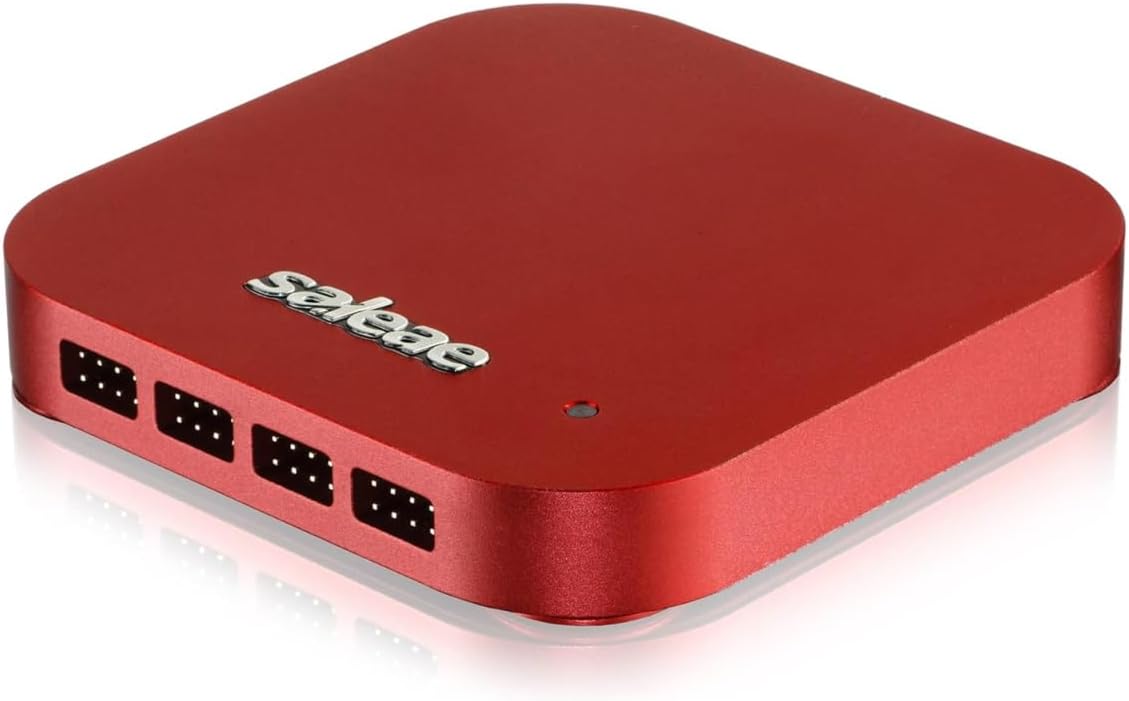
4.8Editor score
This table provides a side-by-side overview of all ten selected logic analyzers. Compare key specifications like channel count, sampling rates, and software compatibility to determine which model aligns with your technical requirements and budget constraints.


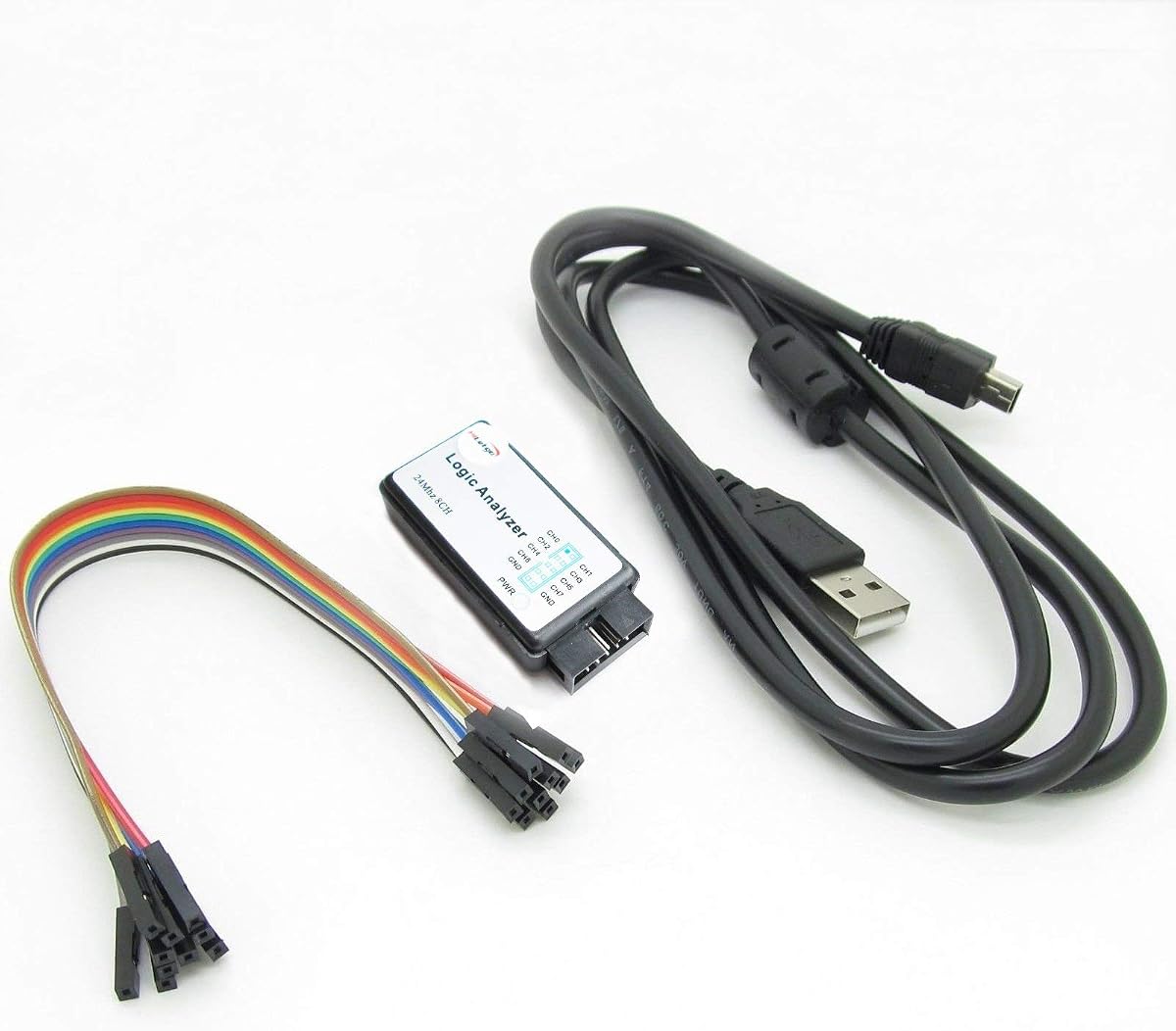


The LONELY BINARY Logic Analyzer Kit serves as an accessible entry point for hobbyists. With an 4.2 rating, it balances affordability with practical features. The included breakout boards simplify connecting to microcontrollers and breadboards.
We may earn a commission when you buy through this link, at no additional cost to you.
This kit offers eight channels running at 24MHz which suits basic protocols like I2C and SPI. The dual USB cables ensure compatibility with both older PCs and modern laptops. The storage case keeps all components organized.
While the sampling rate is lower than premium models, it is sufficient for many hobby projects. The setup is straightforward and requires minimal configuration. Users should expect a learning curve with the included software.
This device is ideal for students or beginners needing a portable solution. It provides the essential tools to debug digital circuits without breaking the bank. We recommend it for those starting their electronics journey.
The kit includes ten test clips and jumper wires for immediate use. This reduces the need to purchase additional tools separately.
The compact storage container ensures safe transport for field work. This feature is valuable for engineers who travel between lab sites.
We may earn a commission when you buy through this link, at no additional cost to you.
The LA1010 stands out as a high-performance option at a reasonable price point. It delivers 100MHz sampling across 16 channels which is robust for complex embedded systems. Users praise its ability to decode over 30 standard protocols.
We may earn a commission when you buy through this link, at no additional cost to you.
Real-time signal visualization helps identify timing errors quickly during development. The KingstVIS software runs on Windows Mac and Linux offering flexibility for different work environments. The handheld design makes it easy to deploy in labs.
Some users find the software interface less polished than premium alternatives. Configuration often requires manual adjustments for specific protocol parameters. However the raw data accuracy remains high for most applications.
This model is perfect for developers needing more channels than budget units offer. It bridges the gap between hobbyist kits and professional gear. We award it the Editor's Choice for its impressive feature set.
Decoding I2C SPI and UART automatically saves significant debugging time. The software converts raw signals into human-readable data streams.
Low power consumption allows for extended signal monitoring sessions. This is useful for debugging intermittent issues over hours.
We may earn a commission when you buy through this link, at no additional cost to you.
The Saleae Logic Pro 16 is the gold standard for professional logic analysis. With a 4.8 rating it excels in precision and usability. The ability to capture up to 500 MS/s ensures no signal details are missed during critical analysis.
We may earn a commission when you buy through this link, at no additional cost to you.
It supports both digital and analog inputs allowing simultaneous observation of control lines and voltage levels. The software is intuitive and powerful reducing the learning curve for new users. Cross-platform compatibility extends its utility across diverse teams.
The price reflects its professional-grade build and performance capabilities. Users needing USB 3.0 ports will appreciate the high bandwidth transfer rates. It is a significant investment but pays off in advanced debugging scenarios.
This device is recommended for engineers working on high-speed embedded systems. The hybrid analog feature sets it apart from standard logic analyzers. We recommend it for teams prioritizing accuracy and software reliability.
Digital and analog inputs can be used together for complex signal analysis. This allows monitoring of analog behavior alongside digital timing.
The software uses PC memory for storage allowing massive buffer depths. This enables long capture sessions without running out of local memory.
We may earn a commission when you buy through this link, at no additional cost to you.
The Saleae Logic Pro 8 offers similar performance to the Pro 16 in a smaller package. It delivers 500 MS/s digital sampling which is excellent for fast embedded protocols. Users value its portability and robust software ecosystem.
We may earn a commission when you buy through this link, at no additional cost to you.
Eight channels are sufficient for many microcontroller projects without the bulk of larger units. The software integrates seamlessly with Windows Mac and Linux systems. This consistency ensures a smooth workflow across different development environments.
It is more expensive than budget alternatives but justifies the cost with reliability. Some users may need more than eight channels for complex bus analysis. The ultra-portable design makes it great for field engineers.
This analyzer is ideal for professionals needing a balance of power and size. It is reliable for long-term use in critical debugging tasks. We suggest it for teams who prioritize software quality and hardware stability.
The software provides a seamless user experience across multiple operating systems. Regular updates add new protocol decoders and features frequently.
Ten billion digital samples allow for capturing long sequences of data. This is useful for monitoring low-frequency events over extended periods.
We may earn a commission when you buy through this link, at no additional cost to you.
The USB Logic Analyzer 24MHz is a highly accessible tool for hobbyists. With a 4.5 rating it offers excellent value for basic debugging. It runs on standard Saleae logic software making setup intuitive for users.
We may earn a commission when you buy through this link, at no additional cost to you.
Sampling rates go up to 24MHz which covers common communication speeds. The adjustable sampling rates allow flexibility depending on project needs. It works well with Arduino ARM and FPGA development boards.
Build quality is simple but functional for most casual projects. Users might need to handle cables carefully due to plastic connectors. However the cost makes it an easy replacement or secondary tool.
This device is perfect for students or makers on a tight budget. It provides enough power to learn digital logic without expensive costs. We recommend it for beginners needing basic protocol visibility.
It works seamlessly with popular open-source logic analysis software. This eliminates the need to learn a proprietary interface from scratch.
The voltage range supports standard 3.3V and 5V systems safely. This covers most modern microcontroller platforms used in electronics.
We may earn a commission when you buy through this link, at no additional cost to you.
The DSLogic Plus offers a dual-mode capture system unique to this category. With 400MHz sampling and 16 channels it handles high-speed data well. It uses on-board memory to capture bursts before transferring to PC storage.
We may earn a commission when you buy through this link, at no additional cost to you.
Stream mode allows long capture durations while buffer mode maximizes sampling rate. The DSView software supports nearly a hundred decoders and is open source. This flexibility allows community contributions to protocol definitions.
The USB 2.0 Type C interface ensures compatibility with modern systems. Shielded wires help reduce noise interference during measurement. Users must configure modes manually which adds a small learning curve.
This analyzer is suited for engineers needing advanced buffering capabilities. It bridges the gap between mid-range and professional hardware. We recommend it for complex high-speed bus analysis tasks.
256Mbits of SDRAM enables high-speed buffer capturing independently of PC. This captures precise timing details before PC bottlenecks occur.
Being open source allows for community updates and custom decoders. Users can modify the software to support specific protocols.
We may earn a commission when you buy through this link, at no additional cost to you.
The HiLetgo Logic Analyzer is a simple tool for entry-level debugging. It captures signals at 24MHz across eight channels. The inclusion of an EMI ferrite ring helps reduce noise on the USB connection.
We may earn a commission when you buy through this link, at no additional cost to you.
Users can adjust input thresholds to match different voltage levels like 3.3V or 5V. This flexibility improves accuracy when dealing with mixed voltage systems. It supports basic protocols like UART SPI and IIC out of the box.
The build is basic and may not withstand heavy daily abuse. Software support relies on third-party tools like PulseView or Saleae Logic. This is acceptable for hobbyists who prioritize cost over durability.
This model is ideal for quick checks or educational projects. It provides essential visibility without requiring complex setup. We recommend it for those needing a secondary backup analyzer.
Adjustable thresholds let users tune the device for specific voltage levels. This ensures accurate reading across different microcontroller families.
The ferrite ring on the USB cable minimizes electromagnetic interference. This keeps the signal waveform cleaner during sensitive measurements.
We may earn a commission when you buy through this link, at no additional cost to you.
The Saleae Logic 8 provides a solid balance of performance and cost. It offers 100 MS/s digital sampling which is enough for most protocols. The software is polished and consistent across all supported platforms.
We may earn a commission when you buy through this link, at no additional cost to you.
Eight digital and analog inputs give enough flexibility for typical development. Users appreciate the ease of use compared to cheaper alternatives. It handles long-term signal monitoring with ease due to large memory capacity.
It is slightly slower than the Pro models which may limit high-speed analysis. The USB 2.0 interface is slower than the 3.0 found in Pro units. However for many users the difference is negligible in practice.
This device is a strong choice for teams wanting reliability without Pro prices. It is reliable for daily debugging tasks in a lab environment. We recommend it for those needing a consistent workflow tool.
Full support for Windows Mac and Linux ensures broad team compatibility. Updates are released regularly to maintain stability across systems.
The large memory capacity supports extended capture sessions easily. Users can monitor signals over hours without dropping data points.
We may earn a commission when you buy through this link, at no additional cost to you.
The DSLogic Plus 16 Channels offers high-end specs at a competitive price. With 400MHz sampling it captures fast data transitions effectively. The open-source nature means community support and continuous improvement.
We may earn a commission when you buy through this link, at no additional cost to you.
Stream mode enables deep sampling while buffer mode ensures precision. The adjustable threshold allows fine-tuning for specific voltage levels. Users value the flexibility of adding custom protocol decoders.
The build is functional but less premium than proprietary brands. Configuration requires some technical knowledge to optimize modes effectively. For advanced users this is a minor drawback given the power.
This device is best for enthusiasts who appreciate open-source development. It delivers professional features without the brand markup. We recommend it for users wanting high speed at a reasonable cost.
The open source nature allows a community to maintain decoders. This ensures support for rare protocols often not covered elsewhere.
Sixteen gigabytes of sampling depth enables long captures in stream mode. This allows analyzing long duration signals over time.
We may earn a commission when you buy through this link, at no additional cost to you.
The Analog Discovery 3 combines multiple instruments including a logic analyzer. With 16 digital channels and 125 MS/s sampling it is versatile. The included variable power supply adds significant value for prototyping.
We may earn a commission when you buy through this link, at no additional cost to you.
Users can control hardware via C Python or MATLAB SDK for automation. It features both an oscilloscope and logic analyzer for comprehensive testing. The software is robust but requires some time to master.
The device is more complex than a dedicated logic analyzer. It is best for users who need multiple lab tools in one package. For dedicated logic analysis a simpler tool may suffice.
This device is perfect for lab environments needing multi-instrument flexibility. It replaces several devices with one portable unit. We recommend it for engineers needing broad testing capabilities.
Integrated variable power supplies allow powering circuits without external units. This reduces clutter on the bench during prototyping.
The SDK allows control via various programming languages for automation. This enables scripted testing and advanced custom workflows easily.
We may earn a commission when you buy through this link, at no additional cost to you.
Selecting the right logic analyzer depends on your specific needs and budget. This guide covers the key factors that influence performance and usability in your projects.
The number of channels determines how many signals you can monitor simultaneously. For basic Arduino projects four channels may suffice but complex systems often require eight or sixteen. More channels provide flexibility for debugging multi-bus interactions.
Choose at least eight channels for general electronics development to ensure future-proofing.
Sampling rate defines how many data points the analyzer captures per second. Higher rates like 100MHz or more are essential for high-speed protocols like SPI or I2C. Lower rates might miss short glitches or timing errors in fast circuits.
Ensure the sampling rate exceeds your highest protocol frequency by a wide margin.
Built-in protocol decoders convert raw binary into readable text. Support for UART SPI I2C and CAN saves significant manual analysis time. Check if the software supports the specific protocols used in your project stack.
Look for devices that support over thirty standard protocols to maximize utility.
The software interface should run smoothly on your operating system. Cross-platform support for Windows Mac and Linux ensures flexibility. Some devices rely on proprietary software while others use open-source tools.
Verify that the software is available for your OS before purchasing any unit.
On-board memory allows capturing long signal sequences before transferring to PC. Devices with larger buffers reduce the risk of data loss during long tests. High sampling rates often reduce buffer length due to storage constraints.
Prioritize models with adjustable buffer modes for capturing long duration events.
Robust construction ensures the device survives frequent handling in labs. Plastic units may be cheaper but metal cases offer better protection and shielding. Check the quality of cables and connectors included with the purchase.
Invest in a model with shielded wires and sturdy connectors for daily use.
Budget units start under twenty dollars while professional tools cost significantly more. Balance the cost against the features you actually need for current projects. Often mid-range units offer the best balance of performance and cost.
Consider total cost including accessories rather than just the base unit price.
Portable units allow debugging in various locations or during field work. Compact designs with USB power are ideal for on-the-go use. Larger units may offer more power but are less convenient for travel.
Select a portable model if you need to test electronics outside the lab.
Connect the analyzer to your target circuit ensuring voltage levels match the device specifications. Use the provided test clips or breadboard adapters to link channels to signals. Ensure the ground connection is common between the analyzer and circuit.
Launch the software software configure the sampling rate to be at least twice your signal frequency. Adjust voltage thresholds to distinguish between high and low logic states. Run a test capture to confirm signal integrity before starting analysis.
Store the device in a protective case to prevent damage from dust or drops. Keep cables organized to avoid tangling or physical stress. Regular software updates can improve protocol support and fix known bugs.
Yes most modern logic analyzers support standard Arduino logic levels. They can interface with 3.3V and 5V pins safely using the provided clips.
Some models like the Saleae Pro allow hybrid analog and digital inputs. Standard logic analyzers only capture digital high and low states.
Most supported analyzers run on macOS including Saleae and DSView. Verify system requirements to ensure compatibility with your Mac OS version.
For simple microcontrollers four channels may suffice. Complex projects with buses often benefit from eight to sixteen channels to monitor all lines.
Higher sampling rates benefit from USB 3.0 bandwidth to prevent bottlenecks. Some high-end models support 3.0 while others work well with 2.0.
Open-source tools like DSView allow writing custom decoders for specific protocols. Proprietary tools may limit this unless community plugins are available.
Buffer mode prioritizes speed for short captures while stream mode prioritizes depth for long captures. Dual-mode devices let you switch between these goals easily.
Basic capture is simple but protocol decoding may require learning specific settings. Most modern software includes helpful tooltips to guide new users.
We have reviewed ten distinct options ranging from budget kits to professional tools. Each model offers unique strengths depending on channel count and sampling speed.
For most developers mid-range units provide the best balance of power and affordability. Professionals may prefer high-end models for critical debugging accuracy and reliability.
Prices and bundles may change so verify current listings before finalizing your purchase. Always check the latest software compatibility with your operating system for optimal performance.