
Brother HL-L2405W
4.1Editor score
Compact desktop footprint
Manual feed envelope slot
Wireless network ready
Find the best laser printer with envelope feeder for your office. This guide compares top models for speed, reliability, and professional envelope printing
Finding a reliable laser printer with envelope feeder capabilities is crucial for businesses that handle regular mailings. These devices ensure crisp text and consistent output for letters and parcels without jams. Choosing the right model saves time and money on postage and paper handling issues.
We evaluated ten top-rated laser printers based on envelope handling, print speed, connectivity, and overall value. Our analysis focuses on real-world performance metrics and user feedback to highlight which machines deliver consistent results. Each product offers unique features suitable for different office sizes and printing volumes.
Every selection includes detailed specifications and honest insights to help you make an informed decision for your workspace. Remember that inventory and availability can shift quickly due to supply chain changes and seasonal demand. Always verify current stock before placing orders to ensure timely delivery for your needs.
4.1Editor score

4.3Editor score

4.4Editor score
This table summarizes key specifications for all ten laser printers to help you compare envelope handling and performance at a glance.




The Brother HL-L2405W is a top choice for small offices needing reliable laser printing with envelope capabilities. With a strong rating from users, it delivers sharp text output and flexible connectivity options for modern workflows.
We may earn a commission when you buy through this link, at no additional cost to you.
Its standout quality is the manual feed slot that accommodates envelopes and specialty paper without requiring extra trays. The dual-band wireless connection ensures stable performance even in busy network environments with multiple devices.
Trade-offs include a lower paper capacity and the need to manually feed envelopes one by one. However, these are acceptable for low-volume users who prioritize cost and space efficiency over high-speed batch processing.
Home offices and small teams should buy this model for its balance of performance and affordability. It is a solid recommendation for those starting a new workspace with basic printing needs.
The printer supports both USB and wireless connections allowing seamless integration with various devices and operating systems.
Using the manual feed slot ensures precise placement of envelopes reducing jams and improving print quality for mailing tasks.
We may earn a commission when you buy through this link, at no additional cost to you.
The Brother MFC-L5915DW is designed for busy offices requiring high-speed monochrome printing and robust envelope handling features. It earns high marks for efficiency and professional-quality output in demanding environments.
We may earn a commission when you buy through this link, at no additional cost to you.
Key strengths include a print speed of fifty pages per minute and a high-capacity auto document feeder for fast scanning tasks. The gigabit Ethernet and dual-band WiFi provide secure and stable connectivity for networked workspaces.
While it costs more and takes up more desk space than compact models, the productivity gains justify the investment for larger teams. Manual envelope feeding is supported through the standard input slot for professional mailings.
Businesses with high printing volumes should choose this model for its speed and durability. It is recommended for offices where time savings and reliability are critical to daily operations.
With fifty pages per minute this printer keeps up with heavy workloads ensuring documents are ready quickly for immediate use.
The auto document feeder handles multi-page documents efficiently reducing manual effort during scanning and copying workflows.
We may earn a commission when you buy through this link, at no additional cost to you.
The Brother HL-L2460DW offers an excellent balance of speed and efficiency for small teams needing reliable laser printing with envelope support. It is praised for its quick duplex printing and easy mobile connectivity.
We may earn a commission when you buy through this link, at no additional cost to you.
Its main advantages are automatic two-sided printing which saves paper and the manual feed slot for envelopes. The dual-band wireless ensures consistent connection stability even when multiple users access the printer simultaneously.
The device lacks a fax module and has standard paper capacity limiting its use for very high-volume environments. However, these trade-offs are minor for users focused on efficient document production and mailing tasks.
Small offices should buy this printer for its blend of features and space-saving design. It is a great recommendation for teams wanting modern connectivity without paying for unnecessary functions.
Connecting via 2.4 or 5GHz frequencies allows the printer to adapt to network conditions for fewer dropouts.
The Brother Mobile Connect app lets users print and track supplies from smartphones enhancing workflow flexibility.
We may earn a commission when you buy through this link, at no additional cost to you.
The HP LaserJet MFP M234sdw is a versatile all-in-one printer ideal for small teams needing secure envelope printing capabilities. It receives positive feedback for its ease of setup and consistent black and white output.
We may earn a commission when you buy through this link, at no additional cost to you.
Key strengths include built-in security features that protect sensitive documents and an auto document feeder for scanning tasks. The self-reset Wi-Fi helps maintain connectivity without requiring frequent manual interventions or resets.
Manual envelope feeding is required and standard paper capacity may need frequent refills for larger jobs. These are acceptable limitations for small teams prioritizing security and reliability in a compact package.
Small businesses focused on data security should buy this printer for its robust protection features. It is recommended for offices where protecting sensitive printed materials is a high priority.
The printer detects and resolves Wi-Fi connectivity issues automatically to ensure continuous operation.
HP Smart app users can complete repetitive tasks faster and scan documents directly to the cloud.
We may earn a commission when you buy through this link, at no additional cost to you.
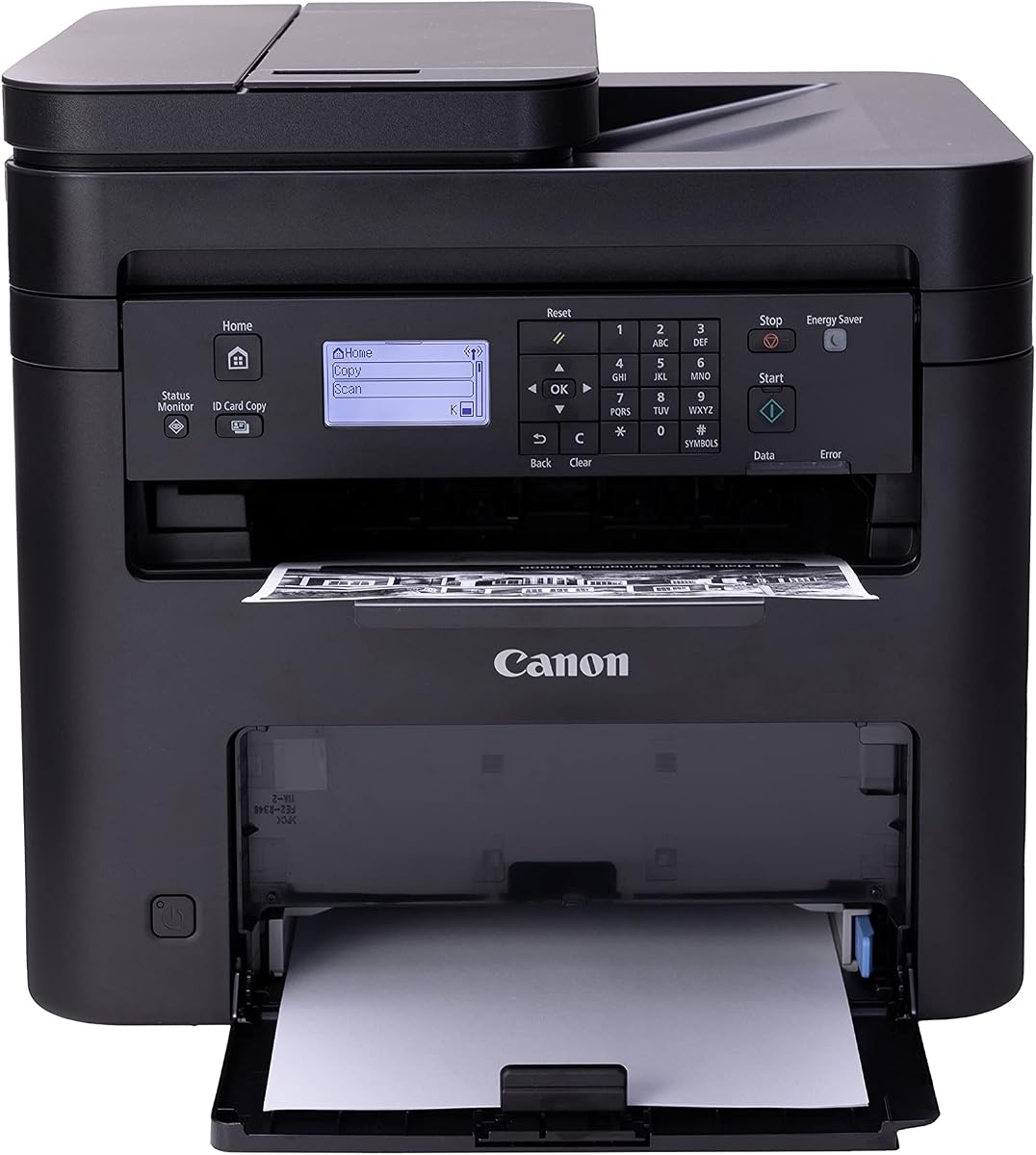
The Canon imageCLASS MF273dw delivers professional-quality monochrome printing with essential multifunction features for envelope tasks. It is rated highly for its quick first print time and straightforward interface.
We may earn a commission when you buy through this link, at no additional cost to you.
Strengths include automatic two-sided printing and a built-in auto document feeder for efficient scanning. Wireless connectivity makes it easy to place the printer away from computers while maintaining access for multiple users.
It lacks automatic envelope feeding and has a smaller paper tray than some competitors. These trade-offs are acceptable for smaller offices with moderate daily printing volumes and minimal envelope usage.
Small businesses needing simple multifunction printing should buy this model for its value. It is recommended for users who want reliable performance without complex setups or high costs.
The printer outputs the first page in under six seconds reducing wait times for urgent documents.
High-capacity toner options help reduce replacement frequency and lower ongoing operating costs.
We may earn a commission when you buy through this link, at no additional cost to you.
The Brother MFC-L2820DW stands out as the top all-rounder for small offices needing a full suite of printing and envelope handling capabilities. It receives excellent reviews for its balance of speed, features, and reliability.
We may earn a commission when you buy through this link, at no additional cost to you.
Key strengths include a large touchscreen that simplifies menu navigation and fax capabilities alongside printing and scanning. The manual feed slot ensures envelopes are printed with precision without jamming during processing.
The envelope slot requires manual insertion which can be slower than auto-feed systems. However, this design protects envelopes from jamming and is acceptable for offices handling moderate mailing volumes.
Small businesses seeking a complete workstation should buy this model for its versatility. It is recommended for teams needing fax, scan, and print functions with consistent envelope output.
The 2.7-inch touchscreen provides clear menus and shortcuts for common tasks like scanning to email.
Optional refresh subscriptions ensure you never run out of toner saving time and money on supplies.
We may earn a commission when you buy through this link, at no additional cost to you.
The Canon imageCLASS MF462dw II is a fast and user-friendly printer suitable for growing businesses needing reliable envelope printing. It is praised for its large color touchscreen and quick page output.
We may earn a commission when you buy through this link, at no additional cost to you.
Its standout features include expandable paper capacity and a large touchscreen for easy navigation. Mobile printing is supported through multiple services allowing seamless access from various devices across the network.
The manual feed slot for envelopes is standard and requires careful loading for best results. This is a minor inconvenience for users who prioritize speed and ease of use over advanced auto features.
Growing teams need speed and easy setup should buy this printer for its performance. It is recommended for offices that want modern features without excessive complexity or bulk.
Optional paper cassettes allow the printer to scale with increased demand without needing a new device.
Apple AirPrint and Canon app support enable printing directly from phones for quick tasks.
We may earn a commission when you buy through this link, at no additional cost to you.
The Brother MFC-L8930CDW is a premium color laser printer designed for businesses needing high-quality envelope and document output. It stands out with advanced security features and robust scanning capabilities.
We may earn a commission when you buy through this link, at no additional cost to you.
Key strengths include dual-color printing and fast duplex scanning that speeds up workflow. The multipurpose tray supports custom paper sizes including envelopes ensuring professional print results.
Cost is higher and setup may be complex for non-tech users. However, the security and output quality justify the investment for organizations handling sensitive documents regularly.
Enterprises requiring secure and colorful output should buy this model for its comprehensive feature set. It is recommended for offices prioritizing security and print quality.
Integrated NFC card readers allow badge authentication for secure printing access control.
Scans can be converted into searchable Microsoft Office documents improving document management workflows.
We may earn a commission when you buy through this link, at no additional cost to you.
The HP LaserJet Pro MFP 3101sdw is a reliable all-in-one printer with strong envelope handling for small teams. It earns high ratings for its consistent performance and user-friendly wireless features.
We may earn a commission when you buy through this link, at no additional cost to you.
Strengths include professional print quality and dependable Wi-Fi that optimizes connections automatically. The printer also features an auto document feeder for scanning and copying to support daily workflow.
Manual envelope feeding and lack of color output limit it for complex tasks. These are acceptable trade-offs for users focused on fast, dependable black and white document handling.
Small teams needing reliable black and white printing should buy this model for its reputation. It is recommended for offices valuing consistency and ease of maintenance.
Wireless connections automatically search for the strongest signal to keep printing online.
High yield toner options reduce replacements and lower costs per page.
We may earn a commission when you buy through this link, at no additional cost to you.
The Brother Premium MFC-L2690DW is a robust all-in-one printer designed for offices needing professional envelope printing capabilities. It is noted for its strong build and flexible paper handling options.
We may earn a commission when you buy through this link, at no additional cost to you.
Its standout quality is the manual feed slot that handles envelopes and card stock with minimal jams. The large paper tray reduces refills and network sharing supports multi-user environments effectively.
Print speeds are slower than premium models but acceptable for most small teams. Manual feeding for envelopes ensures quality without needing extra accessories for standard mailings.
Small offices needing durability should buy this model for its reliable performance. It is recommended for workspaces prioritizing construction and ease of daily use.
Sturdy construction ensures the printer withstands daily heavy use in busy office settings.
Adjustable trays accommodate various paper sizes reducing the need for manual adjustments.
We may earn a commission when you buy through this link, at no additional cost to you.
Choosing the right printer requires balancing envelope handling, speed, and connectivity for your workflow needs.
Look for models with manual feed slots for precise envelope placement. Some models support batch feeding which speeds up bulk mailings significantly.
Manual feed offers precision while auto-feed saves time for high-volume users.
Choose a printer with at least 20 pages per minute for efficient workflow. Faster speeds reduce wait times for documents needed immediately.
Match speed to your monthly volume to avoid overpaying for unused capacity.
Dual-band wireless and Ethernet ensure stable connections in busy offices. USB allows direct connection to a single computer.
Prioritize dual-band Wi-Fi for reliable connections across multiple devices.
Larger trays reduce refill frequency during busy periods. Standard trays hold 250 sheets while expandable options offer more.
Assess daily volume to pick the right tray size.
Monochrome printers are cheaper and faster for text envelopes. Color models are better for branded materials.
Choose monochrome unless color output is essential.
High-yield toners lower cost per page significantly. Check manufacturer pricing before buying.
Calculate long-term costs to avoid surprises.
All-in-one printers handle scanning and copying for envelopes. Standalone models save space but lack these features.
Pick based on scanning needs and desk space.
Businesses need secure printing and document protection. Look for encryption and access controls.
Secure features are vital for sensitive document handling.
Always check envelope type and weight to ensure compatibility with printer specifications. Follow manual guidelines for best print quality.
Clean rollers and trays regularly to prevent jams. Use dry cloths for cleaning to avoid residue.
Store envelopes in dry, cool conditions to prevent curling or moisture damage before printing.
Not all models include automatic envelope feeders. Most require a manual feed slot which ensures better control over envelope positioning during printing tasks.
Use the manual feed slot to align envelopes properly. Avoid overloading trays and ensure envelopes are flat to prevent jams during printing.
Brother offers reliable manual feed slots across many models. HP and Canon also provide strong envelope capabilities depending on your needs.
Manual feed slots support various envelope sizes. Always adjust printer settings to match the exact dimensions for best results.
Clean rollers and trays every few months to maintain performance. More frequent cleaning is needed if printing envelopes regularly.
Modern printers include encryption and secure connection protocols. Ensure your network is secure for safe wireless envelope printing.
High-yield toner provides consistent output. Choose genuine manufacturer toners to avoid smearing on envelope surfaces.
Most multifunction models support scanning. Auto feeders handle flat envelopes but manual placement is often safer.
The Brother MFC-L2820DW stands out as the top choice for most small offices needing reliable envelope handling and multifunction features.
Prioritize models with manual feed slots for precision and choose duplex printing to reduce paper usage.
Check current inventory levels and warranty details before finalizing your purchase to ensure optimal results.