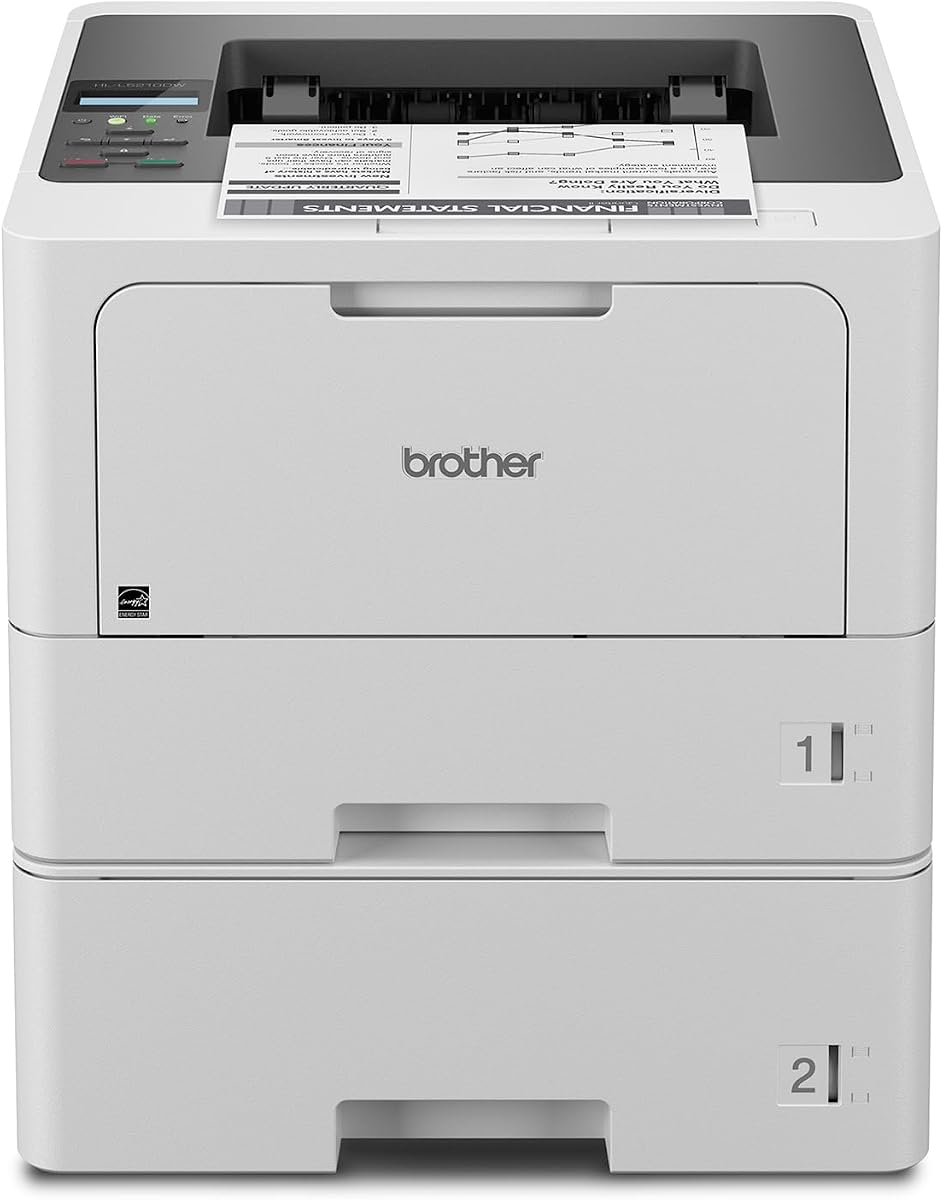
Brother HL-L5210DWT
4.3Editor score
48ppm monochrome speed
1390 sheet expandable capacity
Dual band wireless networking
This guide compares the top laser printer for large workgroups based on speed, capacity, security, and cost efficiency to help your team choose the right model.
Finding the right laser printer for large workgroups requires balancing speed, paper capacity, and security features. Businesses need reliable devices that handle high-volume tasks without frequent jams or network delays. A good printer supports multiple users efficiently while maintaining sharp document quality for professional presentations.
We compared ten top-rated models from leading brands like Brother and HP. Our analysis focused on print speeds, paper handling capabilities, security protocols, and total cost of ownership. Each product was evaluated based on real-world performance metrics and user feedback from enterprise environments.
Each pick highlights specific strengths such as duplex scanning, wireless connectivity, or advanced security layers. Prices and availability change frequently so verify current details before purchasing. Use this guide to match your workflow needs with the most suitable enterprise-grade printing solution available today.
4.3Editor score

4.4Editor score

4.0Editor score
This side-by-side comparison helps you evaluate key specifications across all ten models to find the best fit for your office workflow and budget requirements.


The Brother MFC-L8930CDW stands out as a top choice for large workgroups needing versatile color output. With a 4.4 star rating it delivers consistent performance across print scan and copy tasks. Its updated design offers sharp results while maintaining a footprint smaller than previous models.
We may earn a commission when you buy through this link, at no additional cost to you.
Productivity is enhanced through speeds up to 33ppm and two-sided scanning reaching 104ipm. The 7 inch touchscreen simplifies navigation and supports up to 64 customized shortcuts. Built-in dual-band wireless and Gigabit Ethernet ensure seamless integration into busy office networks without interruptions.
Security remains a priority with Triple Layer Security protecting documents in transit. An integrated NFC card reader allows easy badge authentication for print jobs. Sustainability features include EPEAT Gold rating and use of recycled materials in packaging.
This model suits teams requiring frequent color prints and robust security protocols. While toner costs vary the included standard yield cartridges offer immediate value. For offices prioritizing speed and flexibility this all-in-one unit justifies its investment through long-term reliability.
Flexible connectivity options support multiple devices efficiently reducing bottlenecks during peak usage times.
Advanced security layers protect sensitive data from unauthorized access during network transmission and storage.
We may earn a commission when you buy through this link, at no additional cost to you.
The Brother HL-L5210DWT delivers exceptional value for workgroups focused on high-volume black and white documents. Its 4.3 star rating reflects reliable performance with speeds up to 48ppm. This model minimizes interruptions with dual paper trays and extensive expandable capacity.
We may earn a commission when you buy through this link, at no additional cost to you.
Cost efficiency is achieved through compatible super high-yield toner cartridges reducing frequent replacements. Flexible connectivity includes Gigabit Ethernet and dual-band wireless for seamless mobile printing. Advanced security features safeguard network data without requiring external hardware.
While lacking color capabilities this printer excels in environments prioritizing speed and volume. The compact footprint fits well in shared spaces without compromising functionality. Setup is straightforward allowing IT teams to deploy across multiple departments quickly.
Ideal for departments handling contracts and internal memos this unit balances performance and affordability. The included toner provides initial value while replacement options offer long-term savings. Teams needing rapid output at lower costs will find this model highly effective.
Super high-yield toner options significantly reduce per-page costs for high-volume office environments.
Wired and wireless networking options ensure compatibility with various office setups and device types.
We may earn a commission when you buy through this link, at no additional cost to you.
The HP LaserJet Enterprise M406dn provides solid entry-level performance for growing teams requiring dependable monochrome output. Its 4.4 star rating highlights ease of use and consistent quality. This model features built-in Ethernet for stable network connectivity and dynamic security features.
We may earn a commission when you buy through this link, at no additional cost to you.
Productivity is supported by speeds up to 42ppm and a 2.7 inch color display for quick menu navigation. HP FutureSmart firmware ensures long-term investment through regular feature updates. Security includes Wolf Enterprise layers to detect and self-heal from threats.
While wireless options are limited this unit works well in wired environments. The automatic two-sided printing reduces paper waste and operational costs effectively. IT departments appreciate the simplified management tools and third-party solution compatibility.
Best suited for offices prioritizing reliability and security over advanced mobile features. Teams handling legal or confidential documents benefit from robust protection layers. The compact design integrates smoothly into existing workspaces without requiring extensive configuration.
Regular firmware updates keep the printer compatible with evolving office security and efficiency standards.
Defensive layers protect sensitive data from malware and unauthorized access during printing cycles.
We may earn a commission when you buy through this link, at no additional cost to you.
The Brother MFC-L6810DW delivers enterprise-level speed suitable for demanding workgroups processing large document volumes. With a 4.1 star rating it balances high performance with advanced security protocols. Print speeds reach 52ppm ensuring minimal wait times during peak hours.
We may earn a commission when you buy through this link, at no additional cost to you.
Scanning efficiency is enhanced by a 80-page auto document feeder supporting 200ipm speeds. The 7 inch touchscreen simplifies navigation to cloud services and direct scan destinations. Triple Layer Security and NFC readers protect sensitive files throughout transmission.
This model includes an 8000-page toner cartridge offering immediate value before replacement. Optional trays expand paper capacity up to 1660 sheets reducing refill frequency. Voice integration with Alexa adds convenience for basic print tasks.
Ideal for mid to large-sized teams requiring rapid output and high security standards. The investment reflects long-term productivity gains through automated workflows and reduced downtime. Organizations valuing speed and protection will find this unit highly effective.
High-speed scanning features accelerate digitization processes for large batches of physical documents.
Alexa compatibility allows voice-activated commands for simplified device management tasks.
We may earn a commission when you buy through this link, at no additional cost to you.
The Brother HL-6210DW offers robust monochrome performance for teams focused solely on printing efficiency. Its 4.1 star rating indicates reliable operation across high-volume tasks. This unit supports 50ppm output ensuring quick completion of large batches without delays.
We may earn a commission when you buy through this link, at no additional cost to you.
Seamless integration is achieved through built-in Gigabit Ethernet and dual-band wireless networking. Advanced security measures include Triple Layer Security protecting devices and documents during transmission. Toner cartridges provide high yields reducing operational costs significantly over time.
Capacity is expandable up to 1660 sheets allowing extended uninterrupted printing sessions. The multipurpose tray accommodates custom media or envelopes for diverse document needs. Setup is straightforward with user-friendly management solutions for IT deployment.
Suitable for departments requiring fast and secure printing without scanning capabilities. The combination of speed and security makes it ideal for financial or legal teams. Budget-conscious users will appreciate the balance between performance and long-term value.
Dual connectivity options ensure stable connections across mixed wired and wireless office environments.
High sheet capacity reduces frequent refills allowing uninterrupted work during peak business hours.
We may earn a commission when you buy through this link, at no additional cost to you.
The Brother MFC-L5915DW delivers consistent performance for busy offices needing high-speed monochrome outputs. Its 4.3 star rating reflects reliability in both printing and scanning tasks. This model supports 50ppm print speeds and up to 56ipm scanning speeds efficiently.
We may earn a commission when you buy through this link, at no additional cost to you.
Operating costs are minimized through super high-yield toner cartridges reducing replacement frequency. The 70-page auto document feeder supports single-pass scanning for legal-sized documents. Flexible connectivity includes Gigabit Ethernet and dual-band wireless for mobile device sharing.
While lacking some enterprise features like NFC it remains a strong value proposition for mid-sized teams. The compact design fits well in shared spaces without sacrificing essential functionality. Maintenance is simplified with easy access to toner and paper trays.
Best suited for departments balancing speed with budget constraints. Teams requiring frequent document digitization will appreciate the scanning capabilities. This unit offers a practical blend of performance and affordability for growing organizations.
High-yield toner options significantly reduce per-page costs for regular office document production.
Legal-sized document support ensures compatibility with common business paperwork and contracts.
We may earn a commission when you buy through this link, at no additional cost to you.
The HP LaserJet Enterprise M507n prioritizes security and reliability for enterprises handling sensitive data. Its 4.0 star rating underscores consistent performance in demanding environments. This model features over 200 embedded security features to detect and stop attacks.
We may earn a commission when you buy through this link, at no additional cost to you.
Management is centralized through HP Web JetAdmin allowing easy device configuration and policy updates. Optional mobile printing ensures staff can print from smartphones without complex app setup. Toner cartridges are designed for trust and minimal reprints.
While lacking wireless it integrates seamlessly via Ethernet for stable office networks. The print quality meets professional standards ensuring documents look polished. Security configuration tools help IT enforce corporate policies consistently across devices.
Ideal for organizations where security compliance is critical. Teams handling confidential data benefit from robust malware protection and self-healing systems. The investment reflects long-term protection and administrative efficiency.
Deep security layers protect sensitive corporate data from threats and unauthorized access attempts.
IT administrators can easily configure devices and update policies across the entire network.
We may earn a commission when you buy through this link, at no additional cost to you.
The HP LaserJet Enterprise MFP M634z is built for high-volume enterprise environments requiring maximum throughput. With a 4.0 star rating it delivers professional-quality documents across print scan copy and fax functions. This model achieves speeds up to 55ppm with minimal first-page out time.
We may earn a commission when you buy through this link, at no additional cost to you.
Workflow acceleration is supported by a 150-page auto-document feeder with single-pass two-sided scanning. The 9 inch touchscreen simplifies navigation and error detection. Paper handling includes three additional trays for a total capacity of 2300 sheets.
Security features are embedded deeply to protect data and network infrastructure from malware attacks. Energy efficiency is maintained through innovative design and toner technology. Optional features like staplers/stackers enhance document finishing capabilities.
This unit suits large teams needing high-capacity and workflow automation. The initial cost is offset by long-term reliability and reduced operational overhead. Enterprises prioritizing throughput and security will find this investment highly rewarding.
Advanced scanning and finishing features streamline document processing reducing manual effort.
Extensive tray options minimize refills ensuring continuous operation during high-demand periods.
We may earn a commission when you buy through this link, at no additional cost to you.
The Brother HL-L8430CDWT stands out for reliable color output suitable for teams needing vibrant marketing materials. Its 4.6 star rating highlights exceptional performance and sharp black color prints. This model achieves speeds up to 33ppm ensuring efficient document production.
We may earn a commission when you buy through this link, at no additional cost to you.
Cost efficiency is supported by included high-yield toner cartridges reducing initial expenses. Dual paper trays offer flexibility for mixed media without frequent interruptions. Security features include NFC card readers and Triple Layer Security to protect network data.
Connectivity options include dual-band wireless and Gigabit Ethernet for seamless mobile printing. The 2.7 inch touchscreen simplifies menu navigation and cloud service integration. Default two-sided printing helps reduce paper use and costs significantly.
Ideal for departments producing colorful reports and presentations regularly. Teams valuing consistent output and robust security will find this unit effective. While lacking scanning capabilities it remains a powerful printer for color-heavy workloads.
Sharp color and black prints ensure professional materials for client-facing documents.
High-yield toner options reduce long-term expenses for frequent color printing needs.
We may earn a commission when you buy through this link, at no additional cost to you.
The Brother HL-L6310DW delivers enterprise-grade performance for mid to large-sized workgroups needing high output. Its 4.2 star rating reflects reliable operation across demanding environments. Print speeds reach 52ppm ensuring quick completion of large document batches.
We may earn a commission when you buy through this link, at no additional cost to you.
Cost efficiency is supported by an 8000-page included toner cartridge reducing initial expenses. Security protocols include Triple Layer Security and NFC readers for easy badge authentication. Device management tools enable mass distribution of configurations and updates.
Capacity expands up to 1660 sheets with optional trays minimizing refills. An optional cabinet allows floor-standing configuration optimizing workspace usage. Setup is straightforward with user-friendly design for easy toner replacement.
Best suited for offices prioritizing speed and security in high-volume workflows. Teams requiring robust device management tools will appreciate the deployment features. This unit balances performance and practicality for growing business environments.
Centralized management tools simplify deployment and updates across multiple office printers.
Optional cabinets allow floor-standing configurations saving valuable desk space.
We may earn a commission when you buy through this link, at no additional cost to you.
Selecting the right laser printer requires evaluating several key factors to match your team's workflow and budget needs effectively.
Print speed is measured in pages per minute (ppm) and determines how quickly documents are processed. Large workgroups typically require speeds above 40ppm to avoid bottlenecks during peak hours. Consider monthly duty cycles to ensure the printer can handle your expected volume without excessive wear.
Prioritize models offering high ppm rates and robust duty cycles to maintain productivity during busy periods.
Paper trays should accommodate at least 500 sheets to reduce refill frequency. Look for expandable options allowing total capacities exceeding 1000 sheets. Multipurpose trays support custom media or envelopes for diverse document needs.
Choose units with expandable trays and multipurpose slots for flexible document handling.
Enterprise-grade security protects sensitive data from unauthorized access and malware. Features like NFC card readers and network encryption ensure secure printing workflows. Some models include self-healing capabilities to detect and fix security breaches automatically.
Look for Triple Layer Security or similar protocols to safeguard your network and printed data effectively.
Flexible connectivity ensures all team members can print efficiently from various devices. Gigabit Ethernet provides stable wired connections while dual-band wireless supports mobile printing. Compatibility with cloud services enhances accessibility for remote workers.
Ensure the printer supports both wired and wireless options to accommodate diverse device setups.
Beyond initial price consider toner costs and cartridge yields. High-yield cartridges reduce per-page costs significantly over time. Built-in value with included starter toners helps offset immediate expenses.
Compare yield ratings and toner pricing to estimate long-term operational expenses accurately.
All-in-one units combine printing scanning copying and sometimes faxing reducing hardware clutter. Single-function printers focus solely on output and may offer higher speeds. Evaluate whether your team needs multifunction capabilities to justify the investment.
Select all-in-one models if scanning and copying are frequent tasks to streamline office workflows.
Device management tools simplify IT administration across multiple printers. Firmware updates should be seamless and support long-term investment. User-friendly interfaces reduce training time for staff members.
Prioritize models with centralized management tools and straightforward interfaces for ease of use.
Eco-friendly models reduce energy consumption and waste through efficient designs. Look for ENERGY STAR certification and EPEAT ratings indicating environmental compliance. Recycled materials in packaging also contribute to sustainability goals.
Choose ENERGY STAR certified units to minimize environmental impact and operational costs.
Regular maintenance ensures consistent print quality and prevents unexpected downtime. Clean the exterior surfaces monthly and check toner levels weekly to avoid running out during critical tasks. Use genuine replacement cartridges to maintain optimal performance and protect internal components.
Update firmware regularly to access security patches and new features. Configure user profiles or badge authentication if supported to track usage and secure print jobs. Schedule routine checks for paper jams and clear any obstructions promptly.
Store spare toner and paper in a cool dry place to prevent damage from humidity. Align paper guides correctly to reduce misfeeds and jams. For shared environments establish clear guidelines for device use to maximize longevity and reliability.
A laser printer for large workgroups typically features high-speed output above 40ppm large paper capacity exceeding 500 sheets and robust security protocols. It supports multiple users efficiently with network connectivity and low-cost toner options to handle frequent printing demands.
Color laser printers are valuable if your team regularly produces marketing materials or client-facing documents. They offer vibrant output and professional quality but incur higher toner costs. Evaluate usage patterns to determine if color needs justify the investment.
Security features like Triple Layer Security and NFC readers protect data during transmission and prevent unauthorized access. They include encryption malware detection and self-healing capabilities to safeguard networks and sensitive printed information from external threats.
Yes most enterprise models support optional trays increasing total capacity significantly. Adding trays reduces refill frequency and allows uninterrupted printing. Check compatibility before purchasing to ensure seamless integration with your existing unit.
A well-maintained laser printer for workgroups typically lasts five to seven years depending on usage. Regular firmware updates cleaning and using genuine toners extend longevity. Higher-duty cycles allow the device to handle frequent tasks without performance degradation.
Most models include built-in wireless networking supporting mobile printing from iOS and Android devices. Some offer direct print apps or cloud service integration for easy access. This feature allows staff to print documents remotely without needing a computer.
Choosing the right laser printer for large workgroups balances speed capacity and security to match your team's needs. The Brother MFC-L8930CDW leads as a versatile all-in-one solution offering color output and robust features. For budget-conscious teams the Brother HL-L5210DWT delivers impressive speed at a lower cost.
Prioritize models with expandable paper capacity and strong security protocols to handle enterprise demands effectively. High-speed performance and low operating costs are essential for long-term productivity. Consider mobile printing and management tools for seamless integration into modern workflows.
Prices and availability change frequently so verify current details before purchasing. Use this guide to compare options side-by-side and select a model that supports your team's growth and efficiency goals. Investing in the right printer ensures reliable document production for years to come.