
GEEKOM GeekBook X14 Pro
4.3Editor score
2.8K OLED Display
Core Ultra 9 185H
32GB LPDDR5x RAM
Finding the right machine for video creation requires balancing power with portability. Vloggers need devices that handle editing smoothly while remaining light enough for travel. This guide explores top models designed for content creation workflows.
We compared processors, graphics capabilities, and screen quality across ten distinct options. Each laptop was evaluated based on real-world editing tasks and battery endurance. Our analysis ensures you find a device that fits your specific content style.
Every pick includes detailed specs and pros and cons to help you decide. Prices and availability can change quickly so always verify current listings before buying. Use this resource to invest in technology that grows with your channel.
4.3Editor score

4.9Editor score

5.0Editor score
As an Amazon Associate we earn from qualifying purchases.
This side-by-side comparison highlights the key specifications of each model to help you visualize differences at a glance. We focus on processor power, memory capacity, storage speed, and display quality to ensure you make an informed decision.





This NIMO laptop offers a solid starting point for vloggers on a budget. It earns a perfect five star rating from users who appreciate its reliable daily performance. The 15.6 inch screen provides ample space for timeline editing without being too heavy to carry.
We may earn a commission when you buy through this link, at no additional cost to you.
The AMD Ryzen 5 6600H processor handles multitasking well which is crucial when running editing software alongside browser tabs. With 16GB of DDR5 RAM you can switch between applications smoothly. The system also includes upgrade room so you can add more storage as your video library grows.
While it lacks a dedicated graphics card it uses integrated Radeon graphics that are capable for light editing tasks. This keeps the device cool and extends battery life compared to heavier gaming machines. The backlit keyboard and fingerprint reader add practical touches for working in various environments.
If you are just starting your channel this machine offers great value without breaking the bank. It is perfect for 1080p editing and general content creation needs. The two year warranty and US based support provide extra peace of mind for long term use.
The Ryzen 5 6600H delivers strong performance for the price point making it ideal for entry level vloggers.
Dual SO-DIMM slots and an M.2 slot allow you to upgrade RAM and storage as your needs increase.
We may earn a commission when you buy through this link, at no additional cost to you.
The GEEKOM GeekBook X14 Pro stands out for its incredible screen quality and portability. This device is designed for creators who need to work on the go without sacrificing visual fidelity. The OLED panel offers true blacks and vibrant colors which helps when color grading video footage.
We may earn a commission when you buy through this link, at no additional cost to you.
Powered by the Intel Core Ultra 9 185H processor this laptop handles demanding tasks with ease. The 32GB of LPDDR5x memory ensures that even with multiple apps open performance remains smooth. The battery life is exceptional allowing you to work for a full day without hunting for outlets.
At just 2.2 lbs this is one of the lightest laptops in its class. It is perfect for vloggers who travel frequently or work from cafes. The magnesium alloy chassis feels sturdy and the 120Hz refresh rate makes scrolling through timelines feel incredibly fluid.
While the price is higher the value you get in display quality and build is unmatched. This is the best choice for professionals who prioritize screen accuracy and portability above all else. The included docking station and privacy shutter show attention to user needs.
The 2.8K OLED display with 100% DCI-P3 coverage ensures accurate colors for professional video editing.
Weighing only 2.2 lbs this laptop is easy to carry in a backpack for daily commutes or travel.
We may earn a commission when you buy through this link, at no additional cost to you.
This HP 17 inch laptop is a strong contender for those who need a large workspace on a budget. The 17.3 inch display makes it easy to see details in your video timeline without squinting. It comes with Windows 11 Pro which adds enterprise level security features.
We may earn a commission when you buy through this link, at no additional cost to you.
The AMD Ryzen 5 7520U processor provides efficient performance for daily tasks and light editing. With 8GB of DDR5 RAM you can handle multiple applications though you may want to upgrade later. The 512GB SSD ensures fast boot times and quick access to your files.
The anti-glare screen is a nice touch for working in bright environments like outdoors or near windows. A physical camera shutter gives you control over your privacy during live streams or calls. The full size keyboard with a numeric keypad is great for data entry work.
For vloggers who prioritize screen size over portability this model is hard to beat. It offers a lot of performance for the price making it accessible for students or new creators. The included accessories like the mouse add extra value to the package.
The 17.3 inch Full HD display provides expansive real estate for editing multiple windows simultaneously.
Windows 11 Pro brings enhanced security features perfect for protecting sensitive content and data.
We may earn a commission when you buy through this link, at no additional cost to you.
Another variation of the HP 17 laptop that has earned a perfect five star rating from users. It focuses on providing a reliable wide screen experience for video editing tasks. The 17.3 inch display with narrow bezels makes the most of the available screen real estate.
We may earn a commission when you buy through this link, at no additional cost to you.
The Ryzen 5 7520U processor handles multitasking efficiently allowing you to run editing software and a web browser at the same time. The 512GB PCIe NVMe SSD provides rapid file access which is essential when importing large video clips. Wi-Fi 6 ensures fast data transfers.
This model includes accessories like a mouse and tablet stand which help set up a mobile workstation quickly. The full size keyboard with numeric keypad aids in productivity for spreadsheet work alongside video editing. The privacy shutter is a key feature for secure video conferencing.
It is an excellent choice for desktop replacement use where portability is less critical. The build quality and performance metrics are solid for the price point. If you need a large screen for detailed work at home or in the office this is a top pick.
The 17.3 inch display allows for comfortable timeline editing with multiple panels visible.
Wi-Fi 6 technology ensures stable fast internet for uploading large video files to cloud storage.
We may earn a commission when you buy through this link, at no additional cost to you.
The Dell 16 Laptop is designed with user comfort in mind for long editing sessions. The ComfortView Plus technology reduces harmful blue light which helps protect your eyes during late night work. The 16 inch screen with a 16:10 ratio gives more vertical space for timelines.
We may earn a commission when you buy through this link, at no additional cost to you.
Powered by the Intel Core 7 150U it offers a balance of power and efficiency. The 16GB of RAM ensures you have enough memory for running editing tools and browsers. The adaptive thermals adjust performance based on usage to keep the system cool.
The FHD camera with wide dynamic range is excellent for video conferencing and recording intros. It delivers sharp images even in varying light conditions. Dell Services provides one year onsite support which is helpful if you run into any hardware issues.
This laptop is well suited for creators who spend long hours looking at a screen. The display quality and comfort features make it a strong daily driver. It is a reliable choice for those who need consistent performance and good support options.
ComfortView Plus reduces blue light emissions without distorting color for healthier long term viewing.
The 16:10 aspect ratio provides extra vertical space for seeing more of your video timeline.
We may earn a commission when you buy through this link, at no additional cost to you.
This NIMO model is our top pick for overall power and value in the creator category. It combines a fast Ryzen 7 processor with ample RAM and storage to handle 4K editing. The 4.9 star rating reflects its reliability and strong performance across the board.
We may earn a commission when you buy through this link, at no additional cost to you.
The 32GB of DDR5 RAM is a standout feature that allows for heavy multitasking without slowdowns. You can run rendering processes in the background while keeping other apps open. The 1TB SSD offers plenty of space for raw footage and project files.
Battery life is impressive thanks to the 75Wh cell which supports long editing sessions away from power. The 100W PD charger ensures you can top up quickly when you need to. The USB4 port adds future proof connectivity for eGPUs or high speed storage.
If you need a machine that can grow with your career this is the one to buy. It offers desktop level performance in a laptop form factor. The local warranty and support make it a safe investment for professional use.
The Ryzen 7 8745HS provides the power needed for 4K video editing and complex rendering tasks.
With a 75Wh battery you can work for up to 12 hours on a single charge for all day use.
We may earn a commission when you buy through this link, at no additional cost to you.
The Acer Aspire Laptop 2026 introduces AI capabilities that streamline creative workflows. With a dedicated NPU it handles AI tasks like background blur and photo editing locally. This keeps your system responsive even when using advanced software features.
We may earn a commission when you buy through this link, at no additional cost to you.
Storage is abundant with a 2TB SSD that can hold a massive library of videos and files. The 32GB of RAM ensures smooth operation with heavy applications. The 14 inch touchscreen is useful for precise editing tasks or sketching ideas.
The laptop is designed for remote work with fast Wi-Fi 6E for reliable internet connections. It is portable enough for commuting but powerful enough for serious editing. The included USB hub simplifies connectivity so you do not need extra dongles.
This is an excellent choice for creators who want future ready technology. The AI features and large storage make it versatile for different types of content. It balances performance with portability well for a premium experience.
The dedicated NPU handles AI tasks efficiently freeing up CPU for other demanding processes.
A 2TB PCIe SSD provides ample room for storing extensive project files and media libraries.
We may earn a commission when you buy through this link, at no additional cost to you.
The Lenovo Yoga 7i offers a flexible design that adapts to your work style. You can flip the screen 360 degrees to use it as a tablet or tent mode. The 16 inch 2K touchscreen provides crisp visuals for reviewing video and making edits.
We may earn a commission when you buy through this link, at no additional cost to you.
Powered by the Core Ultra 7 155U it handles daily tasks with ease. The 12 core processor ensures you have enough power for rendering and multitasking. The Intel Arc graphics add support for modern codecs which helps with video editing.
Connectivity is strong with multiple USB ports and HDMI built in. You can connect external drives or monitors easily without dongles. The 6E ensures stable internet for uploads and live streaming. It is a well rounded device for various uses.
If you want a laptop that can transform into a tablet this is a great option. The hinge quality and display make it a joy to use. It is ideal for creators who need a portable all-in-one device.
The 360 degree hinge allows the device to switch between laptop and tablet modes instantly.
The 2K touchscreen offers high resolution for detailed color grading and creative work.
We may earn a commission when you buy through this link, at no additional cost to you.
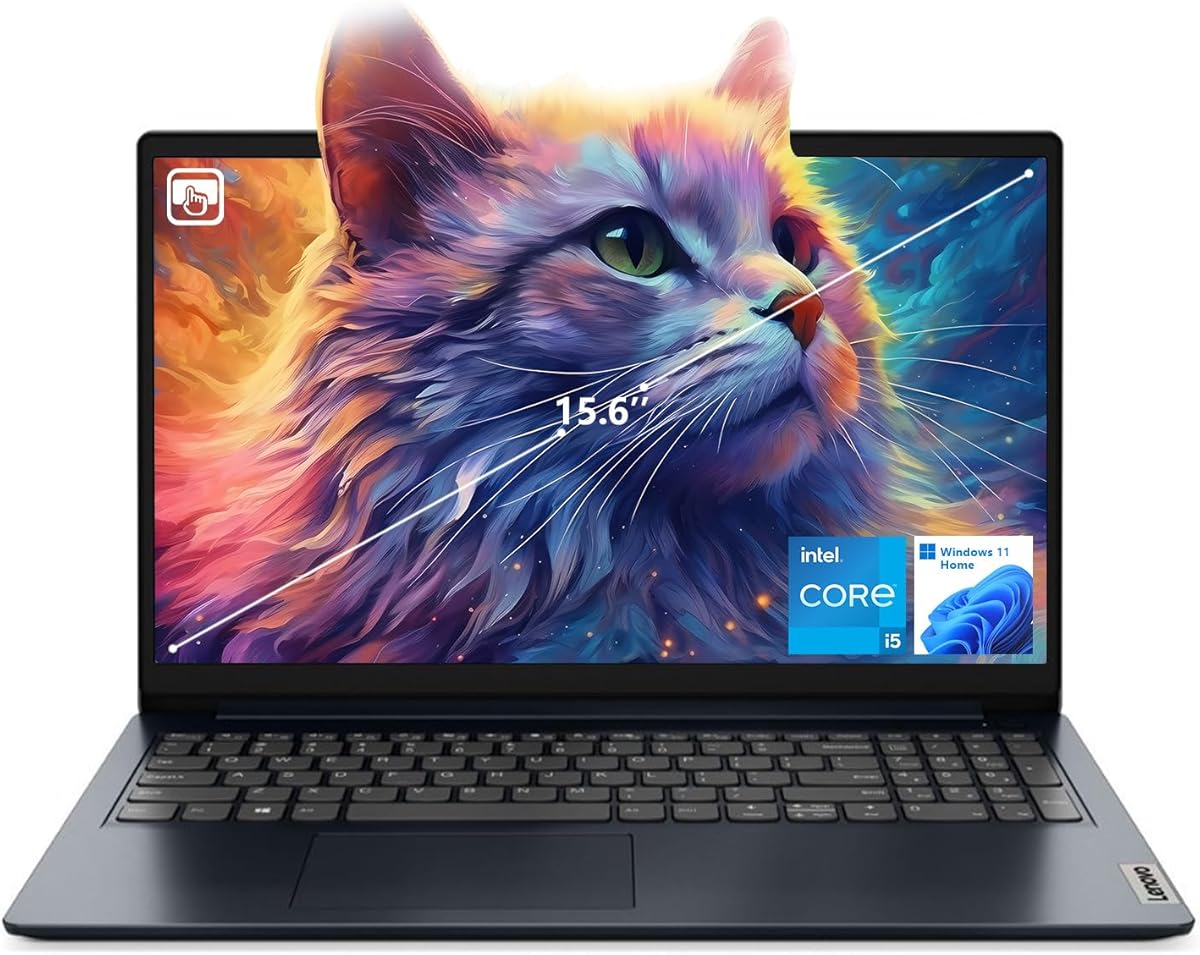
The Lenovo IdeaPad 1i brings touchscreen functionality to a budget friendly price point. The 15.6 inch display lets you interact directly with your files for intuitive navigation. It is light enough to carry around but capable enough for basic editing.
We may earn a commission when you buy through this link, at no additional cost to you.
With 16GB of DDR4 RAM it handles multiple applications without freezing. The Core i5-1235U provides solid performance for web tasks and light content creation. The 512GB SSD ensures fast boot times and smooth data access.
Touchscreen support is great for scrubbing through video or making quick adjustments. The Wi-Fi 6 ensures you stay connected even in crowded spaces like coffee shops. The laptop is designed for mobility so you can work from anywhere.
For vloggers who need a touch interface without spending a lot this is a smart choice. It offers essential features at a great price. It is perfect for starting out or as a secondary travel device.
The FHD touchscreen allows for direct interaction making file management easier and more intuitive.
Lightweight design makes it easy to carry for daily commutes or travel between shoots.
We may earn a commission when you buy through this link, at no additional cost to you.
This NIMO model is built for long-term use with a focus on hardware upgrades. You can expand storage and RAM easily without voiding the warranty. This future proofing ensures your machine stays relevant as software demands grow.
We may earn a commission when you buy through this link, at no additional cost to you.
The Ryzen 7 8745HS processor offers robust performance for rendering and editing. The 32GB of DDR5 RAM supports complex workflows and large projects. The 100W PD charger supports universal fast charging for multiple devices.
Build quality is solid with a durable chassis designed for daily handling. The layout is user friendly for those who want to open the laptop later. Customer support is available locally which simplifies troubleshooting any issues that arise.
If you prefer to control your own hardware upgrades this is a strong pick. It balances performance with the flexibility to modify the device. It is ideal for tech savvy creators who want to maximize their investment.
Dual SSD slots and open RAM slots allow you to customize hardware to your exact needs.
The 100W PD protocol charges the laptop and other devices quickly with one compact charger.
We may earn a commission when you buy through this link, at no additional cost to you.
Selecting the right laptop involves balancing power with budget and portability. We break down the key factors to help you make the best choice.
The processor is the brain of your laptop and dictates how fast you can edit video. Look for recent generation chips from Intel Core Ultra or AMD Ryzen 7 and Ryzen 9 series. These offer the cores and threads needed for smooth rendering and multitasking.
Prioritize multi core performance to ensure your system handles video editing without lag.
Memory is essential for running editing software alongside other applications. For smooth performance start with at least 16GB of RAM. Higher resolutions like 4K require more memory to store active data in use.
Upgradeable RAM slots are a huge plus for keeping your machine current as software needs grow.
Video files are large and need fast storage to load quickly. A PCIe NVMe SSD is much faster than older SATA drives. Look for at least 1TB of space to accommodate raw footage and exported files.
Dual SSD slots allow you to expand storage later without replacing the original drive.
A good screen helps you judge colors and details accurately during editing. Look for high resolution panels and wide color gamuts. OLED screens offer the best contrast but standard IPS panels are also effective.
Color accuracy ensures your final video looks the same on most devices and screens.
Vloggers often work away from outlets so battery life is key. Aim for at least 8 to 10 hours of real world use. Fast charging capabilities help you get power back quickly between tasks.
A reliable battery ensures you can capture and edit content wherever inspiration strikes.
If you travel often weight and size matter. Lighter laptops under 4 lbs are easier to carry. Thinner designs are convenient but sometimes run hotter during intensive tasks.
Balance weight with performance to ensure the machine fits your travel habits.
While integrated graphics work for basic editing a dedicated GPU helps with complex effects. Look for models with modern graphics architectures for better encoding support. However integrated graphics are improving and can suffice for many.
Check software requirements to see if a dedicated GPU is mandatory for your workflow.
Ports are necessary for external drives and monitors. Ensure you have USB-C HDMI and SD card slots. If ports are limited a dock may be needed which adds to the total cost.
Adequate connectivity streamlines your workflow by allowing direct device connections.
Keep your laptop clean by wiping the screen with a soft microfiber cloth regularly. Avoid eating or drinking near the device to prevent spills and debris damage. This helps maintain the integrity of the keyboard and cooling vents.
Manage your storage by moving large raw files to external hard drives when not in use. This keeps the internal SSD fast and prevents it from filling up. Organize your project folders for easier access.
Update your drivers and software to ensure optimal performance and security. Restart your laptop weekly to clear memory caches. Using a cooling pad during long editing sessions helps prevent overheating.
For 4K editing you should look for a laptop with at least a Ryzen 7 or Core Ultra 7 processor. It is best to have 32GB of RAM to handle the data load. An SSD with fast read speeds ensures smooth playback and exporting.
Not always as modern integrated graphics can handle 1080p and light 4K editing. However a dedicated GPU helps with complex effects and faster rendering times. If budget allows a model with better graphics offers more flexibility.
Video files consume space quickly so aim for at least 1TB of internal storage. It is recommended to use external drives for archiving older projects. Cloud storage is also a good option for backing up essential footage.
Look for a battery that lasts at least 8 hours of real world use. Fast charging features are beneficial for quick top ups during short breaks. Consider the weight and size of the charger when traveling.
Many laptops allow upgrades but some newer models have soldered memory. Check the product specs for available slots before buying. Upgradable models offer better long term value if needs increase.
MacBooks are popular but laptops listed offer great value for Windows users. Both platforms support similar editing software effectively. Consider your budget and ecosystem preference when choosing.
We highlighted ten excellent options ranging from budget friendly to high end. The NIMO and GEEKOM models stand out for performance and display quality respectively. Each device offers unique strengths for different types of creators.
Prioritize performance factors like processor and RAM if you edit long hours. Portability matters if you film on the go daily. Find the balance that fits your specific workflow needs.
Prices and availability change frequently so check current listings before purchasing. Investing in the right machine ensures your content creation grows without technical limits. Happy filming and editing.