
HP 17.3 Touchscreen HD+ Business Laptop
5.0Editor score
Intel Core i7-1355U processor
Spacious 17.3-inch HD+ display
AI optimized battery efficiency
Finding a laptop with a keypad and touchscreen combines traditional typing comfort with modern intuitive interaction. These devices streamline workflows for professionals and students alike. Whether you need precise number entry or flexible screen navigation, the right model enhances daily tasks significantly.
We evaluated ten top models based on performance, display quality, and usability. Each device offers unique strengths for different needs. Our analysis highlights key features like processor speed, memory capacity, and build quality to help you make an informed decision quickly.
Every pick showcases real-world benefits backed by user feedback and technical specs. Prices fluctuate regularly so verify current deals before purchasing. These recommendations cover a wide range of budgets while ensuring reliable performance and essential features for modern computing needs today.
5.0Editor score

4.0Editor score

4.7Editor score
As an Amazon Associate we earn from qualifying purchases.
This side-by-side comparison details the core specifications of all ten selected laptops. Review processor type, memory, storage, and screen size to find the ideal match for your workflow requirements and budget constraints effectively.


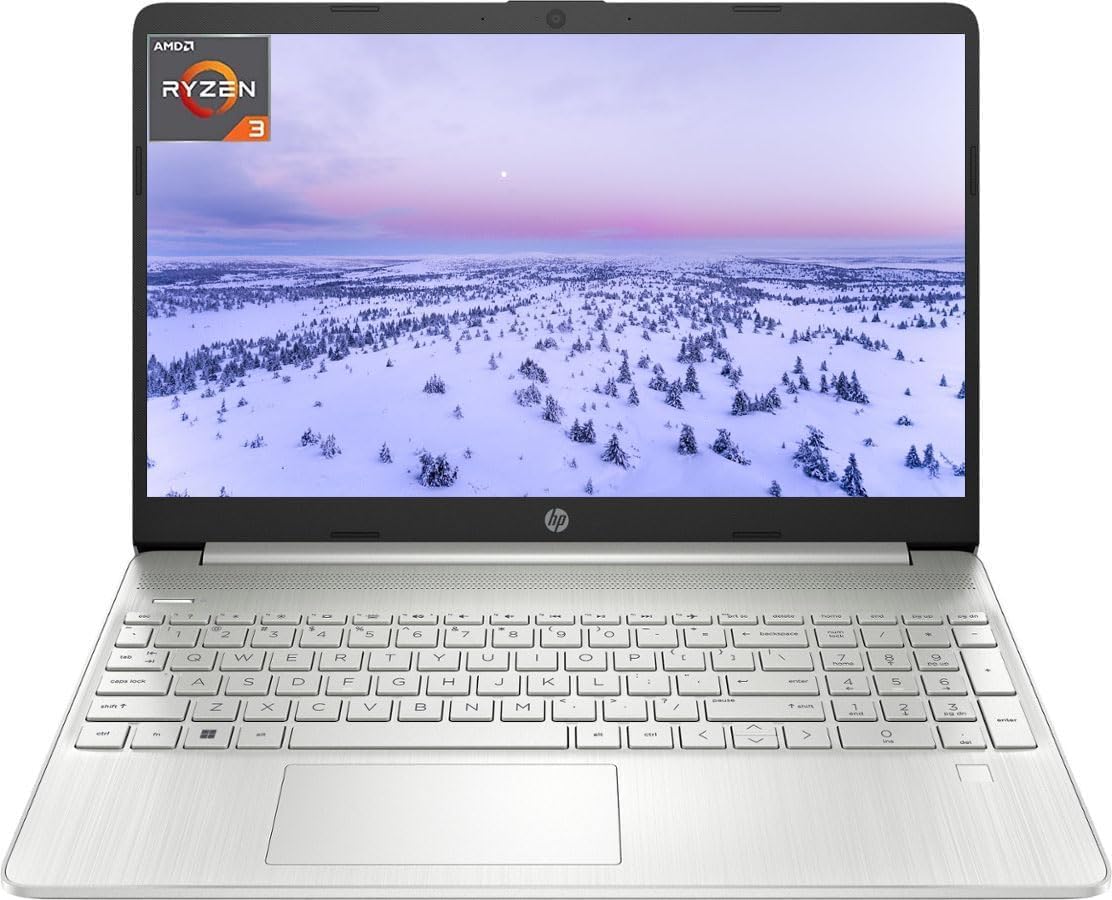



This HP model delivers powerful performance with its AMD Ryzen 7 processor and ample 32GB RAM. It scores a 4.0 rating for reliability and handles demanding tasks effortlessly for professionals.
We may earn a commission when you buy through this link, at no additional cost to you.
The 15.6-inch Full HD touchscreen provides sharp visuals and intuitive navigation. The numeric keypad makes data entry seamless for spreadsheets and financial work requiring precise input regularly.
While the 3.52-pound weight may limit mobility slightly, the battery life compensates by supporting long work sessions. The build quality ensures stability during intensive use without compromising portability too much.
Ideal for students and remote workers, this laptop balances power and practicality. Its combination of touchscreen flexibility and traditional keyboard efficiency makes it a top choice for versatile computing needs today.
With 32GB RAM and 16 threads, switching between apps runs smoothly without lag during complex workflows.
The IPS touchscreen offers wide viewing angles and vibrant colors suitable for presentations and creative tasks.
We may earn a commission when you buy through this link, at no additional cost to you.
This premium laptop features a spacious 17.3-inch touchscreen ideal for detailed work. Its 5.0 rating reflects exceptional quality and seamless performance for demanding professional environments consistently.
We may earn a commission when you buy through this link, at no additional cost to you.
Powered by the Intel Core i7-1355U, it handles intensive applications with speed. The HD+ display enhances productivity by offering more screen real estate for multitasking multiple windows simultaneously.
The quantum-optimized battery ensures extended usage without frequent charging. Though larger, the design accommodates full-size peripherals comfortably making it suitable for desktop replacement scenarios at home or office.
Recommended for professionals needing high-end specs, this device combines power with usability. The touchscreen responsiveness and large display make it a standout option for those prioritizing screen space.
The 17.3-inch display provides ample space for editing documents while keeping multiple applications open side by side.
Built-in AI capabilities streamline workflows by optimizing resource allocation during complex tasks automatically.
We may earn a commission when you buy through this link, at no additional cost to you.
An excellent budget choice, this Dell laptop offers solid value with a 4.7 rating. It balances cost and performance effectively for students and casual users needing reliable daily tools.
We may earn a commission when you buy through this link, at no additional cost to you.
The 10-Core Intel i5 processor delivers sufficient speed for standard tasks. Its Full HD touchscreen ensures clarity while the numeric keypad supports efficient data entry without additional accessories needed.
While storage and RAM are modest, the design fits basic workflows well. Express Charge capabilities minimize downtime keeping you productive throughout busy schedules without constant tethering to power outlets.
Best suited for light to moderate workloads, this model is a smart entry point. The combination of price, specs, and essential features makes it a strong contender for budget-conscious buyers seeking quality.
Despite the lower price, the Intel i5 processor handles everyday apps and browsing with smooth responsiveness consistently.
The included numeric keypad and USB-C port provide essential connectivity without extra cost or adapters required often.
We may earn a commission when you buy through this link, at no additional cost to you.
This Dell Inspiron offers dependable specs with 16GB RAM and a 1TB SSD. Its 4.3 rating indicates consistent reliability for general business and educational tasks requiring stability and speed.
We may earn a commission when you buy through this link, at no additional cost to you.
The 15.6-inch touchscreen provides clear visuals for viewing content. Windows 11 Pro enhances security and features suitable for professional use. The numeric keypad aids quick data entry during busy work hours.
Express Charge functionality recharges the battery quickly minimizing interruptions. While the processor is slightly older, the ample storage and RAM ensure smooth performance for most standard productivity applications effectively.
Ideal for users prioritizing value and storage, this laptop meets core needs well. The combination of Windows Pro and touchscreen flexibility supports both office and personal computing requirements efficiently across different environments.
The 1TB PCIe SSD offers rapid data access ensuring applications load quickly and files are saved without delays.
Windows 11 Pro includes advanced security features and better management tools for business environments effectively.
We may earn a commission when you buy through this link, at no additional cost to you.
This HP model stands out with a large 17.3-inch screen and included Microsoft 365 access. Its 4.4 rating reflects satisfaction among users needing a spacious display for multimedia and basic productivity tasks.
We may earn a commission when you buy through this link, at no additional cost to you.
The full-size backlit keyboard with numeric keypad ensures comfortable typing in low light. The lightweight design relative to its size enhances portability for users who move between home and office often.
While storage is limited, it suits basic computing needs. The N100 processor handles everyday tasks efficiently. Express Charge keeps you powered up quickly during busy workdays without long charging wait times required.
Best for casual users and students, this laptop balances size and value. The inclusion of Microsoft 365 adds immediate utility making it a practical choice for those needing essential tools right away.
Microsoft 365 provides ready-to-use productivity apps enhancing workflow efficiency without extra software purchases needed immediately.
The backlit keyboard and numeric keypad allow for effortless typing in dim environments or during night work.
We may earn a commission when you buy through this link, at no additional cost to you.
This HP laptop offers a balanced setup with essential features at a reasonable cost. With a 4.3 rating, it appeals to users seeking basic productivity tools without unnecessary complexity or high spending.
We may earn a commission when you buy through this link, at no additional cost to you.
The 15.6-inch touchscreen supports intuitive navigation for web browsing and media. The numeric keypad aids spreadsheet work making data entry easier. Privacy shutter on the camera protects your identity during online meetings effectively.
Windows 11 S Mode enhances security but restricts app sources. The processor handles standard tasks well enough for daily usage. Bluetooth and Wi-Fi 6 ensure reliable connectivity for remote work scenarios consistently.
Ideal for students and light users, this model covers essential needs. The privacy features and numeric keypad add practical value making it a solid choice for secure and efficient daily computing tasks.
Windows 11 S Mode limits installations to trusted sources protecting your device from potential malware threats effectively.
The integrated camera shutter allows you to physically block the lens when not in use ensuring maximum privacy.
We may earn a commission when you buy through this link, at no additional cost to you.
This OmniBook model features a high-resolution 2K touchscreen that offers sharp detail. Its 4.5 rating highlights user satisfaction with its balance of performance and portability for modern work environments effectively.
We may earn a commission when you buy through this link, at no additional cost to you.
The AMD Ryzen 5 processor delivers smooth multitasking for daily tasks. The lightweight design makes it easy to carry during commutes. AI noise reduction ensures clear communication during video calls even in noisy environments consistently.
While battery capacity is moderate, fast charging helps maintain productivity. The display quality enhances media consumption and presentation work. This model suits professionals needing high clarity and reliable performance without excessive weight or size.
Best for mobile professionals, this laptop combines visual clarity with ease of transport. The AI features and high-res screen make it a strong contender for those prioritizing visual quality and clear audio.
The 2K resolution provides sharper text and images improving readability and visual comfort during long work sessions.
AI noise reduction filters background sounds ensuring your voice is heard clearly during virtual meetings and conferences.
We may earn a commission when you buy through this link, at no additional cost to you.
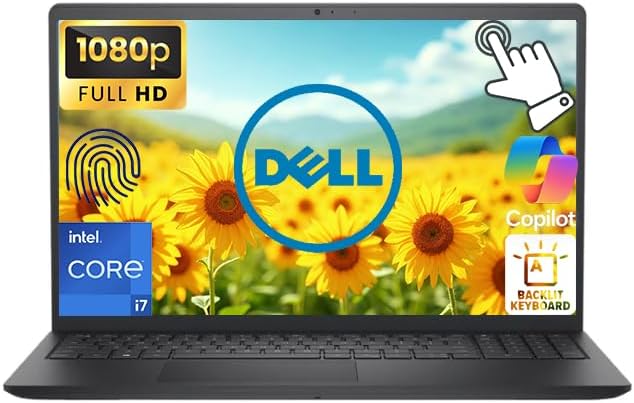
This Dell business laptop achieves a perfect 5.0 rating reflecting high user satisfaction. Its combination of security features and performance makes it ideal for professionals needing reliability and quick access to work files.
We may earn a commission when you buy through this link, at no additional cost to you.
The fingerprint reader adds a layer of security for quick login. The backlit keyboard with numeric keypad ensures efficient data entry. AI Copilot integration helps automate repetitive tasks improving overall productivity effectively for daily use.
With a 10-Core i7 processor and 1TB SSD, it handles heavy workloads smoothly. While the price is higher, the build quality and features justify the investment. It supports demanding workflows without compromising speed or responsiveness.
Recommended for business professionals, this model excels in security and performance. The touchscreen responsiveness and fingerprint security make it a top choice for users valuing protection and efficiency in their daily routines.
The fingerprint reader provides secure and quick access to your system without needing complex passwords daily.
AI Copilot assists with scheduling and summarizing content saving time and streamlining routine work tasks efficiently.
We may earn a commission when you buy through this link, at no additional cost to you.
This model offers significant storage and memory with 32GB RAM and 1TB SSD. Its 4.1 rating indicates solid performance for heavy multitasking users needing substantial resources for large files and applications consistently.
We may earn a commission when you buy through this link, at no additional cost to you.
The Full HD IPS display ensures accurate color viewing. The numeric keypad supports precise data entry for business and student tasks. Windows 11 Pro adds enterprise-level security features suitable for diverse computing environments effectively.
While the processor is slightly older, the high RAM compensates for memory intensive tasks. The design ensures smooth operation when many apps run simultaneously. It remains a strong option for those prioritizing memory over raw CPU speed.
Best for power users needing memory, this laptop handles heavy loads well. The balance of storage and RAM makes it a practical choice for professionals working with extensive datasets or complex applications daily.
With 32GB RAM, you can run virtual machines or multiple heavy apps without slowdowns during demanding work periods.
The 1TB SSD offers plenty of space for storing large files and backups without needing external drives frequently.
We may earn a commission when you buy through this link, at no additional cost to you.
This HP laptop achieves a high 4.8 rating reflecting user satisfaction with its daily performance. It balances efficiency and cost making it suitable for home and office users needing reliable connectivity and responsive screens.
We may earn a commission when you buy through this link, at no additional cost to you.
The Octa-Core processor ensures smooth operation for common tasks. WiFi 6 and Bluetooth 5.4 provide fast reliable wireless connections. The USB C hub adds flexibility for connectivity making it easy to attach accessories and displays.
While storage is limited, the PCIe SSD offers fast load times. The touchscreen interface simplifies navigation and browsing. The lightweight design allows easy carrying making it practical for students and casual users alike.
Best for general home use, this model covers essential needs efficiently. The high connectivity features and touchscreen responsiveness make it a versatile choice for those needing modern tech features at an affordable price point.
With WiFi 6 and Bluetooth 5.4, you get faster and more stable connections for your network and devices.
The included USB C hub expands your options for connecting peripherals without needing separate adapters often.
We may earn a commission when you buy through this link, at no additional cost to you.
Selecting the right laptop requires weighing several factors to ensure it fits your workflow and budget effectively.
The processor drives overall speed and responsiveness. Look for multi-core options like Intel Core i5 or Ryzen 5 for smooth multitasking. Higher core counts improve handling of demanding applications without slowdowns.
Prioritize a processor with enough cores to match your workload intensity.
RAM affects how many apps you can run simultaneously. Aim for at least 16GB for professional work to prevent lag. Students or casual users may manage with 8GB for basic browsing.
Ensure sufficient RAM to avoid frequent restarts or slow performance.
Storage type and size matter for boot speed and file capacity. SSDs are faster than traditional hard drives. Aim for at least 512GB to store documents and media comfortably without external drives.
Choose a balance of SSD speed and enough space for your files.
A touchscreen adds intuitive navigation. Look for Full HD or higher resolution for clear visuals. IPS panels offer better viewing angles which are essential for collaborative work.
Select a display that offers clarity and responsive touch input.
A numeric keypad is vital for data entry tasks. Ensure the keyboard layout suits your typing style and hand size. Backlit keys help in low light environments for easier night work.
Verify the keyboard includes a numeric pad if required for work.
Long battery life supports mobility without constant charging. Look for models offering at least 8 hours of active use. Power efficiency features help extend runtime during travel or remote work.
Prioritize battery capacity to maintain productivity throughout the day.
USB ports and connectivity options are crucial for peripherals. Ensure the laptop includes USB-C and USB-A ports for various accessories. HDMI ports help connect external monitors or projectors easily.
Check that available ports match your peripheral and display needs.
Windows 11 Pro offers advanced security features for business use. Home editions suffice for personal tasks but may lack enterprise management. Ensure compatibility with required software applications and tools.
Choose an OS version that supports your security and software requirements.
Always use gentle pressure when interacting with the touchscreen to avoid damaging the glass surface. Use a soft microfiber cloth to clean fingerprints and smudges regularly for clarity.
Protect the numeric keypad by avoiding heavy impacts that could bend keys. Regularly check the keyboard for debris buildup and clean it with compressed air to maintain responsiveness.
Store your laptop in a padded case to prevent physical damage during transport. Keep the device cool by avoiding direct sunlight which can affect battery health and performance over time.
Touchscreens allow for intuitive navigation and direct interaction with applications. They simplify tasks like zooming into documents or selecting options without a mouse. This feature enhances accessibility for users who prefer touch gestures over keyboard shortcuts.
A numeric keypad is highly beneficial for tasks involving frequent data entry such as accounting. It increases speed and accuracy for entering numbers directly. Without it users may struggle with efficiency on spreadsheet-heavy workloads.
Use a soft microfiber cloth slightly dampened with water to wipe the screen gently. Avoid harsh chemicals or abrasive materials that can damage the protective coating. Always power off the device before cleaning to ensure safety.
Touchscreens consume additional power when active compared to standard displays. However modern processors optimize usage to minimize this drain. You can extend battery life by adjusting screen brightness or disabling touch features when not needed.
Most touchscreens support active styluses for note-taking or drawing. Check if your specific model supports pressure sensitivity for detailed creative work. Using a stylus can enhance productivity for professionals in design or education fields.
Screen sizes between 13 to 15 inches offer a balance of portability and usability. Larger screens provide more workspace but add weight and bulk. For frequent travel consider models around 14 inches for convenience.
At least 16GB of RAM is recommended for smooth multitasking across multiple applications. Less than 8GB may cause slowdowns when running many browser tabs or programs. Invest in higher RAM if you work with large files regularly.
Many models offer IPS panels with accurate colors suitable for design tasks. Ensure the laptop has dedicated graphics or strong integrated graphics for rendering. Look for high resolution displays to view details precisely in your projects.
We reviewed ten excellent laptops combining touchscreen flexibility with numeric keypad efficiency. The top picks offer distinct advantages for budget and performance needs across various user groups.
Prioritize processor speed and RAM for demanding tasks while considering battery life for mobility. Choose a model with features that directly support your daily workflow requirements.
Always check current prices and deals before purchasing as costs fluctuate regularly. Ensure the selected device aligns with your long-term computing goals for maximum value.