
Mouse Jiggler Mover Wiggler Undetectable Shaker
4.7Editor score
Compact portable design for travel
Requires no software or drivers
Keeps PC active automatically
This guide compares the top laptop jiggler devices to help you choose the best undetectable mouse mover for keeping your PC active and awake.
Finding the right laptop jiggler can save you from constant status updates during long work sessions. These devices simulate natural mouse movement to keep your computer awake without requiring software installation or complex setup procedures.
We evaluated ten top-rated models based on performance, design, and undetectability. Our comparison covers hardware-based movers that work silently and efficiently across various operating systems and meeting platforms used by professionals today.
Each pick highlights specific strengths like silent operation or compact design. Prices and availability change frequently so check current listings before buying. This guide helps you find the perfect fit for your workflow and budget needs.
4.7Editor score

4.7Editor score

4.1Editor score
The following table provides a side-by-side comparison of all ten laptop jiggler models reviewed in this guide to help you quickly identify the best fit for your specific setup.


The TECH8 USA undetectable mouse mover stands out as the best overall laptop jiggler for its patented holographic design. It prevents sleep status across platforms like Teams and Zoom without requiring any software. This device combines function with modern desk aesthetics.
We may earn a commission when you buy through this link, at no additional cost to you.
Users appreciate the three motion levels that allow customization based on their needs. The large disc supports various mouse sizes and the built-in timer offers convenience. The ambient glow ring adds a customizable touch to your workspace setup.
While the price is higher than basic models, the build quality and support justify the investment. Some users might need time to adjust mouse placement on the disc. These trade-offs are acceptable given the reliable performance.
Ideal for professionals who value design and reliability, this jiggler ensures your screen stays active. It is a top recommendation for remote workers seeking a premium solution. Check current availability before purchase.
The 3D hologram disc is a unique feature that sets this apart from standard movers and adds visual appeal.
Adjustable motion levels ensure the movement matches your workflow needs without interfering with active tasks.
We may earn a commission when you buy through this link, at no additional cost to you.
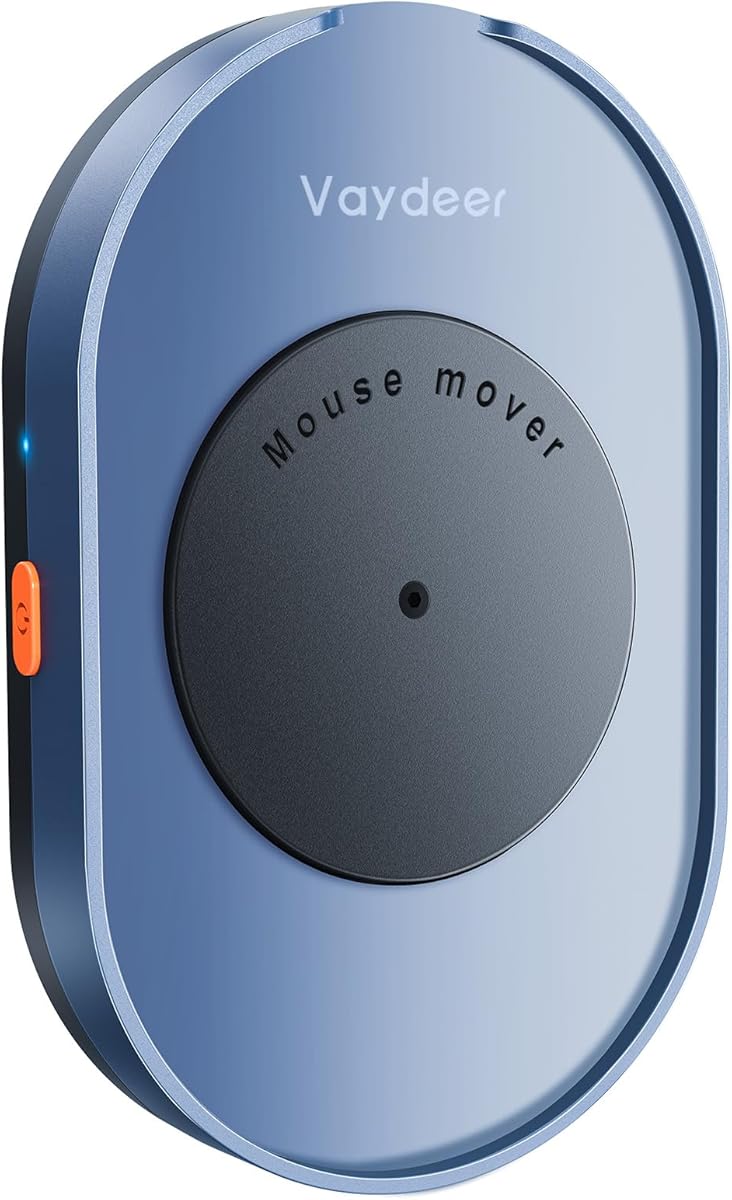
The Vaydeer M4 is known for its ultra-silent motor making it perfect for quiet offices. It simulates physical mouse movement and is undetectable by IT scans. The ISO certification adds a layer of trust for corporate environments.
We may earn a commission when you buy through this link, at no additional cost to you.
It offers flexible power options allowing you to use an external adapter or USB port. The single press switch makes it easy to toggle without unplug. This reliability is crucial for long work sessions.
The main limitation is the need to align the mouse sensor properly before use. Some users may find the plastic build less premium than metal alternatives. However the performance remains consistent.
Best for those who prioritize silence and security this jiggler is a practical choice. It fits well in shared workspaces where noise is a concern. Verify compatibility with your mouse model.
The motor runs below 45dB ensuring it does not disturb meetings or colleagues in quiet environments.
ISO certification ensures the device meets security standards for safe use in professional settings.
We may earn a commission when you buy through this link, at no additional cost to you.
This two-pack offers excellent value for users needing backup devices. The movement is slight enough to be invisible while you work on documents or watch movies. It keeps your status active without interrupting your workflow.
We may earn a commission when you buy through this link, at no additional cost to you.
The device plugs in directly and requires no software which simplifies setup. It works across Windows Mac and Android systems making it versatile. The invisible movement ensures you stay active without detection.
It lacks extra features like LED indicators but the core function is solid. The USB requirement might limit use on some tablets but works well for laptops. This is a pragmatic choice for budget buyers.
Ideal for students or remote workers needing a simple solution this jiggler delivers. It is a practical gift for colleagues as well. Check stock for the two-pack bundle.
Getting two units for one price ensures you have a spare for travel or secondary setups.
The lack of software requirements means it works immediately upon plugging into any USB port.
We may earn a commission when you buy through this link, at no additional cost to you.
As newer laptops drop USB-A ports this USB-C model fills a critical gap. It is recognized as a trusted device which avoids IT flags. The two modes let you switch between slight and random movement.
We may earn a commission when you buy through this link, at no additional cost to you.
The switch button allows you to change modes without plugging and unplugging which is convenient. It keeps your Microsoft Teams and Skype active automatically. The USB-C connector ensures compatibility with modern devices.
It may not work with older ports without adapters which is a consideration for some users. The build is functional but not flashy. However the connectivity is the main selling point here.
Best for users with Type-C laptops this jiggler is a necessary tool. It is simple effective and designed for modern hardware. Confirm your laptop ports before buying.
USB-C integration ensures the device works seamlessly with the latest laptops and hubs without adapters.
Switch between slight and random modes to suit different meeting needs or tasks seamlessly.
We may earn a commission when you buy through this link, at no additional cost to you.
This slim mover fits neatly into home offices without taking up workspace. The motor is low-noise ensuring it does not disturb quiet meetings. The long cable gives you flexibility to position the unit anywhere.
We may earn a commission when you buy through this link, at no additional cost to you.
It starts automatically when connected which is user-friendly. The pause button allows you to control movement without unplugging. This design is perfect for tight desks or travel bags.
The plastic build is functional but lacks the premium feel of higher-end models. You might need to manage the cable to avoid clutter. These are minor issues for a budget-friendly option.
Ideal for compact setups this jiggler is practical and efficient. It keeps your screen awake without adding bulk. Consider cable routing when planning your desk layout.
The slim profile ensures it sits under the mouse without obstructing your workspace or movement.
A 4.9 foot cable allows you to place the device where it is most convenient without stretching.
We may earn a commission when you buy through this link, at no additional cost to you.
This device offers a large turntable that fits almost any mouse comfortably. The adjustable timer lets you set the frequency of movement which adds control. The LED display provides visual feedback on your settings.
We may earn a commission when you buy through this link, at no additional cost to you.
It runs at under 20 dB which is incredibly quiet. The random trajectory mimics natural movement well. The edge protection ensures your mouse never falls off during use.
The larger size might not fit on very small desks but the functionality is robust. It requires power via adapter or USB. This adds to the footprint but ensures reliability.
Best for users needing customization this jiggler offers control over timing. It is a solid choice for long workdays. Check your desk space before purchasing.
The timer allows you to set intervals between moves so it fits your specific workflow needs.
The turntable is designed to hold larger mice securely without needing constant repositioning.
We may earn a commission when you buy through this link, at no additional cost to you.
Constructed from aluminum alloy this mover is sturdier than plastic rivals. It includes a USB-C adapter making it versatile for modern laptops. The metal feel gives it a more premium appearance on your desk.
We may earn a commission when you buy through this link, at no additional cost to you.
Two modes allow you to switch between slight and random movement easily. The switch button is convenient for quick toggling. It keeps your status green across all major platforms.
It functions well but lacks some advanced features found in higher-end models. The included adapter is useful but you might need more cables for specific setups. Still a strong option for durability.
Ideal for those who value build quality this jiggler is a reliable choice. It is discreet and effective for office use. Check if the adapter fits your needs.
The aluminum alloy construction ensures the device resists wear and tear better than plastic versions.
The included USB-C adapter allows immediate use with modern laptops without extra purchases.
We may earn a commission when you buy through this link, at no additional cost to you.
This model features three distinct modes for various needs including fixed area movement. The invisible color LED gives you clear feedback without distracting. The compact size makes it easy to slip into a bag.
We may earn a commission when you buy through this link, at no additional cost to you.
It is recognized as a standard mouse which avoids detection. You can switch modes with a single button press. This simplicity helps in busy workflows where speed matters.
The footprint is small so it requires precise mouse placement. It lacks an adapter so standard USB is assumed. These are minor trade-offs for the portability.
Best for travelers who need a simple reliable device this jiggler fits well. It is efficient and easy to carry. Check port types before buying.
The invisible color LED confirms the active mode without drawing attention from others nearby.
The mini size allows easy transport in laptop bags for work on the go.
We may earn a commission when you buy through this link, at no additional cost to you.
This tiny mover is a practical solution for keeping your computer active. It identifies as a regular mouse so it stays undetectable to IT. No drivers are needed making setup truly instant.
We may earn a commission when you buy through this link, at no additional cost to you.
It is simple and effective with no complex settings to manage. The compact size makes it easy to carry. It is a great choice for basic needs without extras.
It lacks adjustable modes which limits customization. The build is simple but functional. For many users the basics are all that is required.
Best for those needing a no-fuss tool this jiggler works well. It is ideal for home use or light office tasks. Check current stock before ordering.
No software or drivers are needed so you can use it immediately upon plugging it in.
Its small size means it does not take up space on your desk or in your bag.
We may earn a commission when you buy through this link, at no additional cost to you.
This device simulates movement directly on your trackpad without a mouse. It runs on batteries so there are no cables to manage. This makes it perfect for clutter-free workspaces.
We may earn a commission when you buy through this link, at no additional cost to you.
It is silent and operates efficiently for hours on a single charge. The design keeps your screen awake without interrupting your workflow. This unique approach fits laptops that rely on touchpads.
It may require changing touchpad sensitivity to work reliably. The price is higher than standard models. These are acceptable trade-offs for the cordless convenience.
Ideal for minimalist setups this jiggler offers a unique solution. It is best for users who prefer touchpads. Verify settings for optimal performance.
The battery design eliminates cables which keeps your workspace clean and portable.
It works directly on the touchpad avoiding the need for an external mouse entirely.
We may earn a commission when you buy through this link, at no additional cost to you.
Choosing the right laptop jiggler depends on your workspace needs and device type. Understanding key features helps you select a device that keeps your system active efficiently.
Check if your device uses USB-A USB-C or operates without cables. Modern laptops often lack USB-A ports so USB-C is increasingly important. Cordless options avoid ports entirely.
Choose a connection type that matches your laptop ports to avoid needing extra adapters or hubs.
Look for options that offer slight movement like one to two pixels so it is invisible. Random movement patterns mimic natural use better than fixed cycles. Adjustable modes allow customization.
Pick a device with subtle movement to ensure it does not interrupt your work or meetings.
Hardware devices that run without software are generally safer and more compatible. Avoid tools that require driver installations which can be blocked by IT departments. Plug and play is ideal.
Select a driver-free model to ensure immediate use without complex setup or security concerns.
If you travel often choose a compact model that fits in your laptop bag. Larger units with turntables may not be portable enough for remote work. Size impacts daily convenience.
Prioritize small and lightweight designs if you move between offices or work from different locations.
Look for models that operate under 30dB for quiet environments. Loud motors can disturb colleagues during video calls or shared office spaces. Silent operation is key for focus.
Choose a device with a silent motor to maintain a quiet and professional workspace.
Metal or durable plastic ensures the device lasts longer than cheap alternatives. A stable base prevents your mouse from sliding off during use. Quality impacts reliability.
Invest in a sturdy build to avoid frequent replacements or movement disruptions.
Some units use USB power while others rely on internal batteries. External adapters may require extra cables. Long battery life reduces maintenance. Power needs vary by setup.
Consider if you prefer a wired connection or a cordless battery powered setup.
Check the manufacturer warranty length to protect your purchase. Short warranties may indicate lower reliability. Support access helps resolve issues quickly. Good policies add value.
Select a model with a solid warranty to ensure peace of mind and support.
Start by connecting the device to your computer via USB or powering it on if cordless. Ensure your mouse is properly placed on the turntable if required. This ensures smooth movement simulation.
Adjust any settings like movement speed or modes using the buttons provided. Keep the sensor area clear of debris to maintain tracking accuracy. Clean the surface regularly.
For battery models replace or charge batteries as needed to avoid interruptions. Store the device in a safe place to prevent damage during travel. Care extends the lifespan.
Hardware-based jigglers are generally safe because they do not install software. They act as standard peripherals which most IT systems allow. Always check your company policy before using any device.
Some models are designed specifically for trackpads while others require a mouse. Check the product description to see if it supports touchpads. Without that feature you will need a mouse.
No they do not use system resources. Since they are hardware devices they do not impact performance. Your computer remains fast and responsive while the device runs.
Most support Windows and Mac because they mimic standard input. Linux compatibility varies so check specifics. Android support is less common but available on some models.
Slight movement works best if you are working nearby. Random movement mimics normal use better during long absences. Choose based on your activity and screen proximity.
Yes they are designed to keep you active without detection. They ensure your status remains online during long calls. This is useful for breaks during meetings.
Risks are minimal if it is a hardware tool. Some companies might flag unusual patterns though rarely. Check internal IT guidelines before regular use at work.
Lower the sensitivity or switch to slight movement mode. Adjust your mouse settings if needed to reduce visibility. Ensure the device is properly aligned.
We reviewed ten models including the TECH8 USA for design and Vaydeer for silence. Each offers unique benefits tailored to different workspace needs. Select based on your priorities.
Consider factors like portability and connection type before buying. Silent operation is crucial for shared offices. Ensure the device fits your laptop setup properly.
Prices and availability change so check current listings before purchasing. Verify compatibility with your specific device. This guide helps you stay active efficiently.