
Amazon Fire Max 11 Keyboard Case
4.6Editor score
Integrated trackpad
Pogo pin power
Recycled materials
Discover the top keyboard cases for Fire Max 11 in October 2026. We compare features, battery life, and protection to help you choose the perfect accessory.
Finding the right keyboard case for your Fire Max 11 can transform your tablet into a productive workstation. These accessories combine protection with typing functionality, offering a seamless experience for work and creativity. Whether you need backlighting or a trackpad, there is a solution tailored to your needs.
We evaluated ten top-rated options based on compatibility, build quality, and user feedback. Each case was assessed for keyboard responsiveness, battery longevity, and protective capabilities. Our goal is to provide a clear comparison so you can invest confidently in the right gear for your device.
Each pick highlights specific strengths like magnetic detachment, rainbow backlighting, or premium materials. Note that prices and availability fluctuate frequently on retail platforms. Always verify the current model compatibility before purchasing to ensure a perfect fit for your Fire Max 11 tablet.
4.6Editor score
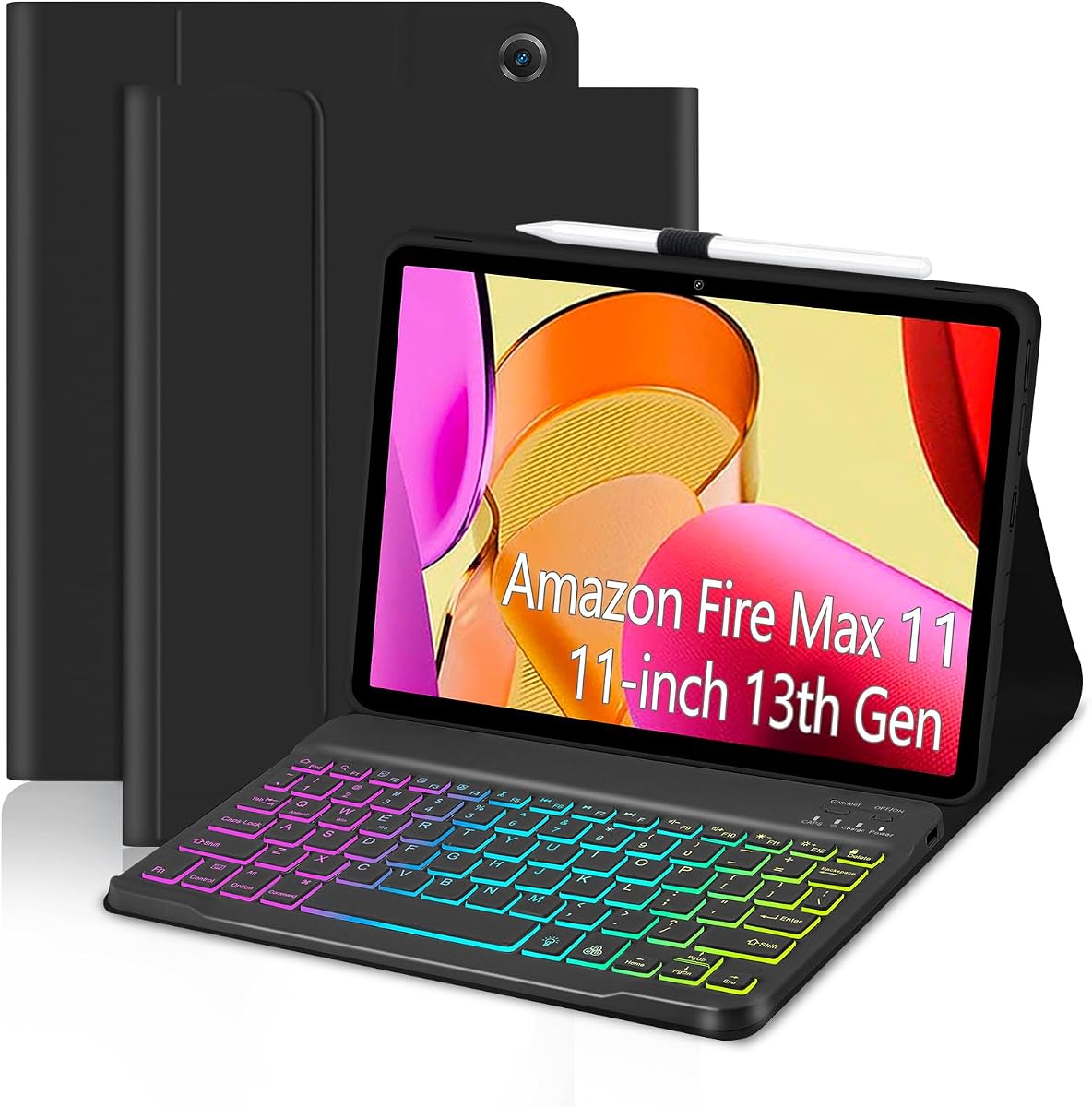
4.5Editor score

4.5Editor score
This side-by-side comparison highlights key differences across all ten selected keyboard cases. We focus on connection type, battery life, and unique features like trackpads or backlights to help you decide quickly.
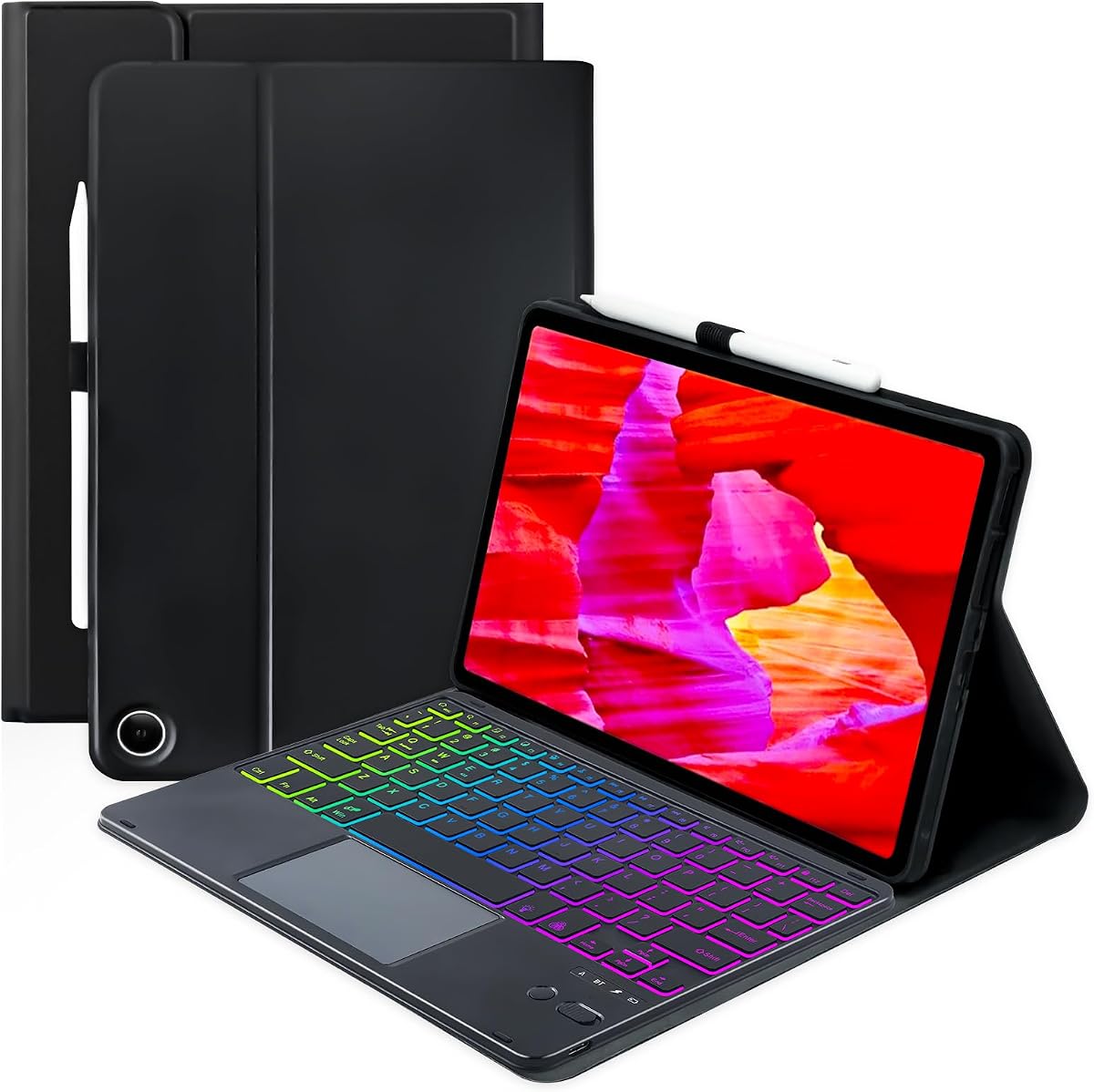


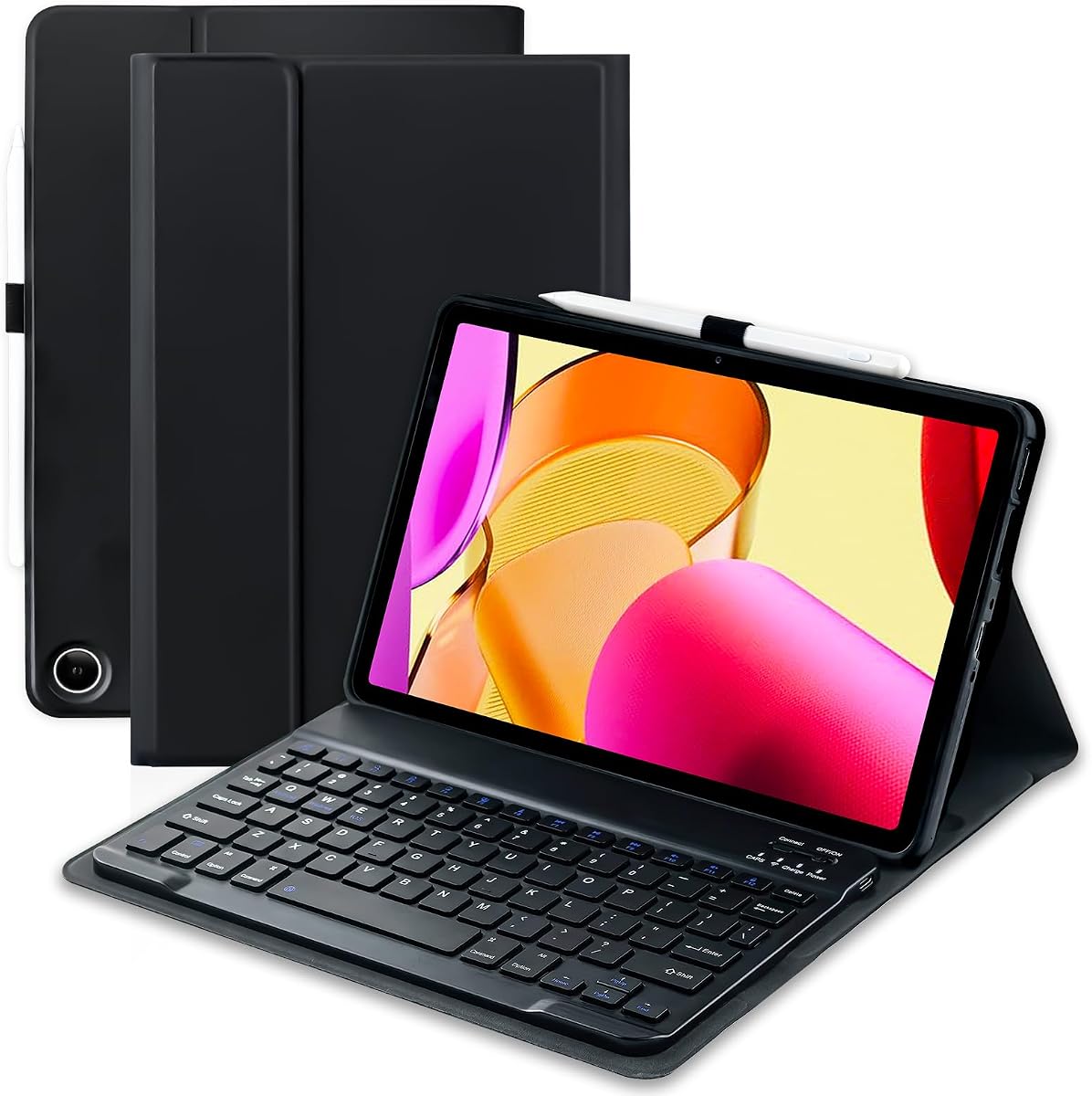


The EAMPANG case stands out as a top contender for Fire Max 11 users seeking versatility. With a 4.5 star rating, it offers a blend of style and function that appeals to both students and professionals.
We may earn a commission when you buy through this link, at no additional cost to you.
Its 7-color rainbow backlight allows for typing in low light conditions without straining your eyes. The magnetic detachment ensures you can use the tablet freely when typing is not needed.
While it lacks a built-in trackpad, the shortcut keys compensate by providing quick access to common functions. The honeycomb design inside helps keep the tablet cool during extended sessions.
This case is ideal for users who prioritize aesthetics and protection. It balances cost and features effectively, making it a strong recommendation for most buyers.
The adjustable backlight ensures you can work comfortably during evenings or in dimly lit environments.
The honeycomb inner shell promotes airflow, preventing overheating during intensive tasks like video calls or gaming.
We may earn a commission when you buy through this link, at no additional cost to you.
The MePadKey case introduces a significant advantage with its integrated touchpad. This feature elevates the tablet to a true laptop alternative, enabling precise cursor control without external devices.
We may earn a commission when you buy through this link, at no additional cost to you.
Users benefit from multi-finger gestures that streamline navigation across documents and webpages. The detachable design allows for flexibility when you need to watch videos or read comfortably.
The rainbow backlight adds a modern touch, though it may not be as bright as some premium alternatives. The anti-slip grooves ensure the tablet stays secure even when placed on uneven surfaces.
This option is best for those who need a complete productivity package. It simplifies your setup by removing the need for a separate mouse, enhancing overall efficiency.
The touchpad supports common gestures, making app switching and scrolling intuitive and fast.
Multiple angle adjustments allow you to find the perfect viewing height for work or entertainment.
We may earn a commission when you buy through this link, at no additional cost to you.
TUNKARMOR offers a compelling package by including a Bluetooth mouse alongside the keyboard. This dual accessory approach provides comprehensive input solutions at a competitive price point.
We may earn a commission when you buy through this link, at no additional cost to you.
The magnetic keyboard attaches securely, turning the tablet into a mini laptop instantly. Three viewing angles support various tasks, from reading to writing, ensuring comfort throughout the day.
Protection is a priority with full edge coverage and a honeycomb pattern that aids in heat dissipation. The auto sleep feature helps extend battery life when the case is closed.
Ideal for users seeking a complete set without extra purchases. It balances functionality with durability, making it a reliable choice for daily use.
Having both keyboard and mouse simplifies your workspace, reducing clutter and boosting productivity.
Auto wake and sleep functions preserve power, ensuring your tablet is ready whenever you are.
We may earn a commission when you buy through this link, at no additional cost to you.
The official Amazon keyboard case delivers premium performance with a seamless pogo pin connection. This eliminates the need to charge the keyboard separately, simplifying your daily routine significantly.
We may earn a commission when you buy through this link, at no additional cost to you.
Navigation is enhanced by an integrated trackpad that supports intuitive gestures like pinch-to-zoom. The keyboard layout is spacious, featuring shortcut keys that boost efficiency for office tasks.
Crafted with post-consumer recycled plastics, it aligns with sustainability goals while maintaining durability. The auto wake function ensures the tablet is ready to use the moment you open the cover.
This option is perfect for users who prioritize quality and simplicity. Although it costs more, the convenience and build quality justify the investment for long-term use.
Powering directly from the tablet means one less device to manage, streamlining your workflow.
The layout supports quick document editing, making it ideal for remote work and productivity.
We may earn a commission when you buy through this link, at no additional cost to you.
SAMTUNK distinguishes itself with a 3-zone rainbow backlight that adds a unique flair to the device. This feature appeals to users who value customization and visual appeal during typing sessions.
We may earn a commission when you buy through this link, at no additional cost to you.
The inclusion of a Bluetooth mouse provides full laptop-like capabilities. It attaches magnetically, ensuring stability while typing and easy removal when watching content.
Protection is comprehensive with full coverage and a honeycomb structure to manage heat. The built-in pen holder keeps your stylus secure, preventing loss during transport.
This case suits those who want style and function combined. It delivers a solid experience for mixed use, balancing entertainment and work needs effectively.
The 3-zone lighting allows for a personalized look, enhancing the overall appeal of your setup.
With both keyboard and mouse included, you have everything needed for efficient navigation and typing.
We may earn a commission when you buy through this link, at no additional cost to you.
Budget-conscious buyers will appreciate this case for its high performance at a low cost. The 420mAh battery supports up to 90 hours of use, ensuring long-lasting power without frequent charging.
We may earn a commission when you buy through this link, at no additional cost to you.
The 7-color backlight adds visual appeal without compromising on functionality. It is ideal for students or casual users who need reliable typing and protection.
Detaching the keyboard via magnets is seamless, allowing the tablet to function independently. The TPU inner shell provides shock absorption, safeguarding the device from drops.
This is the go-to choice for those seeking value. It offers essential features without unnecessary extras, making it a practical and affordable option.
With up to 90 hours of usage, you can rely on the keyboard throughout the week without interruption.
The soft TPU shell ensures your tablet is protected from scratches and minor impacts effectively.
We may earn a commission when you buy through this link, at no additional cost to you.
Another option from Amazon, this case maintains the high standards set by the first listing. It features the same pogo pin technology that ensures a secure and efficient connection to the tablet.
We may earn a commission when you buy through this link, at no additional cost to you.
The trackpad supports multi-touch gestures, making navigation smooth and intuitive. This reduces the need for a separate mouse, simplifying your workspace for work or school.
It is crafted from recycled materials, reflecting a commitment to environmental responsibility. The magnetic attachment allows for easy setup and adjustment, providing a professional feel.
This choice is ideal for power users who need reliability. While it is pricier, the seamless integration and durability make it a worthwhile investment.
No Bluetooth pairing is needed, saving time and reducing potential connection issues.
Recycled plastics offer robust protection while supporting sustainable manufacturing practices.
We may earn a commission when you buy through this link, at no additional cost to you.
This case offers a reliable solution with direct USB-C charging for the keyboard. This eliminates the need for separate charging cables, streamlining your charging setup significantly.
We may earn a commission when you buy through this link, at no additional cost to you.
The magnetic adsorption ensures the keyboard stays firmly in place during typing. Precise cutouts allow full access to ports, ensuring no functionality is compromised.
Heat dissipation is handled by an internal honeycomb structure, which keeps the tablet cool. Multi-function keys on the first row enhance quick access to essential commands.
This option works well for users who value simplicity and stability. It offers a balanced mix of features suitable for both casual and professional use.
USB-C charging connects directly to the keyboard, ensuring fast and convenient power-ups.
The honeycomb design ensures the tablet stays cool, preserving performance and battery life.
We may earn a commission when you buy through this link, at no additional cost to you.
This variant offers a distinct blue and black combination for those wanting a unique look. It retains the key features of the black version, including the rainbow backlight and magnetic design.
We may earn a commission when you buy through this link, at no additional cost to you.
The slim profile makes it easy to carry, while the auto sleep function helps conserve battery power. Precise cutouts ensure all tablet functions remain accessible without obstruction.
Although it has fewer reviews, it remains a strong option for style-focused users. The built-in pen slot adds practicality, allowing you to carry a stylus securely.
This case is a good alternative for users seeking specific aesthetics. It delivers solid protection and typing quality, making it suitable for everyday use.
The blue and black color scheme offers a stylish alternative to traditional black options.
The pen slot provides a dedicated spot for your stylus, reducing the risk of misplacement.
We may earn a commission when you buy through this link, at no additional cost to you.
This folio case combines luxury with function, using premium vegan leather for a sophisticated feel. It provides 360-degree protection while maintaining a sleek aesthetic for daily use.
We may earn a commission when you buy through this link, at no additional cost to you.
The quiet keys ensure a noise-free environment, making it ideal for libraries or offices. With up to 70 hours of battery life, it keeps up with long working sessions without interruption.
Auto sleep and precise cutouts enhance usability, preserving battery life and ensuring access to all ports. The included warranty offers additional peace of mind for buyers.
This option is best for those who value style and comfort. It is a high-quality accessory that elevates the tablet experience with professional-grade features.
The vegan leather exterior provides a polished look suitable for both home and office environments.
Silent keys ensure typing does not disturb others, making it perfect for shared spaces.
We may earn a commission when you buy through this link, at no additional cost to you.
Selecting the right keyboard case involves evaluating several key factors. This guide outlines what to prioritize to ensure you get the best value and performance for your device.
Ensure the case is designed specifically for the Fire Max 11 (13th Generation). Mismatched cases may lack precise cutouts or fail to attach securely.
Always check the model number before purchasing to avoid fit issues.
Choose between Bluetooth or pogo pin connections. Bluetooth offers flexibility but requires charging, while pogo pins provide seamless power from the tablet.
Bluetooth is versatile, but pogo pins eliminate separate charging needs.
Look for keyboards with at least 50 hours of usage. A rechargeable battery ensures longevity and reduces frequent charging interruptions.
Higher capacity batteries support longer workdays without power worries.
If you type in low light, a backlit keyboard is essential. Options with adjustable colors or brightness levels enhance visibility and aesthetics.
Backlighting helps in dim environments and adds a stylish touch to your setup.
Protective materials like PU leather or hard shells guard against scratches and drops. Ensure full edge coverage for maximum safety.
Robust protection keeps your device looking new and extends its lifespan.
Cases with a trackpad replace the need for a mouse, creating a full laptop experience. This is vital for navigation efficiency and complex tasks.
Trackpads streamline navigation and make the tablet more versatile for productivity.
A detachable keyboard allows the tablet to function independently. This flexibility is useful for reading or watching videos without the keyboard attached.
Detachable designs offer versatility for both work and entertainment modes.
Consider extras like pen holders or shortcut keys. These features enhance convenience and help you organize your workspace efficiently.
Bonus features like pen holders and shortcuts add practical value to your setup.
Attach the keyboard securely to the case using the magnetic alignment marks. Ensure the connection is firm before typing to prevent accidental detachment.
Regularly clean the keyboard and case with a soft, dry cloth. Avoid liquids that might seep into the keyboard and cause damage to the electronics.
Store the case in a cool, dry place when not in use. Proper storage prevents dust accumulation and maintains the integrity of the materials.
No, these keyboard cases are designed specifically for the 13th Generation Fire Max 11 released in 2023. Older models have different dimensions and may not fit securely. Always verify the tablet model before purchasing.
Battery life varies by model, but most offer between 50 to 90 hours on a single charge. Factors like backlight usage affect duration. Rechargeable models provide long-lasting performance without replacing batteries.
Yes, most cases allow the keyboard to detach magnetically. This lets you use the tablet as a standalone device for media consumption. Simply remove the keyboard when you need a lighter setup.
Most cases come with a pen holder but do not include a stylus. You will need to purchase a compatible stylus separately for drawing or writing. Check product details to confirm what is included.
Generally yes, but check for clearance issues around the edges. Some screen protectors may interfere with the magnetic attachment or the close of the case. Test compatibility before long-term use.
Use a soft brush or compressed air to remove dust. Wipe the surface with a slightly damp cloth if needed. Avoid soaking the keyboard to prevent internal damage.
We have reviewed ten top keyboard cases that offer diverse features from budget-friendly to premium options. Whether you need a trackpad or a rainbow backlight, there is a solution here for you.
Prioritize battery life and compatibility to ensure a smooth experience. Features like detachability and pen holders add significant convenience for daily use.
Always verify the current pricing and availability before finalizing your purchase. Retail offers change frequently, so checking current deals can help you save.