
TP-Link TL-SG105
4.7Editor score
Five gigabit ports
Fanless metal design
Plug and play setup
Energy efficient technology
This guide compares the top internet splitter models for expanding wired networks with gigabit speed, durability, and reliable plug-and-play connectivity for
Finding the right internet splitter helps you expand your wired network without complex wiring. A good splitter offers stable gigabit speeds, reliable power options, and durable construction to support multiple devices simultaneously.
We compared ten top-rated models based on performance, compatibility, build quality, and user feedback. Each product was evaluated for speed stability, ease of setup, and overall value in real-world networking scenarios.
Each pick highlights key strengths and limitations to help you choose the best fit for your needs. Note that product availability and pricing can change over time, so verify details before purchasing.
4.7Editor score

4.6Editor score

4.5Editor score
This table compares all ten internet splitters side by side to highlight key specifications and strengths for your networking needs.

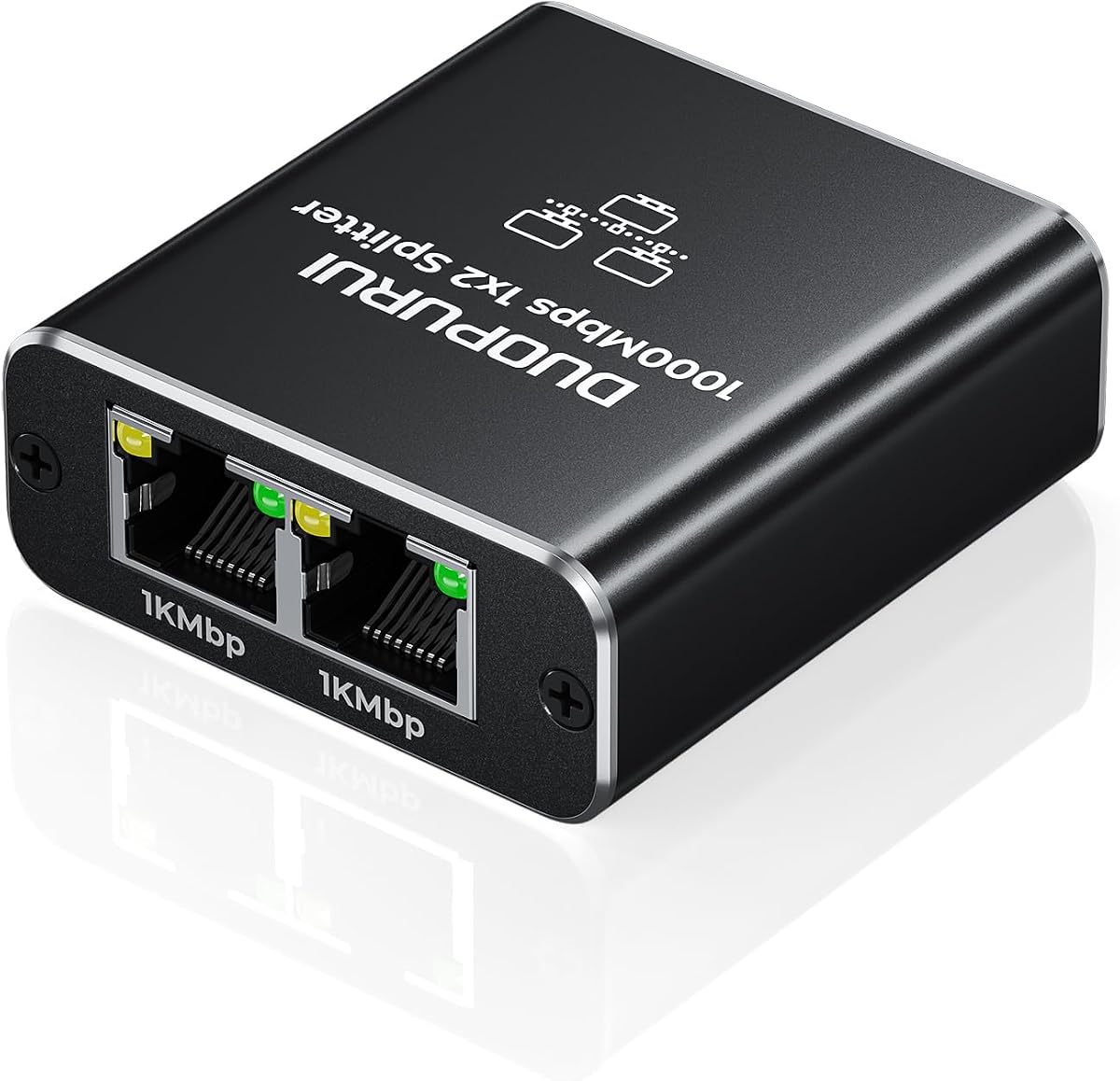


This Gigabit Ethernet Splitter offers an efficient solution for expanding a single network port into two active connections. With a 4.3 rating, it stands out for enabling simultaneous high-speed data transfer between two devices without complex configuration.
We may earn a commission when you buy through this link, at no additional cost to you.
The device supports up to 1,000 Mbps speeds and works seamlessly with Cat5 through Cat8 cables. Its aluminum alloy casing and PCB circuit board ensure durability while the six LED indicators help you monitor which connected devices are active at any given time.
While it requires a 5V USB power connection to function, this ensures stable operation even under load. Users should note that cables are not included, so having spare Cat6 cables on hand is recommended for immediate setup.
This splitter is ideal for home offices or gaming setups needing quick port expansion without buying a full switch. It delivers reliable connectivity for streaming, gaming, and file transfers while keeping your desk clutter-free.
Supports simultaneous data transfer at up to 1,000 Mbps for efficient bandwidth utilization between devices.
Equipped with LED indicators that clearly show which connected devices are actively transmitting data.
We may earn a commission when you buy through this link, at no additional cost to you.
The TP-Link TL-SG105 stands out as a robust option for those needing multiple connections rather than just two. With a 4.7 rating, this unmanaged switch provides five gigabit ports that expand your network capacity significantly.
We may earn a commission when you buy through this link, at no additional cost to you.
Its fanless metal design ensures quiet operation while maintaining stable performance even under heavy load. The energy-efficient technology reduces power consumption without sacrificing speed, making it ideal for 24/7 usage in home or office environments.
While it is slightly larger than compact splitters, the durability and port count justify the space usage. It also comes with a 3-year warranty and free technical support during business hours, adding long-term value to your purchase.
Choose this switch if you need more than two ports and want a reliable, quiet solution. It is perfect for connecting multiple PCs, smart TVs, and gaming consoles while maintaining consistent gigabit performance.
Fanless design ensures completely quiet performance for noise-sensitive environments like home offices.
Innovative power management reduces energy consumption while maintaining full network capacity.
We may earn a commission when you buy through this link, at no additional cost to you.
This TP-Link Ethernet Splitter earned Editor's Choice for balancing speed, build quality, and ease of use. It expands one port into two active connections with up to 1000 Mbps total bandwidth for smooth data transmission.
We may earn a commission when you buy through this link, at no additional cost to you.
The aluminum alloy housing provides excellent heat dissipation and durability while the included USB-C cable makes setup fast. It supports cascading for network expansion and ensures stable performance even during high-demand activities like streaming or gaming.
Bandwidth is shared between the two connected devices, so total speed depends on your network provider. This is a standard limitation for this type of device but remains manageable for most home and office needs.
Ideal for travelers and home users who want a compact reliable splitter with modern USB-C connectivity. It delivers consistent performance while adhering to strong cybersecurity standards for safe network expansion.
Built with advanced security features as a core requirement for safe network connectivity.
Lightweight aluminum casing fits easily into laptop bags for flexible network expansion anywhere.
We may earn a commission when you buy through this link, at no additional cost to you.
This Ethernet Splitter delivers stable high-speed transmission with support for concurrent 1000Mbps data transfer across two devices. It is a solid choice for users needing reliable gigabit performance without complex setup requirements.
We may earn a commission when you buy through this link, at no additional cost to you.
The alloy shell and high-performance circuit board ensure stable signal transmission even in complex network environments. It is backward compatible with 10/100Mbps networks and includes a USB power cable to ensure proper operation.
For best performance, use a dedicated USB power adapter rather than a laptop port. While it lacks LED indicators, its rugged construction and plug-and-play functionality make it easy to integrate into any network setup.
Choose this splitter for its durability and consistent performance in shared bandwidth scenarios. It works well for streaming, online gaming, and large file transfers across multiple connected devices.
Built-in anti-jamming ability ensures stable signals even in electrically noisy environments.
No driver installation required for immediate setup and network connectivity.
We may earn a commission when you buy through this link, at no additional cost to you.
The LIEZHUA Ethernet Splitter 1 to 4 offers an excellent solution for expanding your network to four devices from one port. It delivers up to 1000Mbps total bandwidth while remaining compact and easy to use.
We may earn a commission when you buy through this link, at no additional cost to you.
This splitter comes with a Cat6 LAN cable and USB power cord for immediate setup without additional purchases. Its lightweight design makes it portable for travel or moving between different network environments like home and office.
With four devices sharing the 1000Mbps bandwidth, each gets roughly 250 Mbps depending on usage. This works well for general browsing and streaming but might limit heavy downloads when all ports are active.
Choose this splitter if you need more port capacity without investing in a full switch. It is ideal for home entertainment setups where multiple TVs and consoles need stable wired connections.
Connect up to four devices simultaneously for expanded network flexibility in shared spaces.
Comes with Cat6 cable and power cord for immediate setup without extra purchases.
We may earn a commission when you buy through this link, at no additional cost to you.
This Internet Splitter provides four RJ45 output ports from a single input to expand your wired network connections. With gigabit speeds and USB-C power, it supports up to 1000Mbps total bandwidth for multiple devices.
We may earn a commission when you buy through this link, at no additional cost to you.
Its compact design fits neatly on desks or behind entertainment centers. It works seamlessly with most Cat5 to Cat8 cables and requires no configuration for immediate use in home or office environments.
Like other splitters, total bandwidth is shared across connected devices. However, for typical home use involving streaming and browsing, the performance remains stable and reliable throughout the day.
Ideal for users who need four connections without the complexity of a managed switch. It delivers straightforward expandability with modern USB-C power for flexible placement.
USB-C cable ensures compatibility with modern power sources for flexible device placement.
Small design saves desk space while expanding network connectivity significantly.
We may earn a commission when you buy through this link, at no additional cost to you.
This Ethernet Splitter Adapter expands a single network port into two connections while including a Cat6 cable for quick setup. It offers speeds up to 1000Mbps with LED indicators to track active ports easily.
We may earn a commission when you buy through this link, at no additional cost to you.
The nickel-plated jacks ensure stable signal transmission and resist corrosion over time. With a transmission distance of up to 100 meters, it works well across rooms or floors while maintaining consistent connectivity.
The lightweight plastic housing provides good heat dissipation though metal options may feel more premium. As long as it connects to power, it performs reliably for streaming and online gaming sessions.
Choose this adapter for its included cable and clear status indicators. It is a practical choice for home networks needing two stable wired connections without complex wiring.
Clear LED indicators show exactly which devices are active and transmitting data.
Supports transmission distances up to 100 meters for flexible room placements.
We may earn a commission when you buy through this link, at no additional cost to you.
This Mini Ethernet Splitter supports three devices sharing a single Ethernet line effectively. It delivers up to 1000M stable data transfer with aluminum construction for durability and heat management.
We may earn a commission when you buy through this link, at no additional cost to you.
The compact design fits into laptop bags for travel, making it ideal for hotels or temporary workspaces. LED indicators help you identify which devices are actively connected while USB c power ensures modern compatibility.
Three devices share the 1000M bandwidth meaning each gets up to 333 Mbps depending on usage. If using it with a modem, contact technical support to confirm compatibility for your specific setup.
Choose this splitter if you need three ports in a portable package. It works well for laptops, gaming consoles, and smart TVs needing reliable wired connections without bulky hardware.
Expand to three devices simultaneously when two ports are not enough for your setup.
Lightweight compact design fits into laptop bags for network connectivity on the go.
We may earn a commission when you buy through this link, at no additional cost to you.
This Ethernet Splitter allows three devices to share a single Ethernet line effectively. It delivers stable 1000Mbps data transfer with aluminum construction for durability and efficient heat dissipation.
We may earn a commission when you buy through this link, at no additional cost to you.
The lightweight compact design suits home, office, and industrial environments alike. Plug and play setup means no configuration or computer reboots are required for immediate network access.
Three devices share 1000Mbps total bandwidth so individual speeds vary by load. It supports cable lengths up to 100 meters allowing flexible placement across different locations within your network.
Choose this adapter for its reliable performance and simple setup process. It is ideal for expanding wired connections without adding network complexity to your current setup.
High-quality aluminum material provides efficient heat management during extended usage.
Supports LAN cable lengths up to 100 meters for flexible device placement.
We may earn a commission when you buy through this link, at no additional cost to you.
This UGREEN Ethernet Splitter delivers dual gigabit output with up to 1000Mbps transfer speeds for each device. Its space grey finish and full metal protection offer premium aesthetics and durability.
We may earn a commission when you buy through this link, at no additional cost to you.
Gold plated pin cores and PCB board ensure no signal crosstalk or interference even under heavy load. The compact lightweight design is highly portable making it suitable for business trips or home office use.
As with most splitters, it requires a 5V USB power connection to function properly. While the size is compact, the metal casing provides solid protection for daily network expansion needs.
Choose this splitter for premium build quality and consistent performance. It is ideal for users who value design and stability when expanding their wired network connections.
Gold plated pin cores ensure durable connections resistant to corrosion over time.
Both ports support up to 1000Mbps speeds for fast parallel data transfer.
We may earn a commission when you buy through this link, at no additional cost to you.
Selecting the right internet splitter depends on your network needs, device count, and performance requirements. This guide covers essential factors to help you make an informed decision.
Determine how many devices need connection. Two-port splitters are compact while four-port models offer more flexibility. Consider your current and future device needs before choosing.
Choose a port count that matches your immediate setup to avoid overpaying for unused capacity.
Look for gigabit support up to 1000Mbps for optimal performance. Some models advertise gigabit but share bandwidth across ports, which affects individual speeds when multiple devices transmit.
Verify that the splitter supports concurrent gigabit speeds for your most critical devices.
Most splitters require USB power for stable operation. Check if USB-C or standard USB is supported and whether a cable is included. Ensure you have a compatible power source available.
Always use an adapter rather than laptop ports for best stability and performance.
Metal housings dissipate heat better and last longer than plastic. Aluminum or alloy shells protect internal components from damage and maintain stable signal transmission.
Prioritize metal construction for environments with extended usage or frequent movement.
Ensure the splitter works with your existing cables. Most support Cat5 through Cat8 but verify this for your current infrastructure to avoid unexpected compatibility issues.
Match the splitter rating to your highest cable category for consistent performance.
Choose models that require no driver installation or configuration. Plug and play devices save time and reduce technical hurdles during setup.
Look for explicit plug and play claims to ensure quick and easy installation.
LED indicators help you monitor active ports while shielded ports reduce interference. Some models include cables which adds immediate value to your purchase.
Features like status LEDs can prevent confusion and simplify troubleshooting when devices disconnect.
Longer warranties indicate manufacturer confidence. Check customer support availability and response times for technical issues during usage.
Prioritize brands offering at least one year of warranty coverage for peace of mind.
Connect the splitter input to your router using an Ethernet cable. Plug the USB power cable into a wall adapter or compatible port to ensure stable operation. Verify LED indicators show active connections.
Keep the splitter in a well-ventilated area to prevent overheating. Avoid placing it near heat sources or tightly enclosed spaces. Regularly dust the exterior to maintain airflow.
Disconnect the USB power when not in use to conserve energy. Periodically check cable connections for wear or looseness. Replace damaged cables promptly to maintain optimal transmission quality.
An internet splitter does not reduce your total bandwidth from your provider. However, multiple devices share that bandwidth simultaneously so individual speeds may decrease when many devices are active at once.
Most splitters work with routers but modem compatibility varies. Contact technical support before connecting directly to your modem to confirm it is supported for your specific setup.
USB power ensures stable signal transmission and device detection. Without power, the splitter cannot properly process data between ports which may result in connection failures or unstable speeds.
Standard Cat5e cables support gigabit speeds but Cat6 or higher provides better stability. Using lower-rated cables may limit your maximum speed potential depending on your network setup.
No a 1 to 2 splitter only supports two devices simultaneously. You would need a 1 to 4 splitter or a multi-port switch to connect additional devices beyond two.
Yes splitters are safe for gaming and streaming as long as they support gigabit speeds. Stable connections prevent lag but ensure sufficient bandwidth for all active devices.
Check LED indicators for active port lights. Test internet access on connected devices. If LEDs are off or devices fail to connect verify power and cable connections.
Technically yes but performance degrades with each additional splitter. For four or more ports a switch is recommended to maintain consistent speeds across all connected devices.
The TP-Link TL-SG105 offers the best value for multiple devices while the TP-Link 1 to 2 splitter delivers top overall performance. UGREEN stands out for premium build quality and dual gigabit output.
Prioritize gigabit support, USB power availability, and metal construction for the most reliable experience. Ensure your cables match the splitter rating to avoid unnecessary speed limitations.
Prices and availability change frequently so confirm details before purchase. These ten models represent the best options available in November 2026 for expanding your wired network.