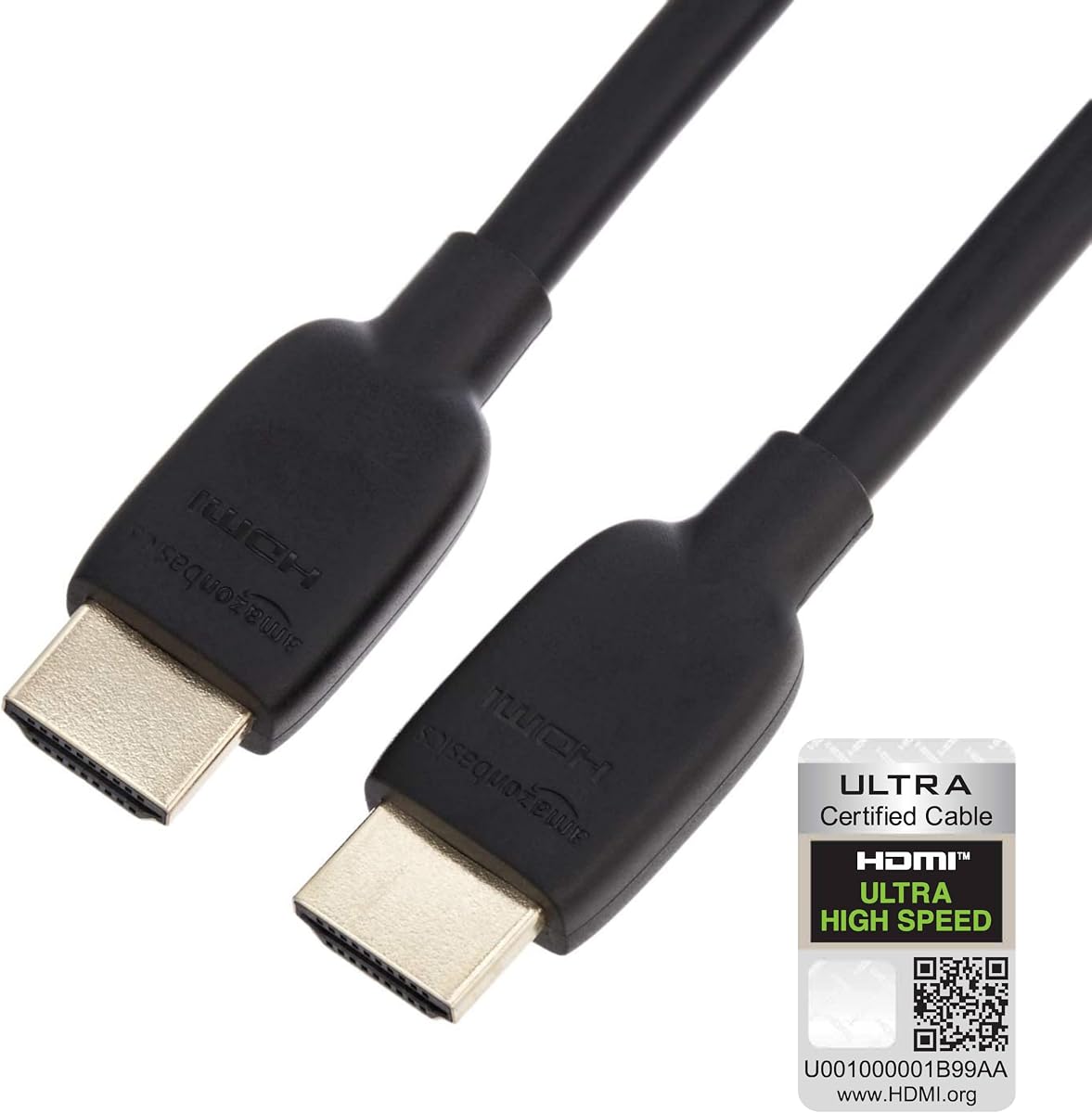
Amazon Basics HDMI 2.1 Cable
4.7Editor score
Certified 48Gbps bandwidth
Flexible PVC cable design
Gold plated connectors
This guide compares the top HDMI cables for dual monitor setups, evaluating speed, durability, and compatibility to help you find the perfect connection for
Finding the right connection for your dual monitor setup is essential for productivity and entertainment. A high quality HDMI cable ensures smooth visuals and stable audio without signal loss or flickering issues during daily use.
We evaluated ten top rated cables based on speed, build quality, and compatibility with modern devices. Our analysis focuses on certified standards, durability features, and real world performance to help you choose confidently.
Each pick highlights key strengths like refresh rate support and connector design. Please note that product availability and prices may change frequently, so check current listings before finalizing your purchase decision today.
4.7Editor score

4.8Editor score

4.6Editor score
The following table provides a side by side overview of all ten selected cables. Compare their key specifications, ratings, and unique features to identify the best fit for your specific dual monitor configuration.



The Highwings 8K HDMI 2.1 Cable is a top choice for dual monitor setups requiring high fidelity visuals. With a strong rating and rigorous testing, it delivers certified performance for modern displays and gaming rigs.
We may earn a commission when you buy through this link, at no additional cost to you.
Its 48Gbps bandwidth ensures smooth video transmission without dropped frames. The aluminum alloy shell and anti-bending design provide durability, while the game mode supports variable refresh rates for elevated performance.
While the cable is robust, the 6.6ft length may not suit larger desk arrangements. However, the included 2-pack offers value and flexibility for connecting multiple screens simultaneously.
This cable is ideal for users seeking reliable 8K or 4K high refresh rate support. Its combination of certification and build quality makes it a recommended pick for professional and entertainment use.
The cable passes laboratory performance tests to ensure flawless signal delivery for critical tasks.
Variable refresh rate support maximizes graphics card value for smoother gameplay experiences.
We may earn a commission when you buy through this link, at no additional cost to you.
Silkland offers a certified HDMI 2.1 cable that stands out with its unique E-Braid technology. This design ensures uninterrupted signals and eliminates flickering, making it reliable for dual monitor configurations.
We may earn a commission when you buy through this link, at no additional cost to you.
The cable supports 4K@144Hz for PC and 4K@120Hz for consoles, delivering exceptional gaming performance. Audio support includes Dolby Atmos and DTS:X for an immersive viewing experience.
While it requires specific game support to unlock full refresh rates, the bandwidth is sufficient for most high-end setups. The 12-hour customer care promise adds confidence to the purchase.
This option is best for gamers and streamers needing dynamic HDR and high bandwidth. Its durability and certification make it a solid investment for future-proofing your display setup.
Double-layer fishnet winding and nylon braiding provide unprecedented durability.
Enhanced Audio Return Channel supports cutting-edge formats like DTS:X.
We may earn a commission when you buy through this link, at no additional cost to you.
The Acer HDMI 2.1 Cable delivers sharp visuals for monitors and TVs with its high-speed design. It supports 48Gbps bandwidth for stable transmission, making it suitable for dual monitor workstations.
We may earn a commission when you buy through this link, at no additional cost to you.
Features like VRR reduce screen tearing for smoother gameplay on consoles. The braided jacket and aluminum alloy shell help resist daily wear and bending stress effectively.
While it is a strong performer, the 6.6ft length might be short for large desks. However, backward compatibility ensures it works with older devices seamlessly.
This cable is ideal for users needing a balance of gaming performance and general use. Its certification and audio support make it a versatile choice for home entertainment.
High-purity copper core and aluminum shell resist EMI and bending.
Ideal for soundbars and home theaters with Dolby Atmos compatibility.
We may earn a commission when you buy through this link, at no additional cost to you.
UGREEN delivers a certified cable that offers 8K clarity and high bandwidth for modern devices. It features advanced technology that improves image sharpness and signal transmission significantly.
We may earn a commission when you buy through this link, at no additional cost to you.
Dynamic HDR captures details with 12-bit color accuracy. The robust design with nickel-plated connectors withstands frequent bending tests for a longer lifespan.
Although it carries a premium price, the certified performance and build quality justify the cost. It supports a wide range of devices from gaming consoles to TVs.
This option is best for those requiring certified 8K performance. Its durability and support for eARC make it a top choice for high-end home theater setups.
Robust aluminum alloy case decreases rupture while reducing flexibility.
Quick media switching eliminates blackout periods when switching video modes.
We may earn a commission when you buy through this link, at no additional cost to you.
Belkin provides a premium cable designed for quality and performance. Its 2.1 UHD certification ensures reliable data transfer for 4K and 8K displays.
We may earn a commission when you buy through this link, at no additional cost to you.
The 2-layer shielding minimizes damage and protects against electric shocks. It supports Dolby Vision for improved brightness and contrast in streaming content.
While the price is higher, the thoughtfully designed build offers peace of mind for daily use. The 6.6ft length is ideal for connecting laptops to monitors.
This cable is best for users seeking trusted brand reliability. Its design and protection features make it a solid premium option for home entertainment.
2-layer shielding protects delicate wiring and minimizes damage.
Optimal bandwidth supports high resolution gaming on PS5 and Xbox.
We may earn a commission when you buy through this link, at no additional cost to you.
This UGREEN HDMI 2.1 cable offers Ethernet-enabled connectivity for file exchange between devices. It delivers uncompressed 8K video with enhanced color clarity.
We may earn a commission when you buy through this link, at no additional cost to you.
Dynamic HDR ensures 12-bit color accuracy for realistic images. The premium nickel-plated connectors withstand frequent bending tests for a longer lifespan.
While it may carry a higher cost, the certification and Ethernet features add value for advanced setups. It is compatible with a wide range of gaming consoles.
This option is best for users needing extra connectivity features. Its design supports high quality audio and video transmission for demanding home entertainment.
Supports transmission of 8K@60Hz for clearer monitor images.
High-quality nylon braided jacket ensures a longer lifespan.
We may earn a commission when you buy through this link, at no additional cost to you.
Amazon Basics offers an affordable HDMI 2.1 solution for compact setups. It supports 48Gbps bandwidth and is certified for 8K transmission efficiently.
We may earn a commission when you buy through this link, at no additional cost to you.
The gold-plated connectors resist corrosion and enhance signal transmission. This cable is designed for easy setup with no complicated drivers required.
The short 3-foot length limits placement flexibility but works well for nearby devices. It is an excellent budget choice for simple dual monitor connections.
This cable is best for budget-conscious users needing certified performance. Its plug and play design makes it ideal for quick laptop to monitor connections.
Removes the need for complicated drivers or setup time.
Connects tablets and laptops to projectors and monitors easily.
We may earn a commission when you buy through this link, at no additional cost to you.
PowerBear provides a 10-foot cable suitable for larger dual monitor setups. It is triple tin shielded and features braided nylon for durability.
We may earn a commission when you buy through this link, at no additional cost to you.
The CL3 rating ensures safety for in-wall installations. Gold plated connectors resist corrosion and maintain high quality signal transmission.
While it does not support HDMI 2.1 features like 8K, it handles 4K@60Hz reliably. The long length offers flexibility for routing cables discreetly.
This option is best for users needing extended reach without compromising quality. Its safety rating and build make it ideal for permanent office installations.
Triple tin shielded and double braided for guaranteed image and sound.
Backwards compatible with earlier versions of HDMI cable standards.
We may earn a commission when you buy through this link, at no additional cost to you.
AVACON offers a DisplayPort to HDMI solution for connecting laptops to monitors. It supports 4K resolution with a uni-directional design for stable transmission.
We may earn a commission when you buy through this link, at no additional cost to you.
Gold-plated connectors and shielding provide reliable connectivity for daily use. It is compatible with major brands like Dell and HP.
The cable is not bi-directional, meaning it only transmits from PC to display. This limitation is acceptable for standard monitor setups.
This option is best for users connecting DisplayPort devices to HDMI screens. Its gold plating ensures durability for frequent plugging and unplugging.
Directly connects DisplayPort equipped computers to HDMI monitors.
Provides flawless audio pass-thru for uncompressed digital channels.
We may earn a commission when you buy through this link, at no additional cost to you.
This 2-pack provides a cost-effective solution for dual monitor setups with DisplayPort connections. It supports 4K resolution for productivity and multitasking.
We may earn a commission when you buy through this link, at no additional cost to you.
Each cable features reliable DP to HDMI conversion for smooth signal transmission. The braided nylon jacket ensures long-lasting durability for office use.
While limited to HDMI 1.4, it supports standard resolutions effectively. The pack of two ensures flexibility for multiple workstations.
This option is best for users needing multiple cables for dual monitors. Its universal compatibility makes it ideal for diverse office environments.
Provides a cost-effective solution for dual monitor setups and workstations.
Supports Extend Mode and Mirror Mode for spreadsheets and presentations.
We may earn a commission when you buy through this link, at no additional cost to you.
Selecting the right cable for dual monitors requires understanding bandwidth, compatibility, and build quality to ensure stable connectivity.
Bandwidth determines how much data a cable can transmit. For 8K or high refresh rate gaming, you need 48Gbps HDMI 2.1 cables to prevent signal loss or stuttering.
Always check your display's resolution and refresh rate needs before purchasing to match the cable's capabilities effectively.
Certified cables undergo rigorous testing to ensure they meet HDMI standards. Look for Ultra High Speed certification to guarantee performance for 8K content.
Certification helps avoid compatibility issues and ensures your investment supports current and future display technologies reliably.
Braided nylon jackets and aluminum shells protect against daily wear and bending. These features extend the lifespan of the cable in busy office or gaming environments.
Investing in durable materials prevents signal interruptions caused by physical damage over time.
Gold-plated connectors resist corrosion and improve signal transmission. High-quality connectors ensure a stable connection between your device and the monitor.
Proper connector plating reduces the risk of loose fits and signal degradation.
Choose a length that fits your desk setup comfortably. Shorter cables reduce clutter, while longer ones offer flexibility for routing behind furniture.
Measure your workspace to avoid cables that are too short or too long for your specific arrangement.
Modern cables support eARC for high-quality audio formats. This feature is essential if you connect to soundbars or surround sound systems.
Verify audio support if you want seamless sound alongside your dual monitor setup.
Features like Variable Refresh Rate (VRR) eliminate screen tearing. These are crucial for gamers who need smooth visuals at high refresh rates.
Prioritize gaming features if your monitors are used for high-performance gaming.
Ensure the cable matches your devices ports such as HDMI or DisplayPort. Universal compatibility simplifies connections across different hardware brands.
Check both source and display ports to avoid purchasing the wrong cable type.
Always plug the cable in before turning on devices to establish a stable handshake. This prevents signal issues that can occur when devices boot without detection.
Avoid bending the cable sharply at the connectors. Use strain relief features and route cables through clips to prevent internal wire damage.
Keep cables away from heat sources and moisture to maintain longevity. Regularly inspect connectors for dust or debris and clean gently if needed.
The UGREEN 8K HDMI 2.1 Cable is highly rated for its bandwidth and durability. It supports 48Gbps for 8K content and features a robust design. This ensures stable connections for both productivity and entertainment setups.
Not necessarily. If you use 4K@60Hz monitors, HDMI 2.0 is sufficient. However, for 8K or high refresh rate gaming, HDMI 2.1 offers the required bandwidth for optimal performance.
Yes, DisplayPort to HDMI cables work well if your computer has DisplayPort outputs. They are cost-effective for dual setups, but ensure they support 4K resolution for best results.
Check the product title for HDMI 2.1 certification. Look for Ultra High Speed labels and 48Gbps bandwidth claims. Certified cables often have a QR code for verification.
Yes, longer cables may experience more signal loss. For high bandwidth needs, keep cables under 10 feet to ensure stable performance without active repeaters.
Look for Variable Refresh Rate (VRR) and high bandwidth like 48Gbps. These features reduce screen tearing and support high frame rates for a smoother gaming experience.
Braided cables are generally more durable and resistant to tangling. They offer better protection against wear and tear, making them ideal for frequent use in busy environments.
Yes, HDMI 2.1 cables are backward compatible with older HDMI versions. You can use them with HDMI 2.0 devices, though you will only access the older device's capabilities.
Our top picks include the UGREEN 8K HDMI 2.1 for performance and Amazon Basics for budget needs. Each option balances speed, build quality, and features effectively.
Prioritize bandwidth and certification to ensure your monitors perform at their best. Durability features like braided jackets add value for long term use.
Always verify current prices before purchasing as deals change frequently. This guide helps you find the perfect cable for your specific dual monitor setup needs.