
Redragon K686 HE
4.4Editor score
UltraMag magnetic switches
8000Hz hyper-polling
One-knob simplicity
This guide compares the top 10 Hall Effect keyboards for gaming, analyzing polling rates, trigger speed, and build quality to help you choose the right one.
Hall Effect keyboards are redefining competitive gaming by replacing mechanical contacts with magnetic sensors for faster response. These boards offer rapid trigger capabilities that let you reset key inputs instantly without releasing the key fully.
We evaluated ten leading models based on polling rates, actuation precision, build quality, and software features. Our analysis covers wired and wireless options across various layouts to ensure you find a board that fits your specific gaming style.
Each pick below highlights unique strengths like adjustable actuation, SOCD logic, and durable switches. Prices and availability fluctuate frequently, so verify current listings before purchasing to ensure you get the best deal for your setup.
4.4Editor score

4.7Editor score

4.6Editor score
The following table provides a side-by-side overview of the top Hall Effect keyboards available today. Compare key specifications like polling rates, switch types, and layout sizes to identify the model that aligns with your performance needs.




The EPOMAKER G84 HE stands out as a top contender in the Hall Effect keyboard market. With a 4.7 rating, it delivers unmatched fluidity and precision for competitive gaming. Its magnetic switches allow for rapid trigger inputs without physical contact.
We may earn a commission when you buy through this link, at no additional cost to you.
This keyboard offers 8K polling and a 256K scan rate for minimal latency. Adjustable actuation ranges from 0.1mm to 3.3mm per 0.01mm increments, giving you granular control over keystrokes. The SOCD logic prioritizes the last input to prevent neutral blocks during rapid directional changes.
While the G84 HE excels in performance, it requires software setup for full customization. Some users might find the driver interface slightly complex compared to plug-and-play solutions. However, the depth of customization options justifies the learning curve for serious gamers.
If you need a versatile wireless board with high-end specs, the G84 HE is an excellent investment. It suits FPS and MOBA players who demand speed and precision. Consider this model if you value a gasket-mounted feel alongside top-tier magnetic switching technology.
The adjustable actuation and zero dead zone ensure every flick of the keystroke is delivered instantly. This eliminates the delay often found in traditional mechanical switches.
Tri-mode wireless support allows seamless switching between PC, Android, and Mac devices. The hidden receiver storage keeps the desk clutter-free.
We may earn a commission when you buy through this link, at no additional cost to you.
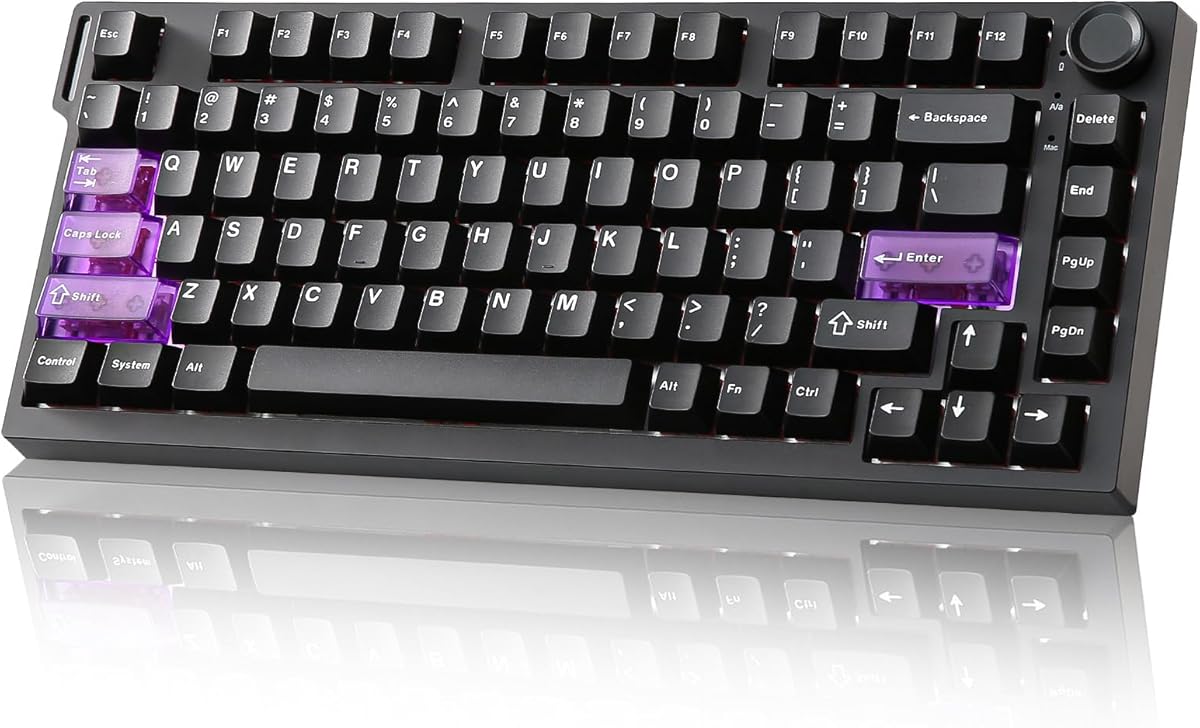
The Redragon K686 HE brings Hall Effect technology to a budget-friendly price. Rated 4.4, it uses UltraMag POM magnetic switches for contactless sensing. This makes it ideal for players needing precise timing in games like Valorant or CS without breaking the bank.
We may earn a commission when you buy through this link, at no additional cost to you.
Its 8000Hz polling rate and rapid trigger ensure inputs transmit up to eight times faster than standard keyboards. The dual-module floating structure reduces noise and provides a soft, hi-fi bounce. A single knob manages backlight and media volume easily.
This keyboard lacks wireless capabilities which limits its portability. The software is functional but less extensive than premium models. However, for wired setups, the performance-to-price ratio is hard to beat in the current market.
Gamers on a tight budget should strongly consider the K686 HE. It delivers high-speed response and reliable durability. If you prioritize raw performance over wireless convenience, this board offers a compelling value proposition for entry-level competitive play.
You get premium features like rapid trigger and high polling rates at a fraction of the cost of competitors. This makes high-end gaming accessible to more people.
The one-knob design allows quick adjustments to brightness and media without memorizing key combos. It simplifies the user interface significantly.
We may earn a commission when you buy through this link, at no additional cost to you.
The Logitech G PRO X TKL is engineered for esports athletes seeking peak performance. With a 4.6 rating, it features magnetic analog switches and Rapid Trigger for fluid control. Every millisecond counts in competitive play, and this keyboard ensures you never lose an edge.
We may earn a commission when you buy through this link, at no additional cost to you.
You can optimize actuation points and sensitivity directly in Logitech G HUB. The FN key modes allow on-the-fly adjustments without needing software. This flexibility helps tailor the keyboard to different game genres instantly. LIGHTSYNC RGB adds visual flair that syncs with on-screen actions.
The premium price may be a barrier for casual users. Advanced features rely on the Logitech ecosystem which might not suit those avoiding specific software. Despite this, the build quality and responsiveness justify the investment for serious gamers.
If you play professionally or demand the highest reliability, the PRO X TKL is a top choice. Its rapid trigger capabilities are unmatched in the wired category. Consider this if you already use Logitech gear and value a proven esports pedigree.
Rapid Trigger mode allows keys to reactivate without a full release. This is crucial for counter-strafing and quick directional changes in FPS games.
Total control via KEYCONTROL lets you set specific commands across multiple layers. Each key can execute complex combos efficiently.
We may earn a commission when you buy through this link, at no additional cost to you.
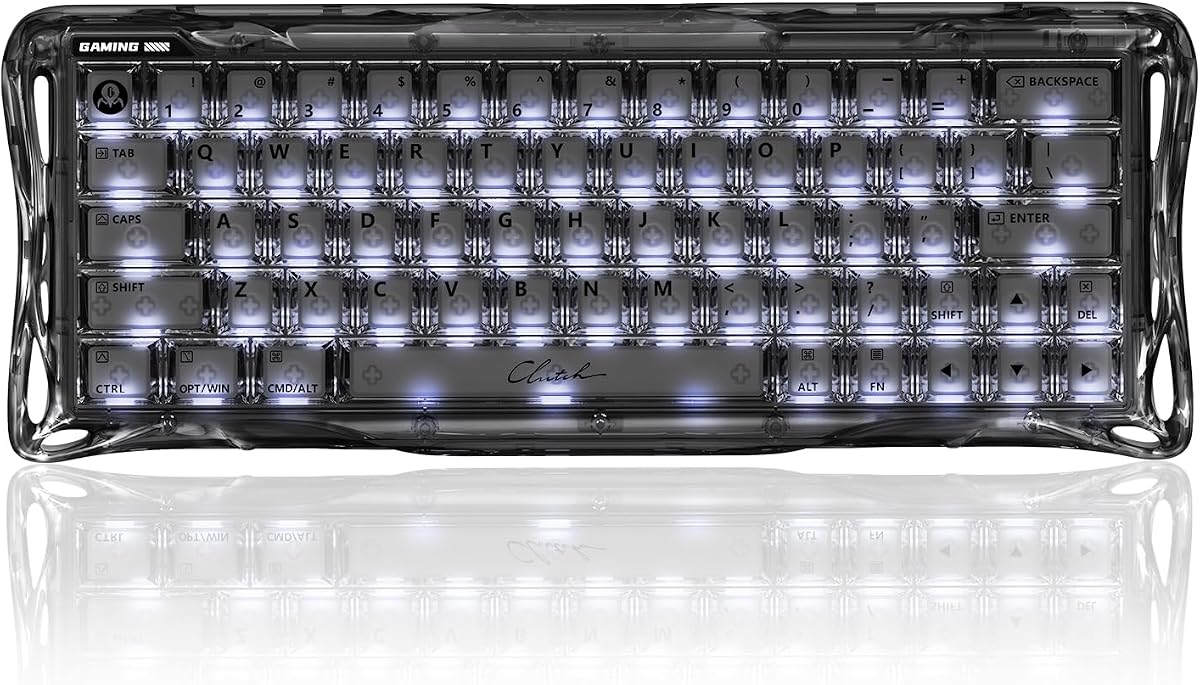
The GravaStar Mercury V60 HE merges futuristic aesthetics with high-performance magnetic switches. Rated 4.6, it uses UFO magnetic switches for 0.005mm precision. This level of accuracy eliminates input lag and provides a tactile edge unmatched by traditional keyboards.
We may earn a commission when you buy through this link, at no additional cost to you.
Rapid Trigger resets keys instantly for smoother movement and counter-strafing. The transparent Onyx Crystal chassis transforms any setup into a battle station. Hot-swappable switches allow you to tune the tactile feel to your exact preference easily.
The glossy design can show fingerprints easily and requires frequent cleaning. Availability might be limited compared to mass-market brands. However, for those seeking a visual statement without compromising speed, this board stands out as a unique option.
Choose the Mercury V60 HE if you want a keyboard that looks as impressive as it performs. It suits players who value aesthetics alongside technical specs. This is a standout choice for a custom gaming station that demands attention.
The 0.005mm precision allows for ultra-sensitive movement and faster strafing. This gives you a competitive advantage in fast-paced shooters.
You can change switches without soldering to find the perfect feel. This flexibility is rare in pre-built gaming keyboards.
We may earn a commission when you buy through this link, at no additional cost to you.
The ASUS ROG Falchion Ace HFX is a premium compact board designed for portability. With a 4.6 rating, it features pre-lubed ROG HFX magnetic switches and adjustable actuation from 0.1 to 4.0mm. The 65% layout saves desk space while keeping essential controls.
We may earn a commission when you buy through this link, at no additional cost to you.
Dual USB-C ports on either side simplify cable management and allow connection to two PCs simultaneously. The interactive touch panel helps control volume and lighting intuitively. Five-layer dampening creates a quiet and creamy typing experience.
Lacking wireless connectivity limits use for those needing flexible setup options. The smaller layout might take time to adjust to if you rely on arrow keys frequently. Despite this, its build quality and features are top-tier for a portable gaming board.
If you often travel or have limited desk space, the Falchion Ace is a solid choice. It balances high-end gaming features with a slim design. Consider this if you prefer a compact footprint without sacrificing ROG performance standards.
Two ports enable neat setups and quick switching between PCs. This removes cable clutter and improves workflow efficiency.
The protective cover shields against dust and scratches while doubling as a tray mount. This ensures the keyboard remains safe on the go.
We may earn a commission when you buy through this link, at no additional cost to you.
The EPOMAKER HE80 delivers strong performance with a convenient web-based driver. Rated 4.4, it offers an 8000Hz polling rate and 32K scan rate for minimal latency. The 75% layout balances functionality and desk space for optimized gaming usage.
We may earn a commission when you buy through this link, at no additional cost to you.
Adjustable actuation allows precise control to 0.02mm increments. SOCD prioritizes the latest input to prevent character freezing. You can program single keys with up to four functions using Dynamic Keystroke. The online driver saves download hassle for easy access.
Reliance on an internet connection for customization may be inconvenient offline. The lighting effects while bright are not as elaborate as other boards. However, the performance features remain robust for those who prioritize speed over visual customization.
If you prefer a lightweight setup without local drivers, the HE80 is ideal. It suits gamers needing fast actuation and flexible layouts. Consider this model if you want essential features without complex software installations.
The chrome-based software lets you customize keys without downloading files. This simplifies setup and ensures compatibility across devices.
The 0.02mm trigger enables rapid execution of commands. This ensures every keystroke counts during intense gaming sessions.
We may earn a commission when you buy through this link, at no additional cost to you.
The Razer Huntsman V3 HE Mini is designed specifically for competitive FPS players. With a 3.8 rating, it offers 8000Hz HyperPolling for near-zero latency. The 65% layout maximizes mouse movement space while retaining essential controls for tournament setups.
We may earn a commission when you buy through this link, at no additional cost to you.
Snap Tap prioritizes the latest directional input for quicker counter-strafes. This enhances responsiveness in titles like Valorant and Apex Legends. The durable PBT keycaps resist shine and wear ensuring reliability over time. Web Synapse allows easy customization without heavy downloads.
This model has a lower user rating compared to others which might indicate software hiccups. The compact size might feel cramped for users with large hands. Despite this, the specific gaming features are highly specialized for competitive needs.
If you play tournaments and need a dedicated gaming station, this board is strong. It delivers fast response times crucial for ranked matches. Consider this if you value specialized competitive features over general typing comfort.
Prioritizing the latest input allows faster directional changes. This ensures cleaner movement during intense combat scenarios.
The 65% layout is streamlined for portability and desk space. It is designed to meet esports standards for speed and precision.
We may earn a commission when you buy through this link, at no additional cost to you.
The YUNZII RT75 PRO brings wireless freedom to Hall Effect gaming. Rated 4.6, it offers 8K polling in both wired and 2.4G modes. The 75% compact layout supports essential keys and RGB backlighting for immersive lighting effects.
We may earn a commission when you buy through this link, at no additional cost to you.
Tri-mode connectivity allows seamless switching between Windows, macOS, and Android. The 8000mAh battery supports extended wireless use. Five-layer padding provides a creamy acoustic feedback. Web drivers support advanced features like SOCD and dynamic keystroke programming.
Wireless setups might introduce minimal delay compared to wired. RGB synchronization across different apps may be limited. However, the convenience of wireless remains high for those needing versatile connectivity. This model offers a good blend of portability and performance.
If you need a wireless keyboard that maintains gaming speeds, this is ideal. It suits mobile setups or clutter-free desks. Consider this if you value battery life and broad device compatibility over strictly wired performance.
Seamless switching between PC and mobile improves workflow. This ensures your keyboard works with all devices effectively.
The 8000mAh capacity supports extended wireless sessions. This reduces the need for frequent recharges during gaming.
We may earn a commission when you buy through this link, at no additional cost to you.
The Corsair K70 PRO TKL is designed for speed and precision. With a 4.6 rating, it uses pre-lubed MGX Hyperdrive switches for smooth keypresses. The rapid trigger functionality allows reset points to change dynamically for faster movement resets.
We may earn a commission when you buy through this link, at no additional cost to you.
Adjustable actuation lets you tune each key from 0.4mm to 3.6mm. This customization allows for personalized gameplay settings. The TKL layout saves space while maintaining essential controls. The double-rail structure ensures stability and reduces wobble during intense sessions.
ABS keycaps may develop shine over time compared to PBT options. The software ecosystem requires installation for full feature access. Despite this, the performance and build quality remain strong. This model offers solid options for competitive gamers.
If you prefer a streamlined layout with robust features, this keyboard is a strong choice. It suits users seeking adjustable actuation and reliability. Consider this if you value Corsair build quality and specific TKL ergonomics.
Per-key tuning allows different settings based on your playstyle. This ensures optimal performance for each game.
The double-rail structure guarantees durability. This ensures a consistent typing feel over time.
We may earn a commission when you buy through this link, at no additional cost to you.
The RK ROYAL KLUDGE M75 offers exceptional value with top performance. Rated 4.8, it delivers 8000Hz polling and 0.125ms latency. The 75% compact layout keeps arrow keys while saving space. Hot-swappable PCB allows easy switch customization to suit your preferences.
We may earn a commission when you buy through this link, at no additional cost to you.
A dedicated metal volume knob provides instant mute and scroll control. Vibrant RGB and PBT keycaps add visual flair and durability. The online web driver supports remapping and lighting customization easily. This keyboard balances features and cost effectively.
Some users may find the software basic compared to others. Build materials can vary but generally offer good consistency. Despite this, the high rating indicates strong user satisfaction. It is a reliable choice for cost-conscious gamers.
If you want high-end specs without a premium price, the M75 is a top pick. It suits users seeking volume control and hot-swap features. Consider this if you prioritize value and essential gaming features.
The metal knob allows instant audio control. This improves workflow by reducing reliance on key combos.
The PCB allows you to swap magnetic or mechanical switches. This gives you freedom to experiment with different feels.
We may earn a commission when you buy through this link, at no additional cost to you.
Selecting the right Hall Effect keyboard depends on understanding technical specs and your specific gaming needs. This guide breaks down key factors to consider before making a purchase.
Polling rate determines how often the keyboard reports input to the PC. Higher rates like 8000Hz reduce latency significantly compared to standard 1000Hz models. This results in faster reaction times which is critical in competitive shooters.
Look for keyboards with at least 8000Hz polling to ensure minimal delay. Lower latency ensures your inputs register instantly during gameplay.
Rapid Trigger allows keys to reset immediately without fully releasing. This feature is vital for counter-strafing in FPS games. It helps prevent input delays that can affect movement precision.
Ensure the keyboard supports Rapid Trigger or similar rapid reactivation features. This capability provides a tangible advantage in fast-paced matches.
Hall Effect switches often allow adjustable actuation points. This lets you set how far a key must press to register input. Precise adjustment helps tailor the keyboard to specific game genres.
Choose models with adjustable actuation ranges from 0.1mm to 4mm. Fine-tuning helps optimize speed and accuracy for your playstyle.
Layout size impacts desk space and ergonomic comfort. 65% and 75% layouts save space for mouse movement. TKL offers a balance between space and full function keys.
Consider your desk size and mouse usage when choosing a layout. Compact designs are ideal for limited spaces and FPS gaming.
Wired keyboards generally offer the lowest latency. Wireless options with 2.4G or Bluetooth provide flexibility and mobility. Dual USB-C support can simplify cable management.
Decide between wired speed and wireless convenience based on your setup. High-end wireless options now offer near-wired performance.
Hall Effect switches use magnetic sensors instead of contacts. This reduces wear and tear compared to mechanical switches. Many offer hot-swappable PCBs for future customization.
Check the switch lifespan and whether it is hot-swappable. Durability ensures consistent performance over years of heavy use.
Software allows you to map keys and adjust settings. Web-based drivers simplify setup without downloads. Look for features like SOCD and macro support.
Ensure the software supports your operating system. Good customization tools enhance the overall utility of the keyboard.
Materials like aluminum or plastic affect weight and stability. Sound dampening layers reduce noise during typing. Gasket mounting provides a softer feel.
Consider the material and sound dampening based on your environment. A quiet keyboard is better for shared spaces.
To get the most from your Hall Effect keyboard, calibrate the actuation points for each game you play. Most manufacturers provide web drivers that allow you to adjust these settings quickly. Set a lower actuation point for FPS games and higher for typing comfort.
Regular cleaning is essential to maintain sensor performance. Use compressed air to remove dust between keys which can interfere with magnetic readings. Avoid using harsh chemicals that might damage the RGB lighting or keycap legends.
Keep your firmware updated to ensure compatibility with new games. Developers occasionally release patches that optimize polling rates and input handling. Check the manufacturer website for updates to enjoy improved performance and new features.
A Hall Effect keyboard uses magnetic sensors to detect keystrokes instead of physical switches. This design allows for faster actuation and adjustable trigger points. It is ideal for gaming due to reduced latency and wear.
Hall Effect keyboards often offer faster response times and customizable actuation compared to mechanical ones. They do not suffer from contact bounce or wear. However, they tend to be more expensive.
Most Hall Effect keyboards come with proprietary drivers or web-based software for customization. You need these to adjust actuation points or macros. Some models work plug-and-play but offer limited features.
Yes, Hall Effect keyboards are excellent for typing with adjustable actuation. You can set deeper actuation points for a satisfying feel. They offer a smooth and precise typing experience.
High-quality wireless Hall Effect keyboards with 2.4G modes minimize lag. They can match wired performance closely in competitive scenarios. Bluetooth may have slightly higher latency.
Use compressed air to remove dust from key switches regularly. Avoid direct water contact which can damage electronics. Use a soft cloth to wipe the surface gently.
The Hall Effect keyboards reviewed offer diverse options for every budget and setup. The EPOMAKER G84 HE leads in versatility while the Redragon K686 HE provides great value. Logitech and Corsair bring premium reliability for serious gamers.
Prioritize polling rates and rapid trigger features if you play competitive FPS. Consider layout and wireless needs based on your workspace. A well-chosen keyboard enhances both speed and comfort.
Prices change frequently so verify current listings before buying. Check warranty terms and support options for peace of mind. With these guides, you can find the perfect match for your gaming.