
BENFEI USB C to HDMI Adapter
4.4Editor score
4K at 60Hz output
Plug and play setup
Durable aluminum casing
This guide compares the top flash drive to HDMI adapter models for performance compatibility and value to help you choose the right display solution today.
Choosing a flash drive to HDMI adapter can transform your work setup by adding extra screens without opening your laptop. These devices convert USB ports into video outputs for monitors and projectors effortlessly. A good adapter offers stable drivers and broad OS support for daily tasks.
We compared ten top models based on resolution support driver ease, and build quality. Each product was evaluated for real-world use in offices and homes. Our list covers USB A and USB C options for laptops and desktops alike.
Each pick shows key specs and ideal users so you can decide fast. Prices and stock change often so check links before buying. Read on for honest details on every adapter to find your match.
4.4Editor score

4.1Editor score

4.4Editor score
This table compares all ten adapters side by side with key specs for quick reference. Note that driver needs vary by model and OS so check details before buying.





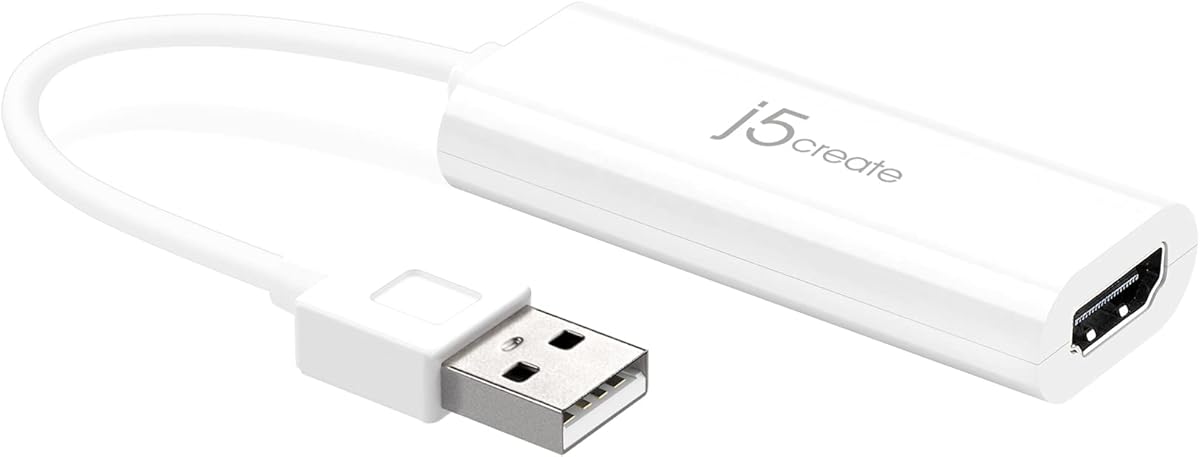
The Reborn USB to HDMI Adapter stands out as a versatile tool for adding screens via USB. It scores well for its balance of price and performance in home and office settings. Users appreciate the simple install steps and reliable output at 1080P.
We may earn a commission when you buy through this link, at no additional cost to you.
Its key strengths include full HD output at 60Hz for smooth video and extended desktop support. The driver installs from a removable disk without needing a CD. It works across Windows and macOS for broad access to displays.
Trade-offs include the need for driver setup each first time and no BIOS mode support. These are acceptable for most users who only need runtime display. The compact size makes it easy to carry for travel.
Buy this if you want an affordable and reliable adapter for everyday work. It fits well for presentations or extra screen setups on laptops. The warranty and support add peace of mind for long term use.
Output delivers crisp 1080P visuals with audio over HDMI for clear sound.
Plug in and install the driver once then enjoy instant connections for screens.
We may earn a commission when you buy through this link, at no additional cost to you.
This StarTech adapter brings solid performance to Windows PCs needing extra HDMI screens. It scores high for reliability and clean design in office environments. Users find it simple to plug in and use for extended desktops.
We may earn a commission when you buy through this link, at no additional cost to you.
It supports 1080p at 60Hz for clear video and audio over HDMI. The bus powered design removes the need for extra cords or outlets. It works on all Windows platforms including Intel and AMD chips.
Limitations include no macOS support and the need for admin rights to install drivers. These are minor for dedicated Windows users who value stability. The compact form factor fits well in any bag.
Pick this for Windows laptops or desktops where dependability matters most. It suits workstations for home or office work. The brand reputation adds confidence for long term daily use.
After install it connects fast to any HDMI display for quick setup.
Draws power from USB port so no extra plugs are required for use.
We may earn a commission when you buy through this link, at no additional cost to you.
This adapter offers a cost effective path to add screens via USB ports. It supports both USB 2.0 and 3.0 for wide device access. Users note good value for money with extended warranty protection.
We may earn a commission when you buy through this link, at no additional cost to you.
It delivers 1080P output for clear displays and works with Windows and macOS. Hot plugging allows quick changes without restarts. The driver installs once for future reuse on the same machine.
Trade-offs include a lower overall rating and the need for driver steps. These fit budget users who can tolerate setup time. The long warranty gives extra security for daily tasks.
Choose this if you want a cheap and flexible option for screens. It suits students or home users on a tight budget. The warranty adds confidence for any issues that arise later.
Uses USB 2.0 or 3.0 for flexible access to many laptop ports.
Thirty six months warranty covers defects for long term peace of mind.
We may earn a commission when you buy through this link, at no additional cost to you.
This adapter excels for users needing many screens from one laptop. It connects up to six monitors total with DisplayLink tech. Users report smooth performance across Windows and macOS including M series chips.
We may earn a commission when you buy through this link, at no additional cost to you.
It outputs up to 2560×1440 at 50Hz for sharp visuals. The adapter accepts USB A or C for broad laptop access. Built in mic and headphone jacks add convenience for calls.
Limitations include the need for DisplayLink driver install and setup steps. These are minor for power users seeking multi screen power. The compact size fits any work or travel bag.
Buy this for complex workflows needing many screens at once. It suits designers or traders who value screen real estate. The brand support adds trust for heavy daily use.
Supports up to six screens for huge workspace and multitasking ease.
Crisp 2560×1440 output keeps text and images sharp for all users.
We may earn a commission when you buy through this link, at no additional cost to you.
This adapter delivers two HDMI outputs from one USB port for dual screens. It supports 4K at 30Hz plus 1080p at 60Hz. Users rate it high for reliability and clean build quality.
We may earn a commission when you buy through this link, at no additional cost to you.
It works on Windows X86/X64/ARM platforms including Intel and AMD. The adapter includes audio over HDMI and HDCP support for media. The design fits well in any office or home setup.
Limitations include no macOS support and the need for admin rights to install. These are minor for Windows users who need dual displays. The long warranty adds trust for daily tasks.
Pick this for Windows laptops needing two HDMI screens at once. It suits power users for work or home. The brand support gives confidence for heavy use over time.
Two HDMI ports from one USB port for dual screens with ease.
HDCP support ensures smooth playback for videos and streaming apps.
We may earn a commission when you buy through this link, at no additional cost to you.
This adapter stands out for its certified build and easy driver install. It connects laptops to HDMI monitors with minimal setup steps. Users value the consistent performance and compact form factor.
We may earn a commission when you buy through this link, at no additional cost to you.
It outputs 1080p at 60Hz with 5.1ch audio and HDCP support. The automatic driver install simplifies setup on Windows and ChromeOS. It works on any USB 3.0 or 3.1 port for wide access.
Limitations include a higher cost and limited OS support for macOS. These fit enterprise users who prioritize certified reliability. The brand support adds trust for daily and heavy use.
Buy this for premium needs where certified stability matters most. It suits offices and IT teams seeking reliable tools. The auto install feature saves time on setup tasks.
DisplayLink certification ensures stable and consistent video for all tasks.
Drivers install automatically on Windows and Chrome to save setup time.
We may earn a commission when you buy through this link, at no additional cost to you.
This adapter shines for mobile users who need video plus charging. It delivers 4K at 60Hz for crisp TV and projector output. Users love the plug and play steps without drivers.
We may earn a commission when you buy through this link, at no additional cost to you.
It connects iPhones and iPads via USB C for smooth screen mirroring. The charging port keeps devices powered during long sessions. The build uses aluminum and nylon for durability.
Limitations include no support for DRM apps like Netflix and the need for DP Alt mode. These fit most media and work use cases well. The compact design fits any bag.
Pick this for iPhone and iPad users wanting clear video plus power. It suits travelers or presenters on the go. The build quality adds confidence for frequent use.
Adds a charge port to keep devices powered during video sessions.
No drivers needed just plug in and click trust for instant video.
We may earn a commission when you buy through this link, at no additional cost to you.
This adapter offers a simple path to add screens via USB 3.0. It delivers 1080P at 60Hz for clear video. Users rate it high for clean output and reliable steps.
We may earn a commission when you buy through this link, at no additional cost to you.
It supports 3D display modes for unique viewing and mirror or extend modes. The driver installs locally without internet use for privacy. It works on Windows and macOS 10.15+.
Limitations include the need for driver install and OS limits for older systems. These fit most current users seeking simple displays. The compact design fits any bag.
Buy this for straightforward needs where clear output matters most. It suits home or office users for extra screens. The privacy focused driver adds trust for local use.
Supports 3D modes plus mirror or extend for flexible viewing.
Driver runs locally for privacy with no internet access needed.
We may earn a commission when you buy through this link, at no additional cost to you.
This adapter provides crisp 4K output at 60Hz for clear visuals. It connects to any USB C device with DP Alt mode. Users value the simple plug and play steps and compact form.
We may earn a commission when you buy through this link, at no additional cost to you.
It supports 3840*2160 at 60Hz for sharp video and work. The build includes a plated connector and strain relief for durability. It works on a wide range of devices and brands.
Limitations include the need for DP Alt mode and a short cable length. These fit most users seeking a small and reliable tool. The design fits any bag or pocket.
Pick this for budget users wanting high quality output. It suits students or presenters on the go. The design adds trust for any frequent use.
Crisp 4K at 60Hz for clear text and video.
Lightweight portable form fits any bag or pocket.
We may earn a commission when you buy through this link, at no additional cost to you.
This adapter helps users add screens for multitasking without big cost. It delivers 1080P for clear work and video. Users rate it high for reliability and easy port swap.
We may earn a commission when you buy through this link, at no additional cost to you.
It supports hot swappable steps for quick add or remove of monitors. The driver install is simple and supports multiple screens per port. It suits stock markets and offices.
Limitations include the need for driver install and a basic design. These fit most users seeking extra screens. The brand support adds trust for daily tasks.
Buy this for multitaskers who need extra screens fast. It suits teams or pros who value port freedom. The support adds confidence for long term use.
Hot swappable ports let you add or remove monitors fast.
Suits multitasking for fields like markets or design work.
We may earn a commission when you buy through this link, at no additional cost to you.
Use these factors to find the right adapter for your device and task.
Check that the adapter supports your OS like Windows or macOS. Some models work on Windows only while others support macOS and ChromeOS. For mobile look for USB C with DP Alt mode on iPhones or Androids.
Match the device and OS before buying.
Choose an adapter that supports at least 1080P at 60Hz for smooth video. Some offer 4K at 30Hz or 60Hz for sharper output on TVs. Higher resolutions need stronger USB 3.0 ports or better drivers.
Pick at least 1080P at 60Hz for clear visuals.
Some adapters require driver install before first use and others are plug and play. Drivers can add setup steps but give stable output on most systems. If you hate installs pick plug and play models for mobile devices.
Go plug and play if you want zero install steps.
Most adapters are bus powered and draw power from the USB port alone. If you need high power or 4K at 60Hz check for external power options. Bus powered models fit most laptops without extra outlets.
Choose bus powered for simple setups.
Look for adapters with metal housings or nylon braided cables for durability. Compact sizes fit in bags for travel and work. Sturdy builds reduce heat and wear for long term use.
Pick metal or nylon builds for durability.
Choose models with one year or longer warranties for peace of mind. Some brands offer lifetime support or quick replacements for defects. Strong support adds trust for daily or heavy use.
Select longer warranties for better long term value.
Most adapters carry audio over HDMI so you get sound with video. Some have extra jacks for mic or headphone outputs for calls. Audio support matters for meetings or streaming tasks.
Check for HDMI audio or extra jacks.
Prices vary by brand and features so compare what you need. Budget picks save cash but may lack some features. Premium models add certified stability for long term work tasks.
Match what you need to what you spend.
Plug the adapter into a USB 3.0 port and wait for detection. Then connect an HDMI cable from the adapter to your monitor or TV.
Install drivers if prompted before use and set display modes via system settings. Use extend or mirror modes to manage screens for work.
Keep the adapter cool and dry and avoid bending the cable. Unplug carefully by pulling the adapter not the wire to avoid wear.
Some models work on macOS while others work on Windows only. Check the product page for OS support before buying. For mobile iOS or iPad devices pick USB C adapters with DP Alt mode.
Most models require a driver install before first use. The install steps are simple and use a removable disk or download. For plug and play models you need no driver at all.
Some adapters support 4K at 60Hz but others stop at 4K at 30Hz. For 4K at 60Hz choose a model with strong USB 3.0 support. Higher resolutions need good ports and drivers.
Most adapters are bus powered and draw power from the USB port alone. If you need high power or 4K at 60Hz check for external power options. Bus powered models fit most laptops.
Most adapters need USB 3.0 for best performance and resolution. Some support USB 2.0 but output may be slower or lower. Check the specs for the right port before buying.
Yes you can connect to any projector with an HDMI port. Use an HDMI cable to link the adapter to the projector. This works for meetings or home setups.
The Reborn USB to HDMI Adapter leads as our top pick for its balance of value and support. For budget buyers the BENFEI USB C to HDMI Adapter offers high res output at a low cost. For premium needs the StarTech.com USB-A to HDMI Adapter brings certified stability.
Match your OS and port needs before buying and pick a model with enough resolution for your tasks. Choose bus powered units for simple setups and check the warranty for long term trust.
Prices and stock change often so check current links before you buy today. Compare models to find the right fit for your device and work.