
22MP Film & Slide Scanner with 5 LCD LCD
4.3Editor score
Affordable price point option
Built in memory storage
Simple one touch scanning
This comprehensive guide compares the top film scanner to digital converter models available in October 2026 to help you preserve old slides and negatives
Preserving cherished memories from the past requires converting old film formats into accessible digital files. A reliable film scanner to digital converter allows you to digitize slides and negatives without needing a computer or complex software setups.
We evaluated ten leading models based on scanning speed, image quality, ease of use, and format compatibility. Our analysis focuses on standalone capabilities, display quality, and overall value for users looking to modernize their photo archives.
Each selection highlights unique strengths such as screen size, supported film types, and connectivity options. Prices and availability can change frequently so verify current listings before making your final purchase decision for peace of mind.
4.3Editor score

4.3Editor score

4.3Editor score
This side by side comparison outlines the key specifications and capabilities of each model to help you find the perfect tool for your specific digitization needs.


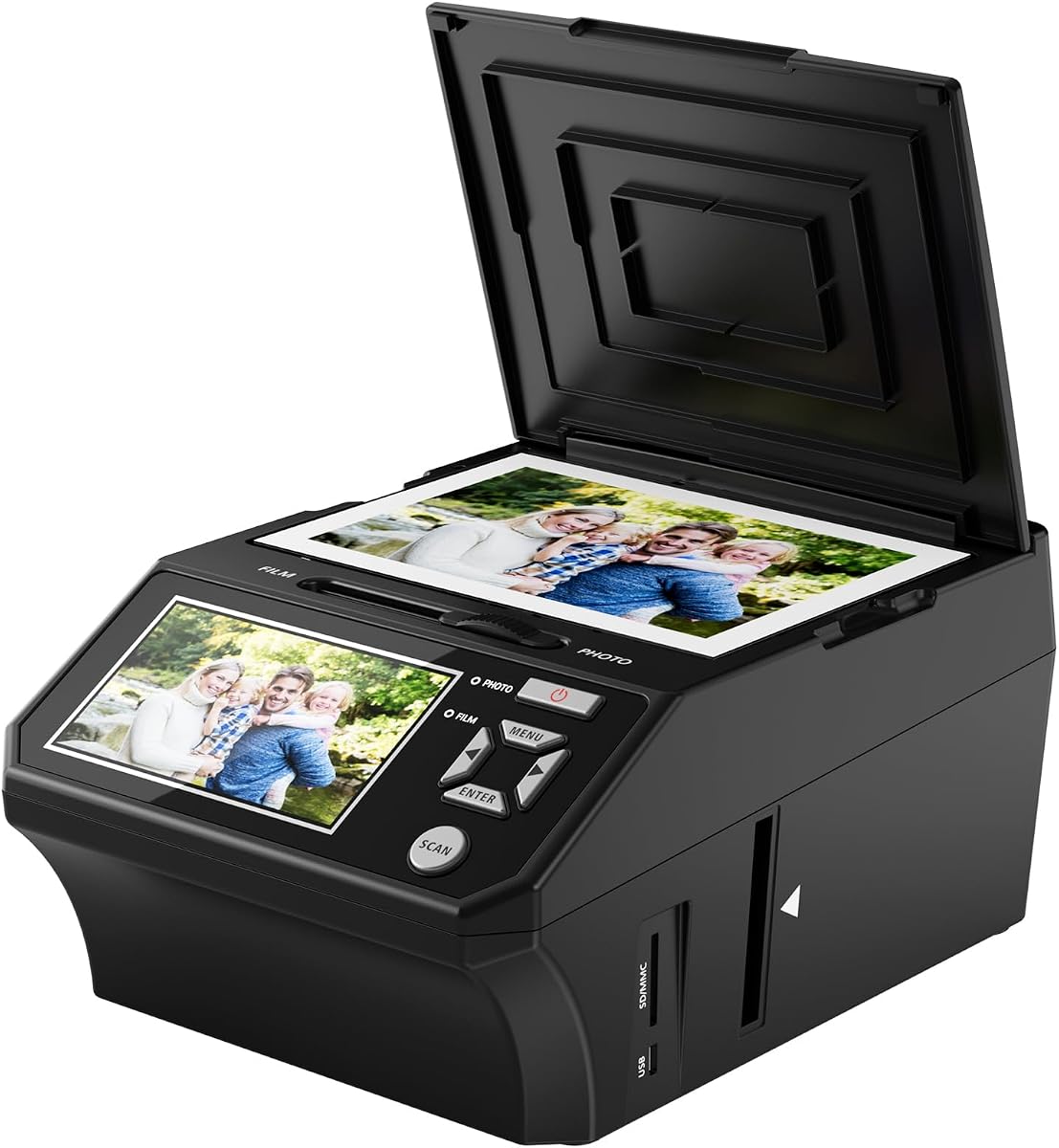


This scanner offers a reliable standalone solution for converting old slides and negatives without requiring a computer. It holds a solid rating for ease of use and delivers crisp digital images from various film formats.
We may earn a commission when you buy through this link, at no additional cost to you.
The five inch LCD screen provides an excellent view for editing and previewing images before saving. The one touch scanning process makes it very accessible for users who want to avoid complex software setups.
While it does not include an SD card, the device supports high capacity cards which helps manage large volumes of scanned photos. The HDMI cable allows for immediate viewing on a television for family sharing.
It is an ideal choice for anyone looking to preserve family archives quickly and efficiently. The mix of features and usability makes it a top recommendation for most households.
The ability to scan save edit without a computer simplifies the entire process significantly.
Handles multiple film types including slides and negatives with included adapters.
We may earn a commission when you buy through this link, at no additional cost to you.
This model stands out with its high resolution scanning capability which helps capture fine details from old film. It operates independently of a computer making it convenient for quick digitization sessions.
We may earn a commission when you buy through this link, at no additional cost to you.
The large display allows you to see the results clearly and make adjustments on the fly. You can adjust brightness and color directly on the device which saves time during the workflow.
Some users might find the setup process a bit involved compared to simpler models. The device is also slightly larger which could be a factor if storage space is limited.
It is a strong option for those who prioritize image clarity and need to scan larger volumes of media efficiently.
The high megapixel count ensures that text and textures remain visible in scans.
Connect via HDMI to view slides on a big screen instantly.
We may earn a commission when you buy through this link, at no additional cost to you.
This scanner brings a modern touch interface to the digitization process which simplifies navigation significantly. It is built to handle a true standalone workflow that streamlines archival tasks effectively.
We may earn a commission when you buy through this link, at no additional cost to you.
The high resolution sensor ensures that your digital conversions maintain exceptional clarity. The quick load tray allows for faster transitions between scans which is great for large collections.
It does come with a higher price tag than other options on the market. It also supports a specific range of film formats which may not cover every rare type.
If you value a premium user experience and faster processing speeds this is a very capable choice for your needs.
The interactive screen lets you adjust scans directly without complex menus.
Batch scanning features help you process large archives in less time.
We may earn a commission when you buy through this link, at no additional cost to you.
This device is particularly useful for those who have a mix of still images and older home movie formats. It converts these various inputs into digital JPEG files quickly.
We may earn a commission when you buy through this link, at no additional cost to you.
The included accessories are comprehensive and you get all necessary cables right out of the box. The layout is intuitive making it accessible for non technical users.
The screen is smaller than other models which might make checking fine details harder. The software features are basic so expect limited editing capabilities.
It serves well as a versatile tool for mixed archives where 8mm film is part of the collection.
Rare support for 8mm film allows you to digitize home movies easily.
Includes HDMI and USB cables plus power adapter for immediate setup.
We may earn a commission when you buy through this link, at no additional cost to you.
This specialized device is designed to convert motion picture film reels into digital MP4 files frame by frame. It is ideal for preserving family films without needing a projector.
We may earn a commission when you buy through this link, at no additional cost to you.
The interface is touch enabled and allows you to align frames and adjust exposure on the screen. It works with various reel sizes which makes it versatile for different home movie formats.
It does not support audio output so the sound will be lost in the digital version. The price is higher compared to still photo scanners which is a consideration.
If you have old Super 8 or 8mm reels this is one of the few standalone solutions available for digitization.
Save your movies as MP4 files which can be played on modern devices.
On screen touch buttons help you align frames for accurate conversion.
We may earn a commission when you buy through this link, at no additional cost to you.
This model is an excellent all in one converter that can handle both film and printed photos. It offers a high rating for user friendliness which is great for beginners.
We may earn a commission when you buy through this link, at no additional cost to you.
It includes an SD card and a 3 year warranty which adds significant value to the purchase. The one touch buttons simplify the process so you can start scanning immediately.
The editing features are simple so complex adjustments might require external software. You cannot use it without a power source during operation which limits portability slightly.
It is a practical choice for families wanting to modernize various types of physical memories at once.
A three year warranty provides extra peace of mind for your investment.
Can also scan regular prints not just film which increases utility.
We may earn a commission when you buy through this link, at no additional cost to you.
The standout feature of this scanner is its large seven inch tiltable screen which makes viewing results easy. It is designed to streamline the workflow so you spend less time adjusting each frame.
We may earn a commission when you buy through this link, at no additional cost to you.
The quick feeding tray ensures continuous scanning without the need to reposition each frame manually. You can edit and resize with intuitive one touch features that avoid complex menus.
Because of the large screen the device is bulkier and might require more desk space. The SD card is not included so you will need to purchase one separately.
This is a great option if you want a device that doubles as a digital picture frame when not scanning.
The seven inch screen allows for easy viewing and editing without strain.
Quick feeding tray technology helps you scan multiple slides faster.
We may earn a commission when you buy through this link, at no additional cost to you.
This scanner offers a very competitive price while still delivering high resolution digital conversions. It is designed for simplicity so you can load and scan without technical skills.
We may earn a commission when you buy through this link, at no additional cost to you.
It includes built in memory for small tasks and an HDMI cable for TV viewing. The interface is straightforward with one touch scanning to get started quickly.
The internal memory is limited so you should use an external SD card for larger jobs. Some accessories might not be as robust as higher end models.
For those on a tight budget this is a solid choice to digitize your archives without spending much.
A low price point makes digitization accessible to more households.
Get an HDMI cable right out of the box for direct viewing.
We may earn a commission when you buy through this link, at no additional cost to you.
This model provides excellent protection with a 36 month warranty which is a significant advantage over others. It converts various film formats into standard JPEG files very quickly.
We may earn a commission when you buy through this link, at no additional cost to you.
The kit is complete and includes everything you need to start scanning right away. You can transfer data to your computer via USB or view on a TV easily.
It must remain plugged into a power source during use which limits where you can place it. The interface is basic so advanced features are not available.
The warranty length and kit completeness make it a reliable pick for long term archival projects.
A three year warranty offers strong support for your purchase.
Includes cables adapters and manual so you need nothing else.
We may earn a commission when you buy through this link, at no additional cost to you.
This scanner features a large seven inch touch display which offers a modern interface for managing photos. It transforms both color and black and white negatives into digital files easily.
We may earn a commission when you buy through this link, at no additional cost to you.
The quick feed tray and rapid batch scanning help you process mixed collections efficiently. You can crop and adjust scans directly on the display without extra software.
The cost is higher than many other options on this list. The software may feel basic compared to dedicated desktop applications.
If you prefer touch controls and want a streamlined workflow this is a capable device for your collection.
The color LCD touch display makes navigating menus much easier.
Process multiple slides faster with the rapid batch scanning feature.
We may earn a commission when you buy through this link, at no additional cost to you.
Selecting the right film scanner to digital converter involves weighing several factors to match your specific preservation needs.
Many users prefer standalone scanners that do not need a computer for operation. These devices let you preview and save images directly to an SD card which is very convenient for archiving.
Look for models that mention standalone operation if you want to avoid installing software on your PC.
Ensure the scanner supports the specific types of film you have such as 35mm slides or Super 8 reels. Some models are limited to standard sizes while others offer adapters for older formats.
Check the product details to confirm it handles your negatives or slides before purchasing.
Resolution determines the level of detail in your digital files. Higher megapixel counts are better for preserving fine details or making large prints from old photos.
Look for scanners with at least 20MP resolution for high quality archival results.
A larger screen helps you see your scans clearly without squinting. Displays with wide viewing angles make it easier to check colors and focus.
Prioritize models with at least a 5 inch screen for a better viewing experience.
Some devices offer HDMI outputs which allow you to connect directly to a TV for viewing. USB connectivity is standard for transferring files to a computer later.
Check if HDMI is included in the box to save on extra costs.
Most scanners support external SD cards to save your images. You should verify the maximum supported card size to ensure it meets your needs.
Devices with higher SD card limits give you more flexibility for large batches.
Look for scanners with simple interfaces and one touch scanning features. Complex menus can make the process frustrating especially for less tech savvy users.
Models with intuitive controls will help you scan your collection faster.
A longer warranty period can provide peace of mind regarding the durability of the device. Good customer support is also helpful if you run into issues.
Check for warranties that cover at least a year to protect your investment.
Start by connecting the power adapter to the device and plugging it into a working outlet. Most standalone scanners require a power source during operation to function correctly.
Clean your film slides with the included brush before inserting them into the tray. This prevents dust specks from appearing on your final digital images and ensures a clearer scan.
Insert an SD card into the slot and select your film type using the on screen menu. Press the scan button and wait for the image to save before moving to the next one.
Most models featured are standalone meaning they do not need a computer to function. You can preview save and edit images directly on the device using its built in screen.
The top models support a range of formats including 35mm 135 110 126 slides and negatives. Some also include adapters for Super 8 or 8mm film for home movies.
For standalone operation no software is required. You can manage files directly on the scanner or transfer them via USB for viewing on a PC.
Some all in one models can handle printed photos in addition to film. Check the product specs to confirm if it supports standard prints.
Most units save files directly to an SD card. Some also have built in memory for small batches but an SD card is recommended for larger storage.
Several devices include an HDMI output which lets you connect to a TV. This is great for sharing scanned memories with family on a large screen.
Scanning time varies but many models can capture an image in seconds. Efficient workflow depends on the specific model and settings you choose.
Higher resolution such as 22MP or 24MP ensures details are preserved for printing. This helps maintain quality when creating physical copies of digital files.
The Kodak Slide N Scan offers a balanced mix of features for most users while the HP models provide premium touch controls. Budget options like the 22MP scanner deliver value without compromising core functionality.
Consider your specific film types and whether you need a large screen or standalone workflow. These factors will help narrow down the right model for your home archiving project.
Always check the latest pricing and availability before purchasing as these can change over time. This ensures you get the best deal for your chosen film scanner to digital converter.