
24" Anti Blue Light Anti Glare Screen Protector
3.6Editor score
Anti-glare matte coating
Blocks hazardous UV light fully
Repels oil and water easily
Finding an eye friendly monitor protector is essential for anyone spending long hours in front of a screen. These filters reduce blue light and glare to protect your vision and improve comfort throughout the workday.
We compared ten highly rated protectors based on their ability to block harmful rays, ease eye strain, and maintain display clarity. Each product was evaluated for fit, installation ease, and overall value for different monitor sizes.
Every pick below shows key features, pros, and cons to help you choose quickly. Prices and availability change frequently, so always check the current listings before finalizing your purchase decision today.
3.6Editor score

4.4Editor score

4.2Editor score
As an Amazon Associate we earn from qualifying purchases.
This table provides a side-by-side look at ten eye friendly monitor protector models including their size compatibility, light blocking capabilities, and unique features to help you find the best match.


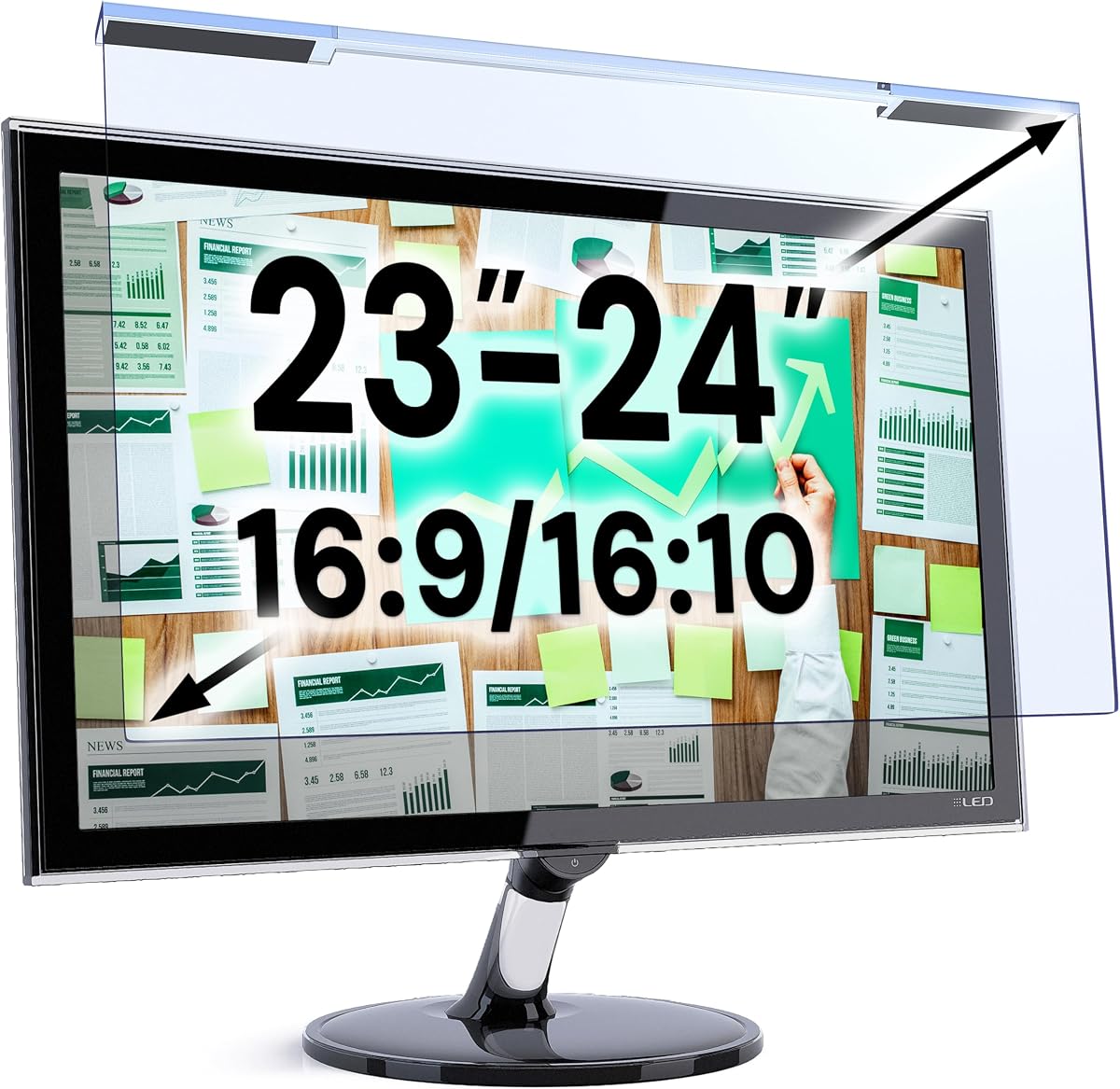


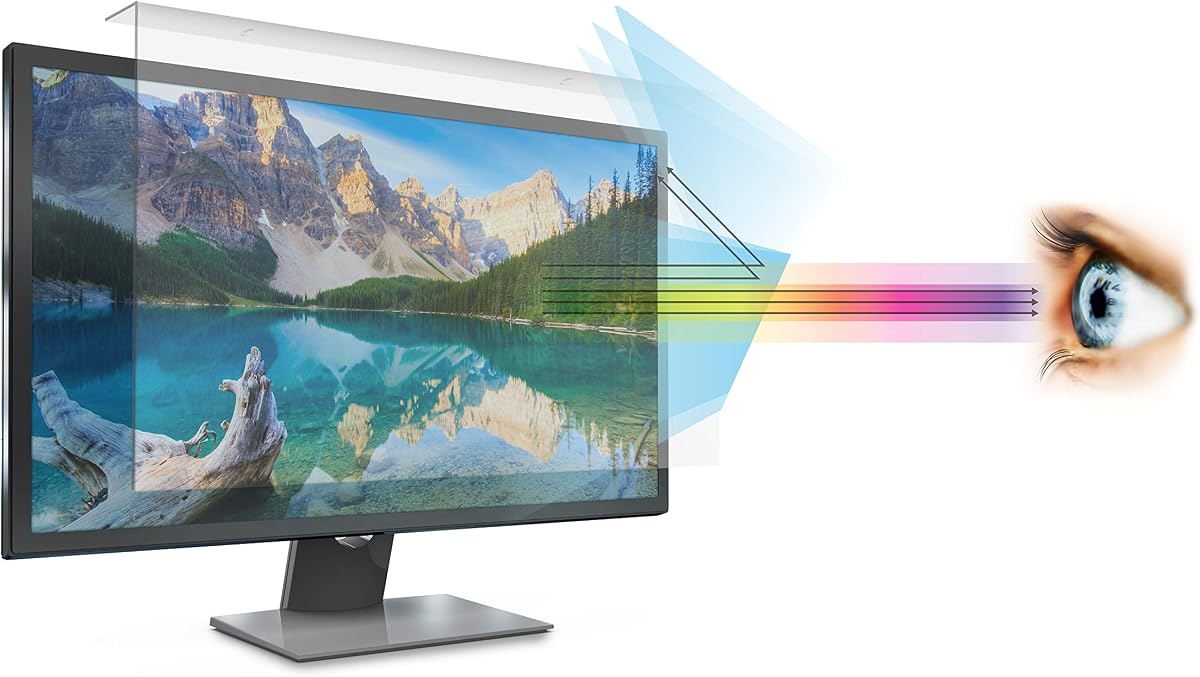

The MOSISO Computer Blue Light Blocking Screen Protector is our top pick for its effective balance of eye protection and screen clarity. It holds a strong 4.4 rating and is designed to filter harmful rays without compromising brightness.
We may earn a commission when you buy through this link, at no additional cost to you.
This protector reduces 45% of blue light between 420nm and 460nm and blocks 99% of UV rays to minimize eye strain. The acrylic build prevents dust and scratches while staying ultra thin at 0.05 inches for natural viewing.
While it requires careful measurement to ensure a perfect fit it does not include privacy filtering for side viewing angles. These trade-offs are acceptable for users prioritizing optical clarity and blue light reduction over confidentiality.
If you need a reliable screen filter for long work sessions this protector is an excellent choice for most users. It offers proven protection against digital eye fatigue while maintaining original display quality for daily tasks.
The specialized film blocks HEV blue light to reduce strain and headaches during extended screen use.
Its ultra thin design preserves 95% transparency so your screen brightness and colors stay true.
We may earn a commission when you buy through this link, at no additional cost to you.
This two pack option stands out for combining eye protection with robust privacy shielding using advanced microlouver technology. It has a solid 4.2 rating and offers flexible side configurations for different lighting conditions and privacy needs.
We may earn a commission when you buy through this link, at no additional cost to you.
The filter suppresses 98% of blue light and blocks 99.9% of UV rays while also blocking side visibility by around 60 degrees. Its reversible design lets you choose between glossy clarity or matte glare reduction based on your environment.
While the privacy function can dim the display slightly for direct viewers the washable surface ensures long term value without degradation. Some users must verify dimensions carefully as sizes vary slightly between monitor models for perfect alignment.
If you work in shared spaces or travel often this dual pack gives you both eye comfort and data security. It is a smart investment for professionals who need confidentiality alongside reliable eye strain reduction daily.
Choose glossy for clarity or matte for less glare based on your workspace lighting needs.
Microlouver tech blocks visibility at 60 degrees keeping sensitive data secure from prying eyes.
We may earn a commission when you buy through this link, at no additional cost to you.
The VizoBlueX protector targets health benefits by reducing blue light to help improve sleep and prevent chronic eye issues. With a 4.4 rating it is tailored for Apple iMac owners and other 23 to 24 inch displays needing precise protection.
We may earn a commission when you buy through this link, at no additional cost to you.
Its multi-layer design blocks harmful UV and HEV light without distorting colors or creating glare. The filter prevents eye strain and headaches while maintaining full visible colors so you do not sacrifice quality for health.
This filter lacks an anti-glare surface which might not suit brightly lit offices and it fits only specific monitor sizes. These limits are acceptable if you prioritize sleep quality and color accuracy over glare reduction features.
If you use an iMac or need better sleep hygiene this protector offers proven benefits for long term eye health. It is a strong choice for those who value holistic wellness alongside daily computing comfort and performance.
Reducing blue light helps regulate circadian rhythms for better sleep cycles after evening screen use.
Multi-layer tech blocks harmful rays while keeping original screen colors vivid and true to life.
We may earn a commission when you buy through this link, at no additional cost to you.
VINTEZ offers a durable protector that maintains high definition clarity while filtering significant blue and UV light for eye comfort. It has a 4.3 rating and comes with a lifetime replacement policy to ensure long term reliability for users.
We may earn a commission when you buy through this link, at no additional cost to you.
The filter blocks 420 to 460 nanometer light to reduce eye strain without darkening the screen or sacrificing pixel clarity. Its acrylic layer resists scratches and dust while keeping full color visibility for tasks like design or editing.
Although it lacks an anti-glare coating which might reflect in bright rooms the lifetime warranty adds exceptional value to this purchase. Users may need to check exact screen dimensions since it fits specific 23 to 24 inch models only.
If you want reliable protection without paying for extra features this filter provides solid eye safety with clear visuals. It is ideal for professionals who value image fidelity and need consistent performance over years of daily use.
A lifetime replacement guarantee ensures your screen stays protected even if the film gets damaged over time.
Blocks harmful rays while keeping full visible colors intact for design and media work.
We may earn a commission when you buy through this link, at no additional cost to you.
This two-pack privacy screen combines blue light reduction with strong data security for users working in open offices or public spaces. With a 4.2 rating it provides flexible mounting and reversible surfaces to fit different lighting and privacy needs.
We may earn a commission when you buy through this link, at no additional cost to you.
The filter blocks 92% of blue light and 98% of UV rays while shielding your screen from side views beyond 30 degrees. It includes both adhesive strips and slide tabs so you can install it on bezels or flat screens easily.
Privacy modes might dim the display a bit compared to standard screens and you must verify screen dimensions before purchasing. These trade-offs are worth it if you need secure data handling alongside comfort for your eyes during daily work.
If you handle sensitive information in shared spaces this pack offers reliable security and eye protection in one package. It is a practical solution for professionals who value data privacy and visual comfort without extra setup tools.
Micro-blind optical technology blocks side views to keep confidential data secure from prying eyes.
Includes adhesive and slide tabs for easy installation on monitors with or without raised bezels.
We may earn a commission when you buy through this link, at no additional cost to you.
Designed specifically for 27 inch displays this privacy screen offers solid blue light blocking and side view shielding for large monitors. It holds a 4.1 rating and includes lifetime support to ensure customer satisfaction and long term reliability for all users.
We may earn a commission when you buy through this link, at no additional cost to you.
The filter uses Japanese optical materials to reduce glare and harmful light while keeping HD clarity. You can flip it to choose glossy for privacy or matte for glare reduction depending on your workspace lighting needs.
While privacy mode darkens side views the glossy finish might reflect light in bright rooms which could be distracting. These minor limits are acceptable given the lifetime guarantee and perfect fit for larger 16:9 aspect ratio screens.
If you own a 27 inch monitor and need data security this screen delivers both eye comfort and strong privacy. It is ideal for home offices and workspaces where protecting sensitive information is as important as reducing strain.
Measured to match 27 inch 16:9 screens exactly for seamless edge-to-edge protection.
Lifetime replacement policy ensures your investment stays protected against damage or fit issues over time.
We may earn a commission when you buy through this link, at no additional cost to you.
ZYY uses advanced nano-optical stacking to block nearly all blue and UV light while keeping your display clear and safe. With a 4.4 rating it is recommended by eye specialists and built with tough acrylic to resist scratches and dust daily.
We may earn a commission when you buy through this link, at no additional cost to you.
The 8H reinforced materials prevent cracks and scratches while blocking over 90% of harmful light. Its hanging installation makes setup easy and keeps the filter secure without adhesives that could damage your monitor surface.
It does not offer privacy shielding so others can still see your screen from angles which might not suit shared spaces. This limit is fine if your main goal is eye health and display durability over data protection or privacy features.
If you need top tier light blocking for a 27 inch monitor this protector delivers professional grade performance and safety. It is an excellent choice for long work sessions where minimizing eye strain and protecting hardware matters most.
Fujimori stacking technology blocks harmful rays while keeping image clarity sharp and natural.
8H reinforced acrylic prevents cracks and scratches to protect both screen and eyes.
We may earn a commission when you buy through this link, at no additional cost to you.
This budget option offers an anti-glare matte finish to reduce reflections alongside strong UV blocking for daily eye comfort. It holds a 3.6 rating and includes an oleophobic coating to repel fingerprints and sweat for easier cleaning.
We may earn a commission when you buy through this link, at no additional cost to you.
Its eight layer design blocks HEV blue light and electromagnetic radiation to help with sleep quality and strain. The smooth surface preserves screen responsiveness and works with touchscreens so you do not lose input lag or speed.
While the overall rating is lower it still provides reliable protection at a very accessible price point for most users. Some customers report fit issues but laser cutting ensures precision for common 24 inch monitors with 16:9 ratios.
If you want essential eye protection without paying premium prices this shield is a smart starting point for your setup. It is perfect for students or home offices where glare reduction and UV blocking are top priorities.
Matte surface cuts down on reflections from bright rooms to keep your screen clear and easier on eyes.
Smooth performance ensures no input lag even when using your monitor for touch interactions or stylus.
We may earn a commission when you buy through this link, at no additional cost to you.
This filter is designed for smaller 21 and 22 inch monitors and uses simple bezel clips to stay secure without glue. It has a 4.4 rating and blocks 80% of harmful blue light to reduce fatigue during long work or study sessions.
We may earn a commission when you buy through this link, at no additional cost to you.
Its acrylic build resists dust and scratches while keeping the screen clear and bright for tasks like browsing or reading. The included testing kit lets you verify its effectiveness while the cloth helps maintain a clean surface.
It does not offer privacy protection or fit larger screens so it is best for users with compact desktop setups only. This limit is acceptable if you need basic eye safety and durability without complex installation steps.
If you have a smaller monitor and want easy no fuss protection this shield is an ideal choice for students or home users. It provides reliable blue light blocking and clear visuals for everyday tasks and learning.
Bezel clips secure the filter without adhesives making setup and removal quick and mess free.
Designed for 21 and 22 inch screens to fit perfectly without wasting space on smaller desktops.
We may earn a commission when you buy through this link, at no additional cost to you.
IPROKKO offers a powerful two pack that blocks nearly all blue and UV light while cutting down glare to keep screens clear. With a 4.0 rating it uses imported optical materials to ensure high definition quality without losing brightness.
We may earn a commission when you buy through this link, at no additional cost to you.
The filter uses Japanese materials to reduce glare and reflections by 95% while blocking harmful light in the 380 to 460 nm range. It is washable and removable so you can clean dust and restore it to like new condition.
While it lacks privacy features and holds a slightly lower rating it provides strong protection and value for large 27 inch displays. The one year warranty adds confidence for those who need durable and effective blue light blocking daily.
If you want high performance protection for a 27 inch monitor this pack delivers excellent clarity and light reduction at a good value. It is a solid option for users who need reliable filtering without complex installation or extra fees.
Filters harmful light while keeping screen bright and sharp so you never lose image quality.
Removable and washable materials let you clean and reuse the filter for years of use.
We may earn a commission when you buy through this link, at no additional cost to you.
Choosing the right eye friendly monitor protector requires understanding how different filters block light and interact with your display setup.
Always measure your monitor screen without the bezel to get the diagonal size before ordering any protector. Most filters target standard ratios like 16:9 for 24 or 27 inch screens so mismatched sizes can leave gaps or fail to stick properly.
Check the width and height dimensions on the product listing to ensure your monitor fits within the filter's coverage area for best results.
Look for protectors that block at least 80 to 90 percent of blue light and over 99 percent of UV rays to maximize eye comfort. Advanced layers that filter 420 to 460 nanometer wavelengths are most effective at reducing digital eye strain.
Higher blocking percentages mean better protection against sleep disruption and fatigue during extended daily screen use hours.
Anti-glare matte coatings reduce reflections and are ideal for bright offices while glossy sides offer better privacy and clarity in dim rooms. Some filters let you reverse them to switch between these finishes based on your lighting needs.
Choose matte if glare distracts you and glossy if you want better image depth and privacy shielding from side angles.
Filters come with adhesive strips for permanent mounting or slide tabs for removable use on monitors with raised bezels. Reversible or clip-on options make it easy to clean or swap the protector without residue or damage.
Pick adhesive for stability and slide tabs if you need to remove the filter frequently for cleaning or privacy.
High quality protectors maintain 90 percent or more light transmission so your screen stays bright without pixelation or color distortion. Thinner materials reduce the risk of darkening or blurring which could affect design or media work accuracy.
Ensure the filter keeps original color fidelity and does not reduce brightness to avoid added strain from dimmer displays.
Acrylic or polycarbonate builds with hard coatings resist scratches and fingerprints while remaining light and impact resistant over years. Look for reinforced layers that protect both the screen and the filter itself from daily wear and tear.
A durable surface also makes cleaning easier and helps the protector maintain its performance without cracking or yellowing.
If you work in open spaces or handle sensitive data choose a filter with microlouver technology that blocks side views by 60 degrees. Reversible options let you disable privacy when it is not needed to save screen brightness.
Privacy shielding adds security but may dim the display slightly so weigh your need for confidentiality against image clarity.
Brands offering lifetime or long term warranties provide extra peace of mind against manufacturing defects or accidental damage. Reliable support teams can help with sizing questions or replacements if the filter fails to fit your screen properly.
A strong warranty ensures your investment stays protected long term and saves money on future replacements or fixes.
Start by cleaning your monitor screen thoroughly with a microfiber cloth to remove dust and oil that could trap air bubbles under the filter.
If your protector uses adhesive apply one strip to each corner before aligning it with the screen edge and press gently from the center outward to smooth it flat.
Clean the filter weekly with a soft dry cloth to prevent dust buildup and avoid harsh chemicals that could scratch the optical coating or tint.
Quality protectors maintain 90% or more light transmission and avoid pixelation so your image stays sharp. Cheaper films might slightly blur edges but high quality acrylic or polycarbonate layers keep clarity intact. Always check for high definition specs before buying to ensure minimal loss.
Most flat filters do not stick well to curved screens since they can buckle or leave gaps along the edges. Look for models that specify compatibility with curved displays to avoid fit issues and ensure uniform protection across the screen.
Replace your filter if it cracks scratches deeply or starts yellowing over time. With proper cleaning and care a quality protector can last several years without losing effectiveness or clarity. Regular checks help you spot wear early.
Many protectors are designed to work with touchscreens and do not add input lag or reduce responsiveness. Check the product details to confirm touchscreen compatibility if you use touch gestures or stylus input on your display.
Most focus on blocking blue light and UV rays which are most relevant for eye comfort and sleep. Some models claim to filter other ranges but verify specs for full spectrum protection if that is a priority for your needs.
Removable filters with slide tabs or clips can be taken off and wiped clean with a soft dry cloth. Avoid harsh chemicals and strong rubbing to maintain the anti-glare or privacy coating and extend its lifespan.
The MOSISO MOS top pick offers excellent balance between blue light filtering and clarity while the Peslv pack provides strong privacy for shared spaces.
Prioritize your screen size and whether you need glare reduction or privacy before buying to ensure the filter fits your workflow and environment.
Prices and stock change often so check current listings for the latest offers before placing your order today for the best savings and availability.