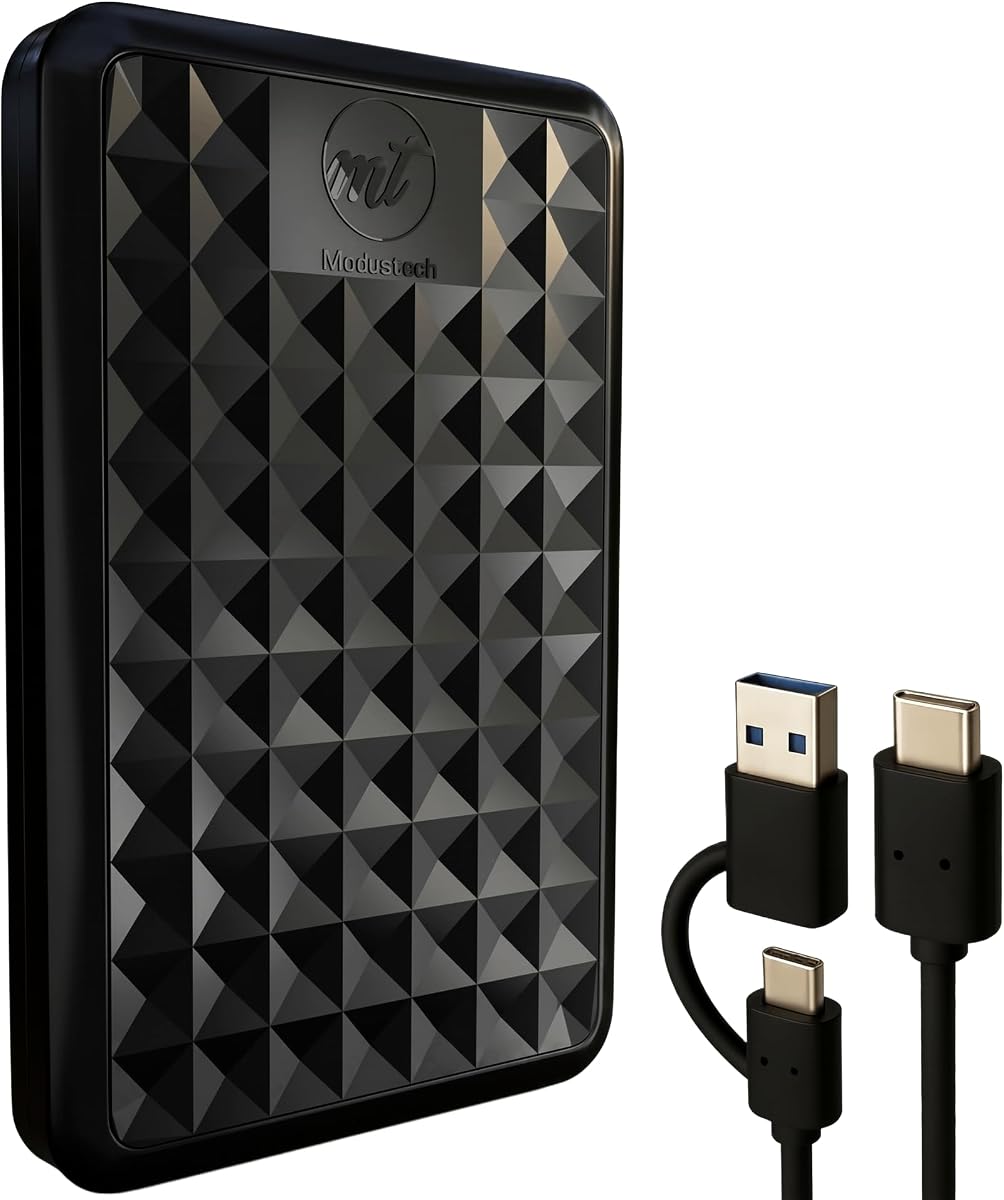
Facet 500GB
4.1Editor score
USB-C and USB 3.1 connectivity
Ultra-Slim 2.5-inch design
Compatible with Chromebook out of box
This guide compares the top 10 external hard drives for Chromebook focusing on speed, capacity, and portability to help you choose the right storage solution.
Chromebooks are lightweight and portable but often lack built-in storage. An external hard drive solves this problem by letting you keep files, photos, and media on the go without slowing down your device.
We evaluated ten reliable models based on speed, durability, and Chromebook compatibility. Our selection includes trusted brands and budget options tested for real-world performance across different usage scenarios.
Each pick highlights key strengths and ideal users. Prices can change due to market trends, so always verify current listings before purchasing to ensure you get the best value for your needs.
4.1Editor score

4.7Editor score
4.6Editor score
This side-by-side comparison highlights the essential specifications of each drive to help you find the perfect match for your Chromebook storage needs.


The WD 2TB Elements portable external hard drive offers a powerful combination of high capacity and portability for Chromebook users seeking reliable storage expansion.
We may earn a commission when you buy through this link, at no additional cost to you.
Its SuperSpeed USB 3.2 Gen 1 interface ensures fast data transfers up to 5Gbps which is essential for handling large multimedia files without frustrating delays.
While it does not come with backup software the simple plug-and-play setup makes it ready for use immediately without requiring any technical configuration or drivers.
This drive is ideal for students or professionals who need to store vast amounts of data like photos videos and documents while traveling or working remotely.
With options up to 6TB available this drive accommodates growing file libraries without requiring multiple external devices for your Chromebook.
The small lightweight design makes it easy to slip into a laptop bag or pocket ensuring your data travels with you securely.
We may earn a commission when you buy through this link, at no additional cost to you.
The Facet 500GB external hard drive is a cost-effective solution for Chromebook users who need basic portable storage for documents media and casual backups.
We may earn a commission when you buy through this link, at no additional cost to you.
It ships with both USB-C and USB-A cables allowing seamless connection to modern Chromebooks and older devices without requiring additional accessories.
While the 500GB capacity may seem limited for large video libraries it is ample for general document storage and essential media files for most students.
This drive is perfect for budget-conscious buyers or those seeking a secondary drive for backup without investing in high-capacity enterprise storage solutions.
The included 2-in-1 cable ensures you can connect to USB-C Chromebooks or standard USB-A ports effortlessly.
Preformatted in exFAT this drive works out of the box across Windows macOS and ChromeOS without needing drivers.
We may earn a commission when you buy through this link, at no additional cost to you.
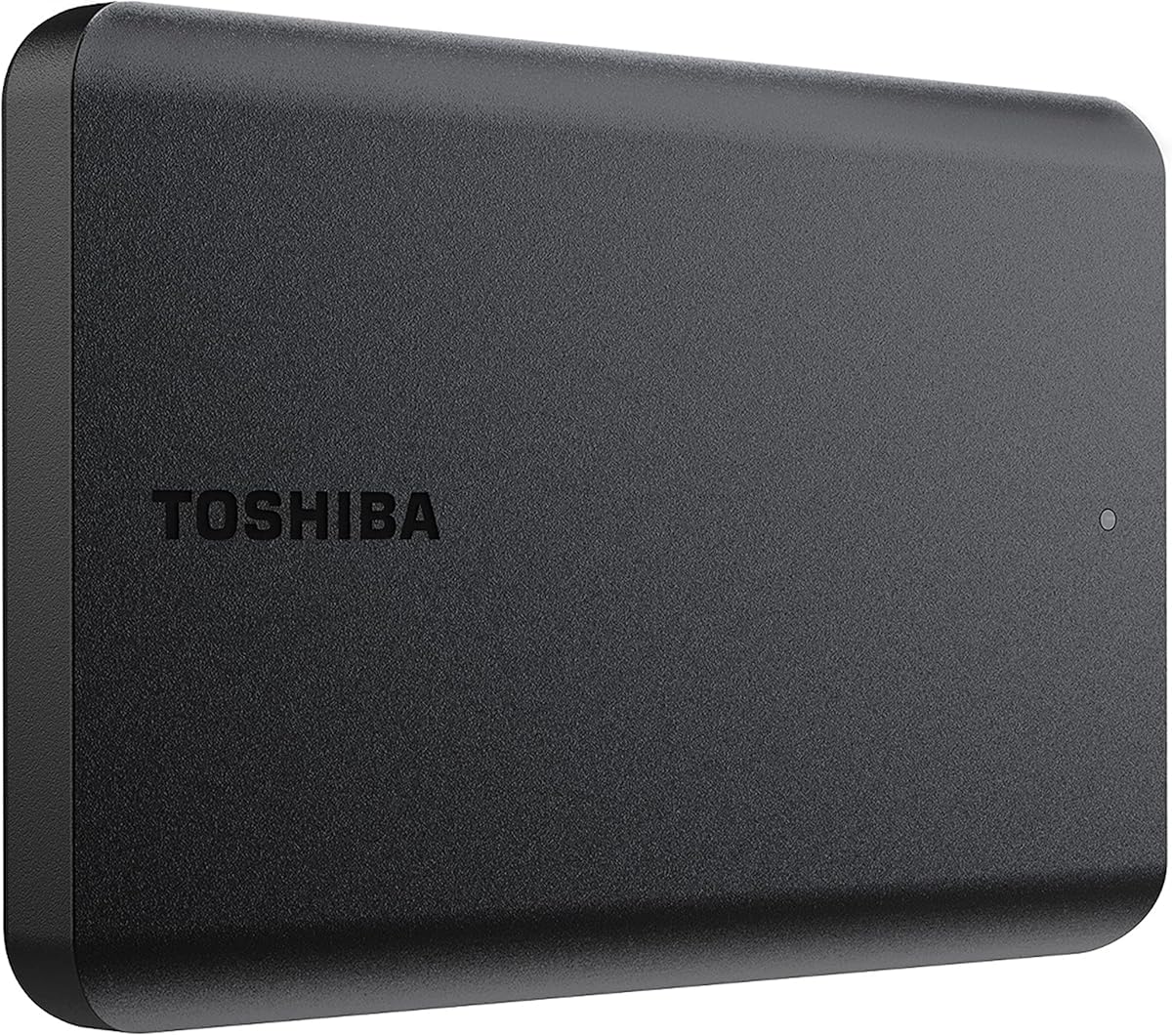
The Toshiba Canvio Basics 2TB offers a premium look with a matte smudge-resistance finish that ensures your drive remains looking new over time.
We may earn a commission when you buy through this link, at no additional cost to you.
It provides a massive 2TB of storage space allowing you to store extensive libraries of files photos and videos without running out of room.
This drive operates without needing an external AC power cord making it incredibly portable and convenient for use with Chromebooks on the go.
Ideal for professionals who value aesthetics and capacity this drive delivers reliable performance and easy integration into your daily workflow.
The sleek profile and matte finish resist fingerprints and smudges keeping the drive looking professional and clean.
Bus-powered via USB this drive requires no wall outlet making it perfect for mobile use with your Chromebook.
We may earn a commission when you buy through this link, at no additional cost to you.
The Seagate 2TB Portable Hard Drive is a classic choice for users needing straightforward storage expansion without complex setup or software dependencies.
We may earn a commission when you buy through this link, at no additional cost to you.
Designed for broad compatibility it works seamlessly with Windows or Mac computers making it suitable for Chromebook users needing external storage.
The plug-and-play simplicity means you can connect the drive and start backing up data immediately without installing additional applications or drivers.
This drive is perfect for users who prioritize capacity and reliability over advanced features and want a proven storage solution for daily use.
Just connect the drive to your computer for automatic recognition and no software is required to get started.
With 2TB available you can store thousands of files and media content for long-term access and backup.
We may earn a commission when you buy through this link, at no additional cost to you.
The Maxone 1TB Ultra Slim Portable External Hard Drive features a remarkably thin design that fits easily into pockets or slim laptop bags.
We may earn a commission when you buy through this link, at no additional cost to you.
Its all-aluminum construction not only looks sleek but also provides durability and helps dissipate heat keeping the drive cool during operation.
This drive delivers fast data transfer speeds up to 5Gbit/s via USB 3.0 allowing you to move large files quickly and efficiently.
Ideal for users who value portability and build quality this drive combines style with performance for everyday external storage needs.
Merely 0.4 inch thick this drive is designed to be lightweight and easy to carry anywhere.
The aluminum anti-scratch model ensures strength and durability keeping the drive protected from daily wear.
We may earn a commission when you buy through this link, at no additional cost to you.
The 1TB Portable External Hard Drive offers broad system compatibility including Chromebook Linux and Android ensuring versatile use across various devices.
We may earn a commission when you buy through this link, at no additional cost to you.
It features a slim pocket-sized design that makes it convenient to carry in your pocket or small bag without adding bulk.
With USB 3.0 technology transfer speeds are up to ten times faster than USB 2.0 enabling quick backups and file transfers.
This drive is suitable for users who need a versatile storage solution that works seamlessly with multiple operating systems and devices.
Supports Windows Mac Linux Android Chromebook and TV ensuring your storage works with every device you own.
Includes a USB to Type C adapter making it easy to connect to modern devices without extra purchases.
We may earn a commission when you buy through this link, at no additional cost to you.
The 500GB External Hard Drive provides a compact and lightweight solution for Chromebook users needing extra storage for essential documents and media.
We may earn a commission when you buy through this link, at no additional cost to you.
It offers fast data transfer speeds up to 110MB/s reading which helps reduce wait times when accessing or backing up files.
This drive is compatible with game consoles like PS4 and Xbox allowing you to expand your gaming library beyond internal storage.
For students or casual users this drive offers an affordable way to keep important files safe while remaining highly portable.
Read speeds up to 110MB/s ensure you can access large files quickly without frustrating delays.
Supports PS4 Xbox One and 360 enabling you to play and store games directly from the drive.
We may earn a commission when you buy through this link, at no additional cost to you.
The Aiolo Innovation 500GB External Hard Drive delivers ultra-fast data transfers with a thickened copper cable ensuring stable and quick performance.
We may earn a commission when you buy through this link, at no additional cost to you.
Its ultra-thin design fits easily into pockets while the noise-free solution provides a quiet working environment during operation.
The included USB to Type C adapter adds versatility allowing you to connect to modern Chromebooks and other newer devices seamlessly.
This drive is a strong value option for users seeking reliable performance and portability without compromising on build quality.
Thickened copper cable ensures stable and fast data transfer speeds for reliable file handling.
USB to Type C adapter included enables connection to modern devices without additional purchases.
We may earn a commission when you buy through this link, at no additional cost to you.
The UnionSine 1TB Ultra Slim Portable External Hard Drive features a stylish mirror logo and striped non-slip design that enhances both look and grip.
We may earn a commission when you buy through this link, at no additional cost to you.
It utilizes a JMicron 578 noise-free solution ensuring that the drive operates quietly even during heavy file transfers or backups.
This drive offers blazing-fast data transfers with theoretical read speeds up to 125MB/s which is ideal for handling large multimedia files.
Ideal for users prioritizing build quality and performance this drive combines style with reliable data protection features.
The JMicron 578 solution ensures a quiet working environment even during intensive file operations.
The rounded corners and striped design offer better grip and a modern look for your setup.
We may earn a commission when you buy through this link, at no additional cost to you.
The Toshiba Canvio Advance 1TB stands out for its included software tools that simplify automatic backups and add password protection for your data.
We may earn a commission when you buy through this link, at no additional cost to you.
It features a compact design with a stylish textured finish that fits well into any workspace or travel setup.
This drive supports both USB 3.0 and USB 2.0 ensuring compatibility with older devices while maximizing speed with newer ones.
Ideal for users who want extra security and convenience features this drive offers robust protection and ease of use.
Free download software makes backing up content simple and automated for peace of mind.
Helps prevent unauthorized access to your data keeping sensitive files secure on your device.
We may earn a commission when you buy through this link, at no additional cost to you.
Selecting the right external hard drive for your Chromebook involves understanding several key factors that affect performance compatibility and usability.
Capacity determines how many files photos and videos you can store. Choose 500GB to 1TB for general use or 2TB and above for large media libraries.
Prioritize higher capacity if you work with large video files or maintain extensive backups.
USB 3.0 and newer interfaces offer faster transfer speeds essential for moving large files quickly. USB-C connectors ensure compatibility with modern Chromebooks.
Always check if the drive supports your Chromebook's port type to avoid needing extra adapters.
Ensure the drive is formatted for ChromeOS or supports exFAT which is readable by multiple systems. Some drives arrive preformatted for Windows only.
Select drives marketed as plug and play to avoid formatting hassles.
Slim and lightweight drives fit easily into backpacks or pockets making them ideal for students and travelers.
Durable materials like aluminum offer better protection against drops and wear.
Look for drives with shock-resistant features and reliable warranties ranging from one to three years to protect your investment.
A solid warranty ensures peace of mind if the drive fails unexpectedly.
Set a budget based on your storage needs. More capacity usually means higher cost but offers better long-term value.
Compare models to find the best balance between price and features.
Connect the drive to your Chromebook's USB port and wait for automatic detection. If the drive requires formatting follow ChromeOS prompts to set up storage.
Store your files in the drive’s root folder or create organized subfolders for easy access. Regularly back up important documents to avoid data loss.
To disconnect safely eject the drive from the system tray to prevent file corruption. Store the drive in a cool dry place away from moisture.
Most drives come preformatted for Windows or Mac. Chromebook supports exFAT so if your drive is already exFAT formatted no action is needed. If not you may need to reformat using Chromebook settings.
Chromebooks generally do not support running games directly from external drives. However you can store games and media there for backup or offline access.
For most users 500GB to 1TB is sufficient for documents and photos. Larger capacity drives like 2TB are ideal for video editors or heavy media storage.
Yes USB-C drives offer faster transfer speeds and match modern Chromebook ports. They also often support faster power delivery which can benefit performance.
Most Chromebooks have USB ports that support external drives. Check your model’s manual or ChromeOS settings to verify compatibility with USB 3.0 or higher.
Yes as long as the drives are formatted with a compatible file system like exFAT you can use it across multiple Chromebooks and devices.
It is generally safe but it is best to eject the drive before unplugging to avoid data corruption. Leaving it connected consumes minimal power.
Check the USB cable and port first. Try different cables or ports. If still undetected format the drive to a Chromebook-compatible file system.
The best external hard drives for Chromebook combine speed capacity and portability to meet your specific needs. Our top picks include the WD 2TB Elements for overall performance and the Facet 500GB for budget-friendly storage.
Prioritize connectivity and compatibility to ensure seamless integration with your Chromebook. Features like USB-C and exFAT formatting simplify use and expand your storage options.
Always verify current prices and availability before purchasing since market values change frequently. Investing in a quality external drive now will safeguard your data and enhance productivity.