
VEIKK VK1200 V2
4.3Editor score
Full laminated glass design
Battery-free stylus included
Compact and portable frame
Finding an affordable pen display can transform your digital art journey without breaking the bank. This guide reviews the top cheap drawing tablet with screen options that balance performance and value for creators.
We compared ten real products based on screen quality, pressure sensitivity, build, and compatibility. Each entry highlights key features and ideal use cases to help you choose the right tool for your creative needs.
Every pick showcases specific strengths and trade-offs so you know exactly what to expect. Keep in mind that availability and offers change frequently, so verify details before making your final purchase decision.
4.3Editor score

4.4Editor score

4.5Editor score
As an Amazon Associate we earn from qualifying purchases.
This side-by-side comparison highlights the key specifications and features of each model to help you quickly identify the best fit for your workflow and budget constraints.




The XP-PEN Artist12 stands out as a top choice for creators seeking an affordable entry into pen displays. With a strong rating and reliable performance, it delivers a smooth drawing experience without a high price tag.
We may earn a commission when you buy through this link, at no additional cost to you.
Its 11.6 inch Full HD screen offers vivid colors and sharp details thanks to the IPS panel and wide color gamut. The battery-free pen feels natural, and the six shortcut keys help speed up your workflow in popular creative software.
While it lacks standalone capability and advanced driver features, these trade-offs are acceptable given the cost. The anti-reflective protector is pre-installed which saves time and ensures a comfortable viewing angle from the start.
This tablet is ideal for students and hobbyists who want quality visuals and responsive tools on a budget. If you need a dependable screen that works well with major apps, this model is a solid recommendation.
The 8192 pressure levels allow for precise control over line weight and shading during digital art projects.
Supports Windows Mac and Linux systems making it accessible for most users regardless of their hardware setup.
We may earn a commission when you buy through this link, at no additional cost to you.
The VEIKK VK1200 V2 offers a full-laminated screen that eliminates parallax making cursor positioning feel direct and accurate. This feature is rare in budget models and significantly improves the drawing experience for precision work.
We may earn a commission when you buy through this link, at no additional cost to you.
Its compact frame and anti-glare glass provide a paper-like feel while protecting the display. The inclusion of two battery-free pens and twenty-eight nibs ensures you have plenty of spares to extend the usage life without extra cost.
Although you need a host computer and occasional driver tweaks the convenience of a single cable connection simplifies setup. The metal body adds durability and the anti-slip back keeps the tablet stable on any desk surface.
Choose this if you want a lightweight portable display that performs well for basic digital illustration and note-taking. It is a great value for students or artists who travel and need a reliable tool on the go.
Full lamination integrates glass and screen to ensure the pen tip aligns perfectly with the cursor for accurate strokes.
Two pens and many nibs mean you can switch styles or replace worn tips without needing immediate replacements.
We may earn a commission when you buy through this link, at no additional cost to you.
The HUION Kamvas 13 Gen 3 delivers professional-grade color accuracy with a factory calibration report ensuring your artwork looks true to life. Its high pressure sensitivity and dual dial controls offer advanced tools for refined creative workflows.
We may earn a commission when you buy through this link, at no additional cost to you.
The 13.3 inch Canvas Glass 2.0 reduces glare and boosts precision while the enhanced RGB coverage supports stunning visuals. The USB-C single cable setup keeps your desk clean and the included stand allows for comfortable ergonomic angles.
While this model costs more than entry-level options the superior build and calibration justify the investment for serious illustrators. Note that it requires a host system and does not work standalone so ensure your computer meets the requirements.
This tablet is perfect for designers who need reliable color and fluid strokes for commercial projects. If you prioritize accuracy and advanced shortcut customization, this premium pick offers the best balance of quality and control in its class.
Avg Delta E under 1.5 and 99 percent sRGB coverage ensure colors remain consistent across different displays and prints.
Programmable dials provide quick access to brush size and zoom functions streamlining complex editing tasks effectively.
We may earn a commission when you buy through this link, at no additional cost to you.
The GAOMON PD1161 provides eight customizable shortcut keys that let you map commands directly to the display for fast access. This high level of customization helps streamline complex drawing tasks and boosts productivity during long sessions.
We may earn a commission when you buy through this link, at no additional cost to you.
Its 16.7 million color display and tilt function support bring your sketches to life with smooth gradation. The matte film reduces glare effectively creating a comfortable environment for sketching without needing extra filters.
Although it needs a separate power adapter and is slightly heavier the performance is solid for the price. Compatibility with major apps and online tools makes it versatile for both creative and educational uses on PC or Mac.
Choose this tablet if you value workflow customization and need a dependable device for varied tasks. It is a practical choice for users who want control over shortcuts and reliable color performance without paying premium prices.
Eight press keys and two pen buttons allow extensive mapping to reduce mouse dependency and speed up editing.
Battery-free stylus ensures uninterrupted use with tilt support for natural shading and brush angle adjustments.
We may earn a commission when you buy through this link, at no additional cost to you.
The Artisul D16 offers a generous 15.6 inch workspace that gives you plenty of room for intricate illustrations and multi-window setups. Its full-laminated screen ensures accurate cursor placement which is vital when working on fine details.
We may earn a commission when you buy through this link, at no additional cost to you.
With 76 percent Adobe RGB color coverage and a quick dial for easy adjustments you get rich visuals and control. The adjustable stand supports six angles helping you find a comfortable posture for extended creative or teaching sessions.
Being a refurbished unit it carries a lower price but still delivers reliable performance with a battery-free pen. Just ensure your laptop has HDMI and USB ports or converters to connect properly and avoid power issues.
This display suits artists who need a larger canvas than standard 12 inch models offer. If you want a spacious screen with solid color fidelity at a budget rate this refurbished option is worth considering for home studios.
The 15.6 inch area allows for better visibility of complex scenes and easier handling of multiple tools.
Programmable dial enables swift brush resizing and scrolling improving overall efficiency during detailed projects.
We may earn a commission when you buy through this link, at no additional cost to you.
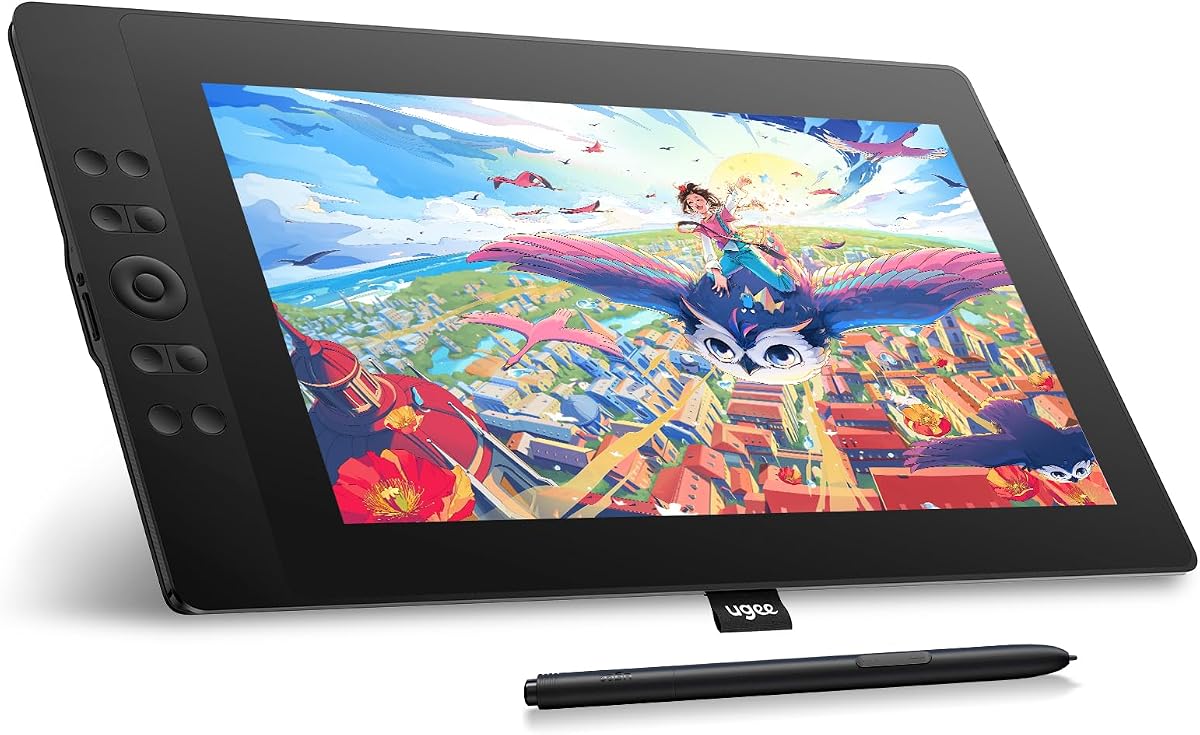
The UGEE UE16 boasts a remarkable 143 percent sRGB gamut that delivers exceptional color depth for vivid artwork and design work. Its full-laminated screen reduces parallax ensuring that strokes align accurately with what you see on the display.
We may earn a commission when you buy through this link, at no additional cost to you.
With 16K pressure levels and a scroll wheel for seamless function switching you get precise control and smooth transitions. The slim body and customized pen keys enhance comfort while the four color spaces allow flexible visual experience customization.
Setup requires checking cable contents as the 3-in-1 cable is packed separately so verify the parcel upon arrival. Compatibility with Windows Mac Android and Linux makes it versatile though Android devices should be checked for supported standards.
Select this tablet if color accuracy and large workspace are top priorities for your projects. It is an excellent choice for designers who need rich colors and responsive pressure without investing in high-end proprietary systems.
143 percent sRGB ensures accurate portrayal of 16.7 million colors ideal for detailed graphic design tasks.
Eight physical keys and a scroll wheel enable tactile feedback and quick access to key editing functions.
We may earn a commission when you buy through this link, at no additional cost to you.
The VEIKK VK1200 is a solid entry point for artists needing tilt support to create natural shading. Its 11.6 inch LED screen delivers clear visuals while the battery-free pen ensures uninterrupted drawing sessions without charging hassles.
We may earn a commission when you buy through this link, at no additional cost to you.
With six shortcut keys and two pens included you can personalize your workflow and have backups ready. The soft artist glove helps keep hands clean and smudge-free during long use which maintains the screen clarity and comfort.
This model is best for beginners who want core features like tilt at an affordable price. While color gamut and build are standard the overall package covers essentials needed for sketching and basic digital illustration tasks.
Choose this if you want a simple reliable display for learning digital art. It is a practical option for students needing a straightforward tool with enough features to grow into without requiring advanced settings.
Adjustable pen angle allows for more natural shading techniques without needing complex software adjustments.
Two pens and a glove provide extra convenience for daily use and help keep equipment organized.
We may earn a commission when you buy through this link, at no additional cost to you.
The RubensTab T11 Pro stands out as a standalone tablet requiring no external computer for creative work. Its 10.1 inch Full HD screen offers vibrant colors and sharp details making it easy to draw and sketch anywhere with ease.
We may earn a commission when you buy through this link, at no additional cost to you.
Powered by a built-in 5800mAh battery it supports up to five hours of continuous use ideal for short sessions on the go. Multi-touch and pre-installed apps streamline the process from opening the device to starting your next project.
While the screen is smaller and battery life limited this portability suits mobile artists and students who need a flexible tool. Use USB-C charging or a power bank to extend sessions during travel or classroom activities as needed.
This tablet is perfect for users who value independence and convenience over screen size. If you need a portable device for notes and sketches without carrying a laptop it is a versatile and practical choice for daily use.
No external device needed allows you to power on and start creating anywhere without cable dependency.
Built-in battery supports hours of use on the go with USB-C charging for quick power replenishment.
We may earn a commission when you buy through this link, at no additional cost to you.
This VEIKK VK1200 V2 upgrade delivers 16384 pressure levels for finer control and smoother strokes on the 11.6 inch display. The full-laminated screen minimizes parallax and the wide 120 percent sRGB gamut ensures rich and lifelike colors.
We may earn a commission when you buy through this link, at no additional cost to you.
Two styluses are included so you can keep one active and another as a backup. The lightweight metal body makes it easy to carry and the six hotkeys let you set shortcuts for faster editing and navigation.
Compatible with major systems and software this display is a practical workhorse for varied tasks. Just remember it needs a PC host for normal use and ensure your drivers are up to date for optimal performance.
Choose this if you want upgraded pressure sensitivity at a budget price. It suits artists seeking more control than standard 8K options offer without paying much extra for higher-end brands.
16384 pressure levels enable delicate line variations ideal for detailed shading and precise illustration work.
Works with PS SAI AI and online tools so you can draw in preferred apps without extra setup.
We may earn a commission when you buy through this link, at no additional cost to you.
The XPPen Artist 12 Pro Lite offers a full-laminated display that reduces parallax and enhances focus for distraction-free drawing. Its programmable red dial and eight shortcut keys provide efficient control over brush sizes and navigation during complex projects.
We may earn a commission when you buy through this link, at no additional cost to you.
With 60 degree tilt support and 8192 pressure levels the pen responds accurately to natural movements for smooth strokes. The 3-in-1 cable simplifies connections to your computer so you can start drawing quickly without extra adapters.
While it needs a host system this compact design suits users who want portability and precision. Note that Android support is limited so verify compatibility if you plan to use it with mobile devices or tablets.
This model is ideal for artists seeking a compact display with useful controls at a reasonable price. If you value a simple setup and a tactile dial for workflow adjustments it is a reliable choice for home studios.
Comfortable red dial provides quick adjustments for brush size and scrolling improving creative flow.
3-in-1 cable design eliminates need for adapters to streamline connection to your main computer.
We may earn a commission when you buy through this link, at no additional cost to you.
Selecting the right affordable pen display depends on matching your budget to your workflow needs. This guide outlines key factors to consider before making a purchase.
Larger screens like 15 inch models offer more workspace while 11 to 13 inch options are more portable. Full HD resolution ensures sharp details for sketching and editing without pixelation.
Look for at least 1920×1080 resolution and choose a size that fits your desk and travel needs.
Accurate color matters for design work. Look for wide gamuts like 72 percent NTSC or higher sRGB coverage to ensure true-to-life hues in your digital creations.
Prioritize models with calibration reports or factory-tuned color if you plan to print or publish professional work.
Pressure levels determine line variation and detail. Most budget tablets offer 8192 levels which are sufficient for general art. Tilt support adds shading realism and natural control.
Ensure the pen supports at least 8K sensitivity and tilt if you need advanced stroke control for illustration.
Some models use USB-C for single cable power and data while others require HDMI plus separate USB. Check your host device ports before buying to avoid extra converters.
Opt for USB-C if possible for easier setup but confirm your laptop supports video and power delivery.
Verify support for your OS and software. Most pen displays work on Windows Mac and Linux but some have limited Android compatibility.
Ensure drivers are available for your system and that your preferred apps are listed in supported software.
Metal bodies and anti-glare glass improve durability and viewing comfort. A good adjustable stand helps maintain healthy posture during long sessions.
Look for anti-slip backs and adjustable angles to ensure the display stays stable and comfortable.
Included extras like extra nibs pens gloves and stands add value. Warranty and driver support matter for long-term satisfaction and troubleshooting.
Choose brands offering at least one year warranty and lifetime driver updates for ongoing reliability and fixes.
Most budget tablets need a computer to function. Standalone options offer portability but come with smaller screens or shorter battery life.
Decide if you need independence from a PC or prefer better power and performance from a connected system.
Set up your tablet by connecting it to your computer using the recommended cables. Install the latest drivers from the manufacturer to ensure pen pressure and shortcut keys work correctly.
Use the artist glove to prevent oils and smudges from affecting the screen. Keep the display clean with a soft microfiber cloth to avoid scratches on the glass surface.
Store the tablet flat in a safe place when not in use. Avoid bending the cables and keep the pen nibs clean to maintain drawing accuracy over time.
Most models require a computer to function as they lack internal processing. Only standalone options can work independently but they often have limited features and battery life.
Yes most pen displays support Mac systems from 10.12 or later. Always check the specific driver requirements for your macOS version before purchasing to ensure full functionality.
Laminated screens integrate glass with the display to reduce parallax and improve accuracy. Non-laminated screens have a gap between glass and pixels which can cause cursor misalignment.
Some models support Android devices with USB-C DP output but compatibility varies. Verify device support on the manufacturer site before planning to use with mobile hardware.
Most budget pen displays use battery-free passive pens that do not need charging. Some higher-end or standalone models use active pens that require charging via USB-C.
Use a soft dry microfiber cloth to remove dust and smudges. Avoid harsh chemicals or wet wipes that could damage the anti-glare coating or screen surface.
Popular apps like Photoshop SAI Illustrator and Krita are widely supported. Check the product page for compatibility with your preferred drawing and design software.
Most brands offer one-year hardware warranty and lifetime driver support. Register your product online to activate warranty benefits and get access to technical assistance.
We reviewed ten affordable pen displays that balance performance with value. The top picks like the VEIKK VK1200 V2 XP-PEN Artist12 and HUION Kamvas 13 Gen 3 stand out for their features and reliability.
Prioritize screen quality pressure sensitivity and compatibility with your software when choosing. Consider whether you need a larger workspace or portable standalone options based on your workflow needs.
Remember that product availability and deals change frequently so check current details before buying. These tablets offer excellent tools for students and artists seeking a capable display without overspending.