
Brother HL-L2405W
4.1Editor score
Compact wireless design
Up to 30 ppm speed
Mobile print support
This guide compares the top Brother laser printers for home and business, evaluating speed, connectivity, and quality to help you find the perfect match.
Choosing the right printing solution is crucial for maintaining productivity in any home office or small business environment. Brother laser printers offer reliability, speed, and crisp monochrome output that stands up to daily demands. With so many models available, finding the perfect fit requires understanding your specific workflow needs and budget constraints.
We have carefully evaluated ten leading Brother laser printers based on performance, connectivity options, and overall value. Our analysis focuses on print speeds, paper handling capabilities, wireless features, and user interface design. This list covers everything from compact single-function units to robust all-in-one systems designed for high-volume tasks.
Each pick below highlights key strengths and ideal use cases to guide your decision-making process. We include detailed reviews, comparison tables, and buying advice to ensure you select a device that grows with your needs. Please note that product availability and pricing may change over time, so verify current details before purchasing.
4.1Editor score

4.1Editor score
4.2Editor score
The following table provides a side-by-side comparison of all ten Brother laser printers featured in this guide. Use this overview to quickly identify which model aligns with your specific printing requirements and workspace limitations.





The Brother DCP-L2640DW stands out as a top performer for small businesses needing reliable all-in-one capabilities. With a strong rating and impressive 36 pages per minute output, it handles high-volume tasks efficiently. Its compact design saves desk space while delivering professional-grade monochrome documents.
We may earn a commission when you buy through this link, at no additional cost to you.
Connectivity is a major strength, offering dual-band wireless and Ethernet options for seamless integration into office networks. The included 50-page auto document feeder significantly speeds up copying and scanning workflows. Users can also manage print jobs remotely via the Brother Mobile Connect app.
While it lacks a touchscreen, the simple control panel remains intuitive for daily operations. The trade-off is a more streamlined device that focuses on core printing needs. Automatic duplex printing further enhances efficiency by reducing paper waste without requiring manual intervention.
This model is ideal for home offices or small teams prioritizing speed and versatility. If you need copy and scan functions alongside printing, this unit delivers excellent value. Verify current availability and features before making your final purchase decision.
The 50-page auto document feeder allows quick multi-page scanning and copying without manual sheet placement.
Dual-band wireless and Ethernet ensure stable connections across various network environments.
We may earn a commission when you buy through this link, at no additional cost to you.
The Brother HL-L2405W offers an excellent entry point for those needing fast, reliable monochrome printing. Its compact footprint fits easily into home offices, while the 30 ppm speed ensures documents are ready quickly. The simple design reduces complexity without sacrificing essential features.
We may earn a commission when you buy through this link, at no additional cost to you.
Wireless connectivity is robust, supporting dual-band Wi-Fi for stable connections. Users can print from smartphones or tablets using the Brother Mobile Connect app. Alexa integration allows voice-activated print commands, adding convenience for busy environments.
While it lacks automatic duplex, the 250-sheet tray reduces refill frequency. This single-function device focuses purely on printing, keeping maintenance straightforward. It is a smart choice for budget-conscious buyers who need quality output.
Ideal for students or home offices with minimal scanning needs. The included subscription trial helps manage toner costs initially. Check current product details to confirm warranty terms and compatibility.
Alexa support enables voice commands for printing tasks, streamlining your workflow.
Genuine toner options and subscription services help maintain low operational costs.
We may earn a commission when you buy through this link, at no additional cost to you.
This model combines speed and space efficiency, making it perfect for small workspaces. With 36 pages per minute output and automatic duplex, it handles daily print jobs effortlessly. The compact design saves valuable desk space without compromising performance.
We may earn a commission when you buy through this link, at no additional cost to you.
Wireless connectivity is seamless, supporting dual-band Wi-Fi for reliable network integration. Mobile printing via the Brother app ensures flexibility for remote workers. Alexa compatibility adds convenience for hands-free operation in busy environments.
While it lacks scanning, this laser printer focuses on high-quality monochrome output. The 250-sheet tray reduces manual refills during peak usage. It is a solid choice for users prioritizing print speed and paper savings.
Best for home offices needing fast, two-sided prints without extra functions. Verify current availability and subscription trial details before ordering. Consider if single-function meets your long-term workflow needs.
Automatic duplex printing saves paper and costs by printing on both sides automatically.
36 ppm output ensures documents are ready quickly, reducing wait times.
We may earn a commission when you buy through this link, at no additional cost to you.
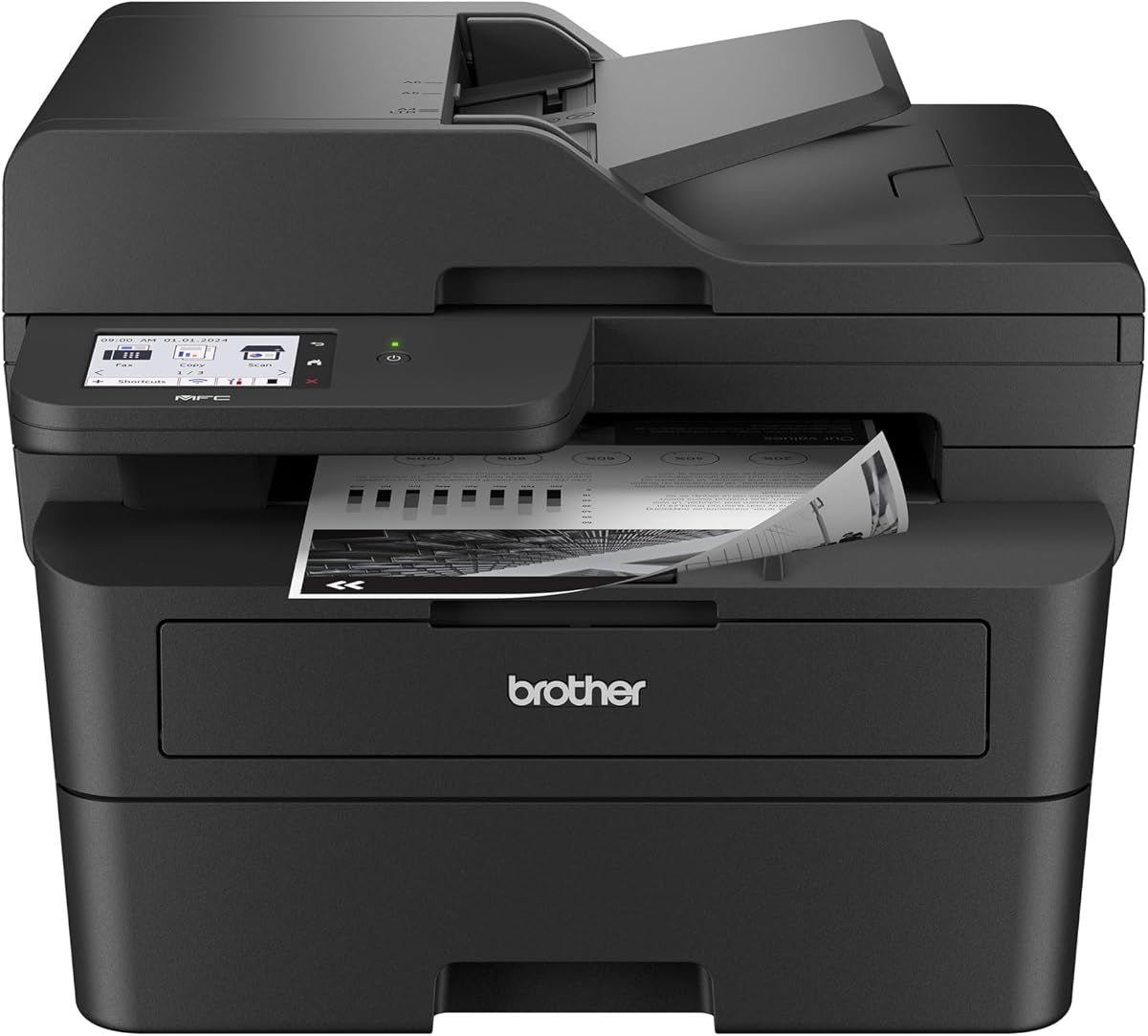
The MFC-L2820DW is designed for small offices requiring fax capabilities alongside standard printing. Its 2.7-inch touchscreen simplifies navigation, while 36 ppm speeds keep workflows moving. The compact build ensures it fits into tight spaces comfortably.
We may earn a commission when you buy through this link, at no additional cost to you.
Cloud integration allows direct printing and scanning to apps like Google Drive and Dropbox. This feature reduces dependency on physical storage and enhances remote access. Mobile printing is equally seamless through the dedicated app.
Fax support makes it ideal for businesses with legacy document transmission needs. The auto document feeder speeds up multi-page tasks significantly. While monochrome, the output quality remains sharp and professional.
Select this model if fax is a core requirement. Verify current network specs and subscription offers. Ensure the touchscreen interface matches your usability preferences.
Direct cloud access simplifies document management and remote workflows.
Intuitive controls make complex tasks like faxing and scanning easy to manage.
We may earn a commission when you buy through this link, at no additional cost to you.
For home offices needing vibrant graphics, this color laser delivers professional results. The 19 ppm speed balances output quality with efficiency. Its wireless design ensures seamless integration with laptops and mobile devices.
We may earn a commission when you buy through this link, at no additional cost to you.
Automatic duplex reduces paper waste, supporting eco-friendly office practices. The 250-sheet tray minimizes interruptions during high-volume tasks. Color consistency remains strong across text and graphics alike.
While slower than mono models, the color capability justifies the trade-off for visual materials. Consumables may cost more, but quality output offsets this for branding tasks. It is a robust choice for small teams.
Choose this if color is essential for your documents. Verify current pricing and toner options. Check if wireless features meet your specific network setup.
Delivers sharp text and vibrant graphics suitable for client-facing materials.
Automatic duplex saves paper without sacrificing speed or quality.
We may earn a commission when you buy through this link, at no additional cost to you.
With a 4.5 rating, this model excels in home office environments needing versatility. The touchscreen simplifies navigation, while 36 ppm speeds ensure quick results. Compact design keeps it unobtrusive on busy desks.
We may earn a commission when you buy through this link, at no additional cost to you.
Wireless connectivity supports multiple devices, enabling smooth mobile printing. The Brother Mobile Connect app provides remote management and toner tracking. Automatic duplex further enhances efficiency for daily documents.
Its reliability makes it a top contender for small business tasks. While limited to monochrome, the print quality remains sharp. The included subscription trial helps manage early-stage costs.
Ideal for those seeking a balanced 3-in-1 solution. Confirm current warranty and network features. Consider if Alexa integration aligns with your smart home setup.
Touchscreen controls simplify setup and daily printing tasks.
Mobile app access allows easy monitoring and control from anywhere.
We may earn a commission when you buy through this link, at no additional cost to you.
This premium model delivers professional performance with a focus on efficiency. The 3.5-inch touchscreen provides intuitive access to cloud services and settings. Single-pass scanning accelerates document processing for high-volume users.
We may earn a commission when you buy through this link, at no additional cost to you.
Energy efficiency reduces electricity consumption without compromising speed. Robust connectivity ensures seamless integration into complex office networks. The print quality remains sharp for all document types.
While costlier, the long-term savings from energy efficiency and speed justify the investment. It suits businesses needing reliability and speed. The larger footprint requires adequate desk space.
Select this for professional settings demanding top-tier features. Verify current pricing and warranty terms. Ensure the touchscreen interface meets your workflow needs.
Advanced fuser design reduces power consumption by up to 22 percent.
Direct access to cloud apps streamlines document management and workflows.
We may earn a commission when you buy through this link, at no additional cost to you.
Designed for high-volume environments, this printer delivers 50 pages per minute. The 520-sheet tray reduces refill frequency during busy periods. Gigabit Ethernet ensures fast data transfer for large files.
We may earn a commission when you buy through this link, at no additional cost to you.
Security features protect sensitive business documents during transmission. The duplex function saves paper without requiring manual intervention. It is built to withstand daily demands in professional settings.
While lacking scanning, the speed and capacity make it ideal for pure printing. The security protocols add peace of mind for businesses. It requires more space due to its robust build.
Choose this for heavy-duty printing needs. Verify current network and security specs. Ensure the high capacity aligns with your workflow.
50 ppm output ensures rapid document processing for demanding offices.
Triple layer security safeguards network and document transmission.
We may earn a commission when you buy through this link, at no additional cost to you.
This all-in-one model provides full color capabilities plus fax. The 3.5-inch touchscreen offers 48 customizable shortcuts for quick access. Wireless connectivity supports multiple devices seamlessly.
We may earn a commission when you buy through this link, at no additional cost to you.
Color output remains consistent for both text and graphics. The 50-page feeder speeds up multi-page tasks. Cloud integration enhances document management options.
While consumables are costlier, the versatility justifies the investment. It suits businesses needing color and fax. Verify current network and subscription details before purchase.
Ideal for teams needing color and fax. Ensure the size fits your workspace. Check if touchscreen features meet usability needs.
High-quality color output for branding and marketing materials.
48 shortcuts streamline repetitive tasks and document workflows.
We may earn a commission when you buy through this link, at no additional cost to you.
This inkjet offers a compact alternative for home offices. While slower, it handles everyday printing efficiently. The small footprint saves significant desk space.
We may earn a commission when you buy through this link, at no additional cost to you.
Cloud app support simplifies remote printing. Page gauge monitoring helps manage ink usage effectively. It is ideal for low-volume color needs.
While laser remains faster, this model suits limited spaces. Verify current ink pricing and network specs. Consider if inkjet meets your speed requirements.
Ultra compact build fits into small home office spaces easily.
Page gauge helps track ink levels to prevent unexpected run-outs.
We may earn a commission when you buy through this link, at no additional cost to you.
Selecting the right laser printer depends on your specific volume, space, and feature requirements. Below are key factors to consider before making a purchase.
For high-volume environments, look for models with 36 ppm or higher output. Speed ensures documents are ready quickly, reducing idle time. Low-volume users may find 30 ppm models sufficient for daily tasks.
Choose higher speed if you regularly print long reports or multiple documents daily.
Modern printers offer wireless, Ethernet, and USB connections. Dual-band Wi-Fi ensures stable connectivity in busy networks. Ethernet is preferred for offices needing wired reliability.
Prioritize wireless if you need mobile printing from phones or tablets.
All-in-one units include scanning, copying, and sometimes fax. These save desk space by combining roles. Single-function printers focus purely on speed and cost.
Opt for multifunction if you regularly need copy or scan features.
Tray size determines how often refills are needed. Larger trays hold 500+ sheets for uninterrupted printing. Smaller trays fit compact spaces but require frequent attention.
Select larger capacity if you print high volumes without frequent refills.
Laser models typically deliver monochrome output at lower costs. Color options exist but are slower and more expensive to operate. Choose based on document requirements.
Stick to monochrome if color is not critical for your workflow.
Touchscreens simplify navigation compared to button panels. Models with apps allow remote management and monitoring. Simple interfaces reduce setup time.
Prioritize touchscreens if you manage multiple devices daily.
Energy-saving modes reduce power usage over time. Genuine toner options ensure consistent quality and lower page costs. Subscription services help manage consumables.
Look for high-yield toner options to lower long-term operational costs.
Business printers often include triple-layer security to protect data. Encryption and secure boot prevent unauthorized access. Home users may not need advanced security.
Choose secure models if handling sensitive documents regularly.
Proper placement ensures consistent performance. Avoid direct sunlight or dust-heavy areas to maintain print quality. Ensure enough ventilation to prevent overheating during extended use.
Regular maintenance includes checking toner levels and cleaning the paper path. Use the Brother app to monitor supplies and schedule maintenance. Replace used cartridges with genuine parts to maintain quality.
Update firmware regularly to ensure compatibility with new devices. Clear paper jams gently to prevent internal damage. Regular restarts help clear minor network errors.
Yes, most models support the Brother Mobile Connect app for iOS and Android. You can print directly from your phone to any connected device. Ensure both devices are on the same wireless network for best results.
Many models include a trial period for the Refresh EZ Print Service. This helps manage toner costs initially. Check product details for trial duration and renewal terms before purchasing.
Most featured models include automatic duplex printing. It reduces paper usage without requiring manual flipping. Some single-function units may lack this feature so verify specs before buying.
Speeds range from 30 to 50 pages per minute. Faster models suit high-volume office tasks. Slower units are fine for occasional home use.
No, wireless and mobile apps allow independent operation. You can print from tablets or phones directly. Computer connections are available via USB or Ethernet if needed.
While third-party options exist, genuine toners ensure optimal quality and reliability. Many models track usage to notify when refills are needed. Check subscription programs for discounts.
Select MFC series units like the MFC-L2820DW and MFC-L3720CDW include fax. Others focus on print, scan, and copy. Check product titles for fax features before purchasing.
Open the front panel and gently pull the jammed sheet. Avoid tearing paper inside the drum. Restart the device after removing all debris to reset sensors.
This guide highlighted top Brother laser printers tailored for various needs from budget-friendly home units to robust business solutions. Models like the DCP-L2640DW and HL-L2405W offer great value for most users.
Prioritize features that match your workflow such as duplex, scanning, or color. Consider connectivity and tray capacity to ensure smooth daily operations without interruptions.
Product details and offers change frequently, so verify current availability and features before purchasing. Selecting the right model ensures long-term satisfaction and efficiency in your workspace.