
GIGABYTE X470 AORUS ULTRA GAMING
4.4Editor score
8+3 Phase Hybrid Digital PWM
USB 3.1 Gen 2 Front Type C
2-Way CrossFire SLI Support
This guide compares the top Amd Ryzen Gen 2 X470 Motherboards for performance, features, and value to help you build the perfect PC in 2026.
Selecting the right motherboard is crucial for any AMD Ryzen build. You need a board that supports your CPU and offers reliable power delivery. The X470 chipset remains a popular choice for enthusiasts seeking high performance.
We compared ten top models based on build quality, connectivity, and user feedback. Our analysis focuses on real-world performance and features that matter to gamers and creators. Each pick offers distinct advantages for different budgets and needs.
Every selection highlights key strengths and potential limitations to guide your decision. Prices fluctuate frequently so always check current listings before buying. This guide ensures you find the best fit for your specific system requirements today.
4.4Editor score

4.3Editor score

4.6Editor score
This table provides a side-by-side comparison of all ten motherboards. Review the key specifications and features to determine which model aligns best with your specific build goals and performance expectations for your next system.


This motherboard delivers exceptional performance for modern Ryzen builds. It boasts a 4.6 rating and stands out with PCIe 4.0 support. The robust power stages ensure stable operation for demanding processors.
We may earn a commission when you buy through this link, at no additional cost to you.
Its connectivity is top-tier with WiFi 6E and 2.5Gb LAN. You get HDMI 2.1 for high refresh displays and ample USB options. The Aura Sync system allows for seamless aesthetic customization across your rig.
While powerful, it carries a premium price compared to entry boards. The large ATX form factor also requires a spacious case. However, these trade-offs are worth it for the speed and features offered.
High-end gamers and creators will love this board. If you need the fastest data transfer and best wireless networking this is the top choice. It balances performance and features perfectly for 2026.
The WiFi 6E integration provides lower latency and higher throughput for online gaming and large file transfers.
Teamed power stages and high-quality chokes ensure consistent voltage delivery even under heavy overclocking loads.
We may earn a commission when you buy through this link, at no additional cost to you.
This X470 board remains a strong choice for enthusiasts. It has a 4.3 rating and features a robust 10+2 phase PWM design. The Fins-Array heatsink keeps temperatures low even during long sessions.
We may earn a commission when you buy through this link, at no additional cost to you.
Audio quality is enhanced by the ESS 9018 DAC for immersive sound. Connectivity includes USB 3.1 Gen 2 Type A and C for versatile peripheral support. The Intel Wave 2 WIFI ensures reliable wireless connectivity.
The main downside is the price relative to newer boards. PCIe 3.0 limits some SSD and GPU speeds compared to 4.0 boards. Yet, for Ryzen 2nd gen users it offers incredible stability and features.
Build enthusiasts seeking premium features will appreciate this model. It is ideal if you want maximum overclocking headroom and premium audio. Check pricing carefully to ensure it fits your budget.
The ESS Sabre DAC provides crystal clear sound reproduction that outperforms standard onboard audio codecs.
Direct touch heatpipes and large heatsinks dissipate heat efficiently from the VRM area during stress tests.
We may earn a commission when you buy through this link, at no additional cost to you.
This X470 model offers premium features at a competitive price. It holds a 4.4 rating and uses an 8+3 phase hybrid digital PWM design. The chassis is built to be durable for longevity.
We may earn a commission when you buy through this link, at no additional cost to you.
Front USB 3.1 Gen 2 Type C offers fast charging and data transfer. You can also run dual graphics cards with CrossFire support for expanded visual power. The design includes armor for PCIe slots.
It lacks the newer PCIe 4.0 speeds of 500 series boards. However, it supports Ryzen 2nd and 3rd gen processors effectively. The trade-off is acceptable for those prioritizing legacy compatibility.
Gamers wanting multi-GPU setups or specific X470 traits should consider this. It is a strong pick for budget-conscious enthusiasts needing premium build quality. Verify compatibility with your specific CPU before purchase.
The front Type C port allows easy access for external drives without reaching behind the PC case.
Support for 2-Way CrossFire provides flexibility for users needing multiple GPUs for rendering or gaming.
We may earn a commission when you buy through this link, at no additional cost to you.
The Prime X470-Pro offers a strong balance of cost and quality. With a 4.6 rating it supports Ryzen 2 AM4 and 7th Gen Athlon efficiently. The 5-Way Optimization simplifies system tuning for beginners.
We may earn a commission when you buy through this link, at no additional cost to you.
SafeSlot technology reinforces the PCIe slot for heavy GPUs. You also get NVMe M.2 slots and front panel USB 3.1 Gen2 headers. The Realtek S1220A codec delivers warm full sound for gaming.
It lacks some high-end connectivity like advanced audio chips. Extreme overclockers might find the VRM limits too low. However, for standard builds this board is incredibly reliable and affordable.
Budget builders and standard users will find this perfect. It is great for gaming PCs needing stability without breaking the bank. Always check current prices to ensure you get the best deal.
Auto Tuning optimizes system settings automatically to simplify performance tuning for non-technical users.
SafeSlot uses injection molding to anchor PCIe slots firmly preventing damage from heavy graphics cards.
We may earn a commission when you buy through this link, at no additional cost to you.
This board brings B550 features to a budget segment. It holds a 4.4 rating and supports Ryzen 5000 series out of the box. The compact Micro-ATX design fits smaller cases easily.
We may earn a commission when you buy through this link, at no additional cost to you.
It includes a PCIe 4.0 slot for faster GPUs and storage. Two M.2 slots allow for expandable NVMe storage options. Q-Flash lets you update the BIOS without installing the CPU first.
The 3+3 power phase is sufficient for mid-range CPUs. High core count processors might experience throttling under load. Also USB connectivity is reduced compared to larger ATX boards.
Small form factor builders looking for cost savings should pick this. It works well with Ryzen 5000/4000/3000 non-X CPUs. Ensure your CPU matches the supported list before buying.
The Micro-ATX size reduces material costs and fits in smaller cases for compact gaming setups.
PCIe 4.0 support ensures compatibility with latest graphics cards and high speed NVMe drives.
We may earn a commission when you buy through this link, at no additional cost to you.
This B550 board is designed for solid standard performance. It has a 4.5 rating and supports 3rd Gen Ryzen with PCIe 4.0. The cooling system includes VRM and PCH heatsinks for stability.
We may earn a commission when you buy through this link, at no additional cost to you.
Connectivity is strong with USB 3.2 Gen 2 Type-C on rear and front. WiFi 5 ensures wireless access without needing extra adapters. OptiMem traces allow memory kits to run at higher frequencies.
It misses out on the latest WiFi 6 speed and standards. The 1Gb Ethernet is also older than newer 2.5Gb options. However for general use the power and USB layout are excellent.
Standard users wanting a reliable daily driver should consider this. It fits well in ATX cases with room for expansion. Check current pricing to confirm value against newer models.
OptiMem layout improves signal integrity to help memory operate at higher speeds with lower voltage.
The rear Type C port provides fast data transfer for modern peripherals and external drives.
We may earn a commission when you buy through this link, at no additional cost to you.
This gaming focused board offers robust power and features. It holds a 4.5 rating and supports Ryzen 5000/4000/3000 series well. The 10+3 power phase design ensures steady power delivery for loads.
We may earn a commission when you buy through this link, at no additional cost to you.
Integrated I/O Shield speeds up PC assembly significantly. Front USB 3.2 Gen 1 Type-C is convenient for headset connections. RGB Fusion lets you sync lighting across other supported components in your build.
Q-Flash Plus allows BIOS updates without CPU or RAM installed. This is vital for compatibility with newer Ryzen CPUs. However wireless connectivity is limited compared to WiFi enabled boards.
Gamers building a custom rig will appreciate the power headroom. It supports high core CPUs effectively with solid cooling. Ensure you have a case with enough airflow for the chipset.
Integrated I/O Shield removes a step during build by reducing screw work and risk of damage.
Q-Flash Plus allows you to update firmware quickly without needing to install the CPU first.
We may earn a commission when you buy through this link, at no additional cost to you.
This micro-ATX board stands out for its wireless capabilities. It has a 4.5 rating and includes WiFi 6 for faster stable internet. The HDMI 2.1 output supports high refresh 4K displays for gaming.
We may earn a commission when you buy through this link, at no additional cost to you.
Safety features like SafeSlot Core protect your GPU connections. It also includes VRM and PCH heatsinks for basic thermal management. ECC memory support adds extra data integrity for specific workloads.
Being smaller means fewer RAM slots and USB ports overall. You might need a hub for many peripherals. But for compact builds needing modern connectivity this board delivers value.
Small case builders needing WiFi 6 will love this option. It pairs well with Ryzen 3000 and 5000 series CPUs. Check the case size to ensure it fits your dimensions.
HDMI 2.1 enables 4K resolution at 60Hz making it suitable for modern high refresh rate monitors.
WiFi 6 offers better efficiency and lower latency for gaming and streaming over wireless networks.
We may earn a commission when you buy through this link, at no additional cost to you.
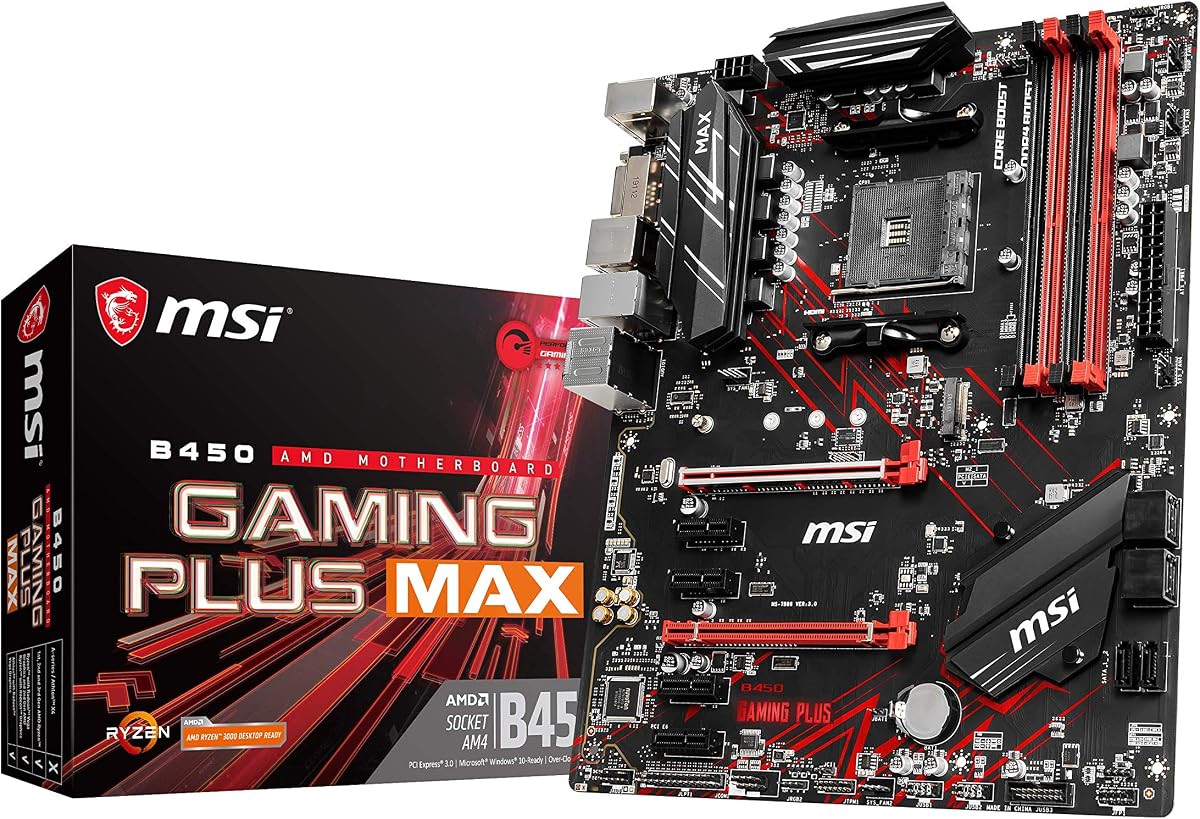
This MSI board offers broad compatibility for Ryzen CPUs. It holds a 4.6 rating and supports 1st to 3rd Gen Ryzen processors. Turbo M.2 and USB 3.2 Gen2 provide fast storage options.
We may earn a commission when you buy through this link, at no additional cost to you.
AUDIO Boost technology delivers studio grade sound for immersion. You can run two GPUs with Crossfire support for extra power. STOREMI allows you to use SSD as cache for HDDs.
It lacks PCIe 4.0 and newer Wi-Fi standards. DDR4 speeds are high but modern Gen 4 NVMe is not supported. For budget systems it remains a stable choice.
Legacy system upgraders will find this highly compatible. It is great for older Ryzen 2600 or 3600 CPUs. Check BIOS update requirements before installing newer processors.
Support for 1st to 3rd gen Ryzen means you can upgrade existing systems without needing a full rebuild.
Audio Boost delivers a richer soundscape that enhances the gaming experience with clearer directional cues.
We may earn a commission when you buy through this link, at no additional cost to you.
This board offers a simple reliable platform for Ryzen builds. It has a 4.6 rating and supports Ryzen 2nd and 3rd Gen efficiently. It uses standard HDMI and DVI outputs for monitor connectivity.
We may earn a commission when you buy through this link, at no additional cost to you.
USB 3.0 Gen 2 ensures decent peripheral speeds. The ATX size means it fits any standard mid or full tower case. It remains a solid budget option for basic gaming systems.
It misses out on WiFi and PCIe 4.0 features entirely. For users needing a pure gaming setup without extras this works well. However power delivery is basic for heavy overclocking.
Entry builders looking for a no-fuss platform should choose this. It is perfect for Ryzen 3000 series CPUs needing budget savings. Verify current stock as models can vary by region.
This board strips away unnecessary features to focus on core stability at a lower price point.
DVI and HDMI outputs ensure compatibility with older monitors without needing adapters or dongles.
We may earn a commission when you buy through this link, at no additional cost to you.
Choosing the right motherboard involves balancing performance features and budget. This guide outlines the key factors to consider for your specific needs.
Ensure the board supports your specific Ryzen generation. While X470 supports 1st and 2nd gen well check BIOS requirements for 3rd gen compatibility. Newer boards offer better PCIe lanes and future proofing.
The VRM (Voltage Regulator Module) powers your CPU. Higher phase counts like 10+2 provide better stability and overclocking potential. For high core CPUs choose a board with robust cooling on the VRM.
Check the number of USB ports M.2 slots and PCIe lanes. If you use multiple NVMe drives or high speed GPUs ensure the board supports PCIe 4.0. Front USB Type C is also valuable for modern peripherals.
Modern builds often require fast internet. Look for WiFi 6 or Ethernet speeds like 2.5Gb to reduce latency. Older models may include Wave 2 WIFI which is still adequate for most users.
Audio codecs vary significantly between boards. Premium models use dedicated DACs for clearer sound while budget options use integrated ones. If you use high impedance headphones prioritize a board with audio boost features.
Motherboards come in ATX Micro-ATX and Mini-ITX sizes. ATX offers the most slots but Micro-ATX saves space. Ensure your case supports the board size and cooling solutions.
Look for BIOS flashback or Q-Flash features to update firmware without a CPU. This is crucial when using older boards with newer processors. An intuitive UI makes tuning easier for beginners.
Many boards include RGB headers for lighting customization. Aura Sync or RGB Fusion allows you to synchronize effects across components. If looks matter to you ensure the board supports your preferred ecosystem.
Clean dust regularly from heatsinks and filters. Use compressed air to keep airflow optimal. Monitor system temperatures with software to ensure cooling is functioning correctly.
Yes X470 remains compatible with Ryzen 3000 series processors. However you may need to update the BIOS first. Newer boards offer PCIe 4.0 support which provides faster storage speeds.
It depends on your connection needs. If your PC is near a router an Ethernet cable offers better stability. WiFi on boards adds convenience but can introduce latency.
Generally no X470 does not support Ryzen 5000 series natively. You would need a newer chipset like B550 or X570 for full support and stable operation.
ATX boards are larger with more expansion slots. Micro-ATX are smaller fitting compact cases but offer fewer ports. Both use the same CPU sockets and RAM types.
Yes VRM cooling ensures stable power during long sessions. Poor VRM cooling can lead to throttling or system instability under load. Look for boards with large heatsinks on the power area.
Chipsets like B550 and X570 support PCIe 4.0 for GPUs and storage. X470 and B450 are limited to PCIe 3.0 speeds which are slower for modern NVMe SSDs.
Yes most consumer motherboards support non-ECC Unbuffered DDR4. ECC memory is optional and usually used for workstations. Regular gaming memory works perfectly fine for most users.
Always verify compatibility with your CPU and case size. Prices change frequently so check current listings before buying. This guide helps you find the best fit for your next PC.