
AI Drawing Projector for Kids
4.4Editor score
Type ideas to project
50 built-in pictures
Learning packs with sound
This expert guide compares the top AI drawing projector models for kids and artists, analyzing features like AI generation, resolution, and ease of use to help
Artificial intelligence is transforming how we create visuals, and drawing projectors are at the forefront of this revolution. These devices combine traditional tracing with smart software to turn ideas into tangible sketches instantly.
We evaluated ten leading models based on projection quality, AI capabilities, ease of use, and overall value. Our analysis covers options for young children, teens, and professional artists looking to enhance their workflow.
Each pick highlights unique strengths like photo-to-art conversion, built-in learning packs, or high-resolution native displays. Prices and availability change frequently, so verify current details before purchasing your ideal creative companion.
4.4Editor score

4.6Editor score

4.0Editor score
The following table provides a side-by-side comparison of all ten evaluated models. We highlight key specifications to help you identify which device matches your specific creative requirements and budget constraints.




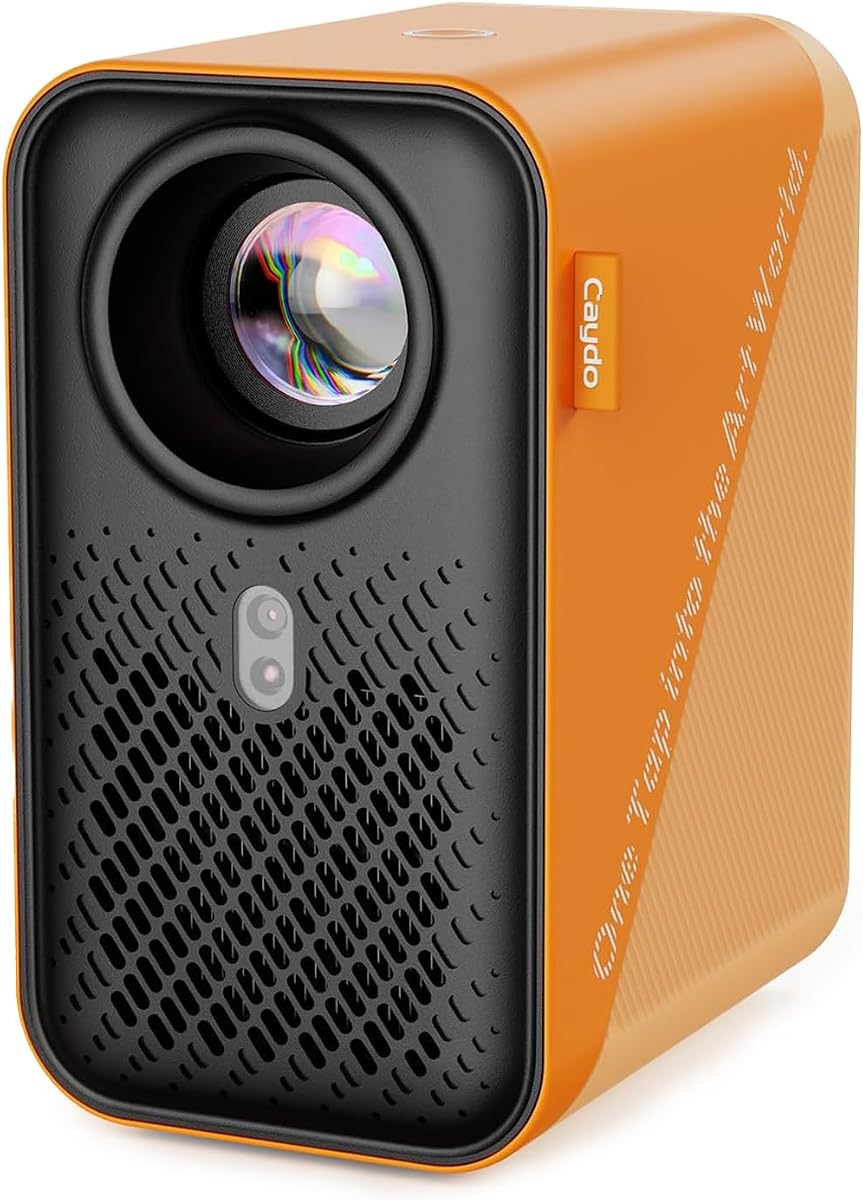

The Caydo T3 stands out as a top contender in the AI drawing projector space. With a strong rating of 4.6 stars, it balances educational value with advanced technology effectively for growing artists.
We may earn a commission when you buy through this link, at no additional cost to you.
Its native 720P resolution ensures crisp outlines that make tracing easier for beginners. The ability to turn photos into traceable outlines instantly adds a personalized touch that keeps kids engaged for hours.
While the app requires internet access for AI generation, the offline built-in themes are substantial. The projector doubles as a media player, which might distract from drawing but adds versatility for downtime.
Parents seeking a comprehensive creative tool will appreciate its growth potential. It is an ideal gift for children ready to move beyond basic toys into more serious artistic exploration.
Snap any photo and the AI transforms it into a clean outline for tracing, making portraits of friends or pets achievable for young artists.
SGS certified RG0 blue light safety and downward projection design ensure that eyes remain protected during extended creative sessions.
We may earn a commission when you buy through this link, at no additional cost to you.
This model offers an accessible entry point into AI-assisted creativity without breaking the bank. Its 4.4 rating reflects solid performance for its target age range of five to twelve years old.
We may earn a commission when you buy through this link, at no additional cost to you.
The ability to type an idea and see it projected is magical for kids. Learning packs that speak numbers and words add educational value, turning drawing time into a multi-sensory experience.
It relies on corded power which limits portability compared to battery-operated alternatives. However, the included USB connection makes it easy to power via standard adapters found around the house.
For families looking for a thoughtful birthday present that encourages imagination, this is a practical choice. It provides immediate fun right out of the box while leaving room for future expansion with packs.
Selecting a Learning Pack triggers audio feedback for numbers and words, reinforcing academic concepts through artistic activities.
Fifty built-in pictures mean children can start drawing instantly without needing to download extra files or connect to a computer.
We may earn a commission when you buy through this link, at no additional cost to you.
For serious artists and professionals, the Caydo P3 delivers professional-grade tools in a portable package. Its 4.0 rating indicates strong performance among users who value precision and clarity.
We may earn a commission when you buy through this link, at no additional cost to you.
Native 1080P resolution ensures that every line of your reference image is sharp. The 400 ANSI lumens brightness allows you to work during the day without needing a dark room.
Auto focus and keystone correction streamline setup, letting you focus on art rather than adjustments. The included drawing assistant with gridify modes helps scale complex compositions accurately.
This device is ideal for those who need a reliable tool for large-scale projects or detailed work. While expensive, its durability and feature set justify the investment for regular creators.
High lumens output means you can project vivid images even in well-lit studios, removing the need to darken your workspace.
Features like zoom, rotation, and grid modes help artists manage scale and perspective without manual calculation.
We may earn a commission when you buy through this link, at no additional cost to you.
The Caydo T3 Joy is a favorite among parents for its high user satisfaction and engaging design. With a 4.8 rating, it proves that ease of use is a top priority for young children.
We may earn a commission when you buy through this link, at no additional cost to you.
Its step-by-step guidance breaks down complex drawings into manageable steps. This approach builds confidence and patience, ensuring that even beginners can finish a project successfully.
The device includes timers to encourage healthy breaks. Combined with RG0 blue light safety, it shows a strong commitment to child health and wellness during play.
Kids will love the adorable sloth design and sticker decorations. It is a great balance of educational content and fun, making it a top choice for holiday gifting.
Every pattern is broken down so children never feel lost, fostering a sense of accomplishment with every finished page.
Projecting downward instead of directly at eyes reduces strain, allowing for longer and safer creative sessions.
We may earn a commission when you buy through this link, at no additional cost to you.
Designed specifically for older kids and teens, this projector handles more complex and realistic images. It has a 4.7 rating from users who appreciate its focus on building actual drawing skills.
We may earn a commission when you buy through this link, at no additional cost to you.
The ability to use voice commands to describe drawings adds a unique interactive layer. It encourages creativity by allowing users to generate complex scenes simply by speaking.
The included cartridge provides instant inspiration but might need replenishing for frequent use. However, the online capabilities offer a vast library beyond what comes in the box.
If you have a child who is moving past simple toys, this is a perfect transition tool. It respects their age while providing the high-quality output they demand.
Describe your dream drawing aloud and the AI generates it, making the creative process even more accessible and fun.
Unlike models for toddlers, this device projects detailed outlines suitable for realistic portraiture and complex landscapes.
We may earn a commission when you buy through this link, at no additional cost to you.
This model is designed for adults who want a straightforward tool without unnecessary bloat. Its 4.5 rating highlights its reliability and professional approach to digital tracing.
We may earn a commission when you buy through this link, at no additional cost to you.
You control the device through a web browser, meaning no extra apps are needed on your phone. This simplifies the setup process and reduces storage clutter on your devices.
Offline functionality ensures that you can work even without a reliable internet connection. This is crucial for artists working in studios with spotty Wi-Fi or remote locations.
For hobbyists who already have their own reference images and just need a reliable projector, this is an excellent choice. It strips away the noise to focus on the core task of drawing.
Scan a QR code to open your control panel in Chrome or Safari, eliminating the need to install specific proprietary software.
Connect directly via local mode to ensure your tracing workflow remains uninterrupted by internet outages.
We may earn a commission when you buy through this link, at no additional cost to you.
Speed and stability are the main selling points for this device, featuring an upgraded 5G dual-band chip. While it has a lower rating of 3.5, users praise its reduced latency for real-time tracing.
We may earn a commission when you buy through this link, at no additional cost to you.
The connection is fast enough to mirror complex sketches without noticeable lag. This is essential for those who want to trace live video or high-frame-rate animations on paper.
However, some users find the setup process slightly confusing compared to other models. Ensuring your router supports 5G is a prerequisite to getting the best performance from this unit.
If you have a strong network and need a fast, reliable tool for professional work, this offers good value. Just be prepared to spend time setting up the initial connection correctly.
The dual-band chip minimizes delay, making it suitable for real-time drawing tasks that require immediate visual feedback.
Full FCC ID certification ensures that the device meets strict safety standards for electronic performance and radiation.
We may earn a commission when you buy through this link, at no additional cost to you.
The Caydo P2 offers full HD resolution at a more accessible price point than its premium sibling. With a 3.8 rating, it delivers solid performance for artists who need crisp details without the top-tier cost.
We may earn a commission when you buy through this link, at no additional cost to you.
Its built-in drawing app helps scale and compose images effectively. The gridify and sketchify modes make it easier to transfer digital concepts to physical paper accurately.
While slightly less bright than the P3, 250 ANSI lumens is still usable in most indoor environments. The Bluetooth connectivity allows you to connect speakers for immersive drawing sessions.
This is a great entry-level option for artists ready to step up from standard projectors. It balances performance and price well, though you may need to adjust settings to get the best image.
The app offers grids and rotation to help you align your reference image perfectly with your canvas.
Connect external speakers via Bluetooth to listen to music while you draw, turning your studio into a creative sanctuary.
We may earn a commission when you buy through this link, at no additional cost to you.
The Caydo P1 is a compact powerhouse designed for artists on the go. With a 3.8 rating, it proves that small size does not mean low quality when it comes to creative tools.
We may earn a commission when you buy through this link, at no additional cost to you.
Its exclusive drawing app includes tools like zoom and rotation to help you manage complex images. The fully sealed optical core prevents dust from entering, ensuring consistent performance over time.
While not the brightest, it is perfect for indoor use where light control is possible. The fast WiFi ensures you can transfer images quickly without long waits during a creative session.
For artists with limited desk space or those who travel, this is a practical solution. It brings professional features into a package that fits easily into a backpack or storage bag.
A fully sealed design blocks dust from entering the lens, reducing the risk of black spots on your projected images.
With up to 10,000 hours of lamp life, this projector offers years of reliability for regular creative use.
We may earn a commission when you buy through this link, at no additional cost to you.
This projector emphasizes flexibility with both online and offline connection options. With a 3.7 rating, it is a solid choice for users who need to work in various environments without connectivity issues.
We may earn a commission when you buy through this link, at no additional cost to you.
The stable stand ensures that your device stays in place even when adjusted to different angles. This reliability is key when you need to project on ceilings or tilted easels.
Web-based control means you can adjust zoom and rotation easily. It offers a clean interface for those who prefer working through a browser rather than managing a dedicated app.
For hobbyists and students who need a versatile tool for different projects, this is a good fit. It adapts well to different needs, though it might lack some of the polish of higher-rated models.
Switch between Wi-Fi and offline direct connection to ensure your workflow is never interrupted by network changes.
The adjustable stand provides a wobble-free experience so you can focus on your drawing rather than fixing the projector.
We may earn a commission when you buy through this link, at no additional cost to you.
Choosing the right AI drawing projector depends on your specific needs, age group, and desired features. Here are key factors to consider before making a purchase.
Different models are designed for specific age ranges, with some focusing on young children through simple icons and others targeting teens with detailed output. Ensure the device matches the user's skill level to avoid frustration.
Select a model that aligns with the artist's age for the best experience.
AI features vary widely; some allow text-to-art generation while others focus on photo-to-outline conversion. More advanced AI can generate custom scenes from scratch, but may require a stable internet connection.
Prioritize AI features that fit your creative style and connectivity options.
Higher resolution like 1080P provides clearer outlines which are crucial for detailed work. Lower resolutions might suffice for simple kids drawings but can limit professional utility.
Choose higher resolution if you need sharp lines for complex projects.
Since these devices project light directly, eye safety is paramount. Look for certifications like SGS RG0 blue light safety to protect eyes from potential strain during long sessions.
Ensure the projector has verified safety certifications for eye protection.
Some projectors rely heavily on Wi-Fi for app features while others work offline. Consider your internet stability and whether you need to work in remote areas.
Check if the device supports offline modes for flexible use.
A sturdy stand and durable casing are essential for longevity. Adjustable stands help project on various surfaces like ceilings and easels without extra equipment.
Invest in a model with a robust stand for versatile placement.
Corded power provides consistent brightness but limits portability. Battery-operated models offer flexibility but may have shorter runtimes.
Decide based on whether portability or consistent performance is more important.
Some brands offer extensive app libraries with built-in patterns while others are more open. Check if there are subscription costs or additional purchases for content.
Evaluate the app ecosystem for long-term value and content availability.
Start by placing the projector on a stable surface and adjusting the height and angle to fit your workspace. Ensure the lens is clean and uncovered before powering on the device.
Connect your smartphone via the specified method such as QR code or app to transfer your desired image. Use the built-in tools to zoom or rotate the image until it fits your paper perfectly.
After each use, clean the lens gently with a microfiber cloth and store the device in a cool dry place. Protecting the optical core from dust will ensure consistent performance over time.
No you do not need to be an artist to use an AI drawing projector. These devices are designed for all skill levels from beginners to professionals. They simplify the process by projecting outlines that anyone can trace and color.
Yes most modern AI drawing projectors allow you to upload and trace your own photos. You can transfer images from your phone via the app or directly through the projector. This is a great way to personalize your art projects.
Many models feature certified safety standards like RG0 blue light to ensure eye safety. They project downward onto paper so the light does not shine directly into eyes. However always supervise children during use for best practices.
It depends on the model and features used. Some require internet for AI generation while others work offline with built-in patterns. Check the specs for offline capabilities if you plan to work without Wi-Fi.
Standard sketch paper works well for most projects but thicker paper helps prevent ink bleeding if you color heavily. The projector works on most flat surfaces but a smooth white surface offers the best contrast.
Regular maintenance includes cleaning the lens with a microfiber cloth and keeping the vents dust-free. Avoid dropping the unit and store it in a protective case when not in use to extend its lifespan.
We highlighted ten top models ranging from budget-friendly kids options to professional-grade tools. The Caydo T3 and P3 stand out for their balance of features and quality while the basic models offer great value.
When choosing prioritize safety features and resolution if you plan to use the device for detailed work. For younger children focus on ease of use and built-in educational content.
Remember that prices and availability fluctuate so check current listings before buying. With the right tool you can unlock new levels of creativity and turn any idea into art effortlessly.