
ARCTIC P12 Pro A-RGB
4.7Editor score
High static pressure fan
Wide PWM speed range
Fluid dynamic bearing
This guide compares the top addressable RGB fans for PC builds, evaluating airflow, noise, lighting effects, and build quality to help you choose the perfect
Addressable RGB fans combine efficient cooling with customizable lighting to enhance any PC build. Selecting the right model requires balancing airflow performance, noise levels, and software compatibility for optimal results.
We analyzed ten leading addressable RGB fans based on airflow efficiency, bearing quality, lighting control, and value. Our comparison highlights standout features like daisy chaining, reverse blade options, and static pressure capabilities.
Each pick showcases unique strengths for specific cooling needs whether you need silent operation, high pressure for radiators, or vibrant visual effects. Prices and availability change frequently so verify current details before purchasing.
4.7Editor score

4.7Editor score
4.8Editor score
The following table provides a side-by-side comparison of all ten addressable RGB fans evaluated in this guide. We highlight key specifications like airflow, static pressure, speed range, and unique features to help you make an informed decision.




The Thermalright TL-C12C-S X5 stands out as the top choice for most builders seeking reliable cooling with vibrant lighting. With a high rating of 4.7 stars this five-pack delivers consistent performance and affordability making it ideal for full chassis upgrades.
We may earn a commission when you buy through this link, at no additional cost to you.
Its standout qualities include S-FDB bearings that minimize vibration and noise while maintaining 66.17 CFM airflow. The LED atomizing blade design ensures soft even ARGB effects that match coolers and cases beautifully without harsh glare.
While it lacks advanced lighting controllers out of the box the standard 5V ARGB sync works seamlessly with most motherboards. The only trade-off is basic light modes but this is acceptable given the exceptional price and cooling efficiency.
Buyers prioritizing value and quiet operation will find this fan unbeatable. Whether used for case exhaust intake or CPU coolers it balances performance and aesthetics perfectly for any mainstream build.
The S-FDB bearing technology reduces friction and blade shake ensuring silent operation even at higher speeds.
High-brightness LEDs combined with atomizing blades create a softer more uniform light effect across the fan face.
We may earn a commission when you buy through this link, at no additional cost to you.
The CORSAIR RS120 ARGB 3-Pack delivers exceptional airflow with 72.8 CFM per fan ideal for users needing maximum cooling. Its magnetic dome bearings ensure quiet operation while the daisy-chain design reduces cable clutter significantly.
We may earn a commission when you buy through this link, at no additional cost to you.
Key strengths include AirGuide technology which directs airflow precisely to hot components. The eight LEDs per fan offer bright customizable lighting synchronized through motherboard software for a polished look.
Trade-offs involve higher cost compared to budget options and reliance on compatible ARGB headers. However the performance gains justify the expense for demanding gaming or workstation builds.
Choose this pack if you need high static pressure for radiators and clean internal cable routing. It excels where airflow and aesthetics both matter most.
The seven-blade design and AirGuide vanes push 72.8 CFM of air efficiently through restricted spaces.
Multiple fans connect via single PWM and ARGB connectors simplifying installation and reducing cable clutter.
We may earn a commission when you buy through this link, at no additional cost to you.
The ARCTIC P12 Pro A-RGB offers incredible value with a high rating and versatile speed control up to 3000 RPM. It excels for budget builders needing efficient cooling without sacrificing ARGB lighting customization.
We may earn a commission when you buy through this link, at no additional cost to you.
Its high static pressure ensures dense radiators or mesh panels see no airflow loss. The FDB bearing minimizes noise while the redesigned blades optimize balance and smooth performance across all speeds.
Limitations include being sold singly rather than in packs and simpler lighting control. These trade-offs are acceptable given the performance and cost advantages over competitors.
Buy this fan for cost-effective upgrades where airflow efficiency matters most. It is ideal for small form factor builds or tight budgets.
Adjustable from nearly stopped to 3000 RPM allows precise control over cooling and noise.
Optimized for radiator and heatsink use to penetrate dense components efficiently.
We may earn a commission when you buy through this link, at no additional cost to you.
Thermaltake CT120 EX ARGB 3-Pack features magnetic connections for simplified installation and vibrant lighting effects. The nine addressable LEDs per fan ensure rich visuals while hydraulic bearings keep noise low.
We may earn a commission when you buy through this link, at no additional cost to you.
Strengths include the MagForce 2.0 magnetic design reducing cable clutter and enhancing aesthetics. Anti-vibration mounting further ensures stability and quiet operation in cases.
Drawbacks include average airflow and proprietary magnetic connectors limiting future flexibility. Still it is an elegant choice for users prioritizing visuals.
Buyers wanting easy setup and striking RGB effects will find this pack appealing. It suits builds where cable management and lighting are top priorities.
Exclusive magnetic connectors allow quick secure fan linkage without extra cables.
Motherboard sync software enables control of 16.8 million color combinations and lighting modes.
We may earn a commission when you buy through this link, at no additional cost to you.
This 6-pack uniquely includes reverse fans to maintain consistent lighting visibility on all sides. With 28 LEDs per fan and a combined controller it offers bright customizable visuals for complex case layouts.
We may earn a commission when you buy through this link, at no additional cost to you.
Strengths include HDB bearings ensuring quiet operation and the prism design enhancing lighting depth. The PWM controller simplifies management reducing cable clutter significantly.
Trade-offs involve mixed forward-reverse fan options and controller reliance for best effects. These are minor considering the unique functionality and price.
Buyers needing reverse fans and bright lighting will find this kit ideal. It fits builds prioritizing aesthetic consistency across all intake zones.
Reverse fans maintain visible lighting when used as bottom or side intakes.
28 LEDs per fan provide superior brilliance compared to typical models.
We may earn a commission when you buy through this link, at no additional cost to you.
The three-pack variant offers the same quality as the five-pack with a focus on smaller setups. Its high 4.6 rating confirms reliable silent cooling with consistent ARGB effects.
We may earn a commission when you buy through this link, at no additional cost to you.
Key features include S-FDB bearings and 66.17 CFM airflow ensuring efficient heat removal. The blade design reflects light softly for a cohesive look.
Limitations include smaller quantity and basic light controls. These are acceptable trade-offs for smaller builds needing targeted upgrades.
Buyers needing three quiet efficient fans will find this perfect. It is suited for case or CPU cooler refreshes.
Provides same performance as larger packs with fewer fans for small setups.
S-FDB bearings minimize noise while maintaining strong airflow.
We may earn a commission when you buy through this link, at no additional cost to you.
This five-pack features intelligent PWM control adjusting fan speeds automatically to temperature. It delivers excellent value with 66.17 CFM airflow and soft ARGB lighting.
We may earn a commission when you buy through this link, at no additional cost to you.
Strengths include automatic speed adjustment simplifying setup while silent operation suits home PCs. The option for DC mode allows fixed speeds when preferred.
Trade-offs involve basic lighting and blade design. These are minor given the performance and affordability.
Buyers wanting plug-and-play cooling with RGB will find this reliable. It balances simplicity and efficiency well.
PWM control adjusts fan speed based on motherboard temperature feedback.
S-FDB bearings and optimized blades reduce noise effectively.
We may earn a commission when you buy through this link, at no additional cost to you.
This two-pack offers solid cooling with 2000 RPM max speed and vibrant lighting. The daisy-chain design simplifies connections for quick setup.
We may earn a commission when you buy through this link, at no additional cost to you.
Strengths include 9 LEDs per fan and anti-vibration mounting ensuring stability and noise reduction. It works well for dual-fan radiator setups.
Limitations involve quantity and standard connectors. Acceptable for buyers needing two reliable fans quickly.
Choose this for simple dual-fan upgrades with strong visuals and performance.
Up to 2000 RPM provides strong airflow for demanding cooling needs.
Anti-vibration mounts reduce noise and ensure secure installation.
We may earn a commission when you buy through this link, at no additional cost to you.
This three-pack offers excellent value with a bundled PWM splitter simplifying installation. High ratings confirm strong performance and reliable lighting.
We may earn a commission when you buy through this link, at no additional cost to you.
Strengths include 66.1 CFM airflow and 9 LEDs per fan ensuring bright cooling. Daisy-chaining ARGB cables reduces wiring complexity.
Trade-offs involve average max speed and standard controls. Acceptable for general case cooling.
Choose this for reliable three-fan setups needing quick cable management.
A 3-way PWM splitter ensures easy multi-fan connection from one header.
Nine LEDs per fan provide vivid ARGB effects synchronized via motherboard.
We may earn a commission when you buy through this link, at no additional cost to you.
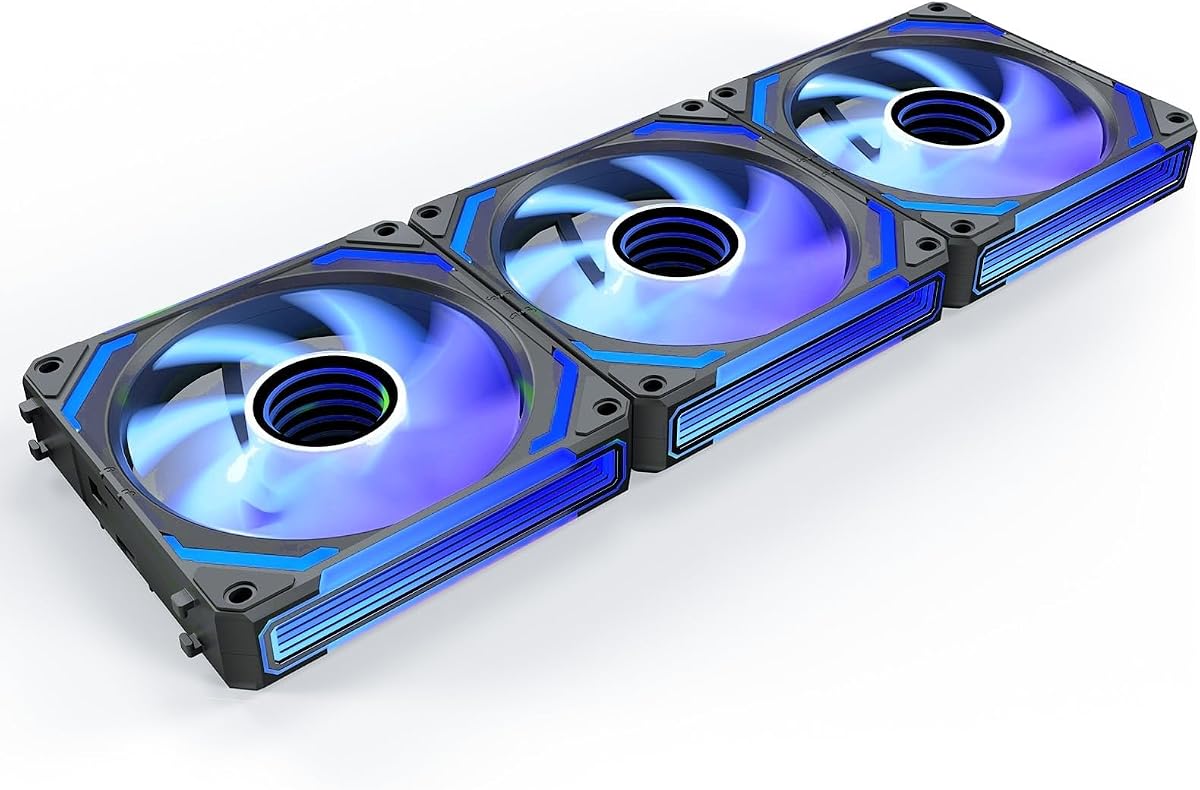
The AsiaHorse COSMIQ delivers premium visuals with an infinity mirror design and music sync. High ratings confirm excellent build quality and versatile functionality.
We may earn a commission when you buy through this link, at no additional cost to you.
Key strengths include 68.5 CFM airflow with 2000 RPM speeds and a daisy chain reducing cables. Reverse fans allow consistent lighting on all sides.
Trade-offs involve higher cost and proprietary connectors. Worth it for enthusiasts prioritizing unique aesthetics.
Buyers wanting stunning lighting effects and advanced controls will find this ideal.
Premium LED arrangement creates a layered infinite reflection effect.
Built-in microphone enables lighting that responds to ambient sound.
We may earn a commission when you buy through this link, at no additional cost to you.
Choosing the best addressable RGB fans involves evaluating performance, noise, lighting control, and build quality to suit your specific system needs.
Airflow measured in CFM indicates how much air moves through a case while static pressure determines effectiveness through radiators. Higher CFM suits intake while high static pressure favors radiators.
Prioritize high CFM for case cooling and high static pressure for water cooling loops.
Bearing type directly impacts noise and longevity. Fluid dynamic and S-FDB bearings provide quiet operation and extended service life compared to sleeve bearings.
Choose FDB or S-FDB bearings for silent reliable performance.
Addressable RGB fans require 5V 3-pin connectors and compatible motherboard headers for color control. Daisy-chain designs simplify wiring while some offer included hubs for extra customization.
Ensure motherboard compatibility and decide if a hub is needed for full control.
PWM control allows speeds to adjust automatically based on system temperature. A wide range from low idle to high RPM ensures flexibility for cooling and noise management.
Select fans with broad PWM ranges for adaptive cooling performance.
Anti-vibration mounts reduce noise transfer to chassis frames. Quality rubber grommets and sturdy frames enhance stability and quiet operation.
Look for anti-vibration mounts for quieter installation.
Buying packs often provides better value than individual fans. Assess how many fans you need for full case coverage before purchasing.
Opt for multi-pack options to reduce cost per fan.
Some fans offer reverse blades for consistent lighting visibility or music sync for dynamic effects. Evaluate if these enhance your build goals.
Consider special features only if they match your build priorities.
Noise ratings in dB indicate acoustic output. Low dB fans ensure quiet systems ideal for home or office environments.
Choose fans rated 25 dB or lower for minimal noise.
Connect each fan to the motherboard 4-pin PWM header for speed control and 5V 3-pin ARGB header for lighting. Use daisy-chain cables if supported to reduce clutter.
Install fans with airflow direction in mind intake at front bottom side exhaust at rear top. Ensure anti-vibration mounts secure fans to prevent rattling.
Maintain fans by dusting blades and bearings periodically with compressed air. Avoid bending blades and ensure connectors remain secure for longevity.
RGB fans display one color at a time while ARGB fans allow individual LED control for dynamic effects. Addressable RGB requires a 5V 3-pin connector whereas standard RGB uses a 12V 4-pin header.
Most ARGB fans sync with motherboard headers without extra hardware. However some kits include hubs or controllers for systems lacking compatible ARGB connectors.
Mixing brands is possible as long as voltage headers match. Lighting synchronization may require unified software for a consistent look.
Fans usually show arrows on the frame indicating airflow direction. Alternatively blades angle and motor placement can indicate intake versus exhaust orientation.
Reverse fans maintain visible lighting when installed on side or bottom intakes. They offer better aesthetics for cases with exposed side panels.
Use anti-vibration mounts lower fan speeds via PWM or choose fans with FDB bearings. Ensure cables don't obstruct blades to avoid vibration.
Daisy-chaining connects multiple fans with single cables reducing port usage. It simplifies installation and improves cable management.
Clean fans every three to six months depending on dust buildup. Use compressed air to remove dust from blades and bearings.
Our top picks like the Thermalright TL-C12C-S X5 offer exceptional balance between performance and value. Premium options such as the AsiaHorse COSMIQ deliver stunning visuals for enthusiasts.
Prioritize airflow and bearing quality for cooling while considering lighting sync features for aesthetics. Noise levels and ease of installation also shape long-term satisfaction.
Verify current availability and details before purchasing since offerings change frequently. This guide helps you choose fans that match your build needs perfectly.