
xTool F2 Ultra
4.2Editor score
MOPA and diode dual laser
Color engraving on metal
AI-powered precision cameras
Finding the right 60W laser engraver can transform your creative workflow. These machines offer powerful cutting and engraving capabilities for wood, acrylic, leather, and more. Whether you are a hobbyist or a small business owner, selecting the correct tool matters.
We evaluated ten top models based on power output, safety features, software compatibility, and ease of use. Our analysis considers real-world performance data, user feedback, and technical specifications to provide a reliable overview of the current market landscape for enthusiasts.
Each pick below highlights key strengths and potential limitations to help you make an informed decision. Please note that availability and pricing can change frequently. Always check the latest details on the product pages before finalizing your purchase.
4.2Editor score


5.0Editor score
As an Amazon Associate we earn from qualifying purchases.
The following table provides a side-by-side comparison of all ten models reviewed in this guide. We highlight key specifications and unique features to help you quickly identify the model that best fits your specific needs and workspace constraints.




This model stands out as a comprehensive solution for serious makers and growing businesses. It combines substantial power with advanced safety features and intelligent workflow tools. Users appreciate the dual laser system that allows for both heavy cutting and fine detail work seamlessly.
We may earn a commission when you buy through this link, at no additional cost to you.
The 60W main laser delivers impressive speed and depth, while the 1.6W auxiliary laser handles positioning and finer engraving tasks. The fully enclosed Class 1 design ensures that hazardous radiation is contained, making it safer for home or office environments. The HD camera feature reduces setup time by enabling accurate material positioning and live previews.
While the machine is powerful, it does require a dedicated space due to its enclosed structure. The price reflects its commercial-grade capabilities, so it may be a significant investment for casual hobbyists. However, the efficiency gains and safety features often justify the cost for professionals.
If you need a reliable workhorse that can handle diverse materials without compromising on safety, this is a top contender. It is well-suited for those who value precision, speed, and a user-friendly interface in their laser engraving workflow.
The combination of a high-power main laser and a precision auxiliary laser allows for versatile workflows without switching machines.
A fully enclosed Class 1 cabinet minimizes exposure to harmful laser light and helps contain smoke effectively.
We may earn a commission when you buy through this link, at no additional cost to you.
This version of the Falcon2 Pro emphasizes speed and safety for professional players and sole traders. It delivers high output power that can cut through tough materials like stainless steel and thick acrylic in single passes. The intelligent focus feature helps maintain consistent quality across different material heights.
We may earn a commission when you buy through this link, at no additional cost to you.
The built-in camera streamlines the setup process by allowing users to preview projects and align them without manual measurements. This significantly improves the success rate of complex creations. The enclosure design isolates smoke and noise, creating a more comfortable working environment.
Users may need to spend time ensuring the camera and laser alignment are correct for optimal performance. The speed is a major advantage for batch production, but individual projects require careful parameter settings to avoid burning or shallow cuts.
This machine is ideal for those who prioritize throughput and batch processing capabilities. It is a strong choice for businesses that need to turn around orders quickly while maintaining safety standards.
Fast speeds and intelligent positioning make this unit well-suited for high-volume production environments.
USB connected camera allows for intuitive preview and alignment to reduce setup time.
We may earn a commission when you buy through this link, at no additional cost to you.
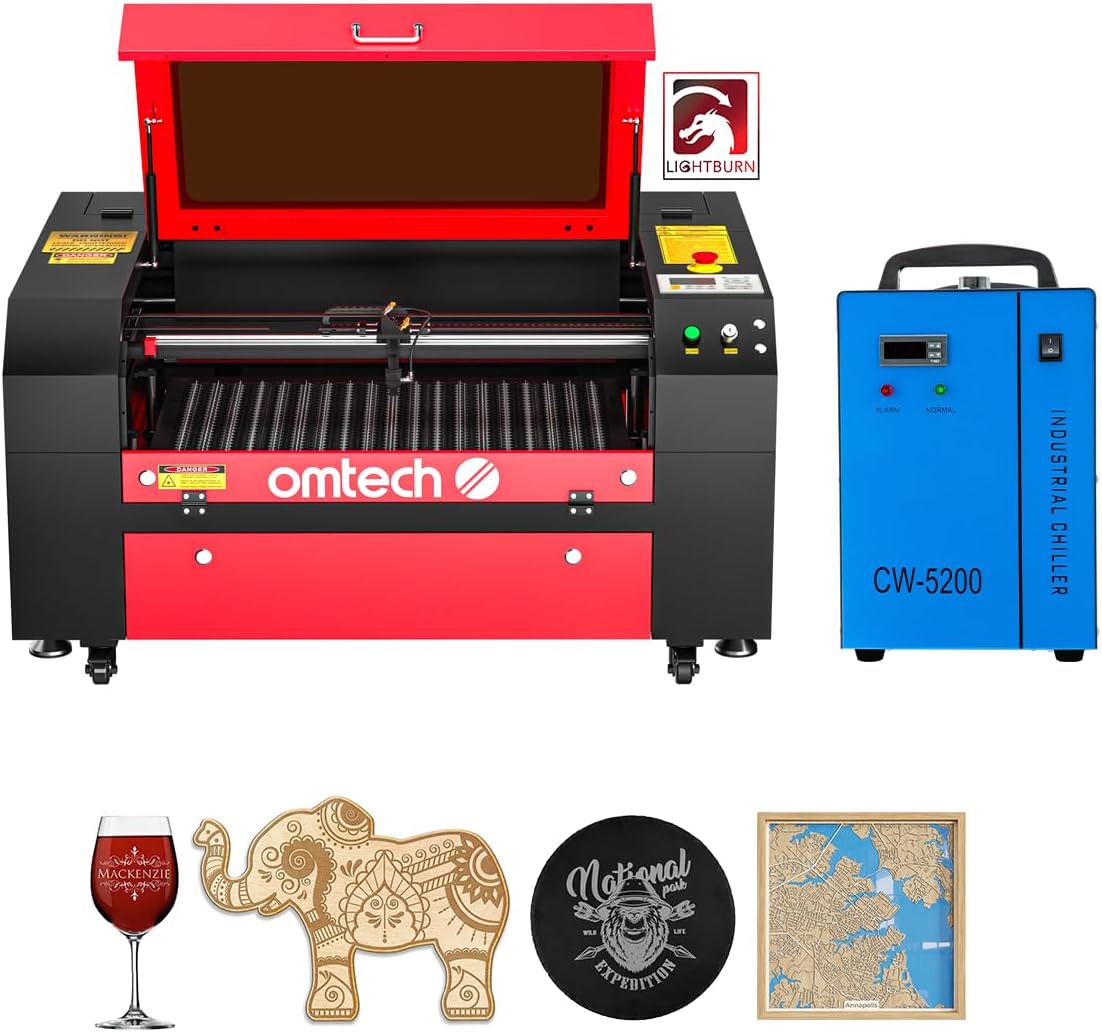
The OMTech Maker 60W CO2 is designed for users who need to handle large items with ease. It comes bundled with LightBurn software and a water chiller to ensure consistent laser performance. The autofocus feature eliminates the guesswork of manual adjustments.
We may earn a commission when you buy through this link, at no additional cost to you.
The spacious 20×28 work area accommodates most projects, including signs and home décor. The four-way pass-through doors allow for longer items that exceed the bed dimensions. This makes it a versatile option for makers working with varied material sizes.
CO2 lasers generally require more maintenance than diode types, but the included chiller extends the tube life. The manual focusing mechanism provides control but takes practice to master for optimal results on different thicknesses.
If you need a machine that can handle larger non-metal materials effectively, this is a solid choice. The combination of large workspace and bundled software makes it a complete package for serious hobbyists and small businesses.
The 20 by 28 inch bed allows for engraving full-size signs without cutting materials down first.
Including LightBurn and a chiller adds significant value and reduces initial setup costs.
We may earn a commission when you buy through this link, at no additional cost to you.
Safety is a primary focus with this model, featuring a certified Class 1 enclosure. It includes a 1.6W light module for precise engraving and an HD camera for visualizing operations. The auto-stop function ensures the laser stops when the enclosure is opened.
We may earn a commission when you buy through this link, at no additional cost to you.
The machine can cut through 20mm wood and 30mm acrylic efficiently. The HD camera supports batch processing, which improves efficiency for users running multiple jobs. The exhaust system helps filter smoke and dust during use.
While the safety features are excellent, the cost reflects these premium inclusions. Users should ensure they have adequate space and power sources for the exhaust system. It is a great option for those prioritizing a safe working environment.
For makers who need a reliable and safe machine for various materials, this is a strong candidate. It balances power with safety protocols to create a secure workspace.
The laser stops automatically when the enclosure is opened, enhancing user protection.
High-performance exhaust filters smoke and dust to keep the workspace clean.
We may earn a commission when you buy through this link, at no additional cost to you.
The xTool F2 Ultra is a powerhouse featuring a dual-laser system with MOPA and diode capabilities. It masters all materials including metals and non-metals with vibrant color engraving on metal. The AI-powered cameras increase positioning accuracy significantly.
We may earn a commission when you buy through this link, at no additional cost to you.
Operating at speeds up to 15,000mm per second, this unit reduces production time. It supports 100 plus consistent colors on metals thanks to its optical system. The desktop footprint is compact yet expandable with a conveyor for batch processing.
The investment is high, but the ability to work on metals with color adds a unique value. The AI features simplify workflow, suggesting settings automatically. It is best suited for professionals who need top-tier versatility and speed.
If you require a machine that can handle metal marking and engraving with precision, this is the top choice. It brings industrial-grade productivity to a desktop environment.
The MOPA fiber laser enables color engraving and deep engraving on metals.
Dual 48MP AI cameras provide 0.2mm positioning accuracy for flawless results.
We may earn a commission when you buy through this link, at no additional cost to you.
This fiber marking machine is designed specifically for high-performance metal engraving. It features a compact size with a lifespan of up to 100,000 hours. The accuracy of 0.01mm ensures precise markings on intricate designs and small text.
We may earn a commission when you buy through this link, at no additional cost to you.
The galvo system allows for maximum speed of 10,000mm per second. It supports deep engraving and cutting on metal sheets. The machine is compatible with LightBurn and includes free software for immediate use.
Due to its specialized nature, it is ideal for businesses focusing on metal items like rings or tools. The small working area limits larger projects but is optimal for detailed work. Maintenance is low due to the long lifespan.
For anyone dedicated to metal marking and engraving, this unit offers reliable performance. It balances speed and accuracy effectively for professional applications.
A 100,000 hour lifespan ensures long-term durability and lower operating costs.
Accuracy of 0.01mm supports highly detailed designs and text on metal.
We may earn a commission when you buy through this link, at no additional cost to you.
The VEVOR 60W CO2 offers a spacious 24×16 inch bed for diverse projects. It includes a four-way pass-through design for longer materials. The machine is compatible with LightBurn and other popular design software for seamless operation.
We may earn a commission when you buy through this link, at no additional cost to you.
Air assist and cooling pumps ensure stable operation and clean cuts. It handles wood, acrylic, and glass effectively. The manual focusing scale helps optimize accuracy for different thicknesses.
The price-to-performance ratio is excellent, making it accessible for hobbyists. However, manual adjustments might take time to perfect. It is not suitable for uncoated metals, so material knowledge is key.
If you need a reliable CO2 machine for non-metals at a competitive price, this is a strong contender. The pass-through design adds versatility for large items.
Four-way pass-through allows feeding long materials through the machine easily.
Compatible with LightBurn, CorelDRAW, and RDWorks for flexible design options.
We may earn a commission when you buy through this link, at no additional cost to you.
This OMTech model features a motorized autolift workbed for precise height adjustments. It includes LightBurn and a water chiller to support the high-performance DC tube. The 20×28 inch bed fits most projects comfortably.
We may earn a commission when you buy through this link, at no additional cost to you.
Air assist and pass-through doors streamline the workflow. It engraves nonmetallic materials up to 0.4 inches deep. The speed of 600mm per second allows for efficient production cycles.
The autolift feature adds convenience by automating focus adjustments. Users should ensure they have adequate ventilation space. It is a robust choice for those who want commercial capabilities.
For makers upgrading to a more automated workflow, this machine is a good fit. It combines ease of use with significant power and workspace.
The autolift workbed can be adjusted up and down at the touch of a button.
Includes LightBurn software and a water chiller for consistent performance.
We may earn a commission when you buy through this link, at no additional cost to you.
The Aliencell X1 Lite is a fast laser cutter with industrial-level speed and accuracy. It features intelligent auto-focus and a large 26×21 inch bed. The preview function simulates engraving with less than 5% deviation to reduce waste.
We may earn a commission when you buy through this link, at no additional cost to you.
It supports LightBurn and Aliencell Space for design control. The Class 1 enclosure ensures safety with multiple flame sensors. US-based support adds reliability for users.
The acceleration allows for sharp results even at high speeds. It is ideal for businesses needing quick turnaround. The cost reflects the advanced tech and larger footprint.
If you prioritize speed and precision, this model delivers exceptional results. It is a modern solution for makers needing efficiency.
Simulates engraving on textures to reduce guesswork and material waste significantly.
Acceleration of 20000mm per second squared ensures clean cuts at high speeds.
We may earn a commission when you buy through this link, at no additional cost to you.
This unit uses a JPT MOPA fiber laser for efficient metal fabrication and color marking. It supports deep engraving and comes with two F-Theta lenses for different working areas. The lifespan is over 100,000 hours for long-term use.
We may earn a commission when you buy through this link, at no additional cost to you.
The manual lift column supports large area options. It is ideal for rings, bracelets, or metal rods. The package includes safety goggles and other essentials. Speed reaches 10,000mm per second for quick production.
The accuracy of 0.01mm ensures detailed text on metals. It is a professional tool requiring knowledge of settings. The value lies in its specialized metal engraving capabilities.
For businesses focused on metal etching, this model provides robust performance. It is a reliable choice for precise industrial applications.
Enables over 100 color markings on metals with precise calibration.
Source lifespan of over 100,000 hours ensures durability.
We may earn a commission when you buy through this link, at no additional cost to you.
Choosing the right 60W laser engraver involves evaluating several key factors to ensure the machine meets your specific project needs and workspace constraints.
Different models use diode, CO2, or fiber lasers. Diode is versatile for wood and acrylic, while CO2 handles non-metals effectively and fiber is ideal for metals. Ensure the 60W output matches the materials you plan to cut regularly.
Look for consistent power delivery to maintain quality across large projects.
Consider the dimensions of your materials. Larger beds reduce the need to cut materials down before engraving. Some models offer pass-through doors for longer items that exceed standard dimensions.
Ensure your workspace can accommodate the machine's footprint and ventilation needs.
Enclosed units provide Class 1 safety by containing radiation. Models with safety locks and flame detectors add an extra layer of protection during operation. Ensure compliance with local safety standards.
Prioritize safety mechanisms if you plan to use the machine in a shared or home office space.
Check if the machine supports popular software like LightBurn or comes with proprietary tools. Compatibility affects workflow efficiency and learning curve. Some models include software licenses in the price.
Ensure the software supports your file formats and offers necessary tools for editing and aligning designs.
Features like autofocus or camera alignment can significantly speed up the setup process. Look for intuitive interfaces and clear documentation. Quick assembly saves time and effort.
A user-friendly design reduces the learning curve for beginners and improves productivity.
Proper cooling extends laser tube life. Air assist systems help clear debris and improve cut quality. Some models include chillers while others require external cooling solutions.
Invest in units with efficient exhaust management to maintain a clean workspace.
Reliable customer support and a clear warranty policy are crucial. Look for lifetime technical support or at least a one-year coverage. Verify local service availability if possible.
A solid warranty protects your investment against manufacturing defects and malfunctions.
Prices vary based on features and materials handled. Balance cost with necessary functionality. Avoid overspending on features you won't use.
Assess long-term value by considering durability and maintenance costs.
Start by calibrating the laser focus and positioning system. Use test cuts on small pieces of your intended material to adjust settings. Proper calibration ensures precise results and prevents material damage.
Maintain the optical components by regularly cleaning lenses and mirrors. Keep the exhaust system clear of debris to ensure efficient ventilation. Dust accumulation can impact performance and safety.
Follow manufacturer guidelines for maintenance schedules. Check for loose screws or worn components periodically. Proper care extends the lifespan of your machine and ensures consistent performance.
Diode lasers like the Falcon2 Pro can mark or lightly cut coated metals, but fiber models are required for serious metal cutting. CO2 lasers generally cannot cut bare metals. Check specific material compatibility before purchasing.
CO2 lasers are better for non-metals like wood and acrylic, while diode lasers are more compact and versatile for lighter cutting. CO2 usually provides larger work areas and faster speeds.
Many come with proprietary software or support LightBurn. LightBurn is widely used for its intuitive interface and broad compatibility. Some models include free software or trial versions.
Always use the enclosed enclosure and safety locks. Wear appropriate eyewear if required. Ensure proper ventilation to remove fumes. Follow all manufacturer safety guidelines strictly.
Regular cleaning of lenses and mirrors is essential. Lubricate rails and screws as needed. Keep the air assist system clear. Perform periodic checks on electrical connections and safety sensors.
Yes, many models like the Falcon2 Pro are designed for batch processing with fast speeds and automation features. The higher power allows for quick cuts and reduced cycle times.
We have reviewed ten top models ranging from diode to fiber and CO2 options. The Creality Falcon2 Pro stands out for safety and versatility. The xTool F2 Ultra offers premium dual laser capabilities for metals.
Prioritize features that align with your primary materials and workflow. Consider safety, software compatibility, and workspace size. A machine that fits your specific needs ensures a smooth start.
Always verify current availability and support terms before buying. These machines are investments that require care. Choose wisely to maximize your creative potential.