
VIMIN 10G PCI-E Network Card
4.5Editor score
Intel X540-T2 Chipset
Dual RJ45 Ports
Flexible PCIe Compatibility
This guide compares the top 10GB Ethernet Card options for speed and compatibility to help you choose the right network upgrade for your setup.
Upgrading your network hardware is essential for modern computing tasks that demand high bandwidth and low latency. A 10GB Ethernet Card provides the necessary speed for large file transfers, server management, and professional media workflows without bottlenecks.
We evaluated ten leading network adapters based on chipset performance, operating system compatibility, and build quality. Each product was reviewed for its ability to handle heavy data loads and integrate seamlessly with existing infrastructure standards.
Every pick highlights specific strengths like dual ports, PCIe efficiency, or advanced cooling. Prices fluctuate often so check the latest deals before purchasing to ensure you get the best value for your specific network requirements.
4.5Editor score

4.2Editor score

4.6Editor score
The following table offers a side-by-side look at the key specifications and features of the top network adapters available today for high-speed data transmission.




The TP-Link TX401 stands out as a top choice for upgrading desktop networking capabilities with its robust 10GBase-T technology. It delivers speeds up to ten gigabits per second which is significantly faster than standard Gigabit connections commonly found in older systems.
We may earn a commission when you buy through this link, at no additional cost to you.
Its versatility shines through automatic negotiation with lower data rates ensuring seamless integration with existing network infrastructure. The included CAT6A cable guarantees you can utilize the full potential of the adapter without bottlenecks from inferior cabling in your setup.
While it requires a PCIe slot which limits portability compared to USB solutions the performance gains for local data transmission are substantial. The low-profile bracket option ensures compatibility with smaller computer cases without sacrificing connectivity.
This card is ideal for users needing reliable high-speed access for gaming or large file transfers. The comprehensive system support and industry leading warranty make it a safe investment for both home and professional environments.
Automatic negotiation ensures this card works with older routers and switches without manual configuration.
QoS technology prioritizes critical data packets to prevent congestion during peak usage times.
We may earn a commission when you buy through this link, at no additional cost to you.
VIMIN offers a compelling budget option with its dual RJ45 ports powered by the reliable Intel X540-T2 chipset. This configuration allows for high-speed data transmission ideal for servers and high-end devices requiring stable network connections.
We may earn a commission when you buy through this link, at no additional cost to you.
The card accommodates flexible PCIe slots including x8 and x16 making it adaptable for various server and desktop configurations. Users benefit from excellent heat dissipation features that maintain optimal temperatures during heavy network usage.
While it lacks support for intermediate speeds like 2.5Gbps the reliability of the Intel controller ensures consistent performance. The choice of standard and slim brackets further enhances its versatility across different hardware environments.
This adapter is a strong candidate for those needing dual connections without breaking the bank. Its stability and broad compatibility make it suitable for enterprise environments and advanced home labs.
Two ports allow for link aggregation or separate network segmentation for better organization.
Integrated heat sink prevents overheating ensuring consistent performance under heavy loads.
We may earn a commission when you buy through this link, at no additional cost to you.
Synology delivers a premium solution designed specifically for its own NAS systems to ensure maximum efficiency and ease of use. The two 10GbE ports support high-performance storage applications that demand consistent and fast data access.
We may earn a commission when you buy through this link, at no additional cost to you.
The adapter automatically negotiates between speeds to optimize connections based on available infrastructure. This seamless integration minimizes configuration headaches and ensures your storage system performs at its peak capacity.
Although it carries a higher price tag the robust build quality and extensive warranty coverage justify the investment for professional users. The specialized design means it works flawlessly within the Synology ecosystem without driver conflicts.
This product is best suited for Synology users requiring a significant upgrade in network bandwidth. Its reliability and performance make it a top choice for critical storage environments.
Tailored drivers and firmware ensure perfect integration with Synology DiskStation Manager software.
A five-year warranty provides peace of mind for long-term enterprise storage investments.
We may earn a commission when you buy through this link, at no additional cost to you.
Asus provides a network card that focuses on delivering hyper-fast data transfer speeds suitable for bandwidth-demanding tasks. The built-in QoS technology allows users to prioritize specific data packets to ensure smooth online experiences.
We may earn a commission when you buy through this link, at no additional cost to you.
Full compatibility with current network standards means you can connect easily without worrying about speed mismatches. This flexibility ensures the card works well with a wide range of switches and routers you might already own.
Support for both Windows and Linux makes this adapter a versatile choice for diverse computing environments. The RJ45 port allows you to upgrade your desktop quickly using standard copper network cables.
Gamers and power users looking for reduced latency will find this card beneficial. Its focus on prioritization helps maintain stability during intense network activity.
QoS allows you to set rules that give your game or critical app bandwidth priority.
Supports multiple OS versions ensuring it works with your current operating system.
We may earn a commission when you buy through this link, at no additional cost to you.
10Gtek offers a robust solution for server environments with its original Intel X540 controller chip. This chipset supports intelligent offloads which reduce CPU load and increase overall system stability for demanding workloads.
We may earn a commission when you buy through this link, at no additional cost to you.
The dual copper RJ45 ports allow for versatile connections using standard Category-6A cabling for distances up to 100 meters. This is ideal for data center environments where physical cable length matters significantly.
While Windows 11 support requires manual setup the card is widely compatible with various Windows Server and Linux versions. The included low profile bracket ensures it fits into smaller form factor cases easily.
This card is a solid choice for IT professionals managing storage or virtualization tasks. Its stability and extensive support make it a reliable component for critical infrastructure.
Offloading network tasks from the CPU improves performance for virtualized applications.
Low profile bracket included allows use in compact servers and workstations.
We may earn a commission when you buy through this link, at no additional cost to you.
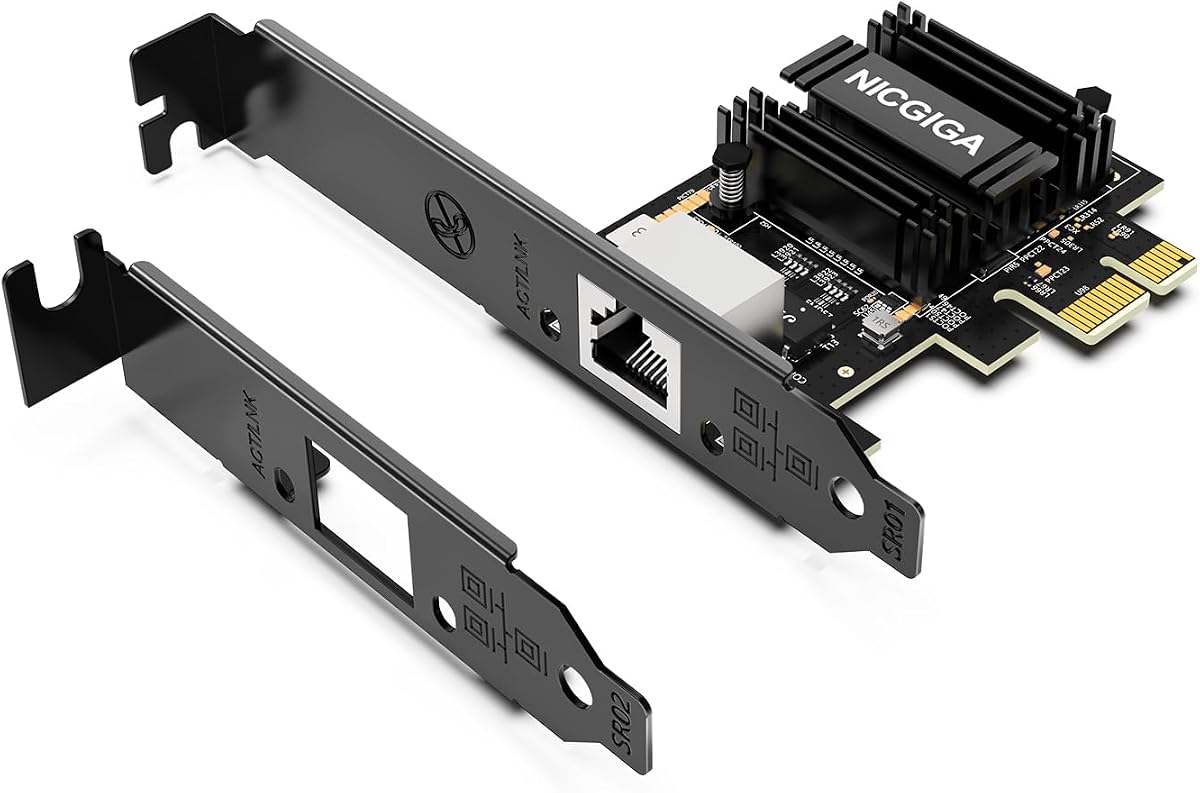
NICGIGA leverages the latest Realtek RTL8127 controller to deliver blazing-fast speeds while maintaining efficiency. The 4.0 x1 interface fits easily into standard x1 slots without occupying GPU lanes for compact systems.
We may earn a commission when you buy through this link, at no additional cost to you.
Its multi-gig auto-negotiation ensures seamless compatibility with routers and NAS systems using standard Cat6a cables. This feature simplifies upgrades by allowing flexible speed negotiation based on your network hardware.
The ultra-efficient chipset generates significantly less heat than older models ensuring non-stop stability during long sessions. This makes it an excellent choice for home labs where silence and temperature are concerns.
Small form factor builders will appreciate how this card fits into Mini PCs without bulk. Its performance and power efficiency make it a smart choice for modern compact workstations.
The chipset design reduces heat and power draw making it ideal for quiet environments.
PCIe 4.0 x1 ensures maximum speed without hogging other high-bandwidth slots.
We may earn a commission when you buy through this link, at no additional cost to you.
VunLink provides a high-speed networking solution powered by the Realtek RTL8127 chipset. It supports up to 10Gbps connectivity which is perfect for NAS servers and workstations needing reliable data access.
We may earn a commission when you buy through this link, at no additional cost to you.
The card handles auto-negotiation seamlessly allowing for smooth integration with existing network infrastructure. This ensures you get the optimal speed based on your connected equipment without manual tweaking.
Designed with a PCIe 4.0 x1 interface it maximizes slot efficiency for compact builds and ITX systems. The advanced controller is engineered for lower power consumption and reduced heat output over time.
This adapter is a great choice for home labs and media editing setups. Its efficiency and ease of installation make it a practical upgrade for many desktop computers.
The card automatically adjusts speed to match your router ensuring no configuration needed.
Fits in small x1 slots while still delivering full 10GbE performance capabilities.
We may earn a commission when you buy through this link, at no additional cost to you.
Asus offers a specialized adapter that supports fiber optic technology for high-speed transmissions over greater distances. The SFP+ cage allows for both fiber optic and Direct-Attach copper connections making it very versatile.
We may earn a commission when you buy through this link, at no additional cost to you.
Blazing fast 10 Gbps speeds complete networking tasks quickly ensuring your workstation can keep up with demanding workflows. The built-in cooling system keeps the card cool during high performance tasks to prevent throttling.
Automatic prioritization boosts bandwidth to important streams or games enhancing the user experience. This feature helps manage traffic effectively during busy times on your network.
Users needing distance capabilities or interference-free links will find this card valuable. Its design and features make it a strong option for professional environments.
SFP+ support allows you to use fiber for noise-free long-distance connections easily.
Aluminum heatsink keeps the card cool even during sustained heavy data transfer.
We may earn a commission when you buy through this link, at no additional cost to you.
TRENDnet provides a reliable network adapter that meets strict compliance standards for government customers. The NDAA and TAA compliant status ensures it meets requirements for U.S. and Canadian procurement needs.
We may earn a commission when you buy through this link, at no additional cost to you.
The PCIe Gen 2 3.0 x4 interface converts slots into a 10G Ethernet port supporting various speeds including 2.5G and 5G. LED indicators help you monitor connection status effectively for quick troubleshooting.
With 3 years of manufacturer protection this product stands by its quality and durability. The included brackets support most installations making it a convenient option for many system upgrades.
This adapter is a great choice for public sector projects or compliant networks. Its reliability and broad system support make it a dependable addition.
Compliance with NDAA and TAA makes it safe for regulated government installations.
LED indicators allow easy visual checks of link status and speed activity.
We may earn a commission when you buy through this link, at no additional cost to you.
Cable Matters offers a unique portable solution for those needing wired networking on USB-C devices. It supports 10G/5G/2.5G speeds making it great for NAS access and large backups without opening a laptop.
We may earn a commission when you buy through this link, at no additional cost to you.
The advanced chipset ensures efficient power use and minimal heat in typical operation. This design addresses common heat concerns with 10GbE adapters ensuring cool and reliable performance on the go.
The rugged aluminum housing with integrated thermal silicone helps dissipate heat and withstand daily wear. A braided USB-C pigtail cable adds strength and flexibility to prevent fraying during travel.
Mobile workstations will find this adapter valuable for maintaining wired stability. Its ease of use and durable build make it a smart portable networking choice.
USB-C form factor allows you to upgrade connectivity on laptops without internal changes.
Aluminum housing and braided cable ensure the adapter survives travel and daily use.
We may earn a commission when you buy through this link, at no additional cost to you.
Selecting the right network adapter involves considering your system's slot availability and your specific speed needs.
Ensure your computer has a free PCIe slot that matches the card's requirements. Some cards need x4 or x8 lanes while others work in x1 slots. Check your motherboard manual to avoid installation conflicts.
Verify the available slots on your motherboard before purchasing to ensure physical compatibility and bandwidth support.
Different adapters support different versions of Windows and Linux. Some require manual driver installation for newer OS versions like Windows 11. Always check the manufacturer's list to confirm support for your system.
Review the official compatibility list to ensure seamless driver support for your current operating system version.
Decide if you need full 10Gbps speeds or if lower multi-gig options suffice. This impacts your cable choice and router compatibility. Higher speeds require Cat6a or Cat7 cables for optimal performance.
Determine your bandwidth needs based on your internet plan and local transfer requirements before buying.
Some cards offer dual ports for redundancy or segmentation while others have single ports. Dual ports allow link aggregation to increase throughput. Choose based on whether you need multiple connections for your network.
Select single or dual ports based on whether you need backup links or separate network segments.
Look for cards with heat sinks or aluminum housings to manage temperature during heavy loads. Overheating can lead to instability or throttled speeds. A well-built card ensures consistent performance under pressure.
Prioritize models with active or passive cooling solutions to maintain stability during continuous data transfer.
Most 10Gbps connections require Cat6a or Cat7 cables to function correctly. Standard cables might cap speeds at 1Gbps. Check if the adapter comes with a cable to save money and hassle.
Confirm you have the correct cabling to fully utilize the high-speed capabilities of the adapter.
A good warranty protects your investment against defects and ensures long-term reliability. Manufacturers offering lifetime tech support can help resolve driver issues quickly. This peace of mind is valuable for professional setups.
Choose brands with strong warranty terms and accessible technical support for long-term network reliability.
Government or enterprise clients may need NDAA or TAA compliant hardware. These certifications ensure the hardware meets specific procurement standards. If you are in a regulated sector this factor is critical.
Check for compliance certifications if your project requires adherence to specific government procurement standards.
Install the card by turning off your computer and opening the case. Find a free PCIe slot and insert the card firmly until it clicks. Secure it with the bracket screw to ensure a stable connection.
Download the latest drivers from the manufacturer's website before connecting the Ethernet cable. Install them on your operating system and restart the computer. This ensures the system recognizes the hardware correctly.
Connect your Cat6a or Cat7 cable to the port and plug the other end into a switch or router. Check your network settings to confirm the connection speed is set to 10Gbps. Monitor temperatures regularly to maintain health.
Yes you generally need Cat6a or Cat7 cables to achieve full 10Gbps speeds. Standard Cat5e cables will limit your speed to 1Gbps. Ensure your cabling meets the requirements for high-speed data transmission.
It will work but speed depends on the router capabilities. If your router is Gigabit the card will negotiate down to 1Gbps. You need a 10G switch or router to utilize the full speed of the card.
Absolutely it is excellent for local transfers like moving large media files between servers. It does not require internet upgrades to function effectively. The card handles local traffic efficiently without latency issues.
Modern Linux kernels often support these cards natively but older versions may need manual installation. Check the manufacturer site for specific kernel version compatibility. Most users report plug-and-play success on updated distributions.
Most are for desktops but some models offer USB-C options for laptops. Internal PCIe cards require laptop-specific slots which are rare. Look for portable USB-C adapters if you need laptop support.
Power draw varies but newer chips are more efficient than older ones. Most PCIe cards draw less than 5W from the slot. This is minimal for standard desktop systems without needing extra power cables.
The TP-Link TX401 offers great value for most users with its included cable and broad support. The VIMIN dual port card is a strong budget pick for servers needing multiple connections. Synology adapters provide the best integration for NAS users.
Prioritize compatibility with your motherboard and operating system to avoid headaches later. Choose a model that matches your specific speed needs whether it is gaming or professional storage.
Prices for network hardware change often so check the latest deals before purchasing. This ensures you get the best value for your specific network requirements without overspending.