
EMEET C960 1080P Webcam with Microphone
4.4Editor score
1080P video with cover
Built-in 2 Omnidirectional Mics
Automatic Light Adjustment
This guide compares the top 1080p webcams for streaming and meetings, reviewing video quality, audio performance, and privacy features for every budget.
Finding the right webcam is crucial for professional meetings and streaming. A good 1080p webcam ensures you look clear and sharp during calls. Look for models with reliable autofocus, clear microphones, and privacy covers for security.
We compared ten top-rated 1080p webcams based on image quality, audio clarity, and ease of use. Each product was evaluated for its performance in video calls and streaming scenarios to help you choose wisely.
Each pick shows unique strengths like budget-friendly pricing or advanced features. Prices and availability change frequently, so check the latest details before buying. Read our full analysis to find the perfect camera for your setup.
4.4Editor score

4.6Editor score

4.4Editor score
Compare all ten models side-by-side to find the perfect webcam for your needs. This table highlights key specs for each device.



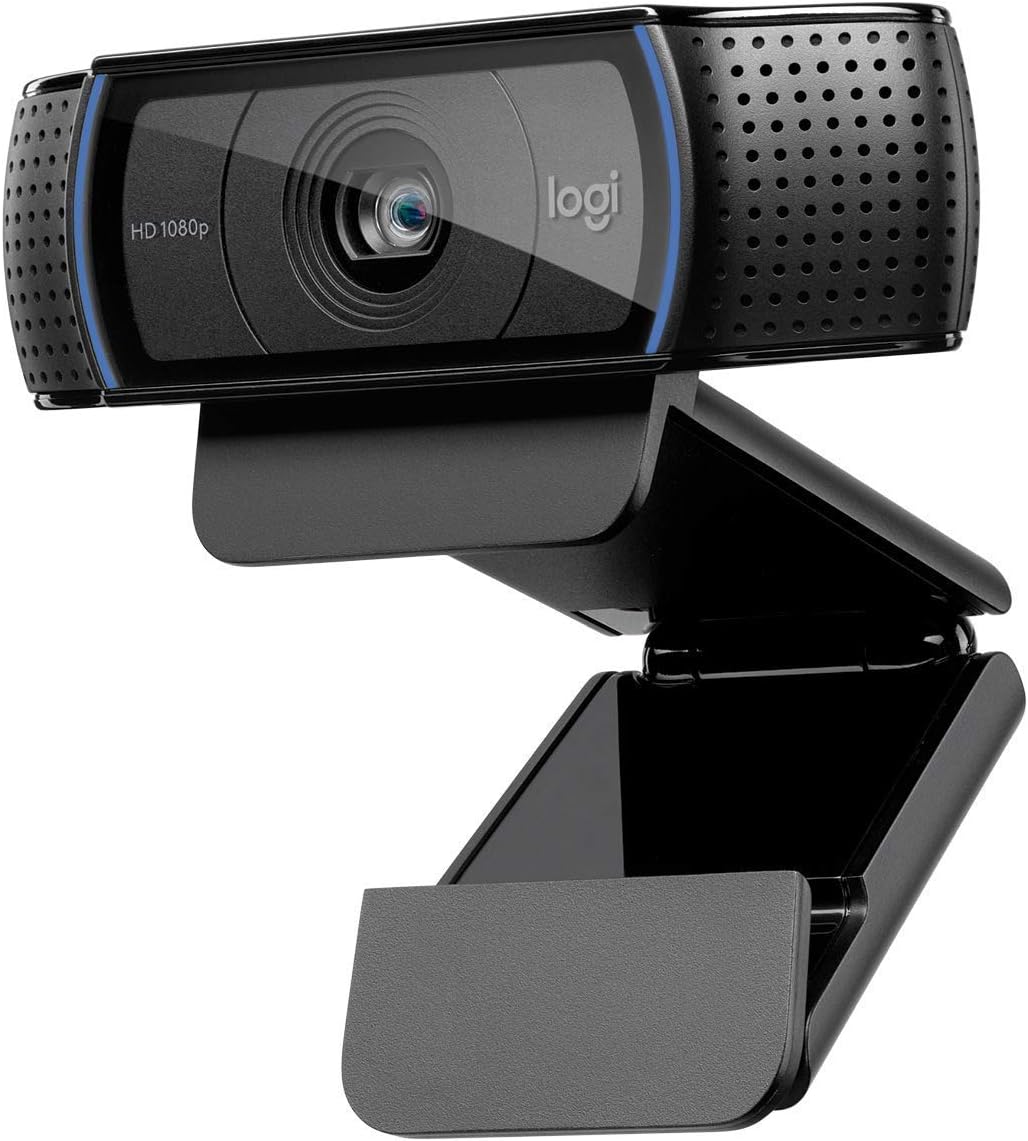


The Logitech C920x HD Pro PC Webcam stands out as a top choice for video calls. It delivers crisp 1080p video at 30fps, ensuring you look sharp during meetings. Its dual mics provide natural sound, making it a reliable tool for professionals and streamers.
We may earn a commission when you buy through this link, at no additional cost to you.
This webcam excels in lighting conditions. Its autofocus and HD lighting adjustment ensure you look good even in dim environments. The stereo audio with dual mics captures clear sound, reducing the need for extra speakers. This makes it ideal for desktop or laptop setups.
While the C920x is powerful, it lacks a built-in privacy shutter, which might be a concern for some users. Additionally, the price point is higher than budget options. However, the quality justifies the cost for those needing dependable performance.
If you need a webcam that looks and sounds great, the C920x is a solid pick. It works well with Windows 11 and major video platforms. For professionals wanting to impress, this model offers the clarity and audio you need.
The C920x ensures your video and audio meet professional standards with advanced adjustments.
Works seamlessly with Windows 11 and major video calling apps without extra setup.
We may earn a commission when you buy through this link, at no additional cost to you.
The EMEET S600 offers premium features including 4K streaming and advanced autofocus. Its 1/2.55'' sensor delivers crisp images far beyond standard webcams. For creators wanting top-tier quality, this camera is a strong contender with flexible resolution options.
We may earn a commission when you buy through this link, at no additional cost to you.
Its PDAF autofocus ensures sharp focus quickly, while auto light balance handles shadows and highlights. The privacy cover adds security, and the rugged design ensures durability. Customizable FOV lets you focus on yourself or include more background as needed.
The S600 is an investment, costing more than basic models. Some advanced customization requires EMEETLINK software. If you need 4K clarity and robust features, these trade-offs are worth it. It suits serious streamers and content creators best.
For those seeking high-end performance, the S600 delivers stunning visuals and audio. It’s ideal for gaming or professional content creation. Its privacy and build quality make it a premium choice for demanding users who value quality.
The S600 provides 4K and 1080p options with superior autofocus for sharp streaming.
Features a rugged build, adjustable angles, and a built-in privacy cover for security.
We may earn a commission when you buy through this link, at no additional cost to you.
The EMEET C960 offers solid 1080p video at a budget-friendly price. It includes a privacy cover and dual microphones for clear audio. For casual users and small businesses, it delivers reliable performance without breaking the bank.
We may earn a commission when you buy through this link, at no additional cost to you.
Its 90° wide-angle lens captures more of your surroundings, ideal for small meetings. Automatic light adjustment helps in varying lighting conditions. The USB connectivity is straightforward, making it easy to use with Windows or macOS.
Fixed focus is a limitation if you move often during calls. Some users find the software settings tricky. However, for static setups, it performs well. The affordable price makes it a great entry-level choice for most home offices.
If you need an affordable webcam that looks good and works reliably, the C960 is ideal. It covers essentials like privacy and audio well. This model is perfect for those needing a simple, functional camera for calls and chats.
The C960 provides 1080p video and privacy cover at a very accessible price.
A 90° lens captures more people without needing extra adjustments during meetings.
We may earn a commission when you buy through this link, at no additional cost to you.
The Logitech Brio 101 brings reliable 1080p video to meetings and streaming. Its Auto-Light Balance helps you look sharp in varying lighting. A privacy slide ensures security, and it works seamlessly with platforms like Zoom and Teams.
We may earn a commission when you buy through this link, at no additional cost to you.
This webcam is made with recycled plastic, appealing to eco-conscious users. The built-in mic is clear enough for most calls. The Plug-And-Play setup means no drivers are needed. It is a practical choice for home office use.
The USB A connection may not work with all laptops without an adapter. Customizing zoom or framing requires the Logi Options+ app. However, these are minor drawbacks for a well-rounded device at a reasonable price point.
For users needing a dependable webcam with privacy and eco-friendly features, the Brio 101 is strong. It balances performance and cost well. This model suits those wanting a trusted brand without high-end costs.
RightLight technology improves your video in low or uneven lighting automatically.
Made with 77% post-consumer recycled plastic for sustainability.
We may earn a commission when you buy through this link, at no additional cost to you.
The Logitech C920S HD Pro Webcam offers sharp 1080p video and a privacy shutter for security. It uses a glass lens for crisp images and includes dual mics for natural sound. This model is trusted for professional video calls.
We may earn a commission when you buy through this link, at no additional cost to you.
Its HD autofocus and light correction keep you visible in different lighting. The stereo audio ensures voices are clear on both ends. With a snug privacy cover, it adds peace of mind for remote workers. It is easy to set up.
The C920S lacks the XSplit VCam license, limiting background removal. The fixed cable may restrict placement options. Despite this, it remains a reliable choice. It suits those needing standard features without extra software needs.
For a trusted webcam with strong basic performance, the C920S is ideal. It covers video, audio, and privacy well. This model is perfect for users wanting dependable quality from a known brand without complexity.
Glass lens and HD autofocus deliver sharp, crisp 1080p video for calls.
The privacy shutter gives control over when the camera is active.
We may earn a commission when you buy through this link, at no additional cost to you.
The Logitech C920e is certified for Zoom and Microsoft Teams, making it ideal for business use. It offers a fixed field of view to frame users well and captures clear audio. The privacy screen ensures security during breaks.
We may earn a commission when you buy through this link, at no additional cost to you.
Its dual omnidirectional microphones pick up voices clearly within a meter. Built-in autofocus and light correction help you stay visible. The clip mount is sturdy, and tripod threads add versatility. It integrates well in workplaces.
The fixed FOV means less flexibility for dynamic setups. The price reflects its business certification. For teams needing reliability, this is a good fit. It suits corporate or enterprise environments better than personal home use.
If you need a webcam guaranteed to work with business apps, the C920e is strong. It provides consistent video and audio. This model is perfect for offices wanting certified gear for smooth meeting experiences.
Certified for Zoom and Microsoft Teams for seamless workplace integration.
A sturdy clip and tripod threads ensure the camera stays securely mounted.
We may earn a commission when you buy through this link, at no additional cost to you.
The Logitech C920 HD Pro is a classic webcam trusted for its reliable 1080p video. It works well on desktops and laptops with a simple clip mount. Its widescreen calling ensures clear visuals, making it a staple for years.
We may earn a commission when you buy through this link, at no additional cost to you.
While older, it still performs well for standard calls. It offers decent audio and sharp focus. The design fits most setups. For basic needs, it provides value without complexity. It suits users wanting a no-fuss solution.
It lacks newer tech like advanced light adjustment. Features might seem limited compared to modern cams. Still, it is durable and easy to use. For simple video needs, it remains a solid choice with proven performance.
If you need a dependable camera without advanced features, the C920 works well. It is easy to set up and use. This model is perfect for those wanting a simple, effective tool for daily meetings.
The C920 offers consistent 1080p video that works well for years.
Plug-and-play functionality makes it ready to use without extra drivers.
We may earn a commission when you buy through this link, at no additional cost to you.
The Logitech Brio 105 is a budget-friendly business webcam with auto-light balance. It offers clear video and includes a privacy cover for security. For companies needing affordable gear, it delivers reliable performance for remote work.
We may earn a commission when you buy through this link, at no additional cost to you.
Its plug-and-play setup simplifies deployment. It works well with Chromebooks and major platforms. RightLight 2 improves image quality in bad lighting. This model is great for employees needing a secure and simple device.
It lacks advanced settings or premium features. Basic users may find it limiting. For standard calls, it is sufficient. The value is strong for businesses wanting uniform gear without high costs.
For teams needing an affordable and secure webcam, the Brio 105 fits well. It covers essentials like privacy and light. This model is perfect for offices prioritizing simplicity and cost-effectiveness over advanced features.
The Brio 105 delivers solid quality at a price suitable for business budgets.
An integrated webcam cover protects privacy during remote work.
We may earn a commission when you buy through this link, at no additional cost to you.
The NexiGo N60 delivers sharp 1080p video and a noise-cancelling mic. Its privacy cover helps protect against unwanted viewing. It works well with major video platforms, making it ideal for remote workers and students.
We may earn a commission when you buy through this link, at no additional cost to you.
The mic reduces ambient noise for clearer calls. The cover adds security when offline. Its glass lens focuses well at standard distances. Setup is simple, with no drivers needed for most systems.
It is not compatible with consoles like Xbox or PS5. Software controls are limited for power users. For general video, it performs reliably. The price is reasonable for the features provided.
For users wanting a secure and clear webcam, the N60 is a good choice. It balances privacy and quality well. This model is perfect for those needing a reliable tool for calls and meetings.
The built-in mic reduces background noise for better call clarity.
A privacy cover allows quick access to secure your lens when not in use.
We may earn a commission when you buy through this link, at no additional cost to you.
The Logitech Brio 100 (Renewed) offers full HD video at a low price. It provides a wide field of view and a built-in mic for calls. Its plug-and-play setup makes it easy to use with popular apps.
We may earn a commission when you buy through this link, at no additional cost to you.
As a renewed item, it is a budget-friendly way to get Logitech quality. The 58° FOV captures more background. It works with most conferencing tools. For casual users, it meets needs without high costs.
It lacks advanced tech like privacy covers. Renewed units may have minor wear. For basic meetings, it is sufficient. It is a good option for those wanting a known brand at a discount.
If you need an affordable and simple webcam, the Brio 100 Renewed fits. It offers clear video and easy setup. This model is perfect for users needing a basic tool for everyday video calls.
The renewed Brio 100 provides HD video at a budget-friendly cost.
A 58° field of view captures more of your surroundings in frames.
We may earn a commission when you buy through this link, at no additional cost to you.
Choosing a webcam depends on your needs and setup. Here are key factors to consider.
1080p is the standard for HD video, offering clarity for meetings and streaming. Ensure the camera supports this resolution at 30fps for smooth motion. Higher resolution models like 4K exist but cost more.
For most users, 1080p is enough. Check that the webcam meets this standard to avoid blurry images.
Built-in mics should capture clear audio without background noise. Look for dual mics or noise-canceling features. Good audio ensures you are heard clearly during calls.
Prioritize webcams with good audio if you don't use a separate mic. Noise reduction helps focus on your voice.
Privacy covers or shutters protect you from unauthorized access. Some models include these as a slider or flap. This is essential for security and peace of mind.
Always check if a privacy feature is included. It adds a layer of protection for your workspace.
Good autofocus keeps you sharp as you move. Light adjustment helps in dim rooms. These features ensure you look good in various settings.
Look for models with light balance and autofocus. They reduce shadows and keep focus clear.
Ensure the webcam works with your OS and apps like Zoom or Teams. Most are plug-and-play with USB. Check specific requirements for your devices.
Verify compatibility before buying. It avoids driver issues and setup problems.
Budget models offer basic quality, while premium ones add features. Determine what you need and compare. Higher price may mean better longevity or quality.
Balance cost with your needs. A mid-range webcam often offers the best value.
FOV determines how much of your room the camera captures. A wider view helps in group calls. Standard ranges are 78° to 90°.
Choose based on your setup. Wider FOVs fit more people in frame easily.
Plug-and-play models save time and effort. Some require software for advanced settings. Simple setup helps start calls quickly.
Prioritize easy setup if you want to avoid technical steps. Most modern webcams work instantly.
Start by connecting the webcam to a USB port on your computer. Wait for it to be recognized and install drivers if needed. Select the device in your video app for video and audio.
Position the webcam at eye level for the best angle. Avoid direct light behind you to reduce shadows. Adjust the view if the model allows it.
Keep the lens clean by gently wiping it with a soft cloth. Store it in a safe place when not in use. Regular care ensures longevity and better image quality.
Yes, 1080p is still the standard for clear video calls. Most platforms support it well, and it offers good quality without heavy bandwidth use. It remains a solid choice for work and casual use.
Most models support macOS 10.14 or higher. Check compatibility before buying. Many are plug-and-play, so you can start using them immediately with apps like FaceTime.
Most USB webcams require a PC or laptop. Some support Android TV but not standard TVs. Check product details for TV compatibility before purchasing to ensure proper function.
A 78° to 90° FOV is standard. Wider views fit more people. Choose based on if you want close-up or group coverage.
Some do, some don't. The EMEET C960 and Logitech C920S have covers. Always check product specs if privacy is a priority for your setup.
Renewed models offer lower prices but may lack original packaging. Check ratings and return policies. The Logitech Brio 100 Renewed has good user feedback.
The Logitech C920x, EMEET C960, and EMEET S600 lead in performance. They balance features and cost well for most users.
Prioritize video quality and audio clarity for best results. Privacy features add security, especially for home offices.
Check current prices and stock before buying. Deals change often, so review the latest details on product pages.