
Yealink Sp92 Conference Speaker
4.1Editor score
AI noise cancelling for clear calls
Ultra portable design with carrying case
20 hours battery life per charge
This guide compares the top Bluetooth speakerphones for home offices, evaluating audio clarity, connectivity options, and battery life to help you choose the
Choosing the right Bluetooth speakerphone for your home office is essential for maintaining professional communication standards during remote work. Clear audio ensures that every word is heard without distractions, fostering better collaboration across teams and clients alike.
We compared ten leading models based on microphone quality, noise cancellation capabilities, connectivity options, and overall user experience. Each product was analyzed for its ability to transform any space into a functional meeting room with reliable performance.
Each pick highlights key features and real-world performance metrics to help you make an informed decision. Please note that pricing and availability can change frequently, so always check the latest details before purchasing your ideal conference device.
4.1Editor score
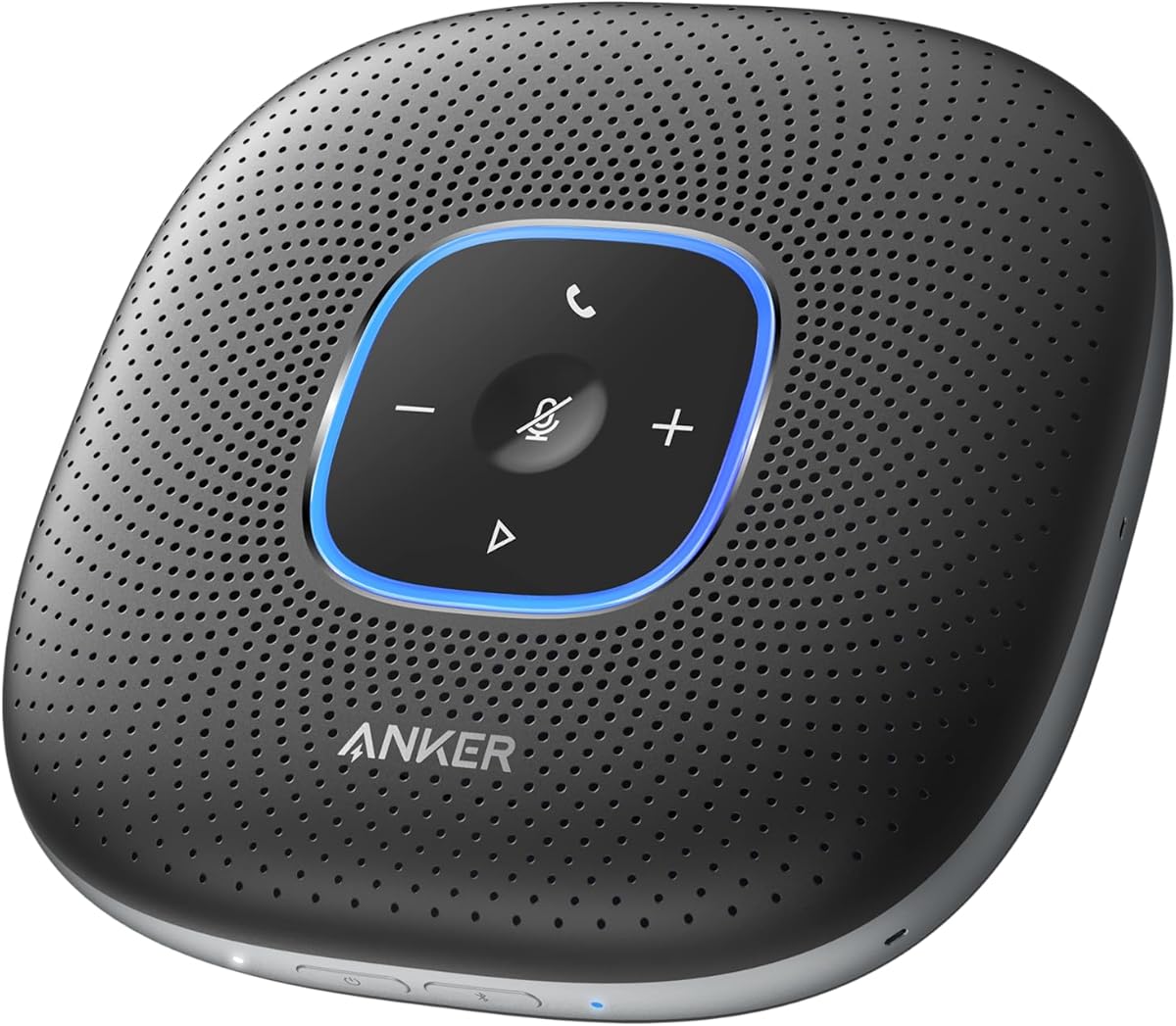
4.4Editor score

4.6Editor score
This side-by-side comparison highlights the unique strengths of each device, helping you weigh audio quality against portability and specific platform certifications to find the perfect fit for your workspace needs.

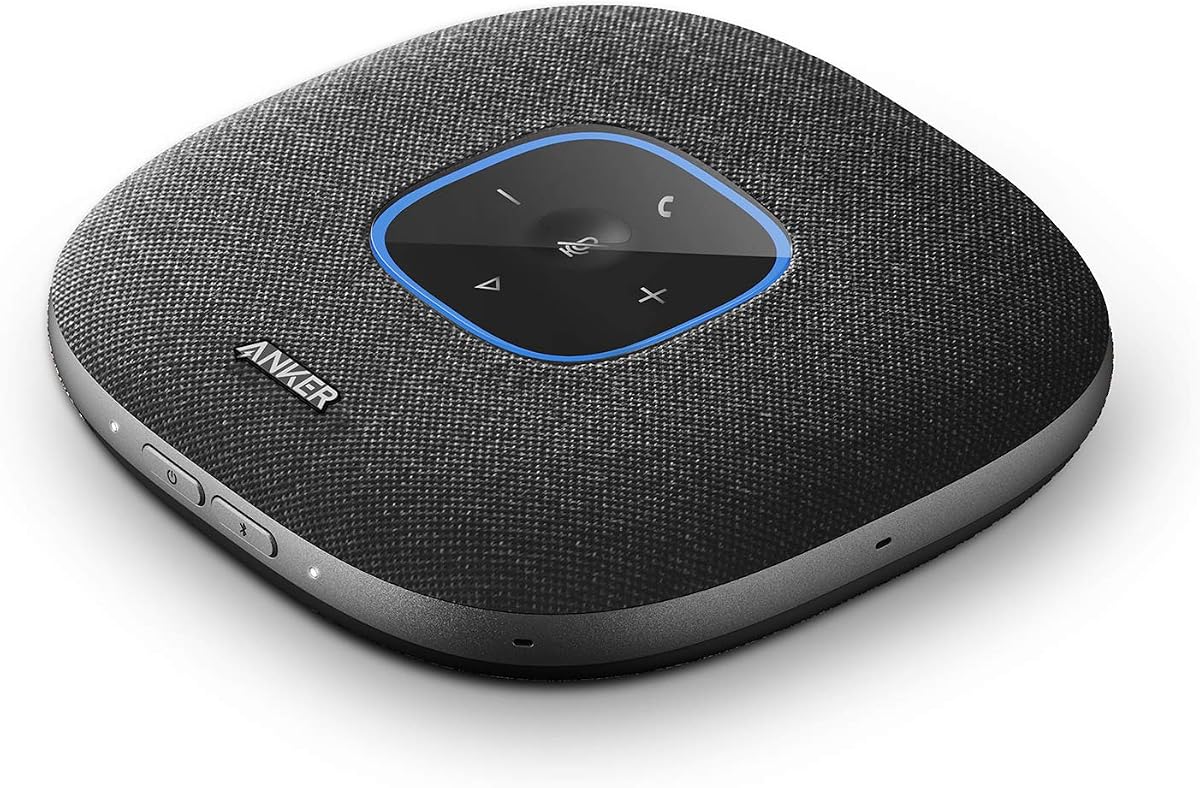


The Anker PowerConf Speakerphone stands out as a top tier solution for home office professionals. It received a 4.4 rating from users who appreciate its Zoom certification and exceptional audio performance. This device transforms any room into a meeting space effectively.
We may earn a commission when you buy through this link, at no additional cost to you.
Its standout feature is the Voice Radar 3.0 Technology which uses AI deep learning to cancel echo and detect multiple speakers. The six microphones arranged in a 360-degree array ensure voices from any direction are picked up with balanced volume and clarity.
While the price is higher than entry level options, the performance justifies the cost for frequent callers. The battery life is sufficient for extended usage, but the unit is physically large which might clutter smaller desks.
We recommend this to users who prioritize audio quality and platform certification above all else. If you need reliable conference calls without technical friction, this is an excellent investment for your workspace.
The optimized clarity and volume settings automatically balance voices to ensure consistent sound levels regardless of distance from the device.
Connect to your phone via Bluetooth or to your computer with a USB-C cable without needing to install any drivers.
We may earn a commission when you buy through this link, at no additional cost to you.
The Anker PowerConf S330 offers a straightforward approach to conference calling with a strong focus on wired stability. With a 4.4 rating, users find it provides professional audio quality without the complexity of wireless pairing issues.
We may earn a commission when you buy through this link, at no additional cost to you.
It features Smart Voice Enhancement to eliminate background noise while enhancing voices for a professional meeting experience. The connection is via USB-C with a standard adapter included, offering a reliable experience for laptop and desktop users.
While it is not as versatile as Bluetooth models, it is excellent for dedicated desks where cables are acceptable. The lack of a built-in battery means it relies entirely on power from your connected device.
This model is best suited for stationary workstations where consistent connectivity is key. If you want a no-nonsense speakerphone that just works when plugged in, this is a solid choice.
Connect via USB-C and join meetings in an instant with a wired connection that offers a stable and reliable speakerphone experience.
A 1.75-inch driver paired with 2 passive bass-radiators adds body and depth to both meeting audio and music.
We may earn a commission when you buy through this link, at no additional cost to you.
The Anker PowerConf S3 builds on the brand reputation with advanced DSP algorithms for real-time voice optimization and noise reduction. It earned a 4.4 rating from users who value crystal-clear audio and simultaneous speaker support.
We may earn a commission when you buy through this link, at no additional cost to you.
With a 6-microphone array, it offers 360-degree voice pickup and ensures that no words are skipped even with simultaneous speakers. The app control allows for deeper customization of settings to suit your specific environment needs.
It balances high-end features with practical battery life, offering 24 hours of call time per charge. However, the reliance on a dedicated app for some features might not appeal to users seeking minimal software dependencies.
Ideal for tech-savvy users who want control over their audio settings, this device excels in complex meeting environments. If you need a flexible tool for dynamic discussions, this fits the bill well.
Hear every word of online meetings, with no words skipped even with simultaneous speakers during double talk scenarios.
Voice volume is automatically balanced to make up for differences in loudness and distance from the speakerphone.
We may earn a commission when you buy through this link, at no additional cost to you.
The Jabra Speak 510 (2025 Edition) continues to be a reliable choice for those who value simplicity and portability. Its 4.7 rating indicates strong user approval for its clear audio and hassle-free setup process.
We may earn a commission when you buy through this link, at no additional cost to you.
This device gets you started with meetings in no time thanks to its easy-to-use design. Whether you connect via Bluetooth or USB, it offers flexibility to work with your laptop or smartphone effortlessly.
While it lacks some advanced noise cancellation features of newer models, its core function of delivering sharp sound remains strong. The design lets you carry high-quality sound with you for on-the-go meetings effectively.
We suggest this to users who prefer straightforward tools without complex settings. If you need a portable device that works well with almost any device, this is a safe bet.
This portable conference speaker gets you started with your meetings in no time, hassle-free and with ease.
Connect your way with Bluetooth or USB to stay flexible with your laptop or smartphone during calls.
We may earn a commission when you buy through this link, at no additional cost to you.
The Yealink Sp92 Conference Speaker offers an accessible entry point for those seeking AI noise cancellation without breaking the bank. With a 4.1 rating, it delivers exceptional audio quality and filters over 1,000 noises for accurate speech reproduction.
We may earn a commission when you buy through this link, at no additional cost to you.
Equipped with an omnidirectional mic and 50mm speaker, it provides clear audio pickup within a 13ft radius designed for small teams. The ultra-portable design weighing just 276g makes it easy to slip into any laptop bag.
While the speaker size might limit volume output in large rooms, its clarity is impressive for home offices. The 20-hour battery life ensures it lasts through the workday without needing a recharge.
This is the ideal pick for budget-conscious users who still want professional features. If you need a reliable device that travels easily and handles noise well, this value option stands out.
Real-time AI noise cancellation filters over 1,000 noises like keyboard taps or AC hum for accurate speech reproduction.
Built-in rechargeable battery supports up to 20 hours of calls or music per charge for long workdays.
We may earn a commission when you buy through this link, at no additional cost to you.
The Lenovo Speakerphone brings enterprise-grade audio to the home office with eight beamforming microphones and AI-powered noise cancellation. It received a 4.5 rating for its professional sound and durable build suitable for hybrid work.
We may earn a commission when you buy through this link, at no additional cost to you.
It features a dedicated Teams button for fast access and reliable call control in enterprise environments. The IP54 dust and splash resistance ensures it can withstand daily use and travel conditions with a carrying case.
With 12 hours of talk time and support for two devices at once, it offers robust performance. However, the larger size and premium cost might not be necessary for casual users.
We recommend this to professionals who need enterprise standards at home. If reliability, protection, and deep platform integration are your priority, this is a strong contender.
Eight intelligent microphones with AI powered noise cancellation prioritize voices and reduce background distractions for clear sound.
IP54 dust and splash resistance along with a compact portable design make it ideal for hybrid workspaces.
We may earn a commission when you buy through this link, at no additional cost to you.
The Jabra Speak2 55 (2025 Edition) offers a modern premium experience with four beamforming microphones and voice level normalization. A 4.4 rating reflects its quality sound and seamless compatibility with Microsoft Teams environments.
We may earn a commission when you buy through this link, at no additional cost to you.
It connects wirelessly with Bluetooth or via USB-C with a 30m range for flexibility in large rooms. The package includes a USB-C charging adaptor to keep your speaker charged for longer usage sessions.
While it is an expensive option, the build quality and feature set justify it for professional use. The need to register for the 2-year warranty is a minor administrative step for the long-term benefit.
This model suits users looking for high-end features and a polished look. If you want a speakerphone that elevates your workspace audio with modern conveniences, this is a great option.
Four beamforming microphones pick up sound from all directions while voice level normalization equalizes surrounding voices.
Get up to 12 hrs battery life and up to 30m of Bluetooth range for your phone or PC.
We may earn a commission when you buy through this link, at no additional cost to you.
The Jabra Speak 510 MS remains a solid choice for organizations deeply integrated with Microsoft ecosystems. With a 4.6 rating, it provides HD voice and compatibility with Windows Microsoft Lync and Office Communicator.
We may earn a commission when you buy through this link, at no additional cost to you.
It connects via Bluetooth and USB to your PC, tablet, or smartphone for versatile use. The 15 hours talk time and 4 days standby time ensure it is ready whenever you need it.
While it may lack modern AI features, its reliability and specific certification make it valuable for specific legacy systems. The core function of clear communication is delivered effectively without unnecessary bloat.
This device is recommended for environments using older Microsoft softphone systems. If you need a trusted tool that integrates well with established IT structures, this fits perfectly.
Compatible with Windows Microsoft Lync and Microsoft Office Communicator for seamless enterprise communication integration.
HD Voice for conversations in high definition sound quality ensures clear and professional calls.
We may earn a commission when you buy through this link, at no additional cost to you.
The Jabra Speak 710 UC offers immersive sound that transforms any room into a conference space. With a 4.6 rating, users appreciate its certification for Zoom and Google Meet and its ability to support up to 6 people.
We may earn a commission when you buy through this link, at no additional cost to you.
It comes with a Link 370 adapter for intuitive plug and play connectivity to your laptop. The lightweight design of 195g and protective travel pouch make it easy to bring this speakerphone anywhere.
While it is more expensive, the sound quality and platform certifications justify it for serious users. The setup is easy without IT help making it user friendly for non technical users.
We suggest this to users who prioritize sound quality and wide platform support. If you want a premium device that delivers rich audio, this is a top choice.
It provides in-room coverage for up to 6 people making your meeting more efficient with immersive sound.
With a protective travel pouch and lightweight design you can bring this USB speakerphone anywhere you are.
We may earn a commission when you buy through this link, at no additional cost to you.
The YAMAHA YVC-330 delivers premium performance with SoundCap Technology that eliminates background noise outside a 3 ft range. Its 4.6 rating reflects its ability to handle 5-8 people with clear human voice activity detection.
We may earn a commission when you buy through this link, at no additional cost to you.
It features self silence which mutes the microphone while participants are not speaking to maintain privacy. Connectivity includes USB 3.0 and NFC or Bluetooth for flexibility setting up in any work environment.
The included 6 ft USB cable means no adapter is needed for wired connections. While costly and large, its specific noise reduction tech makes it a standout for noisy home offices.
This is the best pick for users dealing with significant background noise. If you need a professional device that isolates voices effectively, this is the top tier option.
Built-in far field noise reduction eliminates background noise outside a 3 ft. range for focused calls.
USB 3.0, NFC or Bluetooth connection allows for flexibility while setting up in a work environment.
We may earn a commission when you buy through this link, at no additional cost to you.
Selecting the right device requires balancing features like noise cancellation, microphone array size, and battery life against your specific workspace needs.
Look for devices with at least four microphones for adequate room coverage. More mics allow for better 360-degree pickup and noise reduction in larger spaces.
A larger array ensures voices are captured clearly from any position in the room without needing to adjust placement constantly.
Advanced AI or DSP algorithms can filter out keyboard clicks, fans, and other background sounds. This is crucial for maintaining professional audio quality in home environments.
Prioritize models that explicitly mention noise filtering or echo cancellation to prevent distractions during meetings.
Ensure the speakerphone supports both Bluetooth and USB for flexibility. USB offers a stable connection for computers while Bluetooth allows quick mobile pairing.
Check for dual connectivity support if you need to switch between devices seamlessly during calls.
For wireless use, aim for a battery that lasts at least 12 to 20 hours. This ensures the device survives a full workday without needing a recharge.
Consider standby time as well to ensure the device is ready when needed without frequent charging.
Certifications like Zoom or Microsoft Teams ensure optimal integration with your daily tools. They guarantee software compatibility and feature support.
Choose a model certified for the platforms you use most often to avoid technical issues during critical meetings.
If you travel between rooms or locations, a lightweight unit with a carrying case is essential. Look for compact designs that fit easily into bags.
Consider the footprint on your desk if space is limited for a stationary home office setup.
Check reviews regarding speaker output to ensure the volume is loud enough for your room. Clarity is more important than raw volume.
Look for models that mention full-duplex audio to hear and speak simultaneously without lag.
Durable materials and splash resistance (like IP54) add longevity to the device. This is useful if you plan to move it frequently.
A sturdy build protects your investment and ensures consistent performance over many years of daily use.
Connect your device via Bluetooth or USB-C before starting your first call to ensure stable pairing. Place the speakerphone in the center of your desk for optimal sound pickup.
Use the mute button or voice-activated silence when you are not speaking to prevent background noise from interrupting the meeting.
Clean the speaker mesh regularly with a soft dry cloth and keep it away from liquids to maintain audio quality and protect internal components.
The Yealink Sp92 is a great option due to its compact size and advanced noise filtering. It fits well on small desks while delivering clear audio for one-on-one calls.
Most top models are certified for major platforms like Zoom and Teams. Always check specific compatibility if you use niche software to ensure full support.
Choose a model with built-in echo cancellation technology like the Anker PowerConf. Ensure you are not in a large empty room to minimize natural echo.
Wired USB offers a more stable connection for critical meetings. Bluetooth is more convenient for switching between devices easily without cables.
Yes, most models have drivers capable of playing music. However, their primary design is optimized for speech clarity rather than music enjoyment.
Battery life ranges from 12 to 24 hours depending on usage intensity. Most models are designed to last a full workday without needing a recharge.
Yes, models like the Lenovo Speakerphone support dual Bluetooth connections. This allows you to switch between a laptop and a phone instantly during calls.
We highlighted ten excellent options ranging from budget-friendly picks to premium enterprise-grade devices. The Anker PowerConf and Yealink Sp92 offer strong value for different needs and budgets.
Prioritize features like noise cancellation and microphone size based on your specific room layout. If you travel often look for lightweight models with carrying cases.
Always check current pricing and availability as offers change frequently to get the best deal. Your choice will depend on your balance of performance needs and budget constraints.