Finding the right display can transform your computing experience. Whether you seek competitive gaming performance or crisp productivity visuals, Aoc offers a wide range of monitors tailored to diverse needs and budgets without compromising on essential quality standards.
We evaluated ten distinct models based on panel technology, refresh rates, connectivity options, and overall build quality. Our analysis focuses on how each monitor performs in real-world scenarios, ensuring you find a screen that matches your specific workflow and entertainment requirements perfectly.
Each selection highlights unique strengths, from ultra-fast response times to vibrant color accuracy. Please note that specifications and availability may vary by region. Always check the latest product details and current pricing before making your final purchasing decision to ensure satisfaction.
Top 3 Picks for Best Aoc Monitors
Best Budget
AOC 22B30HM2 21.5" Gaming Monitor Full HD 1920×1080, 100HzRefresh Rate, 1ms Response Time, Flicker-Free, FreeSync, Blue Light Filter, VGA/HDMI, Gaming Monitor for PC with VESA Mount(Black) (Renewed)
As an Amazon Associate we earn from qualifying purchases.
Top 10 Best Aoc Monitors in 2026 Compared
This section provides a side-by-side comparison of all ten selected monitors. Each entry includes key specifications and visual representations to help you quickly identify which model aligns best with your specific performance expectations and budgetary constraints for immediate use.
AOC 22B30HM2 21.5" Gaming Monitor Full HD 1920×1080, 100HzRefresh Rate, 1ms Response Time, Flicker-Free, FreeSync, Blue Light Filter, VGA/HDMI, Gaming Monitor for PC with VESA Mount(Black) (Renewed)
This monitor delivers exceptional visual fidelity with its QHD resolution and IPS panel technology. It receives high marks for its speed and responsiveness, making it ideal for competitive gamers seeking clarity and precision during intense gameplay sessions where every millisecond counts significantly.
Pros
Vibrant color accuracy
Ultra-fast refresh rate
Minimal motion blur
Wide viewing angles
Sleek frameless design
Cons
Tilt only stand
No USB hub
We may earn a commission when you buy through this link, at no additional cost to you.
The 260Hz refresh rate ensures smooth motion rendering across both HDMI and DisplayPort connections. Adaptive-Sync technology prevents screen tearing effectively, while the 0.3ms response time minimizes ghosting. The frameless design enhances immersion and supports seamless multi-monitor configurations for expanded workspace utility.
While the stand offers tilt adjustment, it lacks height or pivot functionality which limits ergonomic customization. Additionally, there is no built-in USB hub for peripheral connectivity. These trade-offs are acceptable given the high performance and competitive pricing relative to similar high-refresh displays currently available in the market.
Gamers prioritizing refresh rate and color quality will find this model highly satisfying. It balances performance features with a modern aesthetic that fits most desk setups. For those needing basic adjustments and excellent visuals without paying premium prices, this remains a top recommendation for Aoc monitors.
Immersive Visual Experience
The IPS panel provides wide viewing angles and consistent color performance from any position on your desk.
Competitive Edge Technology
Ultra-fast refresh rates and low latency ensure you react faster than opponents in fast-paced games.
This 24-inch monitor offers a compelling mix of speed and affordability for budget-conscious gamers. Its 200Hz refresh rate allows for incredibly fluid motion, while the IPS panel ensures vivid colors. It is an excellent choice for those seeking high performance without the premium cost of larger screens.
Pros
Affordable price point
200Hz refresh rate
Wide color gamut
Console compatible
Minimal bezels
Cons
1080p resolution
No height adjustment
We may earn a commission when you buy through this link, at no additional cost to you.
Adaptive-Sync support eliminates tearing and stuttering effectively during gameplay. The monitor also supports console gaming with up to 120Hz frame rates for enhanced immersion. The three-sided frameless design reduces distractions and allows for cleaner multi-screen setups if you decide to expand later on.
The main limitation is the 1080p resolution which may appear less sharp on larger displays. Furthermore, the stand offers tilt only. However, for entry-level competitive gaming or console use, the performance metrics outweigh these minor ergonomic shortcomings significantly for most users.
Ideal for gamers looking to upgrade from standard 60Hz screens without breaking the bank. It delivers smooth visuals and rich colors suitable for both work and play. If you prioritize speed over ultra-high resolution, this model stands out as a strong contender in the Aoc lineup.
Smooth Motion Rendering
High refresh rates combined with low response times ensure sharp visuals even during rapid movement sequences.
Console Ready Features
Designed to maximize console performance with low input lag and support for higher frame rates.
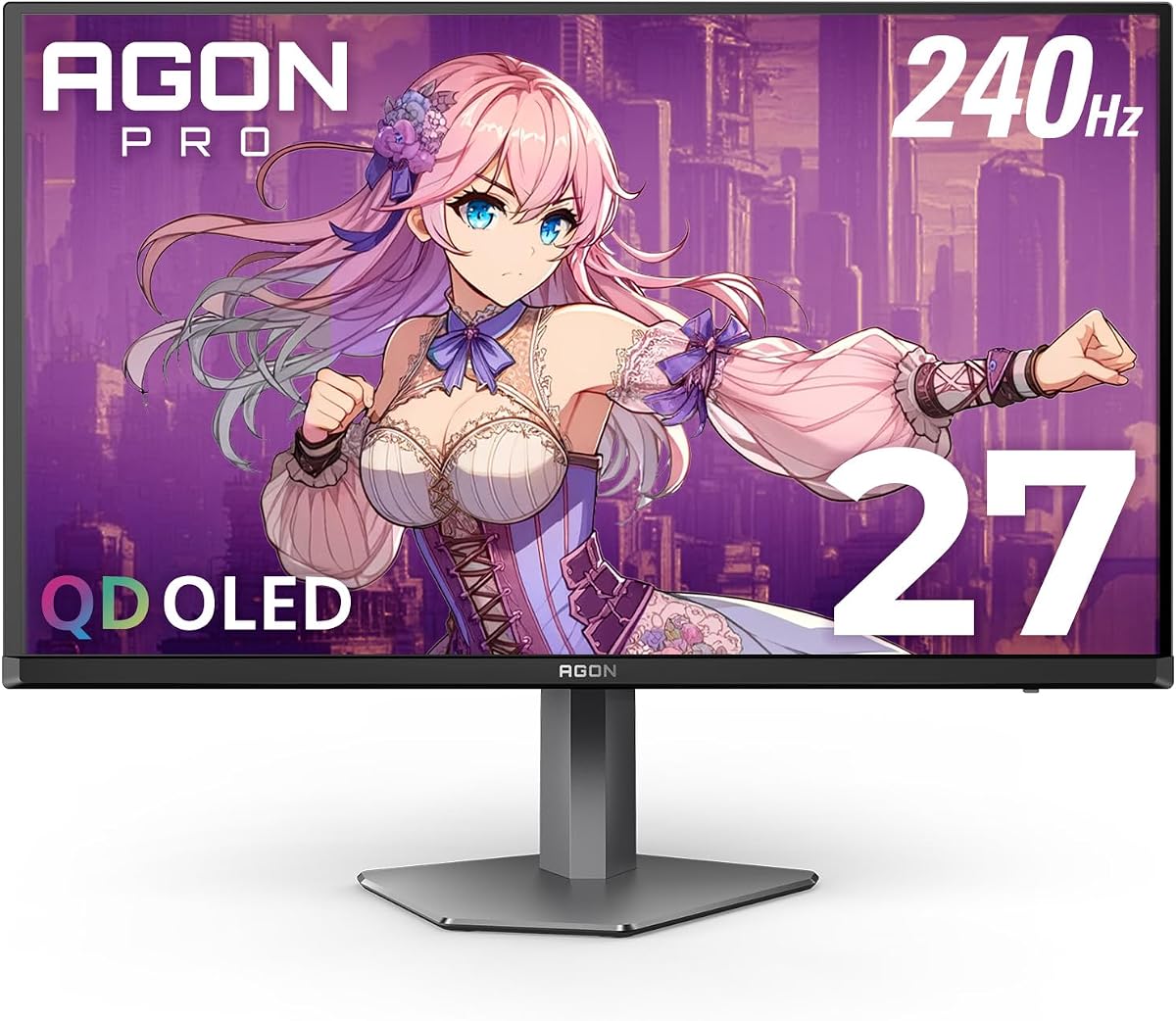
AOC Agon Pro 27 Inch Gaming Monitor QD OLED 240Hz 0.03ms, AG276QZD2
27 inch QD OLED
240Hz Refresh Rate
0.03ms Response Time
HDR10 Support
The Agon Pro brings next-gen OLED technology to Aoc monitors with stunning visual depth and speed. The self-luminous panel delivers infinite contrast and over a billion colors for realistic images. It is designed for enthusiasts who demand the absolute best picture quality and response times available today.
Pros
Perfect blacks and contrast
Extremely fast response
Wide color gamut
Built-in RGB lighting
G-Sync compatible
Cons
Higher price point
Requires good ventilation
We may earn a commission when you buy through this link, at no additional cost to you.
With a 240Hz refresh rate and 0.03ms GTG response time, motion clarity is unparalleled. HDR10 support enhances dynamic range in supported content. Additional lighting on the back adds aesthetic flair and can sync with other devices for a cohesive setup experience throughout your room.
The price reflects its premium status compared to standard LCD panels. OLED technology may require careful handling to ensure longevity. For many, the visual payoff justifies the investment since few monitors match its combination of speed, color accuracy, and immersive contrast at this level.
Recommended for high-end setups where visual fidelity is the top priority. Gamers and creators alike will appreciate the color precision and smoothness. If you want to experience gaming at its most visually impressive level, this OLED monitor sets a new standard in the Aoc portfolio.
True Black Performance
Individual pixels turn off completely to create deep blacks and infinite contrast ratios naturally.
Tournament Grade Speed
Sub-millisecond response times ensure no lag between your inputs and what appears on screen.
This model focuses on clarity and usability for daily computing tasks rather than gaming. The 4K resolution provides sharp text and detailed imagery ideal for media consumption or design work. Integrated speakers simplify your desk setup by eliminating the need for separate audio devices entirely.
Pros
High resolution display
Built-in audio
Wide viewing angles
Frameless design
Comfortable for work
Cons
No gaming features
Limited connectivity
We may earn a commission when you buy through this link, at no additional cost to you.
The IPS panel ensures consistent color across wide viewing angles. Its frameless design supports modern aesthetics and multi-monitor arrangements. Brightness levels are sufficient for most indoor lighting conditions. It delivers a reliable visual experience for those prioritizing screen real estate and sharpness over speed.
The lack of high refresh rates makes it unsuitable for fast-paced gaming. Connectivity options are standard but may require adapters for newer ports. For office or home media use, these limitations are minor compared to the benefit of high-resolution clarity and built-in convenience features.
Ideal for professionals or general users needing a sharp display for productivity. The combination of resolution and speakers offers a straightforward solution for entertainment and work. If you want a clean desk with high-quality visuals and basic audio, this monitor is a solid practical choice.
Visual Clarity for Work
4K resolution renders text and graphics with exceptional sharpness for long working sessions.
Simplified Setup
Integrated speakers reduce cable clutter and the need for external audio systems entirely.
This monitor emphasizes raw speed with a 260Hz overclocked refresh rate for maximum fluidity. It is designed for competitive gamers who value frame rates over resolution. The IPS panel ensures good color performance while the low power usage adds to long-term efficiency in energy costs.
Pros
Extremely fast refresh
G-SYNC compatible
Low power usage
Eco mode included
Frameless design
Cons
Full HD resolution
Basic stand options
We may earn a commission when you buy through this link, at no additional cost to you.
Adaptive-Sync support works with NVIDIA GPUs to reduce stuttering and tearing. The frameless build complements modern desk setups. Flicker-free technology reduces eye strain during extended sessions. Connectivity options include HDMI and DisplayPort to accommodate various PC setups without compatibility issues.
The resolution is limited to 1080p which may not satisfy users seeking sharper images. Stand adjustments are basic compared to higher-end models. For esports players focused on reaction times and smooth motion, these factors are secondary to the high refresh rate performance provided here.
Recommended for gamers prioritizing speed in competitive environments. It delivers ultra-smooth motion at an accessible price point. If you play titles where frame rate matters more than graphical detail, this monitor provides the responsiveness needed for top-tier performance in online matches.
Ultra Fast Motion
Overclocked refresh rates ensure every frame is displayed instantly for maximum smoothness in games.
Efficient Operation
Eco modes help reduce power consumption without sacrificing performance or visual quality.
AOC 32 Inch Curved Gaming Monitor 2K QHD 180Hz VA 0.5ms HDR, CQ32G4VE
32 inch Curved VA
180Hz Refresh Rate
0.5ms Response Time
SmartContrast Ratio
This 32-inch curved screen delivers deep immersion through its 1500R curvature. The VA panel offers high contrast ratios that make dark scenes look richer. It is ideal for those who want a large field of view without needing multiple monitors or complex configurations on their desk.
Pros
Immersive curvature
High contrast ratio
Wide color coverage
Multiple ports
Warranty coverage
Cons
VA panel response lag
Limited ergonomics
We may earn a commission when you buy through this link, at no additional cost to you.
With 180Hz refresh rates and HDR support, visuals remain smooth and vibrant. The wide color gamut ensures lifelike images across various content types. Connectivity is robust with multiple DisplayPort and HDMI options. A solid warranty provides added peace of mind for long-term usage reliability.
VA panels can sometimes show slight ghosting in very fast motion. The stand lacks height adjustment options for ergonomic customization. For most users, the large screen and high contrast compensate well for these minor drawbacks. It excels in cinematic and casual gaming experiences.
Great for viewers seeking immersion and screen real estate. The curve wraps around your vision effectively for a more engaging experience. If you prefer large displays for media and games over competitive precision, this model offers strong visual appeal and practical versatility for daily use.
Cinematic Immersion
Curved design creates a natural viewing experience that draws you into the content on screen.
Rich Visual Contrast
High contrast ratios produce deeper blacks and brighter highlights than standard flat monitors.
AOC C32G2ZE 32" Curved Frameless Gaming Monitor, Full HD 1920×1080, VA, 0.5ms 240Hz, AMD FreeSync Premium, DP/HDMI/VGA, VESA, 3-3-1 Re-Spawn Program, Xbox PS5 Switch,Black
32 inch Curved VA
240Hz Refresh Rate
0.5ms Response Time
FreeSync Premium
This large curved monitor is designed to support various gaming platforms seamlessly. It features a 240Hz refresh rate for competitive play while offering compatibility with consoles like Xbox and PS5. The Re-Spawn program adds value by covering potential defects and accidental damage during use.
Pros
High refresh rate
Console optimized
Curved design
Re-Spawn warranty
Multiple ports
Cons
1080p resolution
Stand is basic
We may earn a commission when you buy through this link, at no additional cost to you.
FreeSync Premium ensures smooth visuals across compatible GPUs. The frameless design reduces distractions during play. Connectivity options include VGA HDMI and DisplayPort. It balances screen size with refresh speed to offer a versatile experience for mixed-use households with multiple gaming systems.
The resolution remains Full HD which may not utilize the full detail of larger screens. Stand adjustments are limited to tilt. For multi-platform gamers needing one display for different systems, these trade-offs are acceptable given the flexibility and warranty protection provided by the manufacturer.
Ideal for families or gamers using multiple consoles and PCs. The combination of speed and screen size creates an engaging setup for casual and serious play. If you need a versatile monitor that works across different devices without compromise, this is a highly adaptable option for your space.
Console Ready
Optimized for console gaming with low input lag and support for high refresh rates on modern systems.
Robust Warranty
Re-Spawn program offers extended coverage including accidental damage to protect your investment fully.
This model brings advanced QD OLED capabilities to a 27-inch form factor. It supports G-Sync and delivers HDR10 visuals with rich contrast and wide color coverage. The display is perfect for those seeking cinematic realism alongside high-speed gaming performance in a single premium package.
Pros
QD OLED technology
HDR10 performance
High contrast
Wide color gamut
Low latency
Cons
Premium pricing
No USB hub
We may earn a commission when you buy through this link, at no additional cost to you.
A 240Hz refresh rate ensures fluid motion for competitive titles. The self-luminous pixels produce true blacks and vibrant highlights. Response time is exceptionally fast, minimizing blur during quick transitions. This makes it a versatile choice for both immersive storytelling and competitive online gaming scenarios.
The premium cost places it outside casual budgets for most buyers. There is no USB hub included for peripheral management. For enthusiasts prioritizing image quality and speed, the visual benefits outweigh these minor inconveniences significantly compared to traditional LCD panel options available today.
Best suited for gamers who value image quality above all else. It delivers a visually stunning experience unmatched by standard panels. If you want top-tier colors and contrast for your favorite games, this OLED display offers a powerful and engaging platform for your setup.
HDR Excellence
HDR10 support enhances contrast and brightness for a more dynamic and realistic visual experience.
QD Color Vibrancy
Quantum Dot technology ensures a wider color gamut and richer hues in all displayed content.
AOC Agon Pro AG276QZD2-27-inch QHD OLED Monitor, 240 Hz, 0.03 ms GtG, FreeSync Premium Pro, G-Sync, HDR400 (2560×1440, 2X HDMI 2.1, DisplayPort, USB Hub) Black
27 inch QD OLED
240Hz Refresh Rate
USB Hub Included
HDR400 Certified
This OLED monitor features a comprehensive USB hub for peripheral convenience. It includes HDMI 2.1 ports and supports HDR400 for enhanced brightness. Height adjustments and presets for different game genres make it highly versatile. It is a complete solution for power users needing connectivity and visual excellence.
Pros
USB Hub for devices
HDMI 2.1 ports
OLED panel quality
Height adjustable
Multiple presets
Cons
High price point
Limited adjustability
We may earn a commission when you buy through this link, at no additional cost to you.
QD OLED technology delivers stunning blacks and vibrant color accuracy. The 240Hz refresh rate ensures smooth gameplay. Multiple HDMI 2.1 ports support next-gen consoles. Preset modes optimize visuals for various game types. These features make it adaptable for both professional work and entertainment needs.
The high cost reflects its top-tier specifications. While it includes more ports than many rivals, the adjustment options could be more extensive. For users requiring advanced connectivity, this monitor provides significant convenience and performance value unmatched by standard displays in the current market.
Ideal for enthusiasts needing integrated hub functionality and premium visuals. It handles next-gen console output well with HDMI 2.1. If you want a high-end monitor that simplifies peripheral management while delivering top performance, this model stands out as a comprehensive and reliable option for your space.
Integrated Hub Utility
USB hub simplifies connections for devices like drives and cameras without extra adapters.
Next-Gen Console Ready
HDMI 2.1 ports ensure future-proof connectivity for high frame rates and resolutions on consoles.
We may earn a commission when you buy through this link, at no additional cost to you.
10. AOC 22B30HM2 21.5" Gaming Monitor Full HD 1920×1080, 100HzRefresh Rate, 1ms Response Time, Flicker-Free, FreeSync, Blue Light Filter, VGA/HDMI, Gaming Monitor for PC with VESA Mount(Black) (Renewed) – Best Compact Aoc Monitor
AOC 22B30HM2 21.5" Gaming Monitor Full HD 1920×1080, 100HzRefresh Rate, 1ms Response Time, Flicker-Free, FreeSync, Blue Light Filter, VGA/HDMI, Gaming Monitor for PC with VESA Mount(Black) (Renewed)
21.5 inch FHD VA
100Hz Refresh Rate
1ms Response Time
VGA HDMI Ports
This compact monitor is perfect for small desks or secondary setups. It offers a 100Hz refresh rate with FreeSync for smooth visuals. Blue light filters and flicker-free technology help reduce eye strain during extended use. It provides a cost-effective solution for those needing reliable everyday display performance.
Pros
Compact size
Blue light filter
VESA mount compatible
Affordable pricing
Flicker-free tech
Cons
Lower refresh rate
VA panel limitations
We may earn a commission when you buy through this link, at no additional cost to you.
The VA panel ensures good contrast levels. VESA mount compatibility allows flexible installation options. Connectivity includes standard HDMI and VGA ports. While not a high-end gaming unit, it delivers steady performance for office work and casual gaming without straining your wallet or desk space.
Refresh rates are lower than competitive gaming models. The stand is basic and may lack adjustability. For those seeking a budget-friendly or secondary screen, these limitations are acceptable. It offers a practical entry point for Aoc monitor ownership with solid baseline features.
Great for users needing a compact, reliable display. It balances basic performance with features like eye care tech. If you want a simple efficient screen for work or light gaming that fits anywhere, this model is a practical and accessible choice for most users.
Eye Care Focus
Blue light filters and flicker-free tech reduce strain for comfort during long working sessions.
Compact Footprint
Small size saves desk space while still offering adequate resolution for daily tasks.
We may earn a commission when you buy through this link, at no additional cost to you.
Buying Guide – How to Choose the Best Aoc Monitors
Choosing the right monitor involves evaluating several technical factors. This guide breaks down key aspects to consider so you can make an informed decision that fits your budget and specific use cases effectively.
Panel Technology
Panel type dictates color accuracy, contrast, and response times. IPS panels offer wide viewing angles and vibrant colors ideal for creative work. VA panels provide deeper blacks and higher contrast, making them suitable for media consumption. OLED panels deliver perfect blacks and fast response but come at a higher price point.
Consider your primary use case. If you need color fidelity, choose IPS. For high contrast and budget-friendly options, VA is excellent. OLED is for premium experiences where visual fidelity is paramount.
Refresh Rate
Refresh rate measures how many frames per second the monitor displays. Higher rates like 144Hz or 240Hz result in smoother motion, crucial for competitive gaming. Lower rates like 60Hz or 75Hz are sufficient for office work and casual media.
Gamers should prioritize refresh rates above 144Hz for responsiveness. Casual users may find standard rates adequate. Higher rates usually cost more but offer significant motion benefits for fast-paced titles.
Resolution
Resolution determines image sharpness and screen real estate. Full HD (1080p) is budget-friendly but less sharp on larger screens. Quad HD (1440p) and 4K offer finer details, better for productivity and creative tasks. Consider your GPU capabilities when selecting higher resolutions.
For productivity, 1440p provides excellent sharpness without excessive GPU load. 4K is best for text clarity and media. 1080p remains a viable budget option for smaller screens or older systems.
Connectivity
Check for ports like HDMI, DisplayPort, and USB-C. DisplayPort 1.4 supports higher refresh rates and resolutions. HDMI 2.1 is essential for next-gen consoles. USB hubs add convenience for peripherals. Ensure your PC or console has compatible output ports.
Prioritize DisplayPort if you need high refresh rates. HDMI is standard for consoles. Look for monitors with USB hubs if you need easy peripheral connections without extra cables.
Ergonomics
Adjustability features like height, tilt, and swivel improve comfort. Fixed stands may cause strain over long periods. VESA compatibility allows mounting on arms or wall mounts. Consider your desk setup and usage duration when choosing a stand.
If you work for hours daily, prioritize height adjustment. Fixed stands save space but may limit comfort. VESA mounting gives flexibility for any setup preference.
Adaptive Sync
Adaptive Sync (G-Sync or FreeSync) matches the monitor's refresh rate with your GPU. This reduces screen tearing and stuttering. G-Sync is optimized for NVIDIA; FreeSync for AMD. Most modern monitors support FreeSync, which also works with NVIDIA cards.
For competitive gaming, ensure sync technology matches your GPU. Most buyers benefit from FreeSync compatibility as it covers both major brands effectively.
Response Time
Response time measures how quickly pixels change color. Lower times like 1ms or less prevent motion blur. While advertised GTG times vary, true motion clarity depends on overdrive settings and panel quality.
Gamers should aim for low response times. Avoid monitors with sluggish blur reduction as it ruins fast-action clarity.
Warranty
A good warranty protects your investment. Look for coverage on dead pixels or defects. Some models offer extended programs covering accidental damage. Check the terms before purchasing to ensure peace of mind.
Always check warranty length and policies. Reputable brands like AOC often offer comprehensive coverage for defects.
How to Use and Care for Your Aoc Monitors
Clean the screen with a soft, microfiber cloth to avoid scratches. Use distilled water sparingly if needed. Avoid harsh chemicals that might damage the coating.
Position the monitor at eye level to reduce strain. Adjust brightness and contrast for your environment to prevent eye fatigue.
Ensure adequate ventilation around the unit to prevent overheating. Use surge protectors to safeguard electronics from power fluctuations.
Frequently Asked Questions
Are AOC monitors good for gaming?
Yes, AOC offers a wide range of gaming monitors with high refresh rates and adaptive sync. Models like the Agon Pro deliver top-tier performance for competitive players.
Which AOC monitor is best for productivity?
The U27B3A with 4K resolution provides sharp text and ample screen real estate. It is ideal for design work and general computing tasks.
Do AOC monitors have good color accuracy?
Most models use IPS or QD OLED panels that offer high color accuracy. Check specs for sRGB coverage if precise color is a priority.
How do I choose between 1080p and 1440p?
Choose 1440p for better sharpness and multitasking. 1080p is suitable for budget builds or smaller screens where detail is less critical.
Do these monitors work with PlayStation consoles?
Many models support HDMI 2.1 or adaptive sync for consoles. Check compatibility lists for specific console support like PS5 or Xbox Series X.
What is the warranty policy for AOC?
AOC typically offers a three-year warranty. Some models include zero-bright-dot or accidental damage coverage. Review the specific terms on the product page.
Final Thoughts on Choosing the Best Aoc Monitors
We reviewed ten models ranging from budget-friendly options to premium OLED displays. The Q27G41ZE stands out for high performance, while the C32G4VE offers immersive visuals at a great price.
Prioritize what matters most for your setup, whether it is speed, resolution, or screen size. Consider your budget and intended use to narrow down the best choice quickly.
Always verify current specs and availability before purchasing. Prices and stock can fluctuate, so checking the latest product details ensures you get the best value today.