
Hprosper 2K Webcam with Microphone
4.2Editor score
2K resolution at 30fps
Built-in noise-canceling mic
Physical privacy cover included
This guide compares the top 2K Hd Webcam under 50 for clarity and audio, helping you choose the right affordable camera for meetings streaming gaming and
Finding a high-quality camera that delivers crisp visuals without breaking the bank is essential for modern digital communication. A good webcam should offer sharp resolution reliable audio and privacy features to ensure your online presence remains professional secure and engaging during every call.
We analyzed ten top-rated models focusing on sensor quality lens performance audio clarity and ease of setup. Each product was evaluated based on real user feedback and technical specifications to determine which ones truly stand out in the crowded budget-friendly market segment.
Every pick includes detailed insights into performance strengths and potential limitations so you can make an informed decision quickly. Keep in mind that availability and pricing can shift frequently so checking the latest offers before purchasing is always a smart move.
4.2Editor score

4.5Editor score

4.4Editor score
This table provides a side-by-side overview of key specifications for all ten models including resolution autofocus capabilities and connectivity options to help you compare features at a glance.
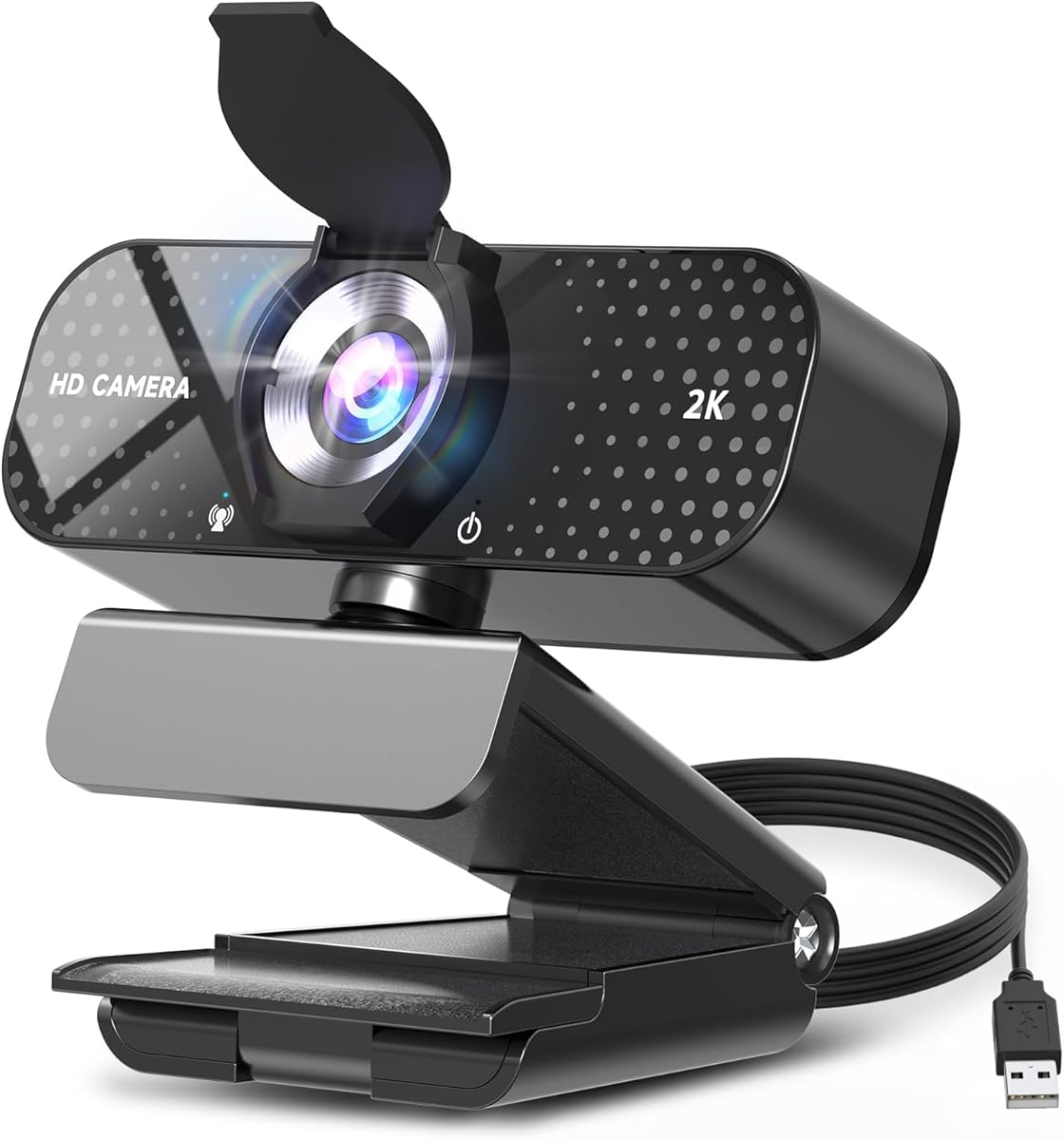

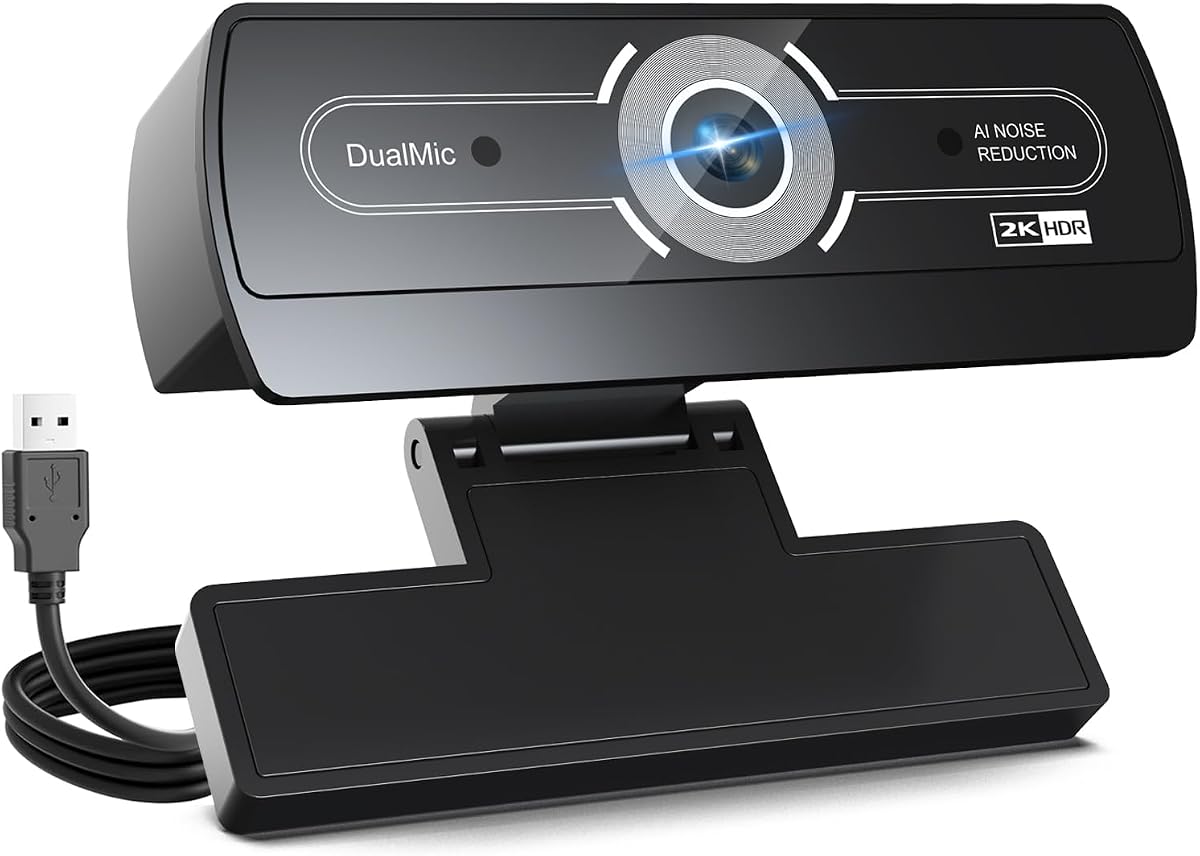
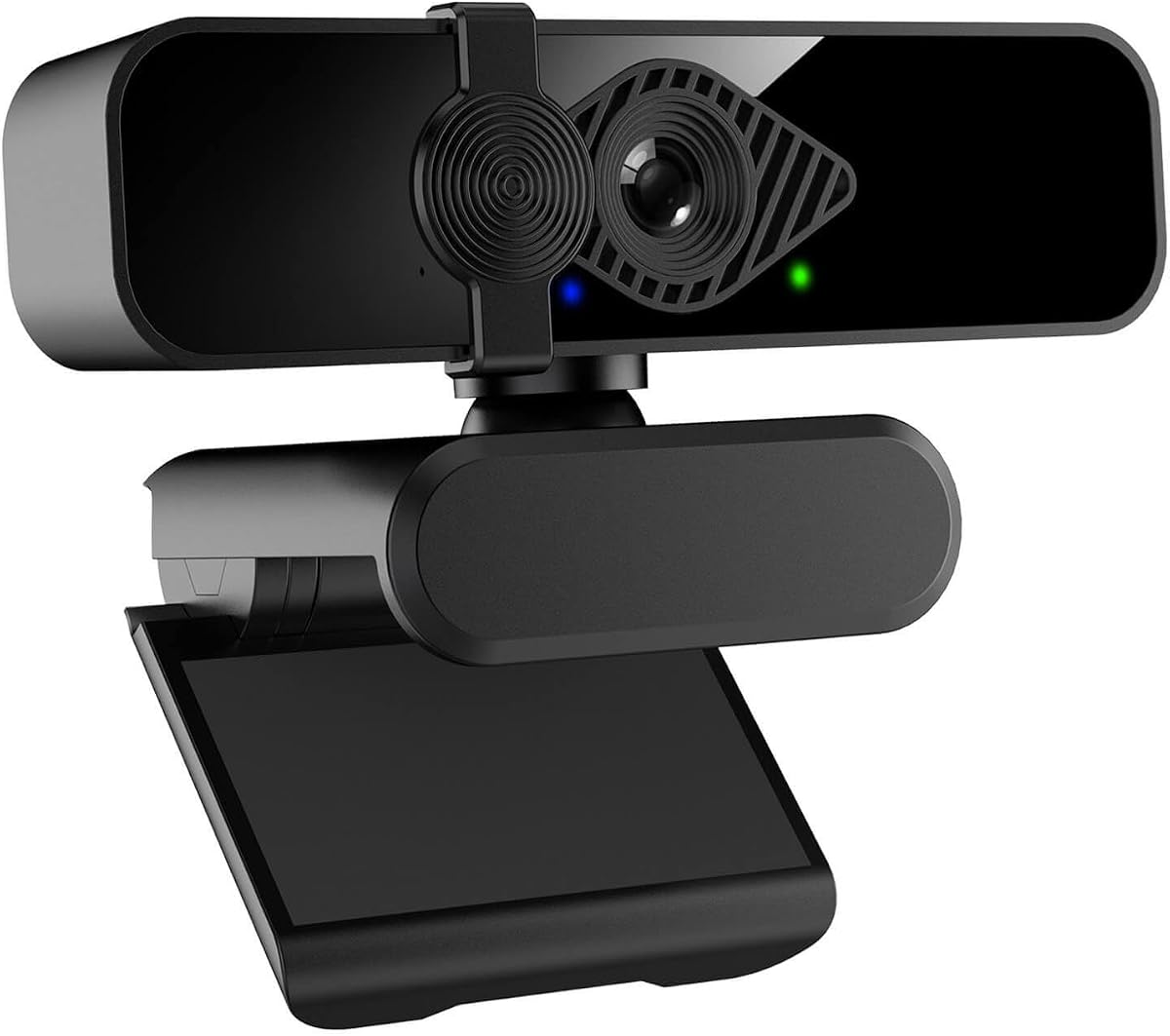


The UGREEN 2K Webcam delivers impressive sharpness for video calls with its upgraded 2K 30FPS resolution and high sensitivity CMOS sensor. This model ensures clear full HD quality that facilitates seamless communication during daily meetings and casual chats.
We may earn a commission when you buy through this link, at no additional cost to you.
Its dual microphones effectively minimize background noise so your voice stands out distinctly in every call. The automatic light correction adjusts color temperature to correct low light conditions while the 95-degree field of view allows you to show more content without feeling cramped.
While the fixed focus technology means you cannot adjust sharpness manually the lens maintains a clear image within the optimal 50 cm range. This trade-off is acceptable for most users who want reliable plug-and-play performance without tweaking settings.
This webcam is an excellent choice for professionals and students seeking a balance of high resolution and practical features. It works seamlessly across various platforms and systems making it a versatile addition to any desk setup.
The 4MP sensor captures detailed textures and colors that make participants appear lifelike even in modest lighting environments.
Dual microphones work together to isolate your voice from background distractions ensuring you are heard clearly in every conversation.
We may earn a commission when you buy through this link, at no additional cost to you.
The Hprosper 2K Webcam offers a compelling entry point for users seeking high resolution without a steep investment. It delivers sharp detailed 1440p resolution at 30fps ensuring smooth visuals for solo streams and small meetings.
We may earn a commission when you buy through this link, at no additional cost to you.
Automatic light correction balances brightness and true colors even when facing bright windows or working in dim rooms. The noise-canceling microphone filters out ambient noise so your voice remains clear during conferences and streaming sessions.
Although the build feels lightweight the flexible clip mounts securely on monitors and laptops while allowing 360-degree rotation for perfect angles. This adaptability makes it a practical choice for those who move between different setups regularly.
For budget-conscious buyers this camera provides essential features like privacy protection and wide compatibility without unnecessary complexity. It works reliably with major apps and systems making it a smart pick for home offices.
Advanced sensors adjust exposure to prevent washed-out faces or dark shadows keeping your image consistent in changing light.
Compatible with Windows Mac and Linux this webcam connects instantly via USB requiring no drivers or extra software to function.
We may earn a commission when you buy through this link, at no additional cost to you.
This streaming camera stands out with PDAF autofocus technology that instantly locks onto your face to ensure crisp focus even when you move. It delivers true 2K at 30fps resolution and ultra-smooth 1080p at 60fps for fluid gaming streams.
We may earn a commission when you buy through this link, at no additional cost to you.
The dual-mic array uses a dedicated noise-canceling chip to suppress keyboard clicks and fan noise effectively. This hardware solution captures your voice clearly from up to 16.4 feet away which is impressive for an external unit.
A 6.6-foot cable and included USB-C adapter offer flexible placement options on laptops or monitors without being tethered tightly. The integrated privacy cover flips down to block the lens physically providing immediate peace of mind after calls.
Professionals and creators who need reliable sharp visuals and clean audio will appreciate this model's robust design. It supports all major platforms and requires no drivers making it a premium choice for those who value quality.
Phase detection autofocus ensures your face stays sharp regardless of movement preventing blur during dynamic presentations.
Hardware-based noise cancellation filters ambient sounds so your voice remains clear and distraction-free in busy environments.
We may earn a commission when you buy through this link, at no additional cost to you.
Experience exceptional clarity with the TRAUSI 2K Full HD Webcam which offers vibrant images and smooth video at 30 frames per second. The wide-angle lens captures every detail with vivid colors making it ideal for gaming and content creation.
We may earn a commission when you buy through this link, at no additional cost to you.
An advanced noise-canceling microphone ensures your voice transmits clearly even in noisy environments. Automatic light correction dynamically adjusts brightness and color so you always look your best during video sessions in dim or bright rooms.
The included privacy shield slides easily over the lens to offer immediate security when the webcam is not in use. Designed for user convenience it connects via USB without requiring additional drivers and comes with a 5-foot cable for flexible placement.
If you prioritize ease of use and sustainable design this camera is a reliable option. Its durable build and energy-efficient features make it a smart investment for daily professional and personal communication.
The lens captures more of your environment without distortion making it great for showing products or group setups.
Plug-and-play functionality ensures you start capturing video instantly without needing to install software or drivers.
We may earn a commission when you buy through this link, at no additional cost to you.
EMEET Webcam C100 2K delivers a clear stable and distraction-free video experience with smooth 2K 30FPS performance. Fixed focus avoids autofocus hunting keeping images sharp within 12 to 40 inches without blur shifts or interruptions.
We may earn a commission when you buy through this link, at no additional cost to you.
The privacy lens shutter provides physical protection while its integrated cable keeps your workspace neat. A sturdy metal clip holds securely without slipping and supports multi-angle adjustment for easy positioning on monitors or laptops.
With EMEETLINK software you can adjust brightness exposure and saturation to fix dark or uneven colors. The 50Hz 60Hz anti-flicker keeps video stable under indoor lighting ensuring a professional look during any call.
This model is dependable for daily use across Windows Mac and Linux systems. It works seamlessly with Zoom and Teams making it a reliable choice for students remote workers and casual users alike.
The metal base clip provides a secure hold that plastic mounts often lack ensuring the camera stays in place.
Download the companion app to fine-tune exposure and color settings for optimal image quality in any room.
We may earn a commission when you buy through this link, at no additional cost to you.
Equipped with a genuine 4MP imaging lens this webcam delivers pure 2K QHD resolution without false interpolation. It offers professionals an uncompromising visual experience that bridges distances making colleagues feel connected as if in the same room.
We may earn a commission when you buy through this link, at no additional cost to you.
PDAF autofocus ensures crisp stable focus in meetings and lectures while auto light correction adapts to bright or low-light conditions. Dual microphones with noise-canceling algorithms deliver clear natural audio for remote collaboration and lectures.
The minimalist compact design mounts easily on your screen and offers vertical adjustability to frame your ideal angle. A 1.5-meter cable provides extended reach supporting plug-and-play functionality without needing drivers across devices.
For those seeking high resolution and basic autofocus this camera is a solid contender. It works seamlessly with macOS and Windows making it suitable for home offices and virtual classrooms.
True QHD resolution ensures fine details like text and facial features appear clear and sharp during calls.
Autofocus technology keeps your face sharp even if you lean forward to show objects or gesture during presentations.
We may earn a commission when you buy through this link, at no additional cost to you.
Elevate your video calls with this 2K computer webcam offering 2K resolution at 30fps for enhanced clarity and detail. The built-in noise-reduction microphone ensures your voice comes through natural and clear every time you speak.
We may earn a commission when you buy through this link, at no additional cost to you.
Capture your world exactly as you wish with full 360-degree rotation and an extendable base that can open to 180 degrees. The wide-angle 85-degree lens captures every detail while the movable privacy cover slides on to protect the lens.
It works seamlessly with USB 2.0 requiring no additional drivers for quick setup on Windows or Mac devices. The camera supports a wide range of systems including Android TV and Linux making it versatile for various environments.
Ideal for online studying and gaming this camera provides flexible positioning for any setup. Its durable design ensures reliable performance during daily meetings and casual video chats.
The expandable base allows you to clamp it to screens or place it on desks for stable and varied viewing angles.
A movable cover slides easily to block the lens ensuring no unauthorized access during periods of non-use.
We may earn a commission when you buy through this link, at no additional cost to you.
This webcam shines with its sharp resolution and premium image quality delivering incredibly detailed visuals. Its 1.78x more pixels than 1080P ensures every facial texture and object contour is captured with stunning clarity.
We may earn a commission when you buy through this link, at no additional cost to you.
Dual noise reduction merges hardware infrared filters with AI-powered software to scrub away ambient light interference. In dimly lit offices this tech processes multiple frames to smooth out digital noise ensuring footage stays pristine.
The detachable privacy cover offers essential security by providing a physical barrier to block the lens. It also shields the lens from dust and scratches protecting image quality over time and preventing unauthorized surveillance.
Plug and play ease and broad compatibility make it perfect for virtual meetings and gaming chats. Free assistance and replacement options add peace of mind for those seeking a reliable home office camera.
Hardware filters work alongside AI to reduce grainy footage in challenging lighting conditions without software lag.
A detachable cover slides or snaps into place providing immediate physical privacy protection for your workspace.
We may earn a commission when you buy through this link, at no additional cost to you.
This webcam supports 2K resolution and features Manual focus delivering crisp vivid images and smooth video to capture every detail. It is the perfect choice for home offices where consistent focus settings are preferred over constant hunting.
We may earn a commission when you buy through this link, at no additional cost to you.
The freely adjustable gooseneck stand allows effortless angle positioning while a physical sliding privacy cover effectively protects the lens. The advanced noise-canceling microphone filters out ambient noise ensuring your voice remains clear and loud.
It supports USB 2.0 3.0 interfaces and requires no additional drivers for immediate high-definition video capture. The included desktop clamp and 110 cm cable offer flexible setup options on desks or monitors.
Ideal for document scanning or teaching this camera supports image flipping functionality to display materials from any angle. It is a versatile tool for professionals and educators needing detailed visual sharing capabilities.
Manual rings allow you to set exact sharpness for close-up object or document sharing without auto-adjustments.
Flip images to show whiteboards or papers clearly to remote participants during online teaching or meetings.
We may earn a commission when you buy through this link, at no additional cost to you.
Delivers incredibly detailed visuals capturing every facial texture and fine print with stunning clarity. This high pixel density eliminates blurs and jagged edges ensuring crisp lifelike imagery during conferences or streaming.
We may earn a commission when you buy through this link, at no additional cost to you.
Dual noise reduction merges hardware infrared filters with AI-powered software to scrub away ambient light interference. In dimly lit offices this tech processes multiple frames to smooth out digital noise ensuring footage stays pristine.
The detachable privacy cover offers essential security by providing a physical barrier to block the lens. It also shields the lens from dust and scratches protecting image quality over time and preventing unauthorized surveillance.
Plug and play ease and broad compatibility make it perfect for virtual meetings and gaming chats. Free assistance and replacement options add peace of mind for those seeking a reliable home office camera.
Smart processing improves low-light performance so your face stays clear even when background lighting is poor.
Connect directly to your PC or Mac without drivers ensuring immediate use for any video call or stream.
We may earn a commission when you buy through this link, at no additional cost to you.
Selecting the right webcam requires balancing resolution audio quality and features that match your daily needs.
Resolution determines how clear your image appears on screen. 2K offers sharper visuals than standard HD but look for smooth frame rates to ensure fluid motion during calls.
Aim for 2K resolution at 30fps or higher to avoid choppy video and maintain a professional look in any environment.
Autofocus helps keep you sharp when you move but fixed focus ensures stability within a set distance. Choose based on how often you shift positions during calls.
If you stay seated mostly fixed focus saves battery and cost while autofocus adds flexibility for dynamic presentations.
Built-in microphones vary greatly in clarity. Dual mics with noise-canceling chips reduce background sound like keyboards or fans for clearer audio.
Select a model with dedicated noise-canceling hardware to ensure your voice is heard clearly in noisy spaces.
A wider field of view captures more of your environment ideal for showing objects or group calls. Narrower angles focus on your face for privacy.
Look for 85 to 95 degrees to balance personal framing with background visibility without distortion.
Auto light correction adjusts exposure to handle bright windows or dim rooms without manual tweaking. This feature keeps your face visible in varying conditions.
Choose a webcam with smart exposure to avoid washed-out or dark images during calls in inconsistent lighting.
Physical privacy covers shield the lens when not in use providing security against malware or unauthorized access. Detachable or sliding covers add convenience.
Prioritize models with built-in privacy shutters to protect your personal space and lens from dust.
Flexible clips allow mounting on laptops monitors or tripods. Metal clips offer more stability than plastic ones for long-term use.
Ensure the clip is sturdy enough to hold the camera steady on your device of shaking.
Plug-and-play models work with Windows Mac and Linux without installing drivers. Verify compatibility with your operating system and video apps.
Choose drivers-free setups to save time and avoid software conflicts across different devices.
Connect the webcam to an available USB port on your computer and wait for the system to recognize it. If drivers are needed download them from the manufacturer site but most models work instantly.
Adjust the physical angle using the built-in clip or tripod mount to frame yourself properly. Ensure the lens is clean and free from dust before starting your call for best quality.
Test audio and video settings in your app before going live to confirm brightness and focus levels. Regularly clean the lens with a soft cloth to prevent smudges that degrade image clarity.
Many 2K webcams support plug-and-play on older systems but you may need to enable 2K resolution in app settings. Check your OS version for compatibility.
Yes all listed models are compatible with major platforms like Zoom Teams Skype and Google Meet. Ensure your app has the right permissions to access the camera and mic.
Autofocus is better if you move during calls while fixed focus offers stability for seated users. Both work well depending on your usage patterns.
Natural light facing you is best but auto-correction handles most indoor lighting. Use a lamp if your room is dim to avoid grainy footage.
Some models include 1/4 inch threads for tripod mounts. Others use clips only so check specs before buying if you need tripod support.
Check focus settings or distance from the camera. Clean the lens and adjust resolution settings to match your system's capabilities.
These top picks offer a range of features from autofocus to privacy shields that cater to different user needs and budgets.
Prioritize models with strong audio and light correction for professional meetings while flexibility is key for streaming or teaching.
Remember to check current stock and offers before purchasing to ensure you get the best value for your setup.