
Dexpt 65W Laptop Charger
4.5Editor score
Affordable replacement option
Compatible with 33W to 65W
Three connector sizes included
This guide compares the top ASUS Vivobook and Zenbook power cord options for reliable charging, covering various wattages and connector types to help you
Finding the right power cord for your ASUS laptop is crucial for maintaining performance and battery health. Not all chargers are created equal, and using the wrong one can damage your device or lead to slow charging speeds that hinder productivity.
We have carefully evaluated ten top-rated chargers based on compatibility, safety features, build quality, and user feedback. This list includes options for both traditional barrel connectors and modern USB-C ports to ensure you find a match for your specific model.
Each pick highlights key specifications, pros, and cons to help you make an informed decision. Please note that prices and availability change frequently, so verify the details on the product page before completing your purchase to ensure you get the best deal.
4.5Editor score

4.4Editor score
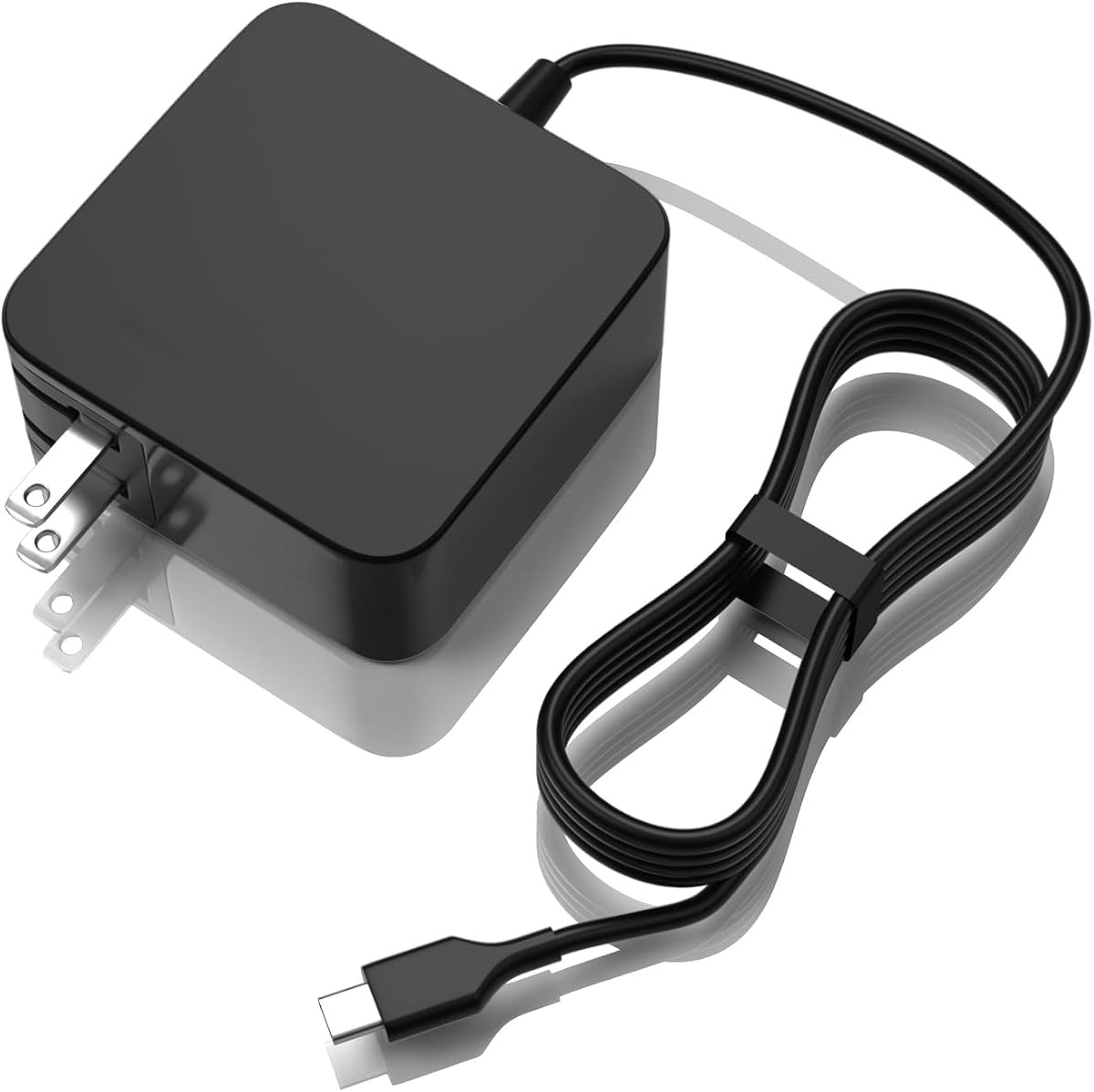
4.8Editor score
The following table provides a side-by-side comparison of all ten selected chargers to help you quickly identify the best match for your ASUS laptop model based on wattage and connector type.


The Powseed Laptop Charger 65W stands out as a top choice for users needing a versatile replacement for their ASUS Vivobook or Zenbook. With a 4.4 rating from hundreds of users, it delivers reliable power across multiple wattages.
We may earn a commission when you buy through this link, at no additional cost to you.
Its key strength lies in the four interchangeable DC barrel tips, which cover a wide range of ASUS models including Vivobook 15, ZenBook 14, and ExpertBook series. This adaptability ensures you can find the right fit without guessing.
Trade-offs include a standard 6ft cord length and the possibility of tips loosening with frequent swapping. However, these are minor inconveniences compared to the value and coverage this charger provides.
If you need a single charger that fits many ASUS models, this is the best option. It balances price, safety, and versatility better than most competitors in this roundup.
This charger supports Vivobook, ZenBook, ExpertBook, and Chromebook series, making it ideal for households with multiple ASUS devices.
Built-in short circuit protection safeguards your device against voltage spikes and electrical surges during use.
We may earn a commission when you buy through this link, at no additional cost to you.
The Superer 65W Laptop Charger is designed for ASUS devices requiring up to 65W power. It includes switchable round connectors to fit various Vivobook and Zenbook models.
We may earn a commission when you buy through this link, at no additional cost to you.
It offers a generous 24-month manufacturer warranty, which provides peace of mind. Users appreciate its ability to replace original chargers for standard non-gaming laptops.
However, it is not compatible with high-performance gaming models like TUF or ROG series. Also, connector fit can be tricky without checking the images first.
For everyday ASUS laptops needing a reliable charger with strong warranty coverage, this option delivers solid value and dependable performance.
The 24-month warranty exceeds typical industry standards, offering extra protection for your investment.
Switchable connectors allow one charger to work with multiple ASUS series models efficiently.
We may earn a commission when you buy through this link, at no additional cost to you.
The Dexpt Charger stands out for its 7.5 ft power cord, offering flexibility in placement. It also features an LED indicator to show charging status clearly.
We may earn a commission when you buy through this link, at no additional cost to you.
It supports 65W, 45W, and 33W outputs with detachable connectors, making it versatile for most standard ASUS laptops. Users like the visual feedback from the LED.
The limitation is that it does not support Vivobook Pro or Zenbook Pro series. The tips are small and require careful handling during attachment.
If you need extra reach and a visual charging indicator, this charger is a practical choice for standard Vivobook and Zenbook models.
The 7.5 ft cord allows you to charge from a distance without needing extension cords.
An LED indicator lights up when the charger is active, confirming power delivery instantly.
We may earn a commission when you buy through this link, at no additional cost to you.
This 90W charger is designed for newer ASUS models with USB-C ports. It supports fast charging for Vivobook S17X and Zenbook OLED series.
We may earn a commission when you buy through this link, at no additional cost to you.
Its high wattage ensures devices charge quickly, even under heavy workloads. The FCC and CE certifications confirm it meets rigorous safety standards.
The main downside is the higher price compared to barrel connector chargers. It also won't work with older models lacking USB-C.
For modern ASUS laptops requiring fast USB-C charging, this is a premium and reliable option worth the investment.
Delivers 90W power to charge high-performance laptops quickly and efficiently.
FCC and CE certifications ensure the charger meets global safety and quality standards.
We may earn a commission when you buy through this link, at no additional cost to you.
With a 4.8 rating, this 90W USB C Fast Charger leads the premium segment. It offers Power Delivery support for rapid charging of compatible ASUS devices.
We may earn a commission when you buy through this link, at no additional cost to you.
Its multiple safety protections guard against short circuits and overheating. It supports a wide range of Vivobook and Zenbook models with USB-C ports.
The cost is higher than standard chargers, but the performance and reliability justify it. It is not suitable for older barrel port laptops.
If your laptop supports USB-C and you want top-tier charging speed, this is the best pick available today.
Supports PD protocol to negotiate optimal voltage for fast and efficient charging.
Built-in protections prevent damage from overcurrent and overheating during use.
We may earn a commission when you buy through this link, at no additional cost to you.
This USB-C adapter is ideal for Asus Chromebook and ZenBook models. It features a foldable plug, making it compact and travel-friendly.
We may earn a commission when you buy through this link, at no additional cost to you.
It delivers up to 65W, sufficient for most non-gaming laptops. CE and FCC certifications ensure safe operation across regions.
The cord is 5.9ft, which may be short for some setups. It also excludes high-performance gaming models.
For students or travelers with Chromebooks, this adapter offers a compact and safe charging solution.
The foldable plug reduces bulk, making it easy to pack in bags.
CE and FCC certifications ensure compliance with safety standards worldwide.
We may earn a commission when you buy through this link, at no additional cost to you.
The Nicpower charger offers a straightforward solution for Vivobook models needing round connectors. It supports 65W, 45W, and 33W outputs effectively.
We may earn a commission when you buy through this link, at no additional cost to you.
Users appreciate its affordability and coverage for many Vivobook variants. The one-year warranty provides basic protection.
However, it lacks advanced features like LEDs or extra tips. Also, compatibility checks are crucial as it excludes specific newer models.
For budget-conscious buyers with older Vivobook models, this charger provides solid basic functionality without extras.
Offers reliable performance at a competitive price point for standard users.
Carefully tested for compatibility with popular Vivobook 15 and 17 series.
We may earn a commission when you buy through this link, at no additional cost to you.
This 45W charger targets smaller ASUS laptops requiring lower power input. It features a 4.0mm tip and a 6ft cord for basic setups.
We may earn a commission when you buy through this link, at no additional cost to you.
Its lightweight design makes it easy to carry. It works well with VivoBook E, L, X series, and some ZenBook models.
It cannot support higher wattage laptops, so verify your requirements. The smaller tip also needs careful handling.
For users with lightweight ASUS laptops, this charger provides an affordable and compact replacement solution.
Designed for easy carrying without adding bulk to your backpack.
The 4.0mm tip fits smaller laptop ports without interference.
We may earn a commission when you buy through this link, at no additional cost to you.
This Dexpt charger offers great value with three connector sizes included. It supports 65W, 45W, and 33W models effectively.
We may earn a commission when you buy through this link, at no additional cost to you.
Users find it reliable for everyday use on standard Vivobook and Chromebook devices. The one-year warranty covers basic defects.
It lacks LED indicators or extended warranties, but delivers solid performance. Connector fit requires testing all three sizes.
If you want a no-fuss, affordable charger that covers multiple connector types, this is a strong choice.
Includes three connector sizes to fit a broader range of devices.
Provides essential charging capabilities at a low price point.
We may earn a commission when you buy through this link, at no additional cost to you.
The EERSY charger features an 8.8ft cord, the longest in this list. It supports multiple socket types and has a 4.8 user rating.
We may earn a commission when you buy through this link, at no additional cost to you.
Its extended reach is ideal for hard-to-reach outlets. It works with many Vivobook and Zenbook models efficiently.
The plug is slightly bulky, and it costs more than basic options. Still, the cord length adds significant value.
If your setup requires extra cord length and stable charging, this model delivers on both fronts reliably.
8.8ft cord offers maximum flexibility for placing your laptop anywhere.
Consistently rated highly by users for reliability and performance.
We may earn a commission when you buy through this link, at no additional cost to you.
Choosing the right power cord requires checking wattage, connector size, and safety certifications to ensure compatibility and device safety.
Your laptop needs a charger that meets its minimum wattage. Higher wattage is acceptable if voltage matches, but lower wattage will charge slowly.
Always check your original charger's output rating and match it or exceed it for best performance.
ASUS laptops use either round barrel connectors or USB-C ports. Measure the inner and outer diameter of barrel tips to avoid mismatches.
Confirm connector type before buying to ensure physical compatibility with your device's charging port.
Voltage must match your laptop's requirement exactly, typically 19V for most ASUS models. Mismatched voltage can damage internal components permanently.
Verify voltage on the charger label matches your laptop specs before purchasing.
Look for FCC, CE, or RoHS certifications indicating the charger meets safety standards. These protect your device from electrical surges.
Choose certified chargers to ensure safe operation and reduce fire risks.
Standard cords range from 5 to 8 feet. Longer cords offer flexibility, while shorter ones are more portable.
Select a length that fits your workspace or travel needs appropriately.
A warranty indicates manufacturer confidence in quality. Look for at least one year of coverage for peace of mind.
Longer warranties provide better protection against early failures.
Durable materials and strain relief extend the charger's lifespan. Check reviews for mentions of overheating or plug durability.
Prioritize chargers with reinforced cables and robust housings.
Established brands often offer better customer support and quality control. Avoid unbranded options without user feedback.
Stick to reputable brands with positive customer reviews.
Always plug the AC adapter into a power outlet first before connecting to your laptop to avoid voltage spikes.
Store the cord loosely coiled rather than tightly wrapped to prevent internal wire damage over time.
Avoid pulling by the cord to unplug it; instead, hold the plug firmly to protect the connector.
Yes, a higher wattage charger is safe if voltage and connector match. Your laptop will draw only the power it needs, so it won't overcharge.
Barrel chargers use round tips specific to the laptop, while USB-C chargers use universal ports. USB-C allows faster charging on newer models.
Slow charging usually means the wattage is too low. Ensure the replacement charger matches your original's wattage for optimal speed.
Check your old charger's connector or your manual. You can also measure the tip diameter with a caliper to match replacement tips accurately.
Yes, certified third-party chargers are safe. Always look for FCC or CE marks to ensure they meet safety standards before purchase.
No, physical connectors must match. USB-C chargers only work with laptops that have USB-C charging ports built in.
A quality charger typically lasts 2 to 4 years with normal use. Proper care and avoiding physical damage can extend its lifespan.
Light warmth is normal, but excessive heat is not. Unplug it immediately, let it cool, and inspect for damage or use a replacement.
We reviewed ten chargers covering USB-C and barrel ports, highlighting top picks for value, performance, and compatibility for all users.
Prioritize wattage matching and safety certifications to protect your investment. Choose based on your specific model's connector and power needs.
Prices fluctuate frequently, so check current listings before buying to ensure you get the best deal available today.