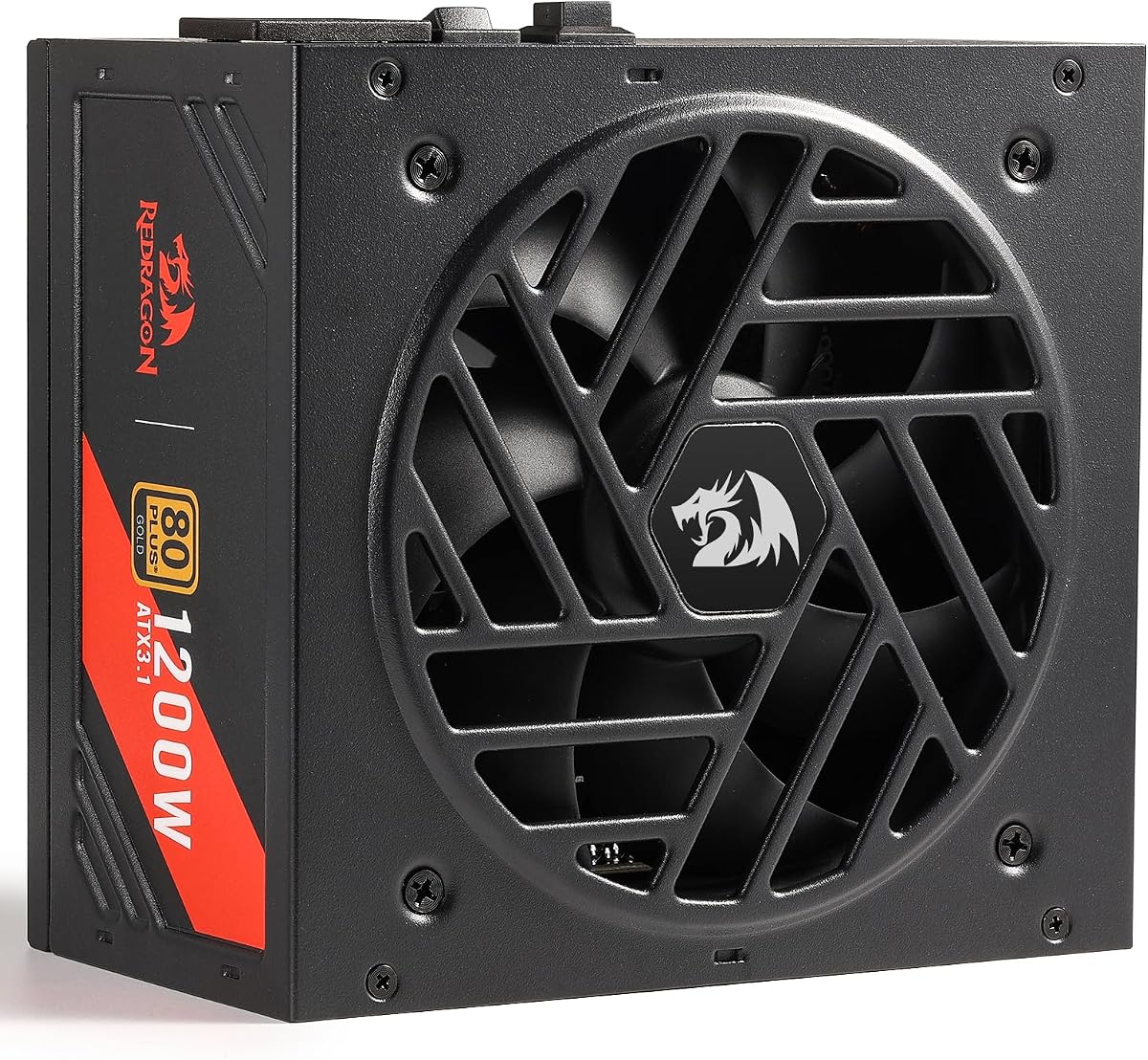
Redragon RGMS-1200W PRO
5.0Editor score
ATX 3.1 Compatible
Zero RPM Fan Mode
Compact 150mm Size
This guide compares the top 1200W power supplies for high-performance gaming PCs, focusing on efficiency, ATX 3.1 compliance, and build quality for reliable
Building a high-performance PC requires a robust power supply to handle demanding components like flagship GPUs and processors. A 1200W unit ensures ample headroom for future upgrades and stable operation under heavy loads without sacrificing efficiency.
We evaluated ten leading 1200W power supplies based on certification ratings, modular cabling, noise levels, and adherence to the latest ATX 3.1 standards. Each model offers unique features tailored to different build needs and budget considerations for enthusiasts.
Every pick highlights specific strengths such as silent operation, advanced protection circuits, or premium component usage. Please note that availability and pricing fluctuate frequently, so verify current stock before making your final purchase decision.
5.0Editor score

4.4Editor score

4.5Editor score
The following table provides a side-by-side comparison of key specifications across all ten selected power supplies to help you quickly identify the model that best fits your specific system requirements and performance goals.



The CORSAIR HX1200i stands out as a top-tier power supply designed for enthusiasts who demand both performance and control. With an impressive rating and full compliance with the latest ATX 3.1 standard, it ensures your high-end system runs smoothly even during peak loads. Its fully modular design allows for clean cable management while the fluid dynamic bearing fan delivers reliable cooling.
We may earn a commission when you buy through this link, at no additional cost to you.
This unit excels thanks to its integration with CORSAIR iCUE software, which lets you monitor real-time power draw and customize fan curves dynamically. The zero RPM fan mode ensures near-silent operation during lighter tasks, making it ideal for content creation or quiet gaming setups. The Intel ATX 3.1 certification means it can handle the massive transient spikes common with modern flagship graphics cards without issue.
While the HX1200i offers exceptional performance, its premium price tag might be a consideration for budget-conscious builders. Additionally, unlocking all monitoring features requires installing the iCUE software, which adds a layer of complexity for users who prefer plug-and-play simplicity. However, the robust protection systems and long-term reliability justify the investment for most high-performance rigs.
If you are building a flagship gaming PC or workstation and value software integration alongside raw power delivery, this is the unit to choose. It provides peace of mind through rigorous testing standards and offers the flexibility to adapt cooling to your specific workload needs. We recommend it for users who want the latest tech features in a reliable power supply.
The iCUE software platform allows deep customization of fan behavior and power monitoring without needing third-party tools.
Built to withstand transient power spikes from next-gen GPUs ensuring your system stays safe under heavy loads.
We may earn a commission when you buy through this link, at no additional cost to you.
The Redragon RGMS-1200W PRO offers an exceptional balance of features and cost for builders seeking high wattage without breaking the bank. Despite its budget-friendly positioning, it includes critical modern standards like ATX 3.1 and PCIe 5.1 readiness alongside a fully modular cable set. This makes it a surprising contender against more established brands in terms of raw specifications.
We may earn a commission when you buy through this link, at no additional cost to you.
Key strengths include its compact 150mm form factor which aids airflow in smaller cases, and the inclusion of 100% Japanese capacitors for enhanced reliability. The smart ECO low noise fan mode ensures the unit remains silent until temperatures rise, maintaining a quiet environment during idle or light usage. The flat fully modular cables significantly reduce clutter compared to traditional braided options.
The main trade-off is the brand's reputation compared to industry giants, which might worry some users despite the solid component list. Additionally, documentation and software support are minimal, meaning you won't get digital monitoring tools. However, for users who prioritize hardware specs over software features and want a high-quality 1200W unit at a low cost, this delivers value.
We recommend this power supply for budget-conscious gamers or those upgrading older systems to support high-end GPUs without replacing the entire case or PSU. It provides essential protection features and modern connectivity at a price point that is hard to match. If you trust the specs and don't need software control this is a fantastic choice.
The 150mm length allows for better cable management and airflow even in standard mid-tower cases.
Native support for PCIe 5.1 ensures your GPU gets stable power without needing unsafe adapters.
We may earn a commission when you buy through this link, at no additional cost to you.
The ASUS ROG Strix 1200W Platinum represents the pinnacle of consumer power supply technology, leveraging GaN MOSFETs for superior efficiency and thermal performance. Its unique GPU-First intelligent voltage stabilizer actively prioritizes power delivery to your graphics card ensuring smooth gameplay during demanding scenarios. This unit is clearly designed for those who refuse to compromise on build quality or performance.
We may earn a commission when you buy through this link, at no additional cost to you.
Features like the 0dB technology allow the fans to remain completely silent during light loads while dual ball fan bearings ensure long-term reliability. The large ROG heatsinks cover critical components to maintain lower operating temperatures than reference designs. The 80 Plus Platinum certification confirms high efficiency which saves energy and reduces heat generation within your system.
The primary drawback is the premium price tag which may not be justified for average users who do not push their hardware to the limit. It is also somewhat overkill for systems that do not utilize high-wattage GPUs or need extreme voltage stabilization. However for extreme enthusiasts the engineering quality and attention to detail are unmatched in the current market.
If you are building a flagship workstation or gaming rig and want the absolute best efficiency and stability this is the unit to buy. The long warranty adds peace of mind and the internal components are top tier for longevity. We recommend it for users who view their PC as a long-term investment and demand excellence from every component.
Gallium Nitride transistors reduce internal heat and improve efficiency compared to traditional silicon components.
The intelligent stabilizer reduces voltage drops under load to prevent frame drops or system crashes.
We may earn a commission when you buy through this link, at no additional cost to you.
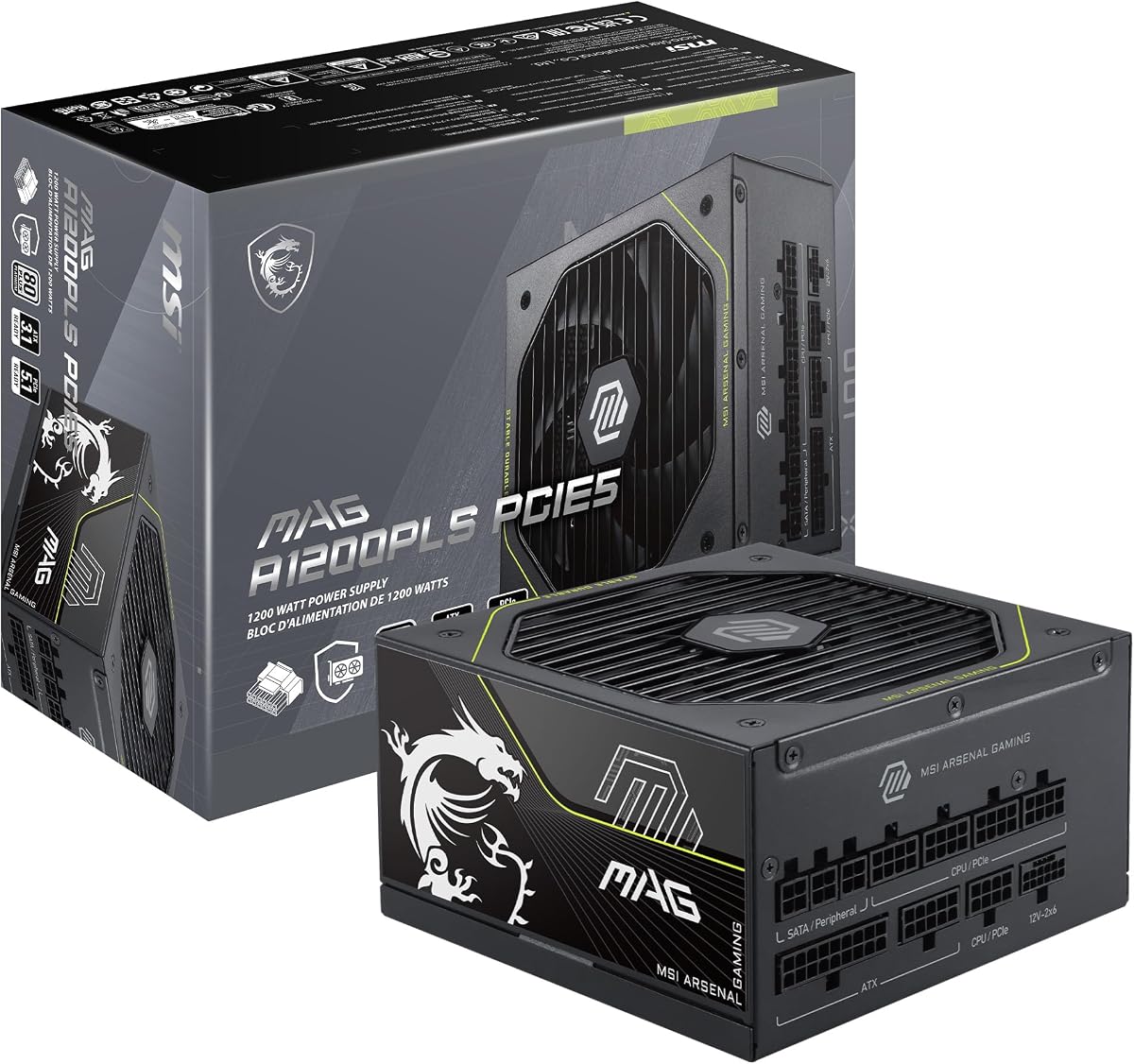
The MSI MAG A1200PLS distinguishes itself with proactive safety features that monitor your GPU health in real time. The unique GPU Safeguard mechanism provides early alerts if it detects abnormal current status allowing you to resolve issues before damage occurs. Combined with native 12V-2×6 cables this unit simplifies building future-ready systems with the latest graphics cards.
We may earn a commission when you buy through this link, at no additional cost to you.
Its compact 150mm size offers better compatibility with various cases while maintaining high efficiency through the 80 PLUS Platinum certification. The fan safeguard ensures the cooling system operates correctly to prevent overheating even under full load. The included cables are designed for durability with premium copper alloy connectors that ensure reliable power delivery to every component.
While the safety features are excellent some users might find the cable management slightly less flexible due to the specific connector layouts. The fan curve is tuned for safety which can be slightly louder than silent-focused units during high loads. However the trade-off for enhanced safety is worth it for those running high-end hardware without want extra protection.
This power supply is ideal for gamers using the latest RTX 40 series or upcoming 50 series cards who want peace of mind. The native connectors eliminate the need for adapters reducing risk of loose connections or power loss. We recommend it for anyone prioritizing system longevity and safety over absolute silence in their setup.
The GPU Safeguard feature monitors current levels to prevent hardware damage before it happens.
Included native 12V-2×6 cables ensure safe and stable power delivery to modern graphics cards.
We may earn a commission when you buy through this link, at no additional cost to you.
The ASUS TUF Gaming 1200W is built for durability with components that pass rigorous military-grade testing to withstand harsh conditions. A protective PCB coating shields the internal electronics from moisture, dust, and extreme temperatures ensuring long-term stability even in less than ideal environments. This focus on ruggedness makes it a favorite for users in demanding locations or heavy daily use.
We may earn a commission when you buy through this link, at no additional cost to you.
The dual ball fan bearings are designed to last up to twice as long as standard sleeve bearings providing reliable cooling for years. The Axial-tech fan design maximizes airflow to keep internal temperatures low under load. The 80 Plus Gold certification indicates strong efficiency while maintaining compatibility with the latest ATX 3.1 standards for modern GPUs.
While the Gold certification is slightly lower than the Platinum options in this list the durability aspects are exceptional. The fan might be audible under load which is a small price to pay for the extra reliability. If you plan to keep your system for many years or run it in a dusty environment this is a wise investment.
We recommend this power supply for users who prioritize longevity and reliability over peak efficiency ratings. The military-grade components ensure that your system remains stable even during extreme temperature changes or power fluctuations. It is an excellent choice for workstations or gaming rigs that need to run 24/7 without issue.
Military-Grade components ensure the unit can withstand physical and environmental stress over time.
PCB coating prevents short circuits caused by dust or humidity in challenging environments.
We may earn a commission when you buy through this link, at no additional cost to you.
The Thermaltake Toughpower PT stands out with its focus on cable management through flat etched cables that are much easier to route than traditional round wires. The inclusion of two native PCIe 5.1 12V-2×6 cables means you can power multiple high-end graphics cards without worrying about adapters. This makes it a strong candidate for multi-GPU setups or extreme single GPU power needs.
We may earn a commission when you buy through this link, at no additional cost to you.
The dual-color H++ connectors provide a visual guide to ensure connections are properly seated which helps prevent accidental damage. The unit is 80 PLUS Platinum certified ensuring high energy efficiency while using 100% Japanese capacitors for stability. A 135mm fan provides adequate cooling though some users may find it slightly audible under full load conditions.
While the cable management features are excellent the unique connector design can be confusing for first-time builders. Some users have reported mixed experiences regarding noise levels or which suggests quality control may vary. However the specifications and included cables make it a compelling option for those needing extra 12V-2×6 connectors without extra cost.
We recommend this power supply for users building complex systems that require multiple GPU cables or superior cable aesthetics. The flat cables and visual connector guides simplify the build process significantly. If you value tidy internals and specific connector availability this unit offers a practical solution for modern hardware.
Etched flat cables reduce bulk and improve airflow by lying flat against the case walls.
Dual-color connectors help confirm proper seating to prevent unstable power connections.
We may earn a commission when you buy through this link, at no additional cost to you.
The MONTECH Century II brings a distinctive silver metallic aesthetic to the power supply market which complements modern case designs well. It is fully modular and ATX 3.1 compatible making it a versatile option for high-end builds. The inclusion of 100% Japanese capacitors ensures stable performance and long-term reliability for your system.
We may earn a commission when you buy through this link, at no additional cost to you.
Optimized ventilation is provided by a 135mm FDB silent fan that switches off entirely at low loads via Zero RPM mode. This helps keep your system whisper quiet during idle or light workloads. The 80 Plus Gold certification confirms decent efficiency that balances performance and power consumption effectively for most users.
The unique silver design might not match black-themed builds so aesthetic consideration is necessary before purchasing. It is also less widely available than major brands which can complicate warranty claims in some regions. However for users who appreciate the visual look and need a reliable 1200W unit this delivers solid performance.
We recommend this power supply for builders looking for something visually unique without sacrificing modern electrical standards. The zero RPM mode makes it a quiet choice for home media centers or office workstations. If you want a distinct look and dependable power this is a great addition to your build.
The silver metallic finish offers a distinct look for cases with tempered glass panels.
Zero RPM mode ensures the fan stops completely until temperatures rise during intensive tasks.
We may earn a commission when you buy through this link, at no additional cost to you.
The renewed Corsair HX1200i offers a way to acquire a high-end power supply at a more accessible price point. This renewed unit retains the key features of the original model including ultra-low noise operation and Platinum efficiency. It complies with modern ATX and PCIe standards ensuring it works with today's demanding hardware components.
We may earn a commission when you buy through this link, at no additional cost to you.
The fluid dynamic bearing fan and zero RPM mode ensure that the unit remains quiet even under moderate loads. Japanese capacitors rated for high temperatures deliver long life and reliability similar to a brand new unit. The renewed status means you get access to premium technology without paying full retail cost for the latest model.
Buying renewed means the unit may show minor cosmetic signs of use which does not affect performance. Warranty support may differ slightly depending on the specific seller or certification program involved. However for many builders the savings are substantial and the technical specs remain identical to the new versions.
We recommend this option for budget-savvy users who still want high-end performance and reliability. It is a smart choice for those building a high-performance PC who want to save money without compromising on quality. Just ensure the seller offers a solid return policy when purchasing renewed electronics.
Renewed units offer flagship features at lower prices making high-end tech more accessible.
The fan technology ensures low noise levels for peaceful computing environments.
We may earn a commission when you buy through this link, at no additional cost to you.
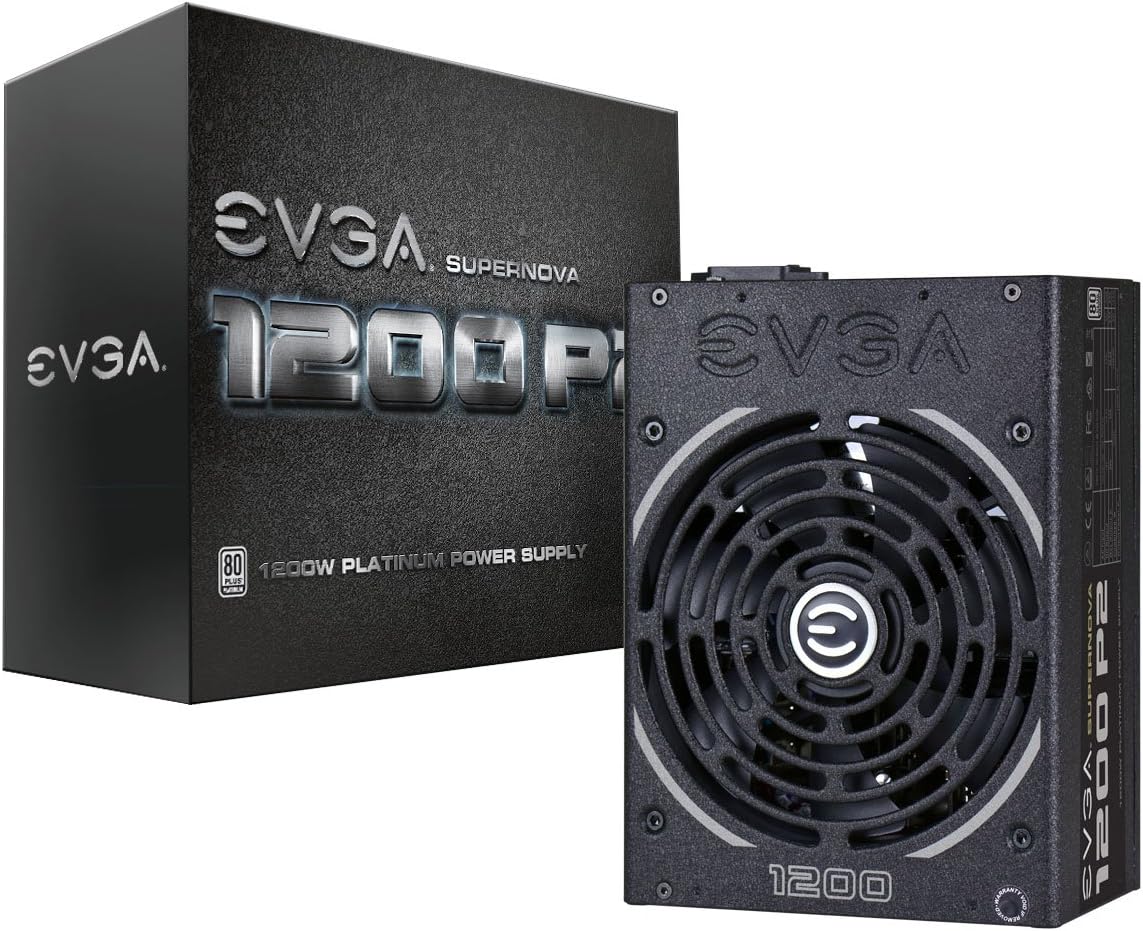
The EVGA Supernova 1200 P2 is a classic choice that has earned a reputation for reliability and solid performance over the years. It features an ECO mode that stops the fan completely under low loads ensuring whisper-quiet operation. The 80 PLUS Platinum certification guarantees high energy efficiency which translates to less waste heat and lower electricity bills.
We may earn a commission when you buy through this link, at no additional cost to you.
Built with 100% Japanese capacitors this unit ensures long-term stability and durability even under continuous use. The fully modular design makes cable management straightforward allowing for clean builds with minimal clutter. Its design is robust and ready to handle demanding gaming sessions or professional workloads without issues.
While it lacks explicit mention of ATX 3.1 compliance which is a newer standard it still provides ample power for current GPUs. The lack of some modern features like native 12V-2×6 cables might require adapters for the latest cards. However the core performance and build quality remain top tier for those who value proven hardware.
We recommend this power supply for users who trust EVGA's track record and prioritize reliability over the very latest specs. It is an excellent choice for a high-wattage build that does not need bleeding-edge standards. If you want a unit that will simply work well for years this is a safe bet.
ECO mode stops the fan during light loads to maintain near-silent operation in your room.
High-quality internal components ensure stable power delivery for years of reliable operation.
We may earn a commission when you buy through this link, at no additional cost to you.
The CORSAIR RM1200e is designed to deliver low-noise performance without sacrificing essential modern power delivery standards. It complies with ATX 3.1 and includes a native 12V-2×6 cable for the latest graphics cards. The Cybenetics Platinum efficiency rating indicates strong performance that balances power output with energy savings.
We may earn a commission when you buy through this link, at no additional cost to you.
A 140mm rifle bearing fan maintains a calculated fan curve that keeps noise down even when operating at full load. The Modern Standby compatible feature ensures your system wakes quickly and consumes less power when idle. High-rated Japanese capacitors guarantee stable operation and long life for your critical components.
While the efficiency rating is slightly lower than some competitors the low noise profile is a major benefit for quiet environments. Some users may prefer other units with higher wattage headroom but this remains a solid mid-tier premium option. The fully modular design helps keep your build tidy and professional looking.
We recommend this power supply for users who prioritize a quiet PC experience and need modern connectivity. It fits well in office or home setups where noise control is as important as performance. If you want a reliable 1200W unit from a trusted brand this is a strong choice.
The rifle bearing fan ensures smooth rotation and minimal noise during operation.
Cybenetics Platinum efficiency ensures minimal wasted energy and reduced heat output.
We may earn a commission when you buy through this link, at no additional cost to you.
Selecting the right 1200W power supply requires evaluating several technical aspects to ensure compatibility and reliability for your specific hardware.
The latest ATX 3.1 standard is critical for supporting modern high-end GPUs that require stable power delivery during sudden spikes. A compliant unit includes a native 12V-2×6 cable reducing the need for risky adapters that may cause connection issues.
Look for units explicitly mentioning ATX 3.1 certification to ensure your system is ready for the future.
Efficiency ratings like 80 Plus Gold or Platinum indicate how well the PSU converts AC power to DC power with less heat waste. Higher efficiency means lower electricity bills and cooler operation which is vital for densely packed systems.
Opt for at least Gold certification to balance cost and performance effectively.
Fully modular power supplies allow you to connect only the cables you need reducing clutter inside the case. This improves airflow and makes building your PC significantly easier especially if you use a case with limited cable routing options.
Always choose a fully modular unit for the best cable management experience.
Modern power supplies often include a zero RPM fan mode that keeps the fans off during idle or light loads for silence. Check if the unit supports fan curves or digital monitoring to balance cooling with acoustics based on your workflow.
Prioritize units with quiet fans if you work or game in noise-sensitive environments.
High-quality units include multiple protection mechanisms like Over Current Protection and Over Voltage Protection to shield your components from power surges. These safeguards prevent accidental damage to your GPU and motherboard during unstable power conditions.
Ensure your PSU has a full suite of protection features for safety.
Look for units using high-quality Japanese capacitors which are known for longevity and thermal stability. A long warranty period such as ten years often reflects the manufacturer's confidence in the product's durability and reliability.
Choose a brand with strong support and a long warranty to protect your investment.
Verify that the PSU includes enough PCIe power cables for your graphics card(s) especially for multi-GPU setups. Missing cables can force you to use risky adapters or buy extras separately which adds to the total cost.
Check the included cable list before buying to ensure all needs are met.
Most ATX units fit standard cases but compact models can improve airflow or fit in smaller cases. Ensure the length and width of the PSU match your case specifications to avoid fit issues.
Measure your case space and compare it with the PSU dimensions.
Install the power supply securely in your case ensuring all mounting screws are tightened to reduce vibration noise. Connect all necessary cables to the motherboard and GPU before powering on to avoid damage from loose connections.
Monitor the power supply temperatures using software if available to ensure it operates within safe ranges under load. If the unit gets unusually hot or makes clicking noises turn it off immediately to prevent hardware damage.
Keep the PSU intake vents clean from dust by periodically using compressed air to prevent overheating. Avoid placing the PC in direct sunlight or near heat sources to extend the life of the internal capacitors.
A 1200W power supply is ideal for systems with multiple high-end GPUs or extreme overclocking setups. For single GPU systems it provides ample headroom for future upgrades and stable performance during peak loads. Check your total system wattage requirements before purchasing to ensure compatibility.
While not strictly mandatory ATX 3.1 compliance ensures your PSU has the proper native 12V-2×6 connector. This reduces the risk of using adapters that may be loose or overheat. Using a compliant unit is safer for long-term reliability with modern graphics cards.
Platinum efficiency ratings indicate higher power conversion efficiency compared to Gold which results in less heat and slightly lower energy costs. The difference is often small for average users but matters for systems running 24/7. Both are acceptable for high-performance builds.
No you should never mix power cables from different brands or models as pinouts can vary dangerously. Always use the cables provided with your specific unit to prevent permanent damage to your components. Modular cables are not universal across manufacturers.
Use compressed air to blow dust out of the intake vents and fans while the unit is powered off and unplugged. Do not use water or liquid cleaners as moisture can cause electrical shorts. Ensure the PSU is completely dry before reconnecting it.
Buzzing is often caused by coil whine which is a normal but sometimes annoying electrical phenomenon under heavy load. It does not usually indicate a failure but you can try adjusting fan curves or load distribution to reduce it. If it becomes loud or changes tone check for loose internal parts.
The CORSAIR HX1200i Redragon RGMS-1200W PRO and ASUS ROG Strix 1200W Platinum stand out for their unique strengths in digital control value and premium efficiency respectively. Each offers robust performance suitable for demanding modern systems.
When choosing consider your specific needs such as silent operation or safety features and ATX 3.1 support to ensure long-term compatibility. Investing in a quality unit protects your other components and ensures stable performance.
Verify current availability and check your case dimensions before finalizing your purchase. Prices and stock fluctuate frequently so acting quickly may be necessary to secure the best model for your build.