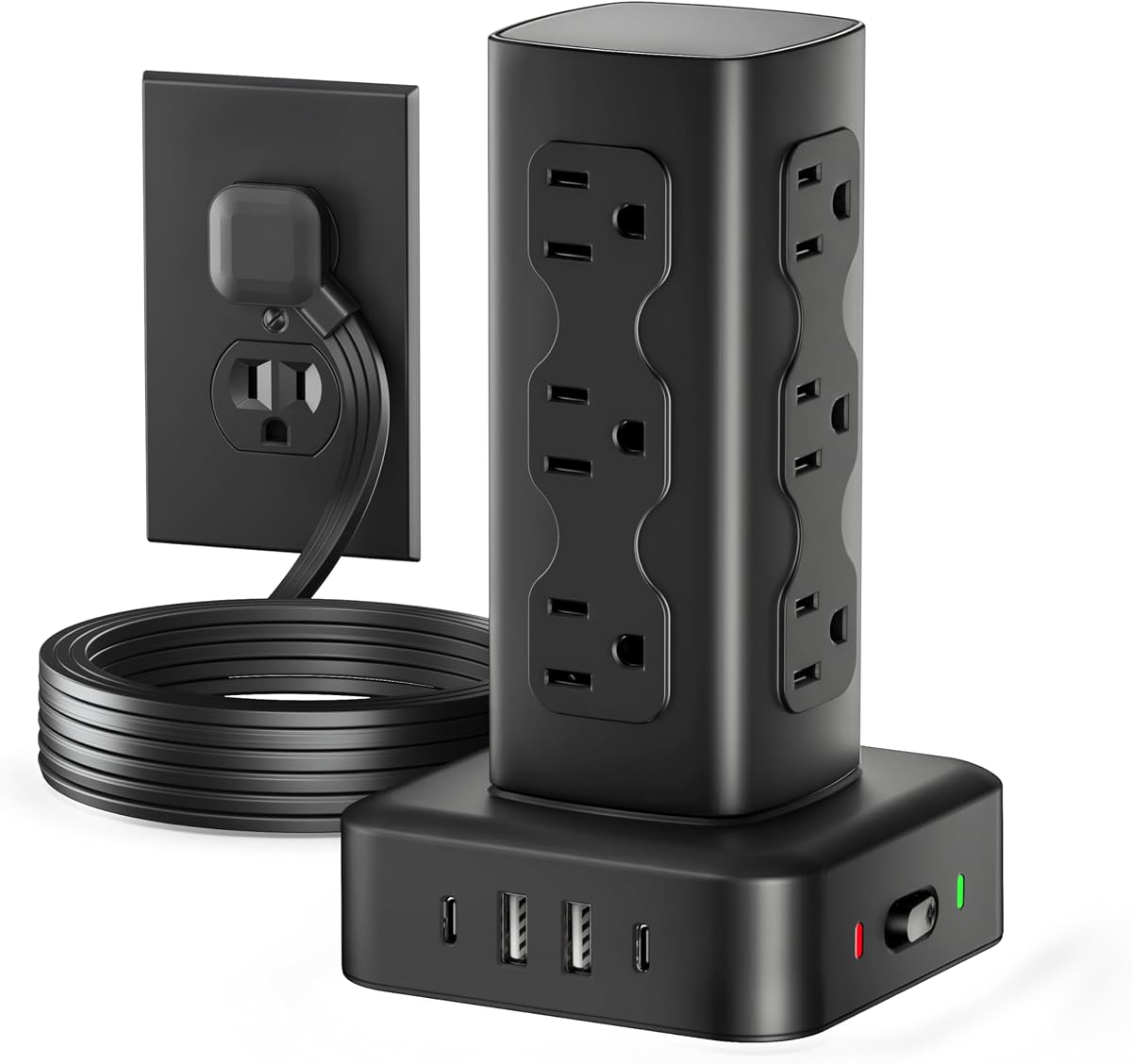
Power Strip Tower with 12 AC Outlets
4.7Editor score
12 AC outlets with 4 USB ports
2000-joule surge protection
Ultra-thin 0.31in flat plug
6FT extension cord included
This expert guide compares the top charging towers for home and office, evaluating port counts, surge protection, safety features, and compact designs to help
Finding a reliable power solution for your modern workspace can be challenging when devices multiply rapidly. A charging tower offers a vertical layout that saves desk space while providing ample outlets for phones, laptops, and accessories efficiently.
We have analyzed ten top-rated models based on their port configurations, safety certifications, and design features. Our comparison highlights how each unit manages heat, surge protection, and cord length to ensure safe and organized power distribution.
Each pick below showcases specific strengths like fast charging speeds or retractable cords. Please note that product availability and pricing can change frequently, so always verify the latest details before making your final purchasing decision online.
4.7Editor score

4.7Editor score

4.7Editor score
The following table provides a side-by-side comparison of all ten charging towers featured in this guide. Review the key specifications such as outlet counts, USB capabilities, and surge protection levels to find the model that best fits your specific power needs.


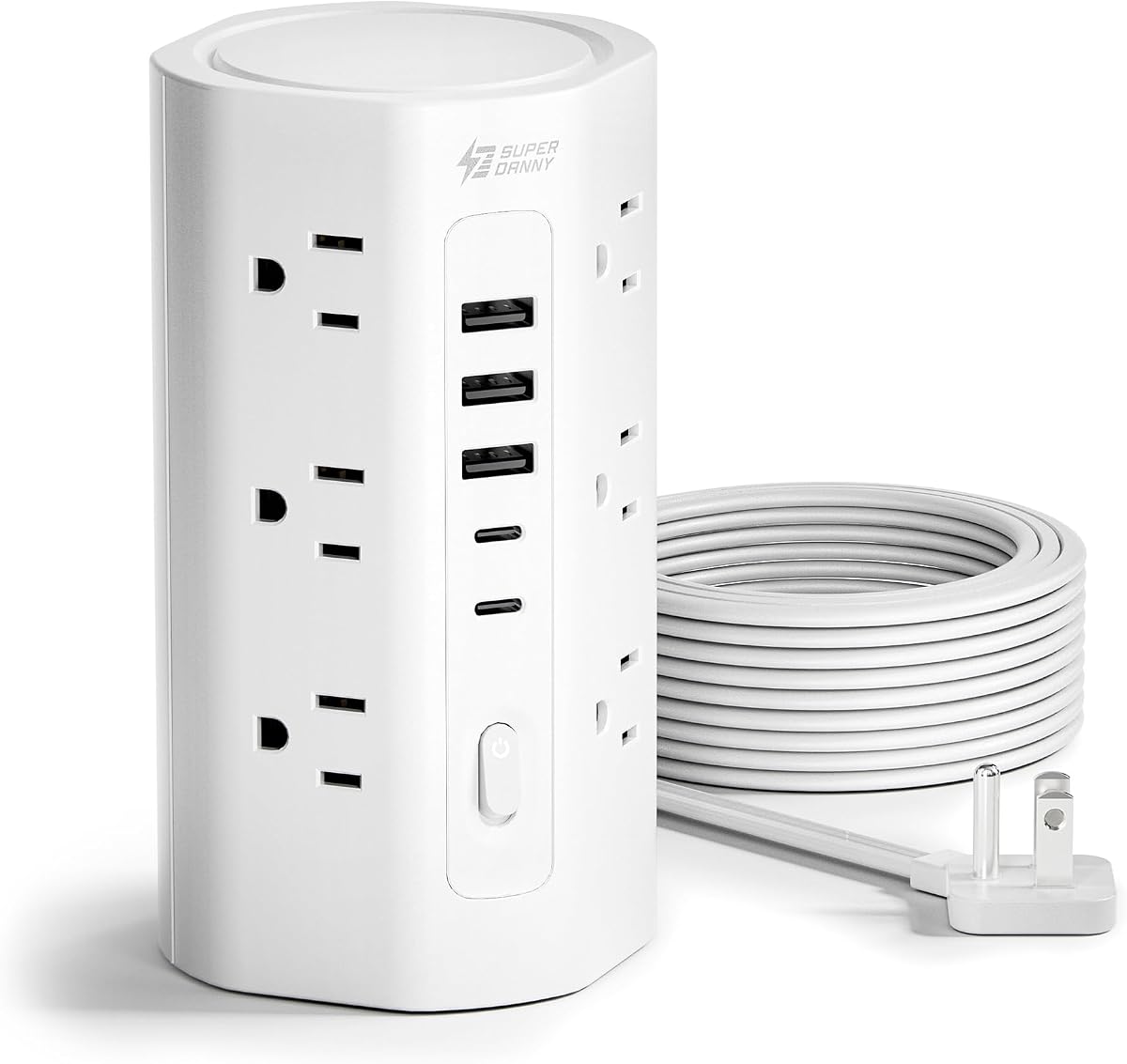
This charging tower combines high capacity with safety features that appeal to home office users. It received a strong user rating for its ability to handle multiple high-wattage devices simultaneously without issues.
We may earn a commission when you buy through this link, at no additional cost to you.
The standout feature is its combination of nine AC outlets and eight USB ports, allowing you to power an entire workstation from one spot. The 1875W circuit breaker ensures safety even when running printers or mini-fridges.
While the tower is effective, managing the retractable cord can be slightly tricky during setup. Additionally, the vertical size might dominate smaller nightstands or compact workspaces compared to flat strip models.
If you need to power many devices at once and value organized cable management, this model is an excellent choice. It is particularly well suited for families or shared offices needing reliable, centralized power access.
With nine AC and eight USB ports, this unit supports laptops, phones, tablets, and appliances all at once without needing extra adapters.
The base allows you to rotate and retract the cord to store it neatly when not in use for a tidy appearance.
We may earn a commission when you buy through this link, at no additional cost to you.
The JACKYLED tower is praised for its smart design that saves desk space while offering extensive connectivity. Users appreciate the ability to control power at each layer independently.
We may earn a commission when you buy through this link, at no additional cost to you.
With twelve widely spaced AC outlets and six USB ports, it accommodates gaming setups and media centers effectively. The smart charging USBs detect devices for optimal safe speeds without manual configuration.
The weight of the unit might make it less ideal for portable travel scenarios. Furthermore, some users note that the individual switches require firm pressure to toggle on or off reliably.
This tower is highly recommended for home offices or gaming rooms where multiple devices need constant power. Its energy-saving switches help reduce unnecessary waste when certain devices are not in use.
Independent switches on each layer let you turn off specific devices to save electricity without unplugging them manually.
Two USB-C and four USB-A ports ensure your mobile devices charge efficiently alongside larger electronics plugged into AC outlets.
We may earn a commission when you buy through this link, at no additional cost to you.
This model stands out for its focus on high-speed USB charging, specifically targeting devices that benefit from Power Delivery technology. It balances AC and USB capacity well for tech-heavy users.
We may earn a commission when you buy through this link, at no additional cost to you.
Two USB-C ports offer up to 65W each, making them suitable for charging laptops directly without their original bricks. The total 115W USB capacity ensures multiple devices charge fast simultaneously.
Users are advised to remove thick phone cases during charging to prevent overheating issues on certain models. The premium build quality also comes with a price tag that exceeds standard power strip costs.
If you rely heavily on USB-C devices like modern laptops and tablets, this tower offers superior convenience. It simplifies your setup by eliminating the need for several separate wall chargers on your desk.
The 65W USB-C ports can deliver enough power to charge many laptops at full speed for versatile connectivity.
Anti-slip rubber feet ensure the tower remains firmly in place even when plugging and unplugging devices frequently.
We may earn a commission when you buy through this link, at no additional cost to you.
This budget-friendly option delivers solid performance without sacrificing essential safety features like surge protection. It is an excellent entry point for those needing many AC outlets quickly.
We may earn a commission when you buy through this link, at no additional cost to you.
With 2000-joule surge protection, it actively guards your devices against power surges better than many competitors in this price range. The six-foot cord provides good reach for most bedroom or office layouts.
It offers fewer USB ports compared to other models on this list, which might require extra hubs if you have many phones. The lower total USB wattage also means slower charging for multiple devices simultaneously.
If your primary need is expanding AC outlets safely and affordably, this tower is a smart pick. It keeps your wall clutter minimal with its ultra-thin plug design that sits flush against surfaces.
The 2000J rating provides strong defense against voltage spikes to protect your valuable electronics effectively.
The 0.31 inch flat plug ensures the tower fits neatly behind furniture without blocking adjacent outlets.
We may earn a commission when you buy through this link, at no additional cost to you.
This unit focuses on delivering high USB power, making it ideal for users who prefer charging everything via USB-C or USB-A. It simplifies cabling significantly for tech enthusiasts.
We may earn a commission when you buy through this link, at no additional cost to you.
The 230W total USB output allows two laptops and several phones to charge rapidly at the same time without power drops. Built-in safety systems handle overvoltage and overheat risks effectively.
The cord length is shorter at five feet compared to the standard six or ten feet found in other models. This limits placement flexibility if your power source is far from your desk.
Choose this tower if you prioritize USB charging speed over having many AC outlets for large appliances. Its compact size fits well on nightstands or small desks where space is tight.
With 230W of USB power, this tower can handle multiple high-demand devices like laptops and tablets simultaneously.
Overcurrent and overheat sensors cut power automatically to prevent damage during unexpected electrical surges.
We may earn a commission when you buy through this link, at no additional cost to you.
The ten-foot extension cord on this model is a standout feature for rooms where outlets are far from seating areas. It ensures you can place the tower exactly where needed.
We may earn a commission when you buy through this link, at no additional cost to you.
Despite the long cord, the plug remains ultra-thin at 0.27 inches, preventing interference with other outlets. This design is particularly helpful in tight spaces behind sofas or under desks.
The total USB charging power is lower than some competitors, which may mean slower charging for power-hungry devices like laptops. Also, its lightweight build requires care to avoid tipping when plugging in heavy cords.
If you have a bedroom or living room with distant wall outlets, this tower offers great reach. It keeps your workspace organized by centralizing power even when that power source is remote.
The pure copper 10FT cord handles higher current capacity safely for long-distance power needs.
The 45-degree right angle design prevents blocking the outlet below it for better space use.
We may earn a commission when you buy through this link, at no additional cost to you.
Anker is known for quality electronics, and this charger maintains that reputation with a robust safety system. It is designed specifically for stable desktop use rather than floor placement.
We may earn a commission when you buy through this link, at no additional cost to you.
Two USB-C ports can deliver up to 100W individually, meaning they can power most modern laptops directly. This eliminates the need for bulky chargers on your desk surface for better organization.
The unit only has three AC outlets, which limits its use if you need to plug in many large devices. It is also priced higher than standard power strip towers, reflecting the premium build.
This charger is best suited for professionals who need reliable, fast USB-C charging in a sleek design. It works well on desks where saving space and maintaining a clean aesthetic are top priorities.
An 8-point safety system protects your devices from overvoltage and short circuits during normal use.
The 100W USB-C port allows you to charge laptops at full speed without needing a separate brick.
We may earn a commission when you buy through this link, at no additional cost to you.
This tower provides a dedicated 20W PD USB-C port that is optimized for charging phones quickly. It is designed for families with many mobile devices needing daily power.
We may earn a commission when you buy through this link, at no additional cost to you.
The wide-spaced outlets prevent larger adapters from blocking each other, which is a common issue in crowded power strips. The 1800J surge protection gives you peace of mind against electrical hazards.
While the PD port is fast for phones, it cannot charge laptops which typically require 60W or more. If you need laptop charging, you may need to rely on AC outlets for those devices.
If you need a portable and stable solution for charging phones and small devices, this tower fits the bill. Its flat cord makes storage easy for travel or temporary office setups.
The dedicated 20W PD port can charge an iPhone from zero to fifty percent in about thirty minutes.
A weighted non-slip base ensures the tower remains upright even when multiple cables are plugged in.
We may earn a commission when you buy through this link, at no additional cost to you.
This tower solves the common problem of bulky adapters blocking nearby outlets with its wide spaced design. It ensures that you can use all twelve AC slots effectively at once.
We may earn a commission when you buy through this link, at no additional cost to you.
The reset/off switch helps save energy by cutting power easily when leaving your room or office. This feature is practical for people who tend to forget to unplug devices completely.
The USB output is not as powerful as dedicated charging stations, meaning it charges phones at standard speeds. It is not the best choice if you need fast charging for tablets or laptops specifically.
For general household use where AC availability is more critical than USB speed, this is a solid choice. It keeps your desktop organized and prevents the frustration of unusable sockets.
The 1.5-inch spacing allows large wall adapters to plug in without blocking neighboring outlets.
The main reset switch lets you cut power to all devices at once for easy energy management.
We may earn a commission when you buy through this link, at no additional cost to you.
Combining a long flat cord with wide-spaced outlets, this tower offers practical design features for large rooms. It helps manage cables effectively without tripping hazards.
We may earn a commission when you buy through this link, at no additional cost to you.
The five USB ports automatically detect connected devices to deliver safe optimal charging speeds. This simplifies your workflow by ensuring phones and tablets charge correctly without manual switching.
Storing the ten-foot flat cord can be slightly cumbersome compared to retractable models. The shared power across USB ports may result in slower speeds if you plug in many devices at once.
If you need to reach distant outlets safely while keeping your desk neat, this model is highly effective. Its robust safety protections make it a reliable long-term choice for any home or office.
Widely spaced 1.5-inch outlets fit oversized plugs easily so you can use all twelve AC ports.
The ports auto-sense your device type to deliver the correct safe charge without adapters.
We may earn a commission when you buy through this link, at no additional cost to you.
Selecting the right charging tower involves evaluating several key factors that impact performance and safety. We have broken down these aspects to help you make an informed decision.
Determine how many devices you need to charge simultaneously. Look for a mix of AC outlets and USB ports that matches your devices. Ensure there are enough USB-C ports if you own modern laptops or phones.
Choose a tower with enough ports to avoid needing additional hubs for your daily needs.
Surge protection is critical for safeguarding sensitive electronics from power spikes. A higher joule rating generally indicates better protection capabilities against voltage surges.
Always select a tower with at least 1000J surge protection for reliable safety.
Measure the distance between your outlet and your workspace. A longer cord like 6FT or 10FT gives you flexibility. Flat cords are better for hiding behind furniture to reduce tripping hazards.
Opt for a cord length that reaches comfortably without creating slack on the floor.
Check the total USB wattage output if you rely on USB for charging laptops. Standard USB-A ports charge phones slowly. Look for USB-C ports with Power Delivery support for fast charging.
Prioritize higher wattage USB ports if you need to charge laptops directly.
Consider the physical size of the tower relative to your desk. A compact tower is better for small spaces. Look for rubber feet to prevent sliding and tipping when devices are plugged in.
Ensure the tower fits on your surface without obstructing your work area.
Verify that the product carries recognized safety certifications like UL or FCC. These ensure the internal components meet strict electrical safety standards.
Only purchase towers with official safety certifications to prevent electrical hazards.
Individual switches allow you to turn off power to specific devices without unplugging them. This saves energy and offers convenience when not in use.
Look for towers with individual switches for better energy management.
A solid build ensures the tower withstands daily wear and tear. Look for materials that are fire-resistant and durable enough for long-term use.
Choose robust materials to ensure long-term durability and safety.
Place your charging tower on a stable flat surface to ensure it does not tip over. Avoid covering the tower with blankets or papers that could trap heat during use.
Plug your devices into the ports that match their cable type. Ensure heavy AC adapters are spaced out properly to avoid blocking adjacent sockets.
Regularly check the cord for signs of wear or damage. Unplug the tower from the wall if you are not using it for extended periods to save energy and enhance safety.
Yes, charging towers can generate heat when multiple devices are connected simultaneously. Modern models include thermal protections to prevent overheating. Ensure you leave some space around the unit for air circulation.
You should verify the wattage rating of the tower before connecting high-wattage appliances. Most towers support standard office equipment but may not handle heavy machinery. Always check the circuit breaker capacity on the unit.
Some towers offer USB-C ports with Power Delivery that can charge laptops. However, standard USB-A ports may not provide enough wattage. Look for towers specifically rated for 60W or more USB-C output for laptops.
Surge protection is highly recommended for valuable electronics like computers and TVs. It protects them from power spikes that can occur during storms or grid fluctuations. Standard power strips without surge protection offer no such safety.
Always unplug the tower from the wall before cleaning it. Use a dry soft cloth to wipe down the exterior surfaces. Avoid using liquids or sprays that could penetrate the internal components.
A charging tower is a vertical power strip designed to save horizontal desk space. It often includes built-in USB ports for device charging. Standard power strips are flat and may lack integrated USB capabilities.
It is not recommended to stack charging towers as it can block ventilation and pose safety risks. Instead, choose a single tower with a higher port count to meet your needs safely. Stacking increases the risk of overheating.
Most charging towers are designed for standard US plugs. If you are traveling internationally, you may need an adapter. Check the plug type specifications before purchasing for use abroad.
We have reviewed ten top charging towers that cater to different needs from budget options to premium models. Each unit offers unique benefits depending on whether you prioritize USB charging speed or AC outlet capacity.
When making your final choice, consider your primary device types and the available space on your desk. Balancing safety features with port configuration will help you find the ideal tower for your specific setup.
Remember to check current prices and availability as deals change frequently. By following this guide, you can confidently select a reliable tower that organizes your workspace efficiently.