
Quick Release Desk Mount
4.7Editor score
Lightweight aluminum alloy body
Quick release clamping system
Fits desks up to 2.36 inches
Discover the top 10 Joystick Hotas Mounts for flight sim gaming. We compare stability, compatibility, adjustability, and build quality to find the best desk
Finding the right Joystick Hotas Mounts transforms your home setup into a professional flight cockpit. A good mount keeps your controls steady, reduces clutter, and improves ergonomics during long simulation sessions.
We analyzed ten top-rated mounts based on build quality, compatibility, and user feedback. Our guide covers desk clamps and chair mounts designed for popular systems like Logitech, Thrustmaster, and VKB.
Each pick highlights key strengths and potential drawbacks to help you choose wisely. Prices and availability change frequently, so verify details on the product pages before making your final decision today.
4.7Editor score

4.5Editor score

4.6Editor score
This side-by-side comparison highlights the unique features of each mount to help you decide quickly. Note that some models target specific brands while others offer broader compatibility.


The SILVIP 2 Set HOTAS Desk Mount offers exceptional value for flight sim enthusiasts. With a 4.5 rating, it stands out as a reliable option for mounting controllers.
We may earn a commission when you buy through this link, at no additional cost to you.
Its main strength is broad compatibility across platforms like PC, Xbox, and PlayStation. The dual mount setup ensures both joystick and throttle are elevated for better control.
While assembly is required, the design simplifies setup. Some users may find the initial process time consuming compared to preassembled alternatives.
This mount is ideal for gamers seeking a complete solution without breaking the bank. We recommend it for those building a new cockpit station.
Supports PC, Windows, Xbox, and PlayStation platforms for flexible gaming setups.
Designed to eliminate desktop clutter while keeping controls stable during intense sessions.
We may earn a commission when you buy through this link, at no additional cost to you.
The Meza Mount-HOTAS Desk Mount Set delivers professional-grade stability for serious simmers. Rated 4.6, it excels in holding heavy controls without flex.
We may earn a commission when you buy through this link, at no additional cost to you.
Its aluminum profile support columns ensure minimal wobble during combat maneuvers. The design specifically targets Thrustmaster Warthog and WinWing systems for perfect fit.
The premium price reflects its robust build quality. Users with lighter sticks might find the overkill but it ensures longevity.
We suggest this for dedicated home cockpit builders prioritizing durability. It creates a stable foundation for high-end flight gear.
Reinforced metal plates keep controls steady during intense flight simulation maneuvers.
Specifically engineered for Thrustmaster and WinWing systems to ensure secure attachment.
We may earn a commission when you buy through this link, at no additional cost to you.
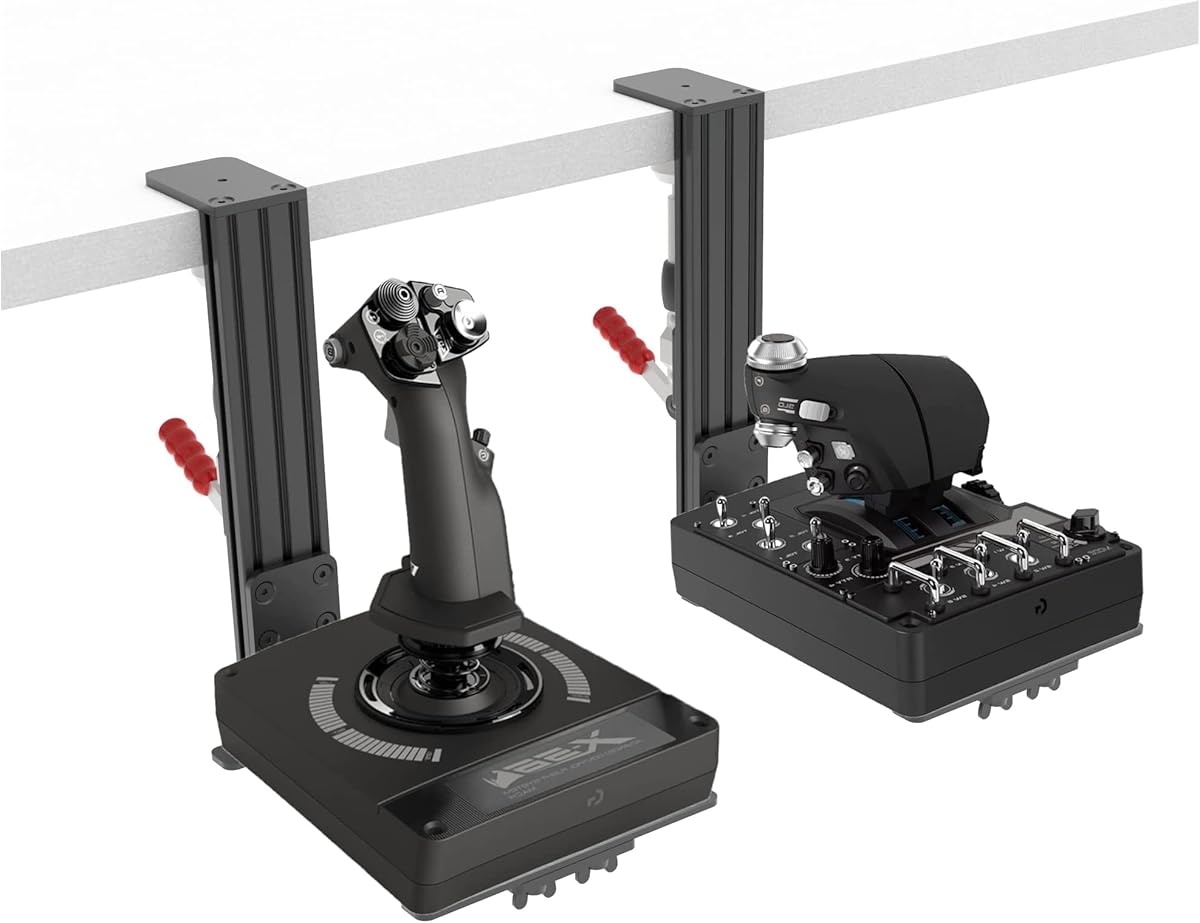
The Quick Release Desk Mount offers top value with its 4.7 rating and lightweight design. It is perfect for users needing a single sturdy mount quickly.
We may earn a commission when you buy through this link, at no additional cost to you.
Crafted from aluminum alloy, it provides strength without adding bulk. The quick release system allows you to detach controls easily when not gaming.
Its clamp works best on desks under 2.36 inches. Thicker surfaces will not accommodate the mechanism effectively.
Ideal for budget-conscious pilots, this mount balances quality and cost well. It saves space and improves comfort significantly.
Includes all necessary screws and a screwdriver for tool-free setup in minutes.
Positioning controls off desktop reduces strain during long gaming sessions.
We may earn a commission when you buy through this link, at no additional cost to you.
Hikig provides a solid entry point for flight sim mounts with this 2 set. Its 4.1 rating reflects reliable performance across various joystick brands.
We may earn a commission when you buy through this link, at no additional cost to you.
The 91N.m clamp force ensures it stays fixed to your desk. Adjustable height and position allow for a custom fit on different setups.
Users note it works well with Logitech and Thrustmaster gear. Some feedback indicates initial setup can be tricky without clear instructions.
Buy this if you need a versatile dual mount at a fair price. It helps prepare your cockpit for immersive flight.
The 91N.m force provides stability during rapid control movements.
Adjustable height and position help you find the perfect ergonomic setup.
We may earn a commission when you buy through this link, at no additional cost to you.
The RACGTING 2-Pack Foldable HOTAS offers a clean and durable solution. Rated 4.4, it focuses on stability and ease of storage.
We may earn a commission when you buy through this link, at no additional cost to you.
Its aluminum clamp locks firmly onto desks, minimizing wobble. The foldable design allows you to clear space when not flying.
Users appreciate the natural hands-down layout it creates. However, checking your specific joystick compatibility is advised before purchase.
This mount suits those who need flexibility in their shared workspace. It combines strength with smart storage features.
Durable aluminum clamp system locks firmly for near-zero-wobble control.
Quick installation and foldable design keep your space organized between flights.
We may earn a commission when you buy through this link, at no additional cost to you.
DIWANGUS focuses on space efficiency with this 2-pack solution. Rated 4.4, it offers flexibility for shared or small rooms.
We may earn a commission when you buy through this link, at no additional cost to you.
The iron and aluminum build balances cost and durability. You can adjust each mount independently for a tailored cockpit feel.
The 90 percent preassembled state saves time. Just attach the crossbars and you are ready to fly.
Consider this if you have a shared desk needing quick removal. It helps organize your workspace effectively.
Foldable design allows you to store mounts away after each flying session.
Adjust each mount independently to reduce awkward reaching for controls.
We may earn a commission when you buy through this link, at no additional cost to you.
Reashy combines lightweight aluminum with a high-pitch clamp for easy use. Rated 4.4, it supports many popular brands well.
We may earn a commission when you buy through this link, at no additional cost to you.
The rotary knob allows for simple disassembly and folding. This saves time compared to complex bolt-on systems.
Ensure your desk thickness is within 0.2 to 5.7 inches. It might not work for very thick custom tables.
Buy this for a straightforward, durable desk solution. It simplifies setup for most users.
Perfect combination of lightweight aluminum and craftsmanship makes it sturdy.
Well-designed adjustment range allows a proper position for Joystick.
We may earn a commission when you buy through this link, at no additional cost to you.
This model shows perfect customer satisfaction with a 5.0 rating. It focuses on stability with a dual clamp design for safety.
We may earn a commission when you buy through this link, at no additional cost to you.
The vertical height adjustment helps tailor the feel. Users love how secure the stand feels during gameplay.
Note that it supports a very specific range of models. Also ensure your table edge is under 2.36 inches.
Ideal if your gear fits its strict compatibility list. It delivers a secure mount for those specific users.
Dual-clamp design secures the stand firmly for outstanding stability.
Check listed models carefully as other models are not supported.
We may earn a commission when you buy through this link, at no additional cost to you.
This Hikig model features a push-pull clamp for fast loading. Rated 4.2, it handles heavy controls effectively with high capacity.
We may earn a commission when you buy through this link, at no additional cost to you.
The non-slip feet protect your desk surface well. Its dual-handed system works for left and right users.
Ensure installation is correct to feel the full stability benefit. Misalignment may reduce effectiveness.
Great for those needing rapid setup and removal. It supports a wide range of hand-controlled devices.
Push-pull quick clamp loads and unloads fast with strong clamping force.
Can be positioned for both left- and right-handed users easily.
We may earn a commission when you buy through this link, at no additional cost to you.
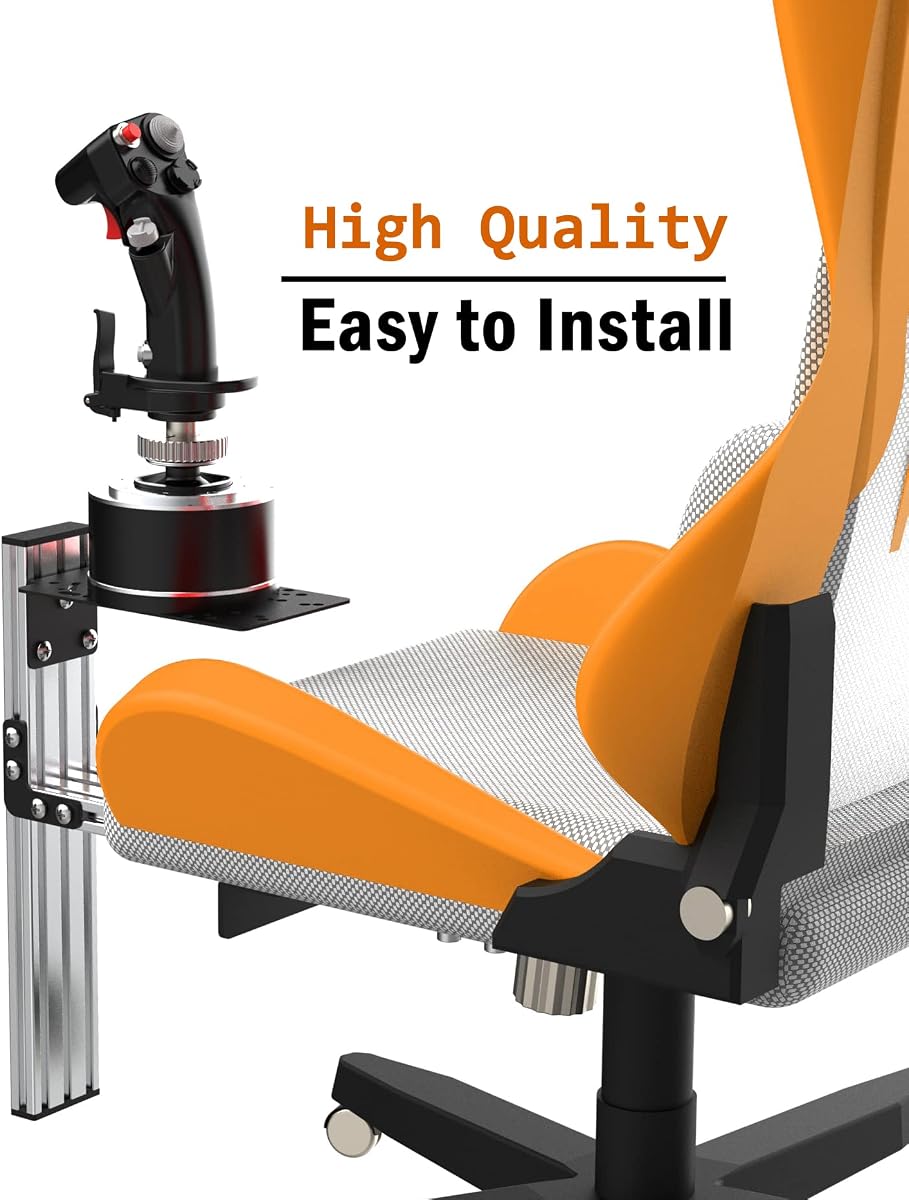
Fosiya offers a unique chair mount solution for flight sims. Rated 4.3, it moves the stick from desk to chair for better posture.
We may earn a commission when you buy through this link, at no additional cost to you.
M8 heavy duty screws ensure strong holding capacity. You can adjust brackets to match your habits precisely.
You must assemble it carefully following the manual. Ensure your chair structure can support the weight.
Perfect for cockpit builders wanting true immersion. It frees up desk space for other gear.
Center chair mount supports a wide variety of flight stick models.
Adjust stand vertical height and banners according to your habits.
We may earn a commission when you buy through this link, at no additional cost to you.
Selecting the right Joystick Hotas Mounts depends on your hardware and space. Here are key factors to consider.
Mounts come as desk clamps or chair mounts. Desk clamps are versatile for most setups while chair mounts offer a fixed cockpit feel.
Choose based on where you want your controls positioned.
Check if the mount supports your specific joystick and throttle model. Most lists include Logitech, Thrustmaster, and VKB devices.
Always verify the product description to avoid mismatches.
Clamp mounts work best within specific desk thickness ranges. Standard desks often fit but thick tables may need adapters.
Ensure the clamp opens wide enough for your workspace.
Heavy systems like Warthog need robust clamps to prevent sagging. Look for metal constructions for better stability.
Lighter sticks work well with aluminum or mixed materials.
Look for mounts that adjust in height and depth. This helps find a comfortable reach for long sessions.
Fixed mounts are cheaper but limit ergonomic options.
Metal and aluminum builds provide better longevity and stability. Plastic parts may wear out faster over time.
Invest in sturdy materials for heavy use.
Some mounts are preassembled while others need bolting. Faster setup is great for shared spaces.
Check if tools are included before purchasing.
Prices vary widely from budget single packs to premium sets. Determine if you need one or two mounts for your layout.
Balance cost with the features that matter most.
Install the mount by clamping it securely to a flat desk edge or chair arm. Ensure it is level to prevent control drift.
Attach your joystick or throttle using the included bolts. Tighten them sufficiently so they do not shake during use.
Clean the mount regularly with a soft cloth to remove dust. Check screws periodically to ensure everything stays tight.
No, the mounts are sold separately from the controllers. You must own a compatible joystick and throttle to use them. Always check the package contents before ordering.
Most clamps work best on wood or hard plastic. Glass desks can be risky as clamps might slip or crack the surface. Use protective pads if necessary.
Many models allow height and depth adjustments. This helps different users find comfortable positions easily. Check specs for adjustment ranges.
Yes, some models are foldable for easy storage. This is useful for shared rooms where space is limited. Others remain rigid on the desk.
If your desk exceeds the max thickness, the clamp might not fit. You could look for adapters or a chair mount instead. Measure before buying.
Most mounts require simple bolting and are manageable for beginners. Tools are often included to help with the process. Follow the manual closely.
Yes, mounting controllers off the desk leaves room for multiple screens. It helps organize the workspace for complex setups. Ensure cables remain tidy.
Wipe the metal parts with a soft dry cloth. Remove dust from clamping pads to maintain grip. Do not use water directly on electronics.
We reviewed ten top Joystick Hotas Mounts to help you elevate your cockpit experience. Each model offers unique strengths for different pilot needs.
Prioritize stability and compatibility when making your choice. The best mount improves immersion by holding controls firmly during gameplay.
Remember to verify current prices and availability before buying. Links may update so always check the product page for the latest details.