
Creality Falcon 10W Laser Engraver Machine
4.2Editor score
72W effective power output
15.7 by 16.3 inch workspace
Compatible with LightBurn software
Finding the right laser engraver can transform your creative hobbies into a profitable business or simply enhance your DIY projects with professional quality. Creality has established itself as a leading brand in this space, offering a wide range of machines that cater to both beginners and experienced makers who need precision and reliability for their work.
We have carefully evaluated ten of the most popular Creality Laser Engraver options currently available on the market. Our comparison focuses on key performance metrics such as cutting speed, precision accuracy, safety features, and ease of use. This ensures you get a clear picture of what each machine offers before you make a significant investment in your workshop.
Each product pick in this list highlights specific strengths and ideal use cases to help you match a machine to your needs. Please note that product specifications and pricing can change over time, so always verify the latest details on the retailer page before purchasing your next engraving tool for your creative endeavors.
4.2Editor score

4.1Editor score

4.2Editor score
As an Amazon Associate we earn from qualifying purchases.
The following table provides a side-by-side comparison of all ten featured Creality Laser Engraver models. Use this overview to quickly identify key differences in power output, workspace size, safety features, and unique capabilities to narrow down your choice effectively.



The Creality Falcon A1 10W Laser Engraver stands out as a top choice for those prioritizing safety and speed in their workspace. With a rating that reflects its robust build quality, this machine delivers 80W of powerful output while maintaining Class 1 safety standards through a fully enclosed design.
We may earn a commission when you buy through this link, at no additional cost to you.
Its standout quality lies in the HD camera auto positioning system which simplifies setup significantly. You simply place your material and the system recognizes it to apply the best settings. The CoreXY motion system allows speeds up to 600mm/s ensuring rapid project completion without sacrificing the sharp detail required for professional results.
While the machine is impressive, there are trade-offs to consider. It is strictly prohibited from engraving highly reflective materials like mirror finished metals which limits some use cases. Additionally you must use specific honeycomb panels to ensure optimal performance which may add to the initial setup costs.
This engraver is ideal for hobbyists and professionals who want a reliable machine that requires minimal setup. The combination of safety features and smart technology makes it a strong recommendation for anyone looking to start engraving wood and metal with confidence and ease in their home studio.
The built-in camera recognizes materials automatically saving time on manual calibration and reducing the risk of errors during the engraving process.
The fully enclosed structure blocks 99 percent of laser light allowing safe operation without the need for protective goggles during normal use.
We may earn a commission when you buy through this link, at no additional cost to you.
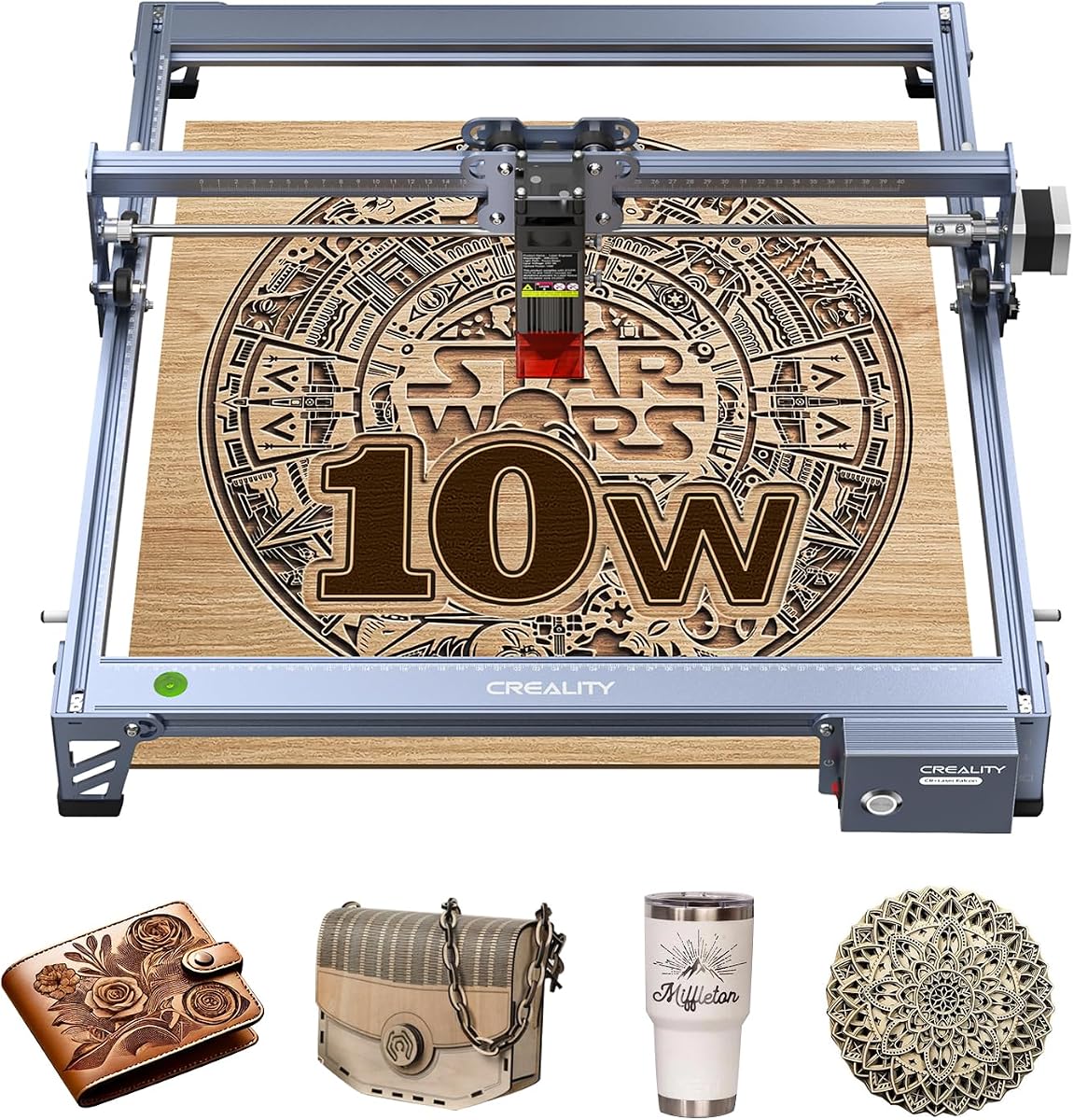
The Creality Falcon 10W Laser Engraver Machine offers exceptional value for those seeking high performance without breaking the bank. With a strong rating from users, this model provides 72W of effective power capable of cutting through 12mm wood and 5mm acrylic in a single pass.
We may earn a commission when you buy through this link, at no additional cost to you.
Its efficiency comes from the 32-bit chip and compressed spot laser module which ensure high precision down to 0.06mm. The large workspace of 15.7 by 16.3 inches allows you to work on bigger materials in one go which is rare for this price point. It also supports offline creation via SD card for flexibility.
However it lacks some of the premium conveniences like an automated camera system. You may need to manually align designs which can take more time compared to smart models. The assembly process is also required unlike the pre-assembled options but it is manageable within twenty minutes.
This machine is perfect for beginners who want to learn the ropes or small businesses needing a reliable workhorse. The compatibility with popular software like LightBurn ensures you have the tools to create professional designs while keeping costs low and efficiency high for your daily projects.
The 0.06 by 0.06mm compressed spot laser allows for intricate details and clean cuts that impress clients and hobbyists alike.
Support for SD card insertion lets you manage projects directly from the machine without needing a constant computer connection.
We may earn a commission when you buy through this link, at no additional cost to you.
The Creality Falcon A1 Pro 20W Laser Engraver is designed for users who demand top-tier performance and modern convenience. Its high rating reflects the smooth operation and powerful 180W output that handles tough materials with ease. The touch screen and app control elevate the user experience to a professional level.
We may earn a commission when you buy through this link, at no additional cost to you.
Key strengths include the speed which is three times faster than peers and the intelligent app control that allows real-time monitoring from anywhere. The HD camera and autofocus ensure precise positioning in seconds making it ideal for detailed work like jewelry or business cards. It arrives mostly pre-assembled for quick setup.
The main trade-off is the higher cost which may be steep for casual hobbyists. Additionally the 2W IR module for fine metal engraving is not included and must be purchased separately to unlock all capabilities. This requires planning for additional expenses if you need that specific functionality.
For small businesses and serious makers this machine offers the efficiency and quality needed to scale production. The combination of speed safety and smart connectivity makes it a worthwhile investment for those ready to commit to high-quality engraving results consistently.
The smartphone-style touchscreen allows cable-free operation and easy access to recent projects for a streamlined workflow.
You can monitor progress from anywhere in the house providing flexibility and peace of mind during long engraving runs.
We may earn a commission when you buy through this link, at no additional cost to you.
This variant of the Falcon A1 emphasizes ease of use and professional results through integrated features. With a solid rating it delivers 80W of power and includes an air assist feature that helps clean cuts and reduce residue. The smart camera ensures precise positioning for every project.
We may earn a commission when you buy through this link, at no additional cost to you.
The graphic outline extraction feature unlocks creative potential by converting design patterns into paths automatically. This saves time when working with images. Pre-set optimal settings allow you to skip trials and start engraving immediately which is great for beginners. The class 1 safety design protects eyes from laser radiation.
However compatibility is limited to specific honeycomb panels which are not universal. Also reflective materials cannot be engraved so you must check your material list before starting. These constraints are minor compared to the benefits of a ready-to-use system that minimizes setup frustration.
This machine suits users who want a plug-and-play solution with creative tools built-in. The combination of air assist and smart software makes it an excellent choice for personalized gifts and professional products requiring consistent high-quality outputs.
Falcon Design Space offers vector design and graphic extraction to turn artistic ideas into precise engraving paths effortlessly.
The integrated air assist helps blow away debris and smoke resulting in cleaner cuts and a safer working environment.
We may earn a commission when you buy through this link, at no additional cost to you.
This Creality model offers a robust build with a large working area suitable for diverse projects. Users appreciate its 72W power and precision of 0.06mm which allows for detailed engraving on various materials like leather and glass. The connectivity options provide flexibility in how you control the machine.
We may earn a commission when you buy through this link, at no additional cost to you.
The steel shaft wheel guide rail design ensures stable movement and longevity. You can transfer data via Wi-Fi, USB, or SD card making it easy to use in different environments. The focusing plate allows quick adjustment without tools which speeds up changeovers between projects.
While it lacks the automated camera of newer models it remains a strong contender for budget-conscious buyers. Assembly takes about twenty minutes and requires some calibration. These steps are standard for DIY kits and ensure you understand the machine before starting work.
Ideal for versatile crafters who need a reliable machine for different materials and sizes. The combination of durability and connectivity makes it a practical choice for workshops where flexibility is key to success.
Wi-Fi and SD card support let you start creating anytime and anywhere without being tethered to a computer.
Includes one-year parts replacement and permanent technical support ensuring long-term reliability for your investment.
We may earn a commission when you buy through this link, at no additional cost to you.
The Falcon2 Pro S 22W is designed for professional makers who need high-speed batch processing. It delivers 22W optical output capable of cutting 15mm basswood and 10mm acrylic in one pass. The integrated enclosure keeps the workspace clean and safe during operation.
We may earn a commission when you buy through this link, at no additional cost to you.
The Z-Axis auto focus and auto cut through feature compensate for uneven surfaces improving success rates. The debris drawer collects residue making cleanup faster. Flame detection adds a layer of safety that is essential for industrial use.
The lower rating suggests some users find the setup complex or encounter bugs. It is not as beginner-friendly as the A1 series. However for those needing raw cutting power and professional features it offers significant benefits for high-volume production.
This machine suits sole traders and small studios aiming for efficiency. The robust safety features and high power make it a solid option for serious cutting tasks where performance outweighs ease of use.
The path compensation ensures consistent cuts even on uneven materials which is crucial for professional results.
Fully enclosed structure blocks smoke and dust keeping your work environment healthy and clean.
We may earn a commission when you buy through this link, at no additional cost to you.
The A1C stands out for its innovative AI workflow that simplifies design. It converts photos into engraving-ready artwork automatically reducing the need for manual editing. The rating reflects high user satisfaction with these smart features that save significant time.
We may earn a commission when you buy through this link, at no additional cost to you.
The interchangeable laser platform allows you to switch between 5W, 10W, and 1.2W IR modules as needs change. This flexibility is rare in this class. The AI camera positions designs with high accuracy reducing setup time. Speeds reach 15,000mm/min for fast production.
The workspace is smaller than others which may limit large projects. However the compact design makes it portable for classrooms or small desks. These limits are acceptable for users prioritizing smart design tools and versatility.
Ideal for teachers and creators who want an intuitive machine. The AI tools make professional engraving accessible to beginners while the expandable ecosystem supports growth as skills improve.
Features like smart fill and layout optimize designs instantly making it easy to create complex images.
Compatible accessories like smoke purifiers allow you to upgrade capabilities without buying a new machine.
We may earn a commission when you buy through this link, at no additional cost to you.
This A1 Pro variant emphasizes convenience with its smart touchscreen and air assist. The rating indicates a reliable experience for home and small shop use. It blocks 99 percent of laser radiation effectively keeping the environment safe and comfortable.
We may earn a commission when you buy through this link, at no additional cost to you.
Clean cuts are achieved with smooth edges and fewer passes saving time. The real-time preview ensures precise placement before you start. Air assist reduces smoke and residue making maintenance easier. The touchscreen provides quick access to history files for reuse.
The main drawback is the premium price tag and the extra cost for the IR module. For home users who value cleanliness and ease these costs are justified by the improved user experience and safety.
Perfect for hobbyists who want a premium experience. The combination of quiet operation and smart software makes it a favorite for daily creative use without hassle.
The enclosed cover blocks noise and smoke ensuring a comfortable environment for long creative sessions.
Open recent projects with a single tap saving time on importing files and configuring settings.
We may earn a commission when you buy through this link, at no additional cost to you.
The A1C Mini offers a compact design with high user satisfaction. It features a quick-swap modular design changing laser modules in 15 seconds. This flexibility is rare and makes it a versatile tool for various materials and project types.
We may earn a commission when you buy through this link, at no additional cost to you.
The material library and visual positioning simplify the workflow. You can start engraving faster with auto focus. Safety features like flame detection and tilt protection protect your property. The portable design allows easy transport to events or classrooms.
The small footprint means fewer large projects. But for personalized gifts and small items it is perfect. The trade-off is acceptable for users needing a travel-friendly option.
Ideal for retail counters and classrooms. The combination of portability and smart features makes it a powerful tool for on-the-go creativity.
Change laser heads in seconds to match different materials and tasks without tools.
The software offers image generation and material recognition to guide users through every step.
We may earn a commission when you buy through this link, at no additional cost to you.
This A1 model highlights ease of assembly and speed. It arrives fully pre-assembled so you can start immediately. The high rating reflects user satisfaction with the plug-and-play experience and reliable performance for daily tasks.
We may earn a commission when you buy through this link, at no additional cost to you.
The CoreXY motion system allows instant acceleration to 600mm/s. Automatic belt tension prevents slippage for precise results. The smart camera allows drag-and-drop design for simple alignment. The aerospace-grade aluminum ensures durability over time.
While it lacks some advanced AI features of newer models it remains a solid choice. The footprint is compact saving space in your studio. These trade-offs are acceptable for users wanting a simple and reliable machine.
Best for beginners wanting a quick start. The combination of speed and simplicity makes it a top recommendation for hassle-free engraving.
Three-step operation with auto material recognition makes it easy to get started instantly.
Six safety protections including emergency stop and laser leak protection ensure safe operation.
We may earn a commission when you buy through this link, at no additional cost to you.
Choosing the right Creality Laser Engraver requires evaluating power, safety, and compatibility to match your specific needs.
Laser power determines what materials you can cut and how fast. Look for higher wattage like 80W or 180W if you plan to cut thick wood or acrylic. Lower output models are suitable for light engraving on paper and leather but may struggle with thicker materials. Always check the effective power rather than just the module rating.
Higher power enables faster production and better cutting depth for professional results.
Class 1 enclosed models are essential for home safety as they filter harmful rays. Check for features like emergency stops, smoke extraction, and protective covers. These reduce risks to eyes and respiratory health. Unenclosed units require extra protective gear and care which may not be suitable for beginners.
Always choose an enclosed model with Class 1 safety for safe operation in home studios.
Smart cameras with auto-positioning significantly reduce setup time and errors. They allow you to see the workspace and drag designs into place easily. Models without cameras require manual alignment which can be tedious. If precision is key to your projects invest in a model with visual positioning.
Opt for smart camera features to ensure accurate positioning and save time on every project.
Ensure the machine works with software you already know like LightBurn or LaserGRBL. Some models offer proprietary software which may be limiting. Compatibility allows for advanced editing and workflow integration. Check if the machine supports offline modes for flexibility.
Verify software compatibility to avoid workflow interruptions and ensure long-term usability.
Some machines arrive fully pre-assembled while others require 10 to 20 minutes of assembly. Consider your technical skills and time availability. Pre-assembled models reduce frustration and allow immediate use. This factor is crucial for beginners who want to start creating without delays.
Choose a pre-assembled unit if you want to start your creative journey immediately after purchase.
The size of the workspace dictates the maximum size of projects you can handle. Larger models accommodate bigger materials like full sheets of wood. Smaller desktop units save space but limit project size. Match the work area to the typical dimensions of items you plan to create.
Select a workspace size that fits your common project dimensions to maximize efficiency and utility.
Modern engravers offer Wi-Fi, USB, or SD card connectivity. App control allows you to manage projects remotely which is a convenience for many users. This flexibility enables you to start jobs without being tethered to a computer. Ensure your setup matches your preferred workflow style.
Look for versatile connectivity options like app control to streamline your creative workflow.
Check which materials the laser supports such as wood, acrylic, or leather. Some models cannot handle reflective metals without IR modules. Ensure the machine fits your material needs to avoid disappointment. Accessories may be required to unlock full capabilities for specific materials.
Confirm material compatibility to ensure the machine can handle your specific project requirements.
Start by installing the software and connecting the machine via USB or Wi-Fi. Place your material securely on the honeycomb panel or bed and close the enclosure. Use the camera or manual controls to position your design before starting the job to ensure precision.
Regularly clean the lens and mirrors to maintain optimal performance and safety. Remove any debris from the drawer after each session to prevent accumulation. Check the ventilation filters to ensure smoke is effectively managed during operation.
Store the machine in a dry place to prevent rust or electronic damage. Update the firmware to access the latest features and safety improvements. Always follow the safety guidelines provided by the manufacturer to ensure safe operation for yourself and others.
Standard diode lasers can mark some dark metals but cannot cut or engrave reflective metals like polished aluminum. For metals you need an optional IR module which is sold separately for specific models. Always check the compatibility list before attempting to work with metal surfaces.
Yes, a fully enclosed Class 1 machine is highly recommended for home use. It blocks harmful laser radiation and smoke ensuring safety for eyes and lungs. Models without enclosures require additional safety gear and strict protocols which are not ideal for casual users.
Some models arrive pre-assembled while others require minimal setup like tightening screws. Pre-assembled units are ready to use right out of the box. Always check the product details to know if assembly is needed before you start your project.
These engravers work well with wood, leather, acrylic, paper, and plastic. Some models support metals with an IR module. Avoid highly reflective surfaces unless specifically approved. Always test on a scrap piece before working on your final material.
Most models support LightBurn and LaserGRBL for flexible design work. Some include proprietary software like Falcon Design Space. Verify compatibility in the product description to ensure it works with your preferred design tools.
Speeds vary but some models reach up to 600mm/s or higher. Faster speeds mean quicker project completion for batch production. Higher power usually enables faster cutting of thicker materials. Check the speed specs to match your production needs.
The Creality Falcon A1 series offers the best balance of safety and performance for most users with top picks in budget and premium categories. These models provide advanced features like smart cameras and high speed that simplify workflows significantly. Selecting the right one depends on your specific project needs and workspace constraints.
Prioritize safety features like Class 1 enclosures and smart software to ensure a smooth experience. Power and workspace size should align with your material choices to avoid limitations. A model that matches your current skill level will provide better results and more confidence.
Prices and availability can change so check the current listings before purchasing. Compare the latest specs to ensure you get the most up-to-date technology for your investment. This guide helps you make an informed choice for your creative journey.