
CLEEFUN Long USB C Cable 20ft
4.6Editor score
Supports QC3.0 fast charge
20000+ bend lifespan
Tangle-free nylon jacket
This guide compares the top long USB cable options for data transfer and charging across USB A, B, and C types to help you find the ideal length and durability.
Finding the right long USB cable can transform how you interact with your devices in any room. Whether you need to connect a printer across the office or charge a phone from the couch, length matters. A good cable combines speed with durability to handle daily wear without failing.
We evaluated ten top-rated cables based on length, transfer speeds, and build quality. Each product offers unique strengths for different connection types like USB 3.0 or USB-C. Our goal was to identify reliable options that perform well over extended distances.
Every pick highlights specific use cases such as gaming, printing, or mobile charging. We also note key specs to ensure compatibility with your gear. Please remember that product prices and availability may change over time on retailer sites.
4.6Editor score

4.7Editor score

4.7Editor score
The following table provides a side-by-side comparison of all ten selected cables. It highlights key specifications like connector type, length, and primary use case to help you quickly identify the right fit for your setup.


This 20-foot USB 3.0 cable stands out as a top choice for data transfer needs. With a rating of 4.7 stars, it delivers high performance for connecting peripherals like hard drives and monitors across rooms. The build quality is robust, ensuring signal stability over long distances.
We may earn a commission when you buy through this link, at no additional cost to you.
The standout feature is its 5 Gbps speed, which is ten times faster than USB 2.0. This allows you to back up large files quickly without waiting. The nylon braided jacket and aluminum alloy case protect against wear, while the gold-plated connectors resist corrosion for long-term reliability.
One limitation is that it is not meant for charging devices, only data transfer. Additionally, having male connectors on both ends means it works best between two USB ports rather than extending a port to a device. These trade-offs are acceptable for pure data use cases.
If you need to connect an external hard drive or a desktop to a TV across the room, this cable is ideal. Its durability and speed make it a reliable investment for home or office setups requiring long-distance data sync.
The USB 3.0 interface ensures your large files move quickly without bottlenecks caused by long cable resistance.
Reinforced joints and braided nylon protect the cable from daily bending and tugging, extending its lifespan significantly.
We may earn a commission when you buy through this link, at no additional cost to you.
For those seeking an affordable long USB C cable, this CLEEFUN model is a fantastic option. It receives high marks for allowing users to charge and use their phones freely from the couch. The 20-foot length removes the restriction of short power cords.
We may earn a commission when you buy through this link, at no additional cost to you.
It supports QC3.0 fast charging and data transfer speeds up to 480 Mbps. The nylon-braided jacket ensures durability with a 20000+ bend lifespan. Aluminum housing adds strength, making it sturdy enough for daily wear without tangling easily.
The main drawback is that its data speed is slower than USB 3.0 standards. While fine for syncing contacts or photos, it may take longer for large media files. However, for charging and general use, the speed is sufficient and matches the price.
This cable is perfect for charging tablets and phones in living rooms or offices. If you want a budget-friendly solution that does not compromise on charging speed or durability, this is a strong choice to consider.
Built-in resistors and QC3.0 support ensure your devices charge quickly and safely even over this long distance.
The premium nylon braid keeps the cable neat and easy to store, preventing knots that frustrate users.
We may earn a commission when you buy through this link, at no additional cost to you.
When you need an exceptionally long cable for printers, this 40-foot active model is unmatched. It solves the problem of signal loss over long distances by using active technology to boost the signal. This ensures reliable connections for office setups.
We may earn a commission when you buy through this link, at no additional cost to you.
The cable uses gold-plated plugs and a tangle-free nylon braid for maximum durability. It supports data transfer speeds up to 480 Mbps which is standard for USB 2.0 devices like printers. You can connect devices without worrying about signal degradation.
While it is more expensive than standard cables, the active feature justifies the cost for reliability. The speed is limited to USB 2.0 which may not suit high-speed external drives. But for printing and scanning, it is perfectly adequate.
This cable is the best choice for large offices or homes where the printer is far from the computer. Its length and active design ensure you can work from anywhere without moving equipment closer to the PC.
Active circuitry maintains data integrity over 40 feet, preventing the dropouts common in long passive cables.
Designed specifically for printers and scanners, it connects seamlessly with major brands without driver installation.
We may earn a commission when you buy through this link, at no additional cost to you.
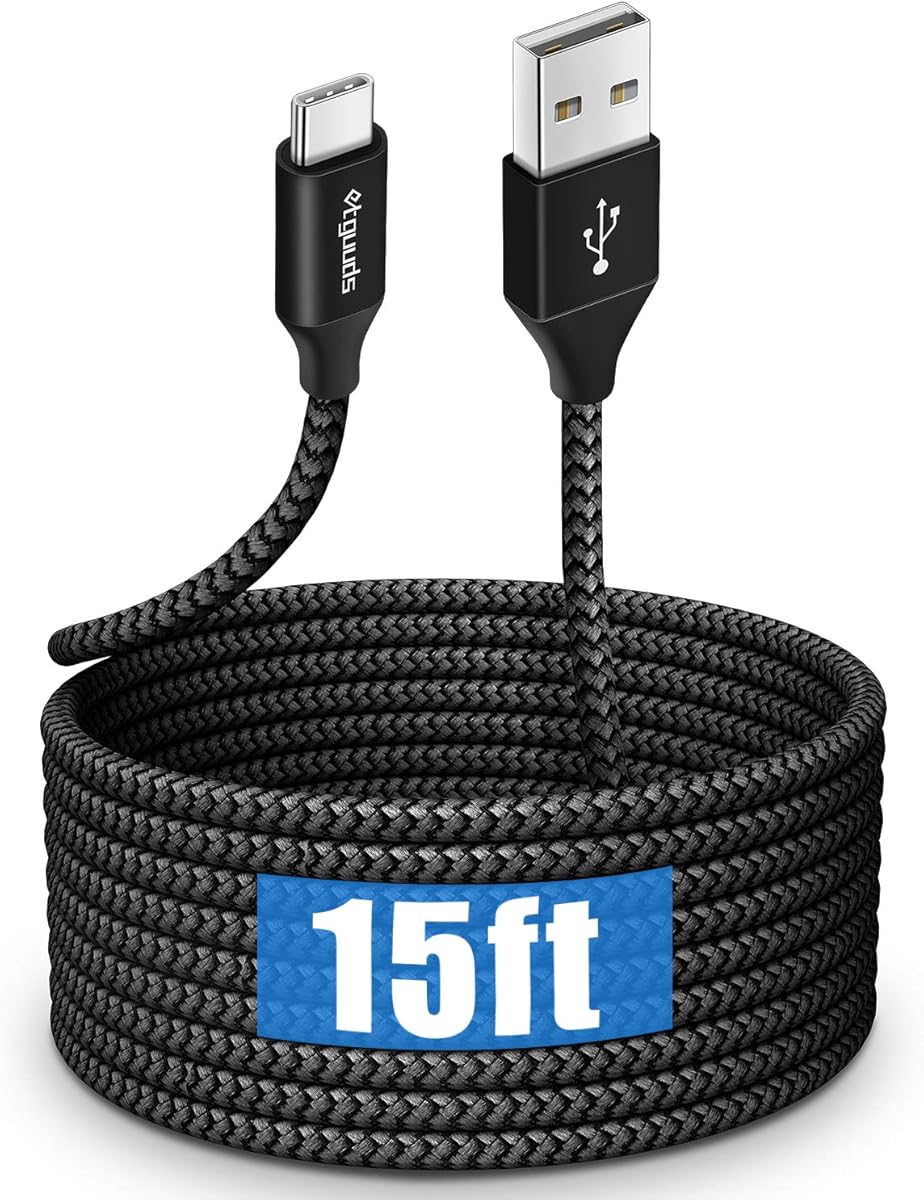
The etguuds 15-foot cable offers a balanced length for daily use in most rooms. It allows you to charge devices while lying on the bed or sofa comfortably. The build quality matches higher-end models with a durable nylon braid.
We may earn a commission when you buy through this link, at no additional cost to you.
It supports high-speed charging up to 3A which is fast for most phones and tablets. Data syncing speed reaches 480 Mbps ensuring quick transfers of contacts and files. The 56K ohm resistor protects your devices from damage during charging.
Some users might prefer longer options if outlets are far away. However, for typical bedroom or office setups, 15 feet is often sufficient. The durability ensures it survives bending and tugging over years of use.
This is a solid choice for anyone needing a reliable fast charging cable with moderate length. It fits well into home offices where you want easy access to power without sacrificing device safety.
The integrated resistor safeguards your battery and charger adapter while delivering high-speed power to your device.
A 15-foot length allows relaxed positioning on furniture while keeping your device charged and connected.
We may earn a commission when you buy through this link, at no additional cost to you.
This 10-foot cable provides a practical length for charging devices from a bedside table or desk. It is designed to work with USB-A chargers making it versatile for many existing setups. The premium nylon braiding ensures durability and softness.
We may earn a commission when you buy through this link, at no additional cost to you.
It supports up to 3A fast charging which is efficient for most mobile devices. The transmission speed of 480 Mbps is standard for USB A to C cables. This makes it reliable for syncing data without errors.
The main note is that it is intended for charger usage rather than direct PC connection. Users should ensure they have a USB-A power source. While limited in speed it excels in reliability and value for daily charging tasks.
For those needing an extra long charging cable that is easy to manage, this is a top pick. It balances cost and performance well making it suitable for spare cables around the house or office.
Whether in the office or bedroom this cable provides ample length to reach power sources without clutter.
Premium nylon braiding gives the cable a soft touch while maintaining toughness against daily wear.
We may earn a commission when you buy through this link, at no additional cost to you.
This pack offers two 15-foot USB C cables providing great value for multi-device households. It allows you to keep a cable in multiple rooms without buying them individually. The design focuses on safety and reliability for your devices.
We may earn a commission when you buy through this link, at no additional cost to you.
It supports high-speed data transfer and fast charging for phones and tablets. Built-in safety mechanisms prevent overcharging and overheating ensuring safe use. The reinforced connectors resist loosening over time.
While the rating is slightly lower than some competitors it remains reliable for general use. The 2-pack nature makes it convenient for families or offices needing spares. It is a practical choice for broad coverage.
If you need to charge multiple devices or want a spare cable handy, this is the best deal. It combines length with safety features ensuring your gadgets stay powered without risks.
Multiple protection mechanisms guard against overvoltage and overheating to preserve your device health.
Receive two cables for the price of one allowing you to equip several locations easily.
We may earn a commission when you buy through this link, at no additional cost to you.
This extension cable is designed to reach devices that are hard to access like webcams or hard drives. The male to female design allows you to extend existing ports easily. With 5Gbps speed it maintains USB 3.0 performance over distance.
We may earn a commission when you buy through this link, at no additional cost to you.
The heavy-duty 22AWG power wire ensures stable power delivery. Triple-layer shielding prevents lag and interference during data transfer. It is ideal for printing or streaming setups where cable length matters.
It is not suitable for VR headsets or rapid charging but excels in peripheral extension. Direct connection to a PC is required for best results. The warranty and support add confidence to your purchase.
If you need to move your webcam or hard drive further from your PC this is the best tool. It ensures your peripherals work smoothly without signal drops due to distance.
Triple-layer shielding ensures stable data transmission so your connected devices never drop out unexpectedly.
Heavy-duty construction allows the cable to withstand flexing and bending over years of regular use.
We may earn a commission when you buy through this link, at no additional cost to you.
Amazon Basics offers a reliable 16-foot cable for connecting printers and hard drives. Its high rating reflects consistent quality and durability over time. The gold-plated connectors ensure optimal signal transfer without corrosion.
We may earn a commission when you buy through this link, at no additional cost to you.
It connects speed-critical devices to your computer efficiently. While it is USB 2.0 it is perfect for printers which do not need extreme speed. The cable ships in frustration-free packaging making it easy to use.
This cable is basic but effective for standard office needs. It may not have premium braiding but it performs well. If you trust the brand and need a simple cable this is a safe bet.
For users who want a straightforward solution without extra features this is the right pick. It gets the job done for connecting peripherals in home offices or small businesses.
Amazon Basics products are known for consistent quality and straightforward design that just works every time.
Gold-plated connectors help ensure corrosion resistance and stable connectivity for your critical devices.
We may earn a commission when you buy through this link, at no additional cost to you.
This cable stands out with USB 3.2 Gen 1 technology allowing fast data transfer over 20 feet. It is designed for users who need to move large files like videos quickly. The double-braided layer increases service life significantly.
We may earn a commission when you buy through this link, at no additional cost to you.
It supports 18W charging though power loss is normal at this length. The reinforced ports and aluminum alloy build protect against wear. A two-year warranty shows confidence in the product quality.
Real-world power output may be lower due to resistance but data speeds remain high. This trade-off is acceptable for data-heavy workflows. The warranty support helps address any compatibility issues promptly.
If you need to transfer large data files over distance this cable is ideal. It combines speed with length better than many competitors making it a strong technical choice.
USB 3.2 technology enables rapid transfer of large media files even over this extended cable length.
A two-year warranty and 24-hour support ensure you get help if any issues arise during use.
We may earn a commission when you buy through this link, at no additional cost to you.
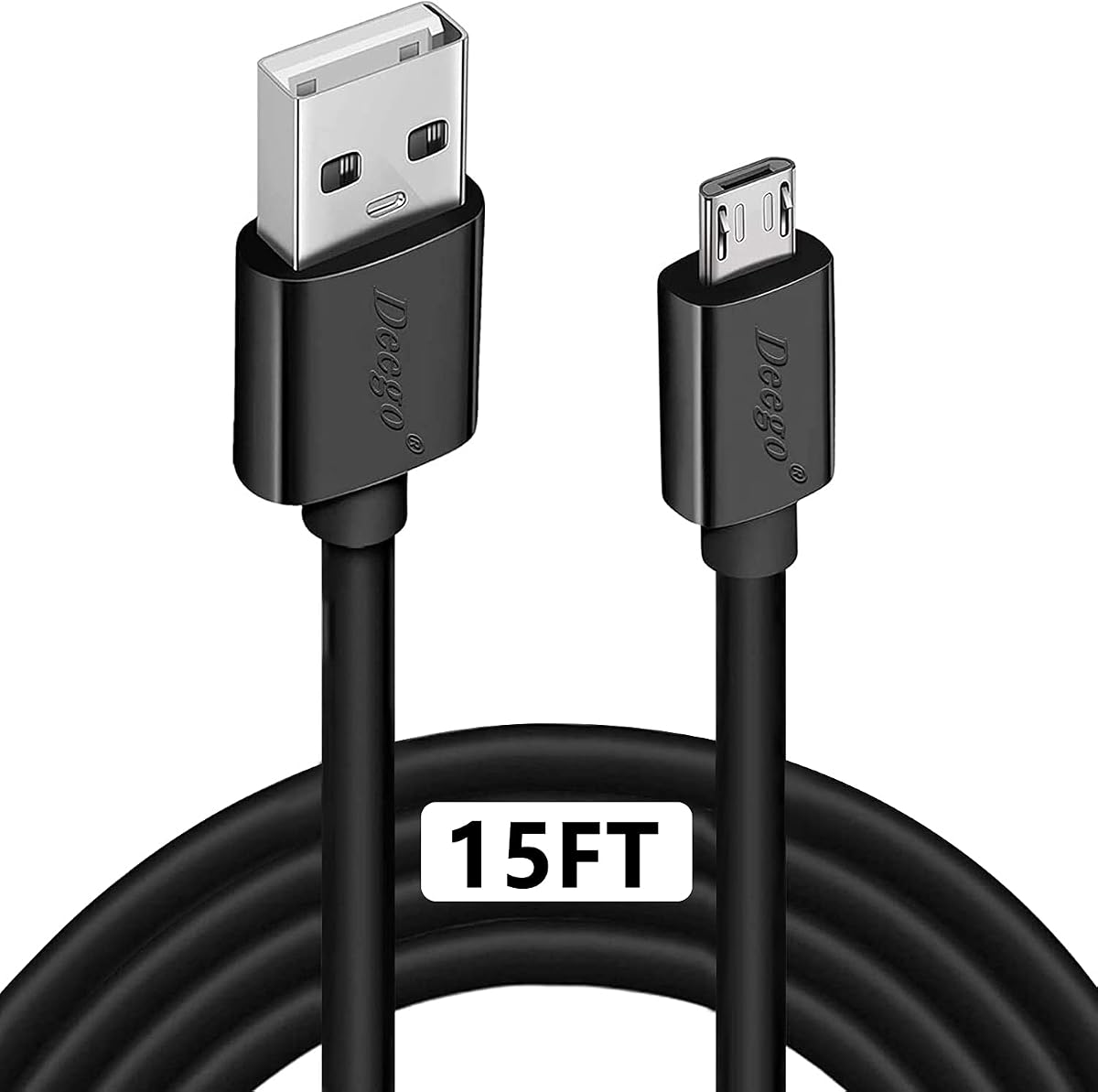
This 15-foot Micro USB cable is perfect for gaming controllers and older Android devices. It allows you to play games without being close to the power source. The stainless steel head slots in tightly for reliable connections.
We may earn a commission when you buy through this link, at no additional cost to you.
It supports charging up to 2.4A which is faster than standard cables. Data sync speed reaches 480 Mbps allowing quick backups. The PVC jacket prevents tangling and resists wear over time.
While Micro USB is older it is still common in controllers and speakers. If you need a long cable for these specific devices this is the best option. It is affordable and highly rated by users.
If you use a PS4 controller or other Micro USB devices this cable is essential. It keeps you mobile while ensuring your device stays charged and ready to use.
The extra length lets you play games from anywhere in the room while keeping your controller charged.
Stainless steel head ensures a tight fit that resists loosening during active use and charging.
We may earn a commission when you buy through this link, at no additional cost to you.
Selecting the right long USB cable involves considering connector types, length, and speed needs. Here are the key factors to evaluate before making a purchase.
Identify the ports on your devices first. USB A to USB B is for printers, while USB A to USB C is for modern phones. Ensure the ends match your hardware to avoid compatibility issues.
Always verify the connector types on both ends of the cable match your devices perfectly.
Measure the distance between your device and the power source or computer. Choose a cable that is slightly longer than needed to allow for slack without cluttering the floor.
Select a length that reaches comfortably without leaving too much excess cord lying around.
For large file transfers look for USB 3.0 or USB 3.2 cables which offer 5 Gbps. Standard USB 2.0 is slower at 480 Mbps and is fine for printers or charging only.
Choose USB 3.0 or higher if you need to transfer large media files frequently.
Braided nylon jackets and gold-plated connectors increase durability. Check for reinforced strain relief joints that prevent breaking near the plug ends over time.
Opt for cables with braided jackets and reinforced joints for long-term durability.
Ensure the cable supports the charging speed your device needs. For fast charging look for support of 3A or 18W depending on your device capabilities and adapter specs.
Verify the cable supports the required amperage for your device's fast charging needs.
For long cables signal interference is a risk. Look for multiple shielding layers that minimize noise and ensure stable connections especially for data transfer tasks.
Look for shielded cables to prevent signal loss over long distances.
Check for safety certifications that ensure the cable meets industry standards. This protects your devices from overcharging or overheating during long-term use.
Ensure the cable has safety certifications to protect your devices during charging.
A good warranty indicates manufacturer confidence. Look for at least one year of coverage to get a replacement if the cable fails unexpectedly during normal use.
Choose cables with a solid warranty policy for peace of mind.
Always plug the cable directly into a power source or computer port rather than daisy-chaining hubs if possible. This reduces the risk of power loss over long distances and ensures stable data transfer.
Store your cable by coiling it loosely in a figure-eight pattern. Avoid tight knots which can damage internal wires and reduce the lifespan of the nylon braiding over time.
Inspect connectors periodically for dust or corrosion. Gently clean the metal contacts with a dry cloth to maintain optimal signal quality and prevent connection issues in the future.
Yes most long USB cables support charging for mobile devices. Ensure the cable has the correct connector like USB C and supports enough power for fast charging if your phone requires it.
Resistance in the wire increases with length causing signal degradation. Higher quality cables with shielding and thicker conductors minimize this effect to maintain faster transfer speeds.
USB 3.0 is faster with 5 Gbps compared to 480 Mbps for USB 2.0. It also has more pins and often blue connectors but both are compatible for basic charging and data use.
For USB 2.0 passive cables work well up to 10 feet. Beyond that active cables with signal boosting are recommended to prevent data dropouts and maintain reliability for printers.
Some USB C cables support video via DisplayPort Alt Mode. Check product specifications to ensure video support as many standard charging cables do not carry video signals.
Look for specs mentioning 3A or QC3.0 in the product details. Cables without these ratings usually limit charging to standard 2.4A speeds regardless of the adapter used.
Yes if the cable has built-in safety mechanisms like overcharge protection. Always use adapters rated for the device and ensure the cable has a proven safety record from reviews.
Longer cables are more prone to tangling and bending which can cause internal breaks. Proper care like loose coiling helps extend the life of long cables significantly.
We highlighted ten top options including the Editor's Choice USB 3.0 cable and the Best Budget CLEEFUN model. Each offers unique strengths whether you need speed or affordability.
Prioritize durability and connector types that match your devices. For data choose USB 3.0 while for charging USB C is ideal for modern phones.
Please check current prices before purchasing as they can vary daily. We hope this guide helps you find the perfect long USB cable for your needs.