
Sonnet Breakaway Box 850 T5
4.5Editor score
850W Power Supply
Built-in Dock Ports
Triple Wide GPU Support
This guide compares the top ten eGPU enclosures for Thunderbolt and USB4 laptops, analyzing performance, compatibility, and design to help you choose the right
External GPU enclosures transform thin laptops into powerful desktops for gaming and creative work. A good enclosure offers high bandwidth, stable power delivery, and robust cooling for your graphics card.
We evaluated ten top-rated models based on connection speed, power supply quality, and real-world compatibility. Each pick balances performance, portability, and ease of use for diverse users.
Each product profile highlights standout features, pros, and cons to guide your decision. Prices and availability fluctuate, so verify current details before purchasing your ideal eGPU setup.
4.5Editor score

4.0Editor score

3.8Editor score
This side-by-side comparison highlights key specifications across ten leading eGPU enclosures. Use this table to quickly assess compatibility, power limits, and connection types for your specific laptop model.


The Razer Core X V2 stands out as the premier external graphics enclosure for users seeking maximum performance. It leverages Thunderbolt 5 to deliver unparalleled bandwidth, ensuring minimal bottleneck for high-end graphics cards.
We may earn a commission when you buy through this link, at no additional cost to you.
Its 140W Power Delivery capability means your laptop charges efficiently while connected. The modular design supports massive GPUs, and the active cooling system maintains stable thermal performance during intense gaming sessions.
While the steel chassis adds weight, it ensures durability and effective heat dissipation. The included Thunderbolt 5 cable simplifies setup significantly. However, Mac users with M1 chips should note the compatibility limitations before purchasing.
Overall, this unit is the top recommendation for Windows users prioritizing raw speed and future-proofing. It transforms any compatible laptop into a desktop workstation instantly.
With up to 80 Gbps bandwidth, creative apps and AAA games run smoothly without lag or latency issues.
Easy thumbscrew installation allows you to swap graphics cards effortlessly without needing screwdrivers or tools.
We may earn a commission when you buy through this link, at no additional cost to you.
The Sonnet Breakaway Box 850 T5 delivers near-desktop power for professional workflows. Its 850W power supply accommodates the most demanding graphics cards available today.
We may earn a commission when you buy through this link, at no additional cost to you.
Beyond raw power, it features a built-in Thunderbolt 5 dock with USB and Ethernet ports. This consolidates connectivity, reducing desk clutter while maintaining fast data transfer speeds.
The variable-speed fan keeps noise low during idle tasks but ramps up when needed. However, it runs Windows only and lacks macOS support. Its premium features justify the cost for professionals.
Investing in this enclosure ensures your setup remains viable for years. It is the ultimate choice for users needing maximum wattage and integrated networking.
Three USB Type A ports and Gigabit Ethernet turn the enclosure into a central hub for your peripherals.
Rendering and color grading tasks accelerate significantly thanks to stable high-wattage power and low latency.
We may earn a commission when you buy through this link, at no additional cost to you.
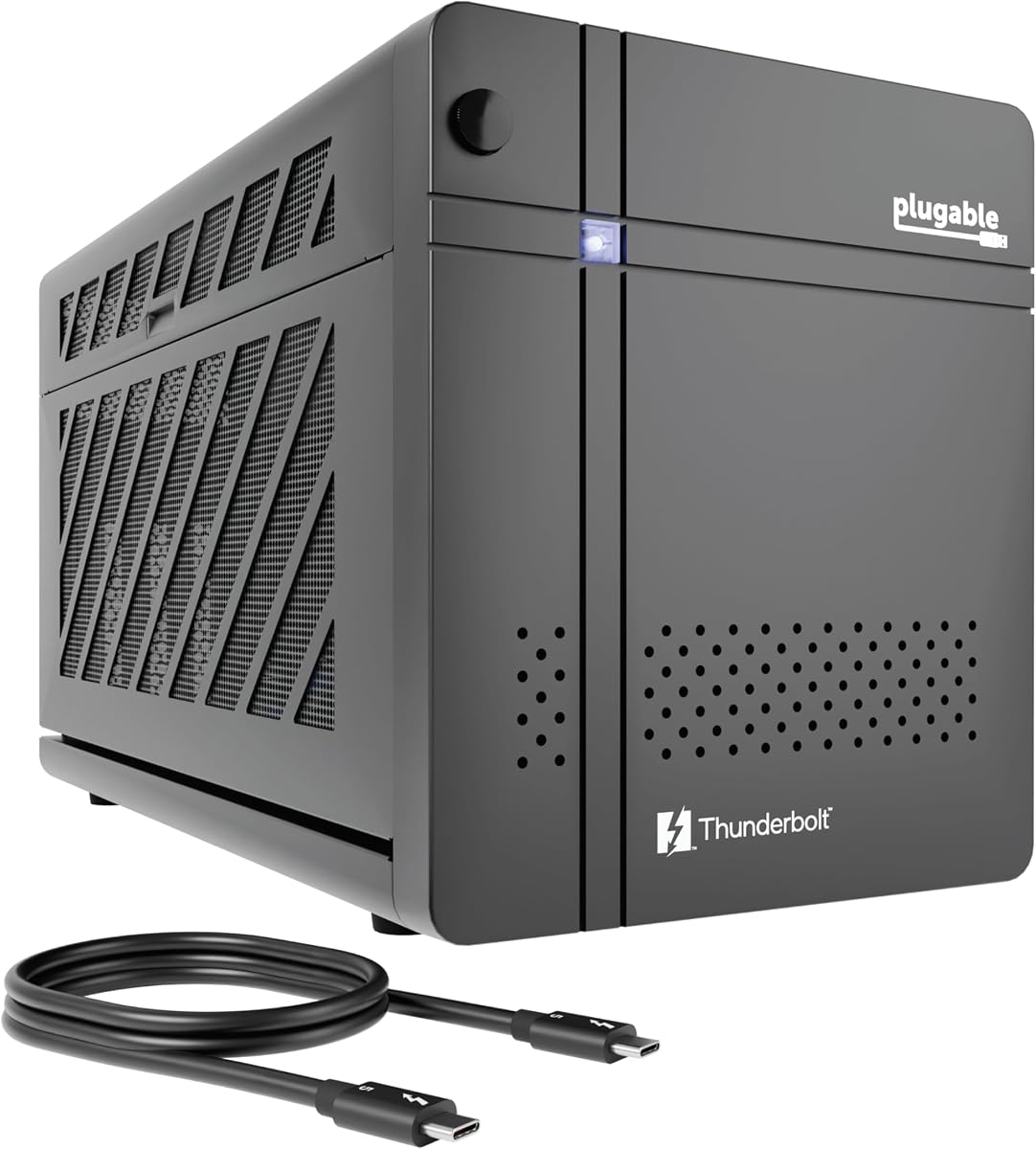
This enclosure uniquely targets privacy-conscious users wanting to run local AI models. It offers an air-gapped system where your data never leaves your perimeter during processing.
We may earn a commission when you buy through this link, at no additional cost to you.
The 850W PSU dedicates 600W specifically to your GPU, ensuring efficient performance for complex models like Llama 3. It includes lifetime support, reflecting Plugable's commitment to reliability.
While excellent for offline AI, it is not designed for general macOS use. The TAA compliance makes it ideal for government or enterprise procurement. Its high rating underscores its quality.
For researchers and professionals needing secure local inference, this is the definitive solution. It bridges the gap between raw hardware and privacy security.
Run large language models without cloud risks, keeping sensitive prompts and results strictly within your control.
TAA compliance and lifetime North American support ensure dependable deployment for IT departments.
We may earn a commission when you buy through this link, at no additional cost to you.
This kit offers a complete solution for users needing portability without sacrificing core functionality. It includes the enclosure, power supply, and a custom carrying case for travel.
We may earn a commission when you buy through this link, at no additional cost to you.
The anodized aluminum shell provides durability while remaining lightweight. With 85W charging and multiple Thunderbolt ports, it handles everyday tasks and light gaming well.
However, it supports shorter graphics cards, which limits top-tier GPU options. Still, the included cables simplify setup. It is a solid middle-ground for mobile professionals.
Ideal for students or travelers, it delivers desktop graphics where you go. Ensure your GPU fits the size constraints before buying.
Everything from cables to a carrying case is included, making it ready to deploy instantly anywhere.
Robust aluminum construction protects sensitive components while keeping the device light enough for commuting.
We may earn a commission when you buy through this link, at no additional cost to you.
The ANQ-L336 Mini is a budget-friendly choice for handhelds like ROG Ally X and laptops needing basic graphics boosts. It fits almost anywhere without taking up much space.
We may earn a commission when you buy through this link, at no additional cost to you.
It supports a wide range of operating systems, including macOS and Linux, unlike many competitors. Power delivery is available via PD, simplifying charging for your device during use.
While the wattage limits high-end GPU usage, it is perfect for mid-range cards. The compact design ensures portability but requires checking specific GPU dimensions beforehand.
For cost-conscious users, this delivers excellent value. It is ideal for those prioritizing size and OS compatibility over maximum power.
Specifically designed for handheld gaming consoles, ensuring stable performance for portable gaming needs.
Accepts various power supply formats including ATX and SFX, giving you flexibility in power sourcing.
We may earn a commission when you buy through this link, at no additional cost to you.
This enclosure allows you to use standard ATX power supplies, offering significant flexibility and potential cost savings. It supports both Thunderbolt 3 and 4 for broad compatibility.
We may earn a commission when you buy through this link, at no additional cost to you.
The design includes a DisplayPort, enabling direct monitor connections without daisy-chaining. Dual Thunderbolt ports allow charging one device while daisy-chaining another.
While it lacks a pre-installed PSU, this modularity appeals to DIY users. Support is prompt for connectivity issues. It remains a solid choice for custom setups.
For those willing to assemble their own power source, this unit offers great versatility. It balances price and features well for general computing.
Use standard desktop power supplies for high wattage or spare parts you already own.
Direct display output allows for multi-monitor setups without relying on your laptop ports.
We may earn a commission when you buy through this link, at no additional cost to you.
A trusted name in connectivity, this enclosure delivers stable performance for Mac and Windows users alike. It comes with a powerful 750W power supply for heavy graphics work.
We may earn a commission when you buy through this link, at no additional cost to you.
Four USB-A ports and Ethernet connectivity make it a versatile dock. This reduces the need for separate hubs, simplifying your workspace.
It relies on Thunderbolt 3, which is slightly slower than newer standards but still robust. M1 Macs are not supported. It remains a solid legacy choice.
For existing Mac users needing peripheral expansion, this is a reliable pick. Its durability and high wattage ensure longevity for mid-range GPUs.
Works seamlessly with both macOS and Windows environments for maximum user flexibility.
Built-in USB and Ethernet ports consolidate connectivity, reducing clutter and separate adapters.
We may earn a commission when you buy through this link, at no additional cost to you.
This compact enclosure is ideal for users with limited desk space who want to build their own setup. It supports SFX and ATX power supplies for customization.
We may earn a commission when you buy through this link, at no additional cost to you.
It includes a second Thunderbolt 3 port for daisy-chaining, keeping your laptop ports free for other peripherals. The controller ensures stable data transfer for gaming.
You must source your own power supply and graphics card, which may complicate initial setup. However, this lowers the entry cost for budget builders.
For DIY enthusiasts prioritizing size, this offers excellent value. Verify system compatibility carefully before purchasing to avoid driver issues.
Build a setup tailored to your exact needs by choosing your preferred power supply unit.
Tiny size makes it perfect for small apartments or mobile workstation setups.
We may earn a commission when you buy through this link, at no additional cost to you.
This enclosure uniquely supports both Thunderbolt 5 and OCuLink, allowing instant switching between modes. This flexibility maximizes performance depending on your specific workflow.
We may earn a commission when you buy through this link, at no additional cost to you.
An integrated M.2 NVMe slot lets you store large AI models locally. This keeps your workspace synchronized across devices without external drives.
It supports both ATX and SFX power supplies, offering broad hardware compatibility. The signal booster reduces latency for high bandwidth tasks.
For advanced users needing dual interface options, this is unmatched. It provides a seamless plug-and-play desktop experience with storage benefits.
Switch to OCuLink mode for up to 64Gbps transfer speeds, reducing GPU latency for gaming.
Add an M.2 drive directly to the dock for fast local storage access and model syncing.
We may earn a commission when you buy through this link, at no additional cost to you.
This complete kit provides everything needed for instant graphics upgrades. It includes the enclosure, power supply, and cables, ensuring you can start right away.
We may earn a commission when you buy through this link, at no additional cost to you.
Users appreciate the carrying case for mobility, making it ideal for students or remote workers. The aluminum shell is durable and efficient at cooling.
The 240W PSU suits mid-range cards perfectly. Setup is straightforward with clear instructions. A perfect five-star rating reflects high customer satisfaction.
For those wanting a hassle-free plug-and-play experience, this is the top choice. It delivers reliable desktop performance wherever you go.
No need to buy separate power units or cables; the package contains everything required to begin.
High user ratings indicate consistent reliability and ease of setup for most customers.
We may earn a commission when you buy through this link, at no additional cost to you.
Selecting the right eGPU enclosure requires matching hardware specs with your workflow needs. Here are the most critical factors to consider.
Thunderbolt offers universal compatibility with laptops, while OCuLink provides higher bandwidth and lower latency for specific handheld gaming setups.
Choose Thunderbolt for laptops and OCuLink if your device specifically supports it for maximum performance.
High-end graphics cards demand significant power, often exceeding 300W. Ensure your enclosure supports ATX or SFX supplies that match your GPU needs.
Always check your GPU requirements before buying to avoid instability or shutdowns.
Most enclosures work best with Windows 11. macOS support is limited to Intel Macs and specific models.
Verify your operating system compatibility to prevent driver issues.
Enclosures have strict limits on graphics card length and slot width. Measure your intended GPU against the enclosure specs.
Ignoring dimensions can lead to physical incompatibility.
Power Delivery (PD) allows charging your laptop through the same cable. Look for 85W or higher output for efficient charging.
Prioritize high wattage PD to reduce cable clutter.
Check for extra USB ports, Ethernet, or DisplayPort to reduce the need for separate hubs.
Built-in docks simplify your desk setup.
Metal chassis provide better cooling and durability than plastic alternatives.
Invest in sturdy enclosures for long-term reliability.
Prices vary significantly. Decide between budget models and premium ones based on your need for future-proofing.
Balance cost against performance requirements carefully.
Start by installing your GPU and power supply following the manual. Secure all cables tightly to prevent accidental disconnection.
Connect the Thunderbolt or USB4 cable to your laptop before powering on. Install drivers before running graphics-intensive apps.
Keep vents unblocked to ensure proper airflow. Dust the fans regularly with compressed air to maintain cooling efficiency.
No, only laptops with Thunderbolt 3, 4, or USB4 ports support eGPUs. Verify your port specifications in your device manual before purchasing.
Only Intel-based Macs support eGPUs. Apple Silicon chips like M1 or M2 do not support external graphics cards officially.
Some include built-in PSUs, while others require you to buy a compatible ATX or SFX supply separately. Check product details carefully.
Yes, using an external desktop GPU boosts frame rates significantly compared to integrated graphics or mobile chips on laptops.
Most include Thunderbolt cables, but verify if you need extra DisplayPort or HDMI cables for monitors.
They generate heat. Ensure good ventilation around the enclosure and let it idle before and after heavy tasks.
The Razer Core X V2 leads our picks for unmatched Thunderbolt 5 speed and reliability. Sonnet offers robust solutions for professionals needing high wattage.
Prioritize compatibility with your laptop model and operating system above all else. Verify GPU dimensions to ensure a physical fit.
Prices and availability change daily. Check current stock before buying to secure your chosen model at the best rate.