10 Best 90 Degree Displayport Adapter And Cable in 2026
This guide compares the top 90 degree Displayport adapter and cable options for gaming and workstations, reviewing specs like 8K support and build quality.
As an Amazon Associate we earn from qualifying purchases. We may earn a commission when you buy through links on this page, at no additional cost to you. Read our affiliate disclosure.As an Amazon Associate we earn from qualifying purchases.Purchases through our links may earn us a commission, at no extra cost to you. Read our affiliate disclosure.
Finding the right connection for your high-resolution display can be challenging when space is limited behind your desk or monitor. A 90 degree Displayport adapter and cable solution helps manage tight spaces while maintaining signal integrity for your most demanding visual tasks and gaming setups.
We have analyzed ten highly rated products focusing on compatibility, build quality, and performance metrics like bandwidth and refresh rate support. Each option was selected based on user feedback, technical specifications, and real-world usability in various home and office environments today.
Every pick highlights unique strengths such as specific angle orientations or premium materials designed to extend port life. Keep in mind that prices fluctuate frequently so always check the current listing details before making your final purchase decision for your specific setup needs.
Top 3 Picks for Best 90 Degree Displayport Adapter and Cable
Best Budget
8K 90 Degree DisplayPort 1.4 Adapter 2-Pack, (Up and Down) Right Angle DP Male to Female Display Port L-Shaped Connector Extender Support 8K@60Hz,4K@144Hz for Wall TV, Monitor, Laptop and PC
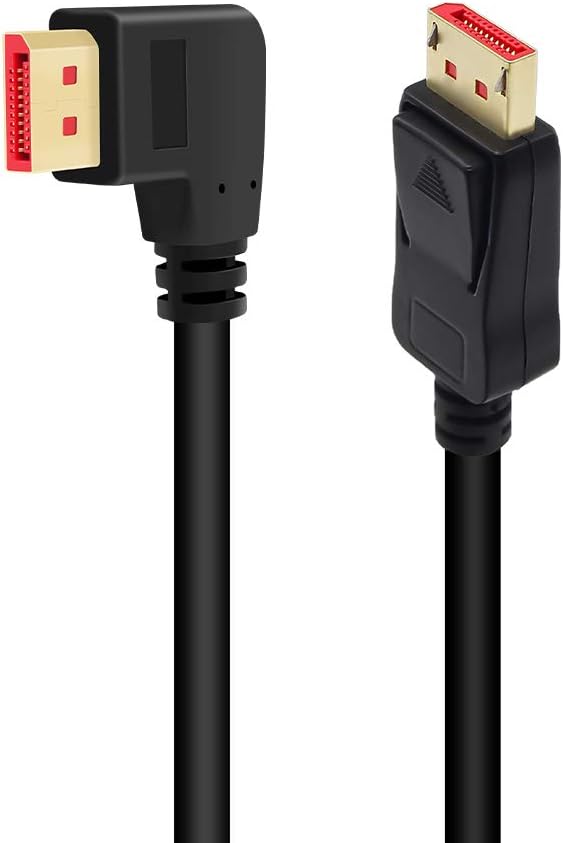
chenyang DisplayPort 1.4 Cable DisplayPort Male to Female 90 Degree Down Angled 8K@60Hz 4K@240Hz 32.4Gbps High Speed Gold Plated Ultrafine Extension Cable Panel Mount Type 0.98FT/0.3M
Top 10 Best 90 Degree Displayport Adapter and Cable in 2026 Compared
This side by side comparison highlights the key technical differences and build qualities across all ten selected products to help you identify the best fit for your specific display and desktop layout requirements.
ProductsSpecificationsEditor scorePrice
1
Editor's Choice
Cable Matters 4K@240Hz Right Angle DisplayPort 1.4 Adapter, 90 Degree
Poyiccot Right Angle Displayport 1.4 Cable, 90 Degree Displayport Extension Cable (8K/60Hz, 4k/144Hz), 32.4Gbps Short Display Port Male to Female DP 1.4 Cable Cord for PC, Laptop, 15cm
8K 90 Degree DisplayPort 1.4 Adapter 2-Pack, (Up and Down) Right Angle DP Male to Female Display Port L-Shaped Connector Extender Support 8K@60Hz,4K@144Hz for Wall TV, Monitor, Laptop and PC
chenyang DisplayPort 1.4 Cable DisplayPort Male to Female 90 Degree Down Angled 8K@60Hz 4K@240Hz 32.4Gbps High Speed Gold Plated Ultrafine Extension Cable Panel Mount Type 0.98FT/0.3M
Cable Matters 4K@240Hz Right Angle DisplayPort 1.4 Adapter, 90 Degree
8K at 60Hz support
4K at 240Hz support
ALLM and VRR features
Optimized space management
This adapter leads our list with a high rating of 4.8 stars and robust performance features designed for modern high-resolution displays. Its right angle design effectively manages tight spaces behind entertainment centers or wall mounted TV setups without compromising on signal quality or connection stability.
Pros
Excellent signal stability
High refresh rate support
Solid build quality
Great for tight spaces
Reliable brand reputation
Cons
Price higher than basic
Only one adapter included
We may earn a commission when you buy through this link, at no additional cost to you.
Key strengths include support for ultra-high resolutions up to 8K at 60Hz and smooth gaming performance with 4K at 240Hz. The inclusion of Advanced Low Latency Mode and Variable Refresh Rate ensures compatibility with the latest gaming consoles and high-end graphics cards for an immersive visual experience.
Honest trade-offs involve a price point that is slightly higher than generic alternatives and the inclusion of only a single unit in the package. However, the superior build quality and reliability make it a worthwhile investment for users prioritizing performance and longevity in their display connections.
This product is ideal for gamers and professionals who need dependable high-bandwidth performance in constrained spaces. It remains our top recommendation for those seeking a premium 90 degree Displayport adapter that balances advanced features with practical design for everyday use.
Advanced Gaming Features
Support for ALLM and VRR allows for smoother gameplay with reduced input lag and screen tearing during high intensity gaming sessions.
Space Efficient Design
The 90-degree connector redirects cable direction either upward or downward to prevent obstructions and reduce strain on the port.
This cable offers a practical solution for users needing extra reach while maintaining a 90 degree angled connection at the display end. With a length of 6 feet it provides flexibility for routing cables away from tight desk areas without signal degradation thanks to its compliant Displayport 1.4 standard.
Pros
Long cable length
Solid gold plating
Good shielding
Affordable price
Cons
Angle direction varies
Not ideal for tiny spaces
We may earn a commission when you buy through this link, at no additional cost to you.
Strengths include premium construction with bare copper conductors and foil and braid shielding for stable video and audio transmission. The gold plated connectors with latch ensure a secure fit that resists corrosion and maintains signal integrity even after repeated plug and unplug cycles.
Trade-offs involve the fixed angle direction which may require careful checking before purchase as port alignment can differ across devices. Additionally the cable length may be excessive for very compact setups where a shorter adapter is preferable for neatness and organization.
This product suits users who need to route cables over longer distances to hidden ports or power sources while keeping the display connection tidy. It is a strong choice for standard desktop setups where flexibility and durability are more important than ultra compact dimensions.
Extended Reach
The 1.8 meter length allows for routing cables behind desks or through cable management systems without reaching tight corners.
Durable Build
Gold plated connectors and triple shielding protect against interference and physical wear ensuring consistent performance over time.
This short extension cable is designed for scenarios where minimal reach is needed to redirect a port without introducing excessive slack or cable clutter. Its 15 centimeter length makes it ideal for laptops and small form factor PCs where space is extremely limited behind the chassis.
Pros
Very short length
High bandwidth support
DSC compatible
Good for laptops
Cons
Short may not fit all
Limited color options
We may earn a commission when you buy through this link, at no additional cost to you.
Key strengths include high bandwidth support of 32.4Gbps enabling resolutions up to 8K at 60Hz and 4K at 144Hz for demanding visual tasks. Triple layer shielding and tinned copper conductors ensure stable signal transmission even in environments with potential electromagnetic interference.
Trade-offs involve the short length which may not suit setups requiring more flexibility or reach to distant displays. It is also limited to specific orientations which users should verify against their device ports before ordering to ensure compatibility.
This product is best for users with compact setups who need a simple direct extension to improve access to hard to reach ports. It offers excellent performance for its size making it a practical choice for modern high-resolution laptops and workstations.
Compact Form Factor
The 15cm design keeps cable clutter to a minimum ensuring a clean and organized desk appearance for professional settings.
High Performance
Support for 8K resolutions ensures future-proofing for upcoming display standards and high-end graphics card capabilities.
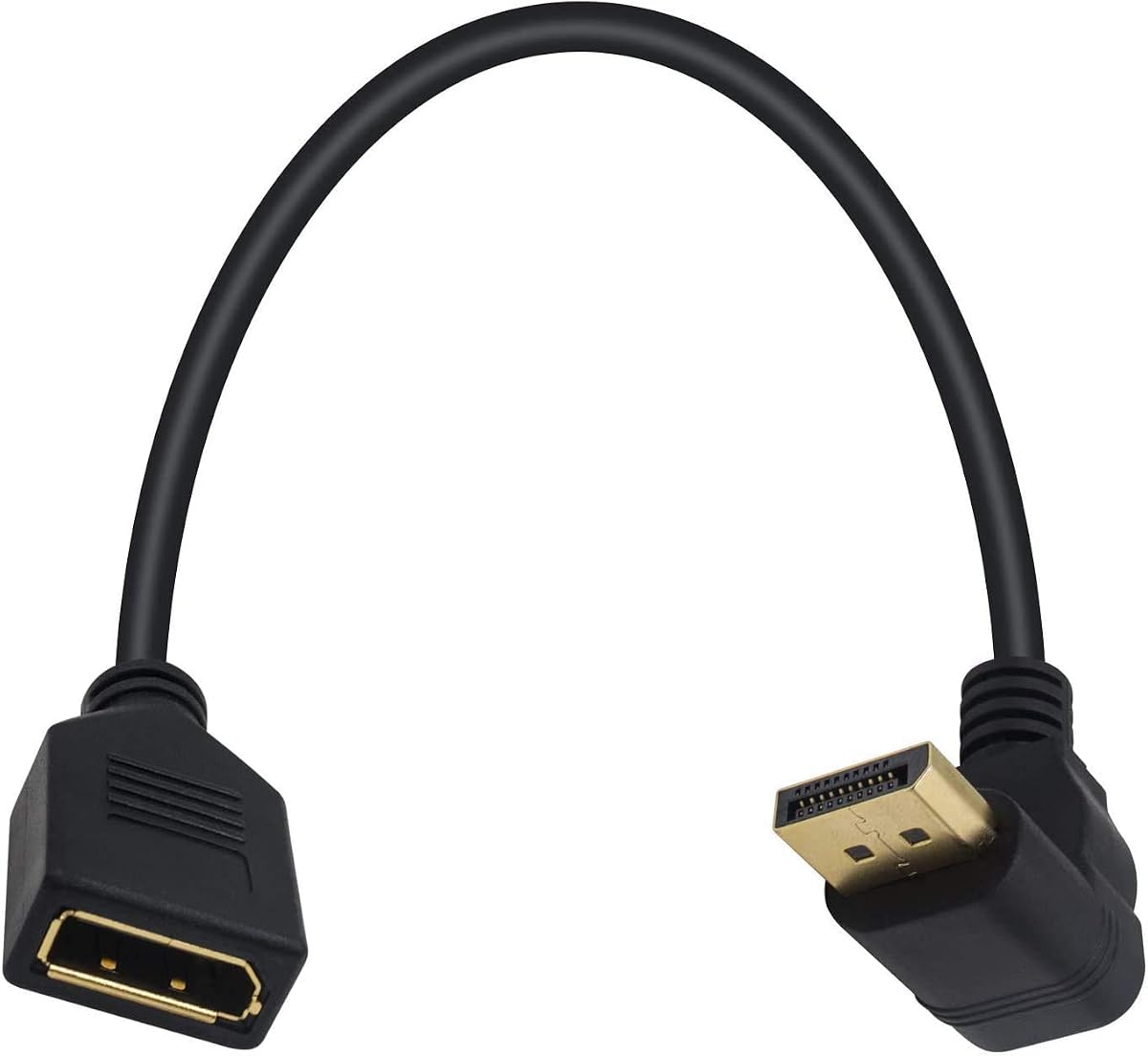
Poyiccot Displayport Extension Cable, 90 Degree Displayport Extender Up Angle
30CM cable length
4K at 30Hz support
Gold plated connectors
Low profile design
This extension cable features an upward angled design that helps avoid blocking adjacent ports on devices with crowded rear panels. Its 30 centimeter length provides a balance between reach and compactness making it suitable for standard desktop setups and entertainment centers.
Pros
Low profile design
Gold plating
Easy plugging
Good value
Cons
Max 4K 30Hz
Fixed angle direction
We may earn a commission when you buy through this link, at no additional cost to you.
Strengths include gold plated connectors that resist corrosion and ensure stable transmission for audio and video signals. The low profile design and molded strain relief contribute to long term durability and ease of use when connecting and disconnecting cables frequently.
Trade-offs include a maximum resolution of 4K at 30Hz which may not support high refresh rate gaming or ultra-high-definition needs. Additionally the fixed angle direction may not align with every device port configuration requiring careful consideration before purchase.
This product is ideal for users seeking a reliable solution for standard 1080P or 4K setups where high refresh rates are not a primary concern. It offers good value for those needing a straightforward angled extension to improve port accessibility.
Port Accessibility
The upward angle design allows easy access to ports that might otherwise be blocked by other cables or device placement.
Durable Connectors
Gold plating provides excellent resistance against oxidation ensuring reliable electrical contact over years of regular use.
8K 90 Degree DisplayPort 1.4 Adapter 2-Pack, (Up and Down) Right Angle DP Male to Female Display Port L-Shaped Connector Extender Support 8K@60Hz,4K@144Hz for Wall TV, Monitor, Laptop and PC
2 pack adapter set
Up and down angles
8K at 60Hz support
Aluminum alloy shell
This two pack of adapters offers exceptional value by providing both upward and downward angled options to suit various device orientations. The compact design is perfect for wall mounted TVs and tight spaces where a standard cable would bend awkwardly or obstruct other ports.
Pros
Two adapters included
Dual angle options
High resolution support
Durable shells
Cons
Basic build materials
Short life expect
We may earn a commission when you buy through this link, at no additional cost to you.
Strengths include compatibility with high resolutions up to 8K at 60Hz and 4K at 144Hz ensuring smooth performance for modern displays. The aluminum alloy shells and 24k gold plated connectors provide decent heat dissipation and resistance to corrosion for daily use.
Trade-offs involve a more basic build compared to premium brands which may affect long-term durability under frequent plugging stress. Users should also ensure their existing cables and ports support Displayport 1.4 to achieve the advertised performance levels.
This product is a top choice for budget conscious users who need versatile angle options for multiple devices. It offers a cost-effective way to manage cable strain and improve port accessibility without sacrificing high-resolution video performance.
Versatile Angles
Having both up and down options allows you to choose the best orientation for different devices without buying separate adapters.
High Resolution
Full support for 8K ensures the adapters are future-ready for next-gen displays and high bandwidth video streaming needs.
Cable Matters Combo-Pack 4K@240Hz Flat Right Angle DP 1.4 Adapter
Combo pack 2 angles
90 and 270 degrees
4K at 240Hz support
Flat design
This combo pack includes both 90 degree and 270 degree adapters providing maximum flexibility for cable routing in any direction. The flat design helps minimize protrusion which is ideal for wall mounts and compact desks where clearance is extremely limited.
Pros
Two adapter types
High refresh rates
Solid build quality
Flexible routing
Cons
Price higher than single
Not for ultra high res
We may earn a commission when you buy through this link, at no additional cost to you.
Strengths include support for up to 4K at 240Hz making it suitable for high refresh rate gaming monitors. The robust construction and advanced features like HDR and VRR ensure a stable and immersive audiovisual experience without signal loss.
Trade-offs involve a higher price point than single adapters though the inclusion of two options adds value. Users needing 8K resolution might need to look at other models in this guide as this pack focuses on 4K performance.
This product is best for users who want flexibility in routing cables left or right without compromising performance. It is a reliable choice for gaming setups requiring high refresh rates and clean cable management solutions.
Dual Angle Options
Having both 90 and 270 degree adapters allows you to adapt to different port orientations without extra purchases.
Gaming Features
Support for high refresh rates and VRR ensures smooth gameplay on high-end monitors without screen tearing.
This cable combines a 3.3 foot length with an upward angled connector to offer flexibility for both reach and port accessibility. It is designed for professional workstations and home theaters where 8K resolution support is desired without complex adapter setups.
Pros
Good cable length
Support for 8K
Quality assurance
Flexible routing
Cons
Fixed angle
Limited color choices
We may earn a commission when you buy through this link, at no additional cost to you.
Strengths include high speed data transmission capabilities and robust build quality designed to handle frequent movement and adjustment. The 12 month warranty adds confidence for users seeking a reliable long-term solution for their display connections.
Trade-offs involve a fixed upward angle that may not suit every device port orientation requiring careful verification before purchase. Additionally the length may be excessive for very compact desk setups where shorter cables are preferred to avoid clutter.
This product is ideal for users needing a balance of reach and angle optimization for their high-resolution displays. It provides a straightforward plug and play solution with the quality assurance of a solid warranty for peace of mind.
High Resolution Ready
Support for 8K resolution ensures the cable is compatible with the latest high-end monitors and visual displays.
Warranty Coverage
A 12 month warranty offers reliable support and customer service for any potential product issues during normal use.
DisplayPort Extension Cable,90 Degree DP Male to Female Extender Ultra HD
15cm cable length
16K resolution support
DP 2.1 standard
52Gbps bandwidth
This extension cable adheres to the Displayport 2.1 standard offering significant bandwidth increases for future-proofing high-end visual setups. Its compact 15 centimeter length is ideal for tight spaces where minimal extension is needed to achieve a 90 degree bend.
Pros
DP 2.1 future proof
16K resolution
High bandwidth
Short length
Cons
Very short length
Not for standard DP
We may earn a commission when you buy through this link, at no additional cost to you.
Strengths include support for resolutions up to 16K at 30Hz and 8K at 120Hz with high bandwidth of 52Gbps. The design also supports dynamic HDR and wide compatibility with modern graphics cards ensuring optimal performance for gaming and professional content creation.
Trade-offs include a very short length which may not suffice for setups requiring more reach or flexibility. Also users should verify that their devices support DP 2.1 to take advantage of these advanced features fully.
This product is a forward-thinking choice for tech enthusiasts planning to upgrade to ultra-high-resolution displays soon. It offers excellent technical specifications for a compact adapter that simplifies cable management without sacrificing performance.
Future Proof Tech
Displayport 2.1 standard support prepares your setup for upcoming high resolution monitors and advanced visual standards.
High Bandwidth
With 52Gbps bandwidth you get ample data throughput for uncompressed video and multi-channel audio streams.
This extension cable delivers exceptional bandwidth with DP 2.1 support making it a robust choice for high-end gaming and professional displays. Its 1.5 foot length offers a balance between reach and compactness for managing cables in tight spaces.
Pros
Triple shielding
High bandwidth
Wide compatibility
Future ready
Cons
Short length
Not for all devices
We may earn a commission when you buy through this link, at no additional cost to you.
Strengths include triple shielding and gold plated connectors that ensure stable high-speed transmission with minimal signal loss. The wide compatibility with various graphics cards and monitors ensures reliable performance across different hardware configurations.
Trade-offs involve a short length that may not work for all desk layouts and the need for compatible DP 2.1 hardware to utilize full potential. It is an investment in future performance rather than immediate necessity for current setups.
This product is best for users with high-end graphics cards who need reliable high-bandwidth connections for 8K or 16K displays. It offers technical superiority in a compact form factor ideal for modern workstations and gaming rigs.
Advanced Shielding
Triple shielding protects data integrity against interference ensuring smooth video and audio even in electrically busy environments.
Compatibility
Wide support for various GPUs and displays ensures you get reliable connections across different hardware generations.
chenyang DisplayPort 1.4 Cable DisplayPort Male to Female 90 Degree Down Angled 8K@60Hz 4K@240Hz 32.4Gbps High Speed Gold Plated Ultrafine Extension Cable Panel Mount Type 0.98FT/0.3M
Ultrafine flexible cable
32.4Gbps bandwidth
Panel mount type
Down angled design
This ultrafine cable is a premium solution for tight spaces requiring maximum flexibility and high performance without bulk. Its 4mm diameter makes it perfect for panel mounts and specialized setups where standard cables would be too stiff or bulky.
Pros
Ultrafine cable
High performance
Solid build
Panel friendly
Cons
Premium price
Limited flexibility
We may earn a commission when you buy through this link, at no additional cost to you.
Strengths include industry standard bandwidth allowing for unrestricted 8K and 4K video. The high quality gold plated connectors and welded ends provide excellent longevity and resistance to accidental tugs and pulls.
Trade-offs include a premium price point that may not be justified for basic setups and a fixed downward angle that limits adaptability. It is a specialized product best suited for users with specific routing needs and high-end requirements.
This product is ideal for professionals working with specialized rigs or panel mounted displays needing a durable and compact connection. It offers the highest quality and specialized design in our guide for those prioritizing build and flexibility.
Ultrafine Design
The 4mm cable diameter provides exceptional flexibility for tight bends and specialized routing without signal degradation.
Durability
Welded heavy cable ends and gold plating ensure the cable withstands regular use and physical stress over time.
We may earn a commission when you buy through this link, at no additional cost to you.
Buying Guide – How to Choose the Best 90 Degree Displayport Adapter and Cable
Selecting the right adapter or cable involves considering several technical and practical factors to ensure optimal performance and longevity.
Displayport Version
Ensure the adapter supports at least Displayport 1.4 for high resolutions like 4K and 8K. Newer DP 2.1 models offer even higher bandwidth for future displays.
Verify your device and monitor support the same version to maximize performance potential.
Resolution and Refresh Rate
Look for models that support your monitor's maximum resolution and refresh rate. High refresh gaming requires specific bandwidth capabilities like 4K at 240Hz.
Check specifications to confirm compatibility with your display requirements.
Cable Length and Flexibility
Choose a length that suits your desk layout without introducing excess slack. Shorter cables help reduce clutter but ensure they reach comfortably.
Flexible cables prevent strain and improve organization in tight spaces.
Build Quality and Materials
Gold-plated connectors resist corrosion and ensure stable signals. Durable shielding protects against interference and signal loss.
Investing in quality materials extends the life of your connections significantly.
Angle Orientation
Check if the adapter offers upward or downward angles that match your device ports. Some models offer both directions for better versatility.
Selecting the correct orientation prevents blockage of adjacent ports.
Packaging and Quantity
Some products come in 2-packs offering better value. Consider if you need multiple adapters for different devices or backups.
Buying in packs can save money and ensure spares are available.
Compatibility and Standards
Confirm compatibility with your graphics card and monitor type. Most adapters are plug and play without drivers but check specific feature support like VRR.
Understanding your hardware requirements avoids compatibility issues.
Warranty and Support
Look for products with reliable warranty coverage and responsive customer support. This ensures help is available if issues arise.
A solid warranty provides peace of mind for your purchase.
How to Use and Care for Your 90 Degree Displayport Adapter and Cable
Connect the adapter or cable by plugging one end firmly into your computer's graphics card and the other into your display monitor. Ensure the angle aligns with the port opening to avoid bending the cable sharply which can damage internal conductors over time.
Regularly inspect the connectors and cable for any signs of wear or damage such as fraying or loose connections. Keeping the connections free of dust and debris helps maintain a stable signal and prolongs the life of your hardware.
Avoid bending the cable excessively during routing and use cable management clips to secure excess length neatly. Proper organization prevents accidental tugs or pressure on the connectors which are the most vulnerable parts of the connection.
Frequently Asked Questions
What is the difference between Displayport 1.4 and 2.1 adapters?
Displayport 2.1 offers higher bandwidth up to 52Gbps allowing for higher resolutions and refresh rates compared to 1.4. Adapters must match your device's output capability to utilize these benefits effectively.
Do I need an adapter or a cable for my setup?
If you need a short extension to bend the port, a simple adapter may suffice. For longer reach or specific routing needs, a cable with an integrated angled connector is more practical.
Can I use these adapters for gaming?
Yes, adapters supporting high refresh rates like 144Hz or 240Hz are ideal for gaming. Ensure they also support Variable Refresh Rate technology for smoother gameplay.
Are 90 degree adapters better for wall mounted TVs?
Absolutely, they reduce cable strain and make routing cables along walls or behind mounts cleaner and easier. They also prevent bending stress on the TV's port.
Do these adapters support audio?
Yes, Displayport carries both video and audio signals. Ensure your adapter supports full bandwidth for features like surround sound or Dolby Atmos if needed.
How do I know which angle direction I need?
Check the orientation of your device ports. Some adapters allow selecting up or down angles while others are fixed, so verify before purchasing.
Will these adapters affect my signal quality?
High-quality adapters with proper shielding and gold plating maintain signal integrity without noticeable loss. Avoid cheap unshielded options for high-resolution setups.
What if my ports don't align with the adapter angle?
Try rotating the device or check if the adapter offers a rotating or flexible connector. Some combo packs include different angles to ensure you find a fit.
Final Thoughts on Choosing the Best 90 Degree Displayport Adapter and Cable
The Cable Matters 4K@240Hz adapter leads our list with reliable performance and advanced gaming features making it a top choice for most users. For budget needs, the 8K 2-pack provides versatile angle options at an affordable price point.
Consider your specific display resolution and the physical space available behind your devices before purchasing. High refresh rates and long cable lengths may require slightly higher investment but improve user experience significantly.
Prices and availability fluctuate regularly so always check current listings to ensure you get the best deal for your chosen adapter or cable model today.
This guide compares the top electric staplers for office and home use, evaluating capacity, speed, jam prevention, and power options to help you choose…