
reMarkable Paper Pro with Marker Plus
4.2Editor score
11.8-inch Canvas Color display
Unmatched paper-like writing
Adjustable reading light
Color E Ink tablets offer a unique blend of eye-friendly displays and paper-like writing experiences. These devices are perfect for readers, students, and professionals who want to reduce screen strain while staying productive.
We compared ten leading models based on screen quality, writing feel, battery life, and software features. Each product was evaluated for its ability to handle documents, comics, and note-taking without the distractions of traditional tablets.
Every pick highlights key strengths and honest trade-offs to help you choose wisely. Prices and availability can change, so check current listings before making your final decision on a new digital notebook.
4.2Editor score

4.3Editor score

4.0Editor score
As an Amazon Associate we earn from qualifying purchases.
This side-by-side comparison highlights the key specifications and features of each color E Ink tablet to help you find the right fit for your workflow.



The Amazon Kindle Scribe Colorsoft leads our list with its impressive 11-inch color display and seamless writing experience. Rated highly by users, it balances advanced features with an easy-to-use interface that feels natural.
We may earn a commission when you buy through this link, at no additional cost to you.
Its standout quality is the custom-built Colorsoft display that offers high-contrast, paper-like color without distracting flashes. The included pen has a built-in eraser and shortcut button for tools like the highlighter.
While it offers powerful AI tools to summarize notes and convert handwriting, it is purpose-built for reading and writing rather than general apps. This focus ensures you stay focused on what matters most.
Ideal for students and professionals who need a distraction-free environment, this device is worth the investment for its superior writing quality and long-term battery life.
The textured surface and responsive display create a smooth, paper-like writing experience that mimics real paper.
Use AI to find information, ask questions about your notes, and generate summaries instantly.
We may earn a commission when you buy through this link, at no additional cost to you.
The reMarkable Paper Pro redefines digital note-taking with its 11.8-inch Canvas Color display and realistic writing feel. It earns its premium status by focusing exclusively on delivering a perfect paper-like experience.
We may earn a commission when you buy through this link, at no additional cost to you.
The included Marker Plus pen offers precise control and incredible responsiveness, ensuring your strokes feel natural. You can sort notes with folders and tags, and instantly convert handwriting to text.
The trade-off is a closed ecosystem without third-party apps, but this ensures no distractions. It is ideal for professionals who need a dedicated tool for writing and reading in color.
If you prioritize writing quality above all else and want a large screen for documents, this device is the top choice for a pure paper replacement.
The full-size 11.8-inch display gives you ample space to write, sketch, and read in color comfortably.
Unlike laptops and phones, this tablet reflects natural light and avoids eye-strain even outside.
We may earn a commission when you buy through this link, at no additional cost to you.
The BOOX Tablet Go Color 7 Gen II offers an affordable entry into color e-ink technology with support for active styluses. It is perfect for readers who want a portable device that supports Android apps.
We may earn a commission when you buy through this link, at no additional cost to you.
Its 7-inch Kaleido 3 screen displays 4096 colors and supports many document formats including PDF and EPUB. The device is lightweight and includes front light with warm and cold settings for comfortable reading.
Since the stylus is not included, you may need to budget for an extra accessory. However, the open Android system allows you to install the apps you need for productivity.
This device is ideal for casual readers and students who want color comics and books at a budget-friendly price without sacrificing core functionality.
Runs Android 13 ROM allowing support for third-party apps beyond just reading.
Weighing only 195 grams, this tablet is easy to carry in a bag or jacket pocket.
We may earn a commission when you buy through this link, at no additional cost to you.
The Ocean C 64GB+4GB delivers a compelling reading and writing experience with its 7-inch color display and flexible screen technology. It is designed to handle comics, books, and note-taking with ease.
We may earn a commission when you buy through this link, at no additional cost to you.
Powered by an octa-core processor and 4GB RAM, it handles multitasking smoothly. The screen mimics paper texture for natural control, though you must purchase the Musnap stylus separately.
Users appreciate its long battery life and bright color adjustments for day or night reading. The Android base ensures compatibility with various document and media formats.
This tablet is a strong choice for those seeking a capable reading and writing device with enough power for multitasking without a premium price tag.
The screen technology mimics paper texture for natural control during long sessions.
An octa-core processor with 4GB RAM ensures seamless performance for apps.
We may earn a commission when you buy through this link, at no additional cost to you.
This bundle combines the premium reMarkable Paper Pro with a stylish Basalt Book Folio for a complete solution. It is perfect for users who want the full writing experience plus protection out of the box.
We may earn a commission when you buy through this link, at no additional cost to you.
The included Marker Plus pen ensures you can start writing immediately with a built-in eraser. The cover adds durability and style with its premium Mosaic weave design.
While the price is higher than the standard bundle, the added value of the folio makes it a great gift or professional tool. The writing feel remains unmatched in the industry.
Choose this bundle if you value convenience and style alongside the best writing experience available on a color e-ink tablet.
Includes the tablet, pen, and a premium protective cover in one ready-to-use set.
Sort notes and documents with folders and tags for easy finding later.
We may earn a commission when you buy through this link, at no additional cost to you.
The BOOX Note Air 5 C offers powerful performance with 6GB RAM and a large 10.3-inch screen for handling complex documents. It runs Android 15, giving you access to modern apps and features.
We may earn a commission when you buy through this link, at no additional cost to you.
Its 10.3-inch Kaleido 3 display provides a balanced view for reading PDFs or sketching. The fingerprint recognition button adds convenience for quick unlocking and secure access to your files.
While E Ink displays have slower refresh rates, the Regal Mode helps reduce ghosting. This model is best for professionals needing extra memory and screen real estate for daily tasks.
If you need a large screen and fast performance for documents, this device offers the best balance of power and e-ink technology.
10.3-inch display paired with 6GB RAM allows for smooth multitasking and document handling.
A power button with fingerprint recognition ensures quick and secure access to your device.
We may earn a commission when you buy through this link, at no additional cost to you.
The Penstar eNote Pro C brings advanced AI capabilities to color e-ink with real-time voice-to-text and note summarization. It is designed for users who want to turn handwritten notes into digital text quickly.
We may earn a commission when you buy through this link, at no additional cost to you.
Its exclusive stylus offers 8192 levels of pressure sensitivity for precise control without charging. The bundle includes a magnetic folio cover and extra nibs, making it ready for use immediately.
With up to 3 weeks of battery life and 128GB storage, this device supports extensive reading and writing sessions. It handles over 35 file formats for maximum compatibility.
This tablet is ideal for writers and organizers who need strong AI tools to streamline their workflow and keep notes organized efficiently.
Exclusive stylus with 8192 pressure levels provides precise control for writing and drawing.
Use AI to transcribe voice-to-text and summarize notes for faster organization.
We may earn a commission when you buy through this link, at no additional cost to you.
This version of the BOOX Go Color adds physical page-turn buttons for easier navigation while reading. It is perfect for users who prefer tactile controls for flipping through books.
We may earn a commission when you buy through this link, at no additional cost to you.
The 7-inch Kaleido 3 screen supports color comics and documents with a lightweight design. It runs Android 13 and supports third-party apps for reading and note-taking.
While the stylus is sold separately, the buttons provide a physical advantage for reading flow. The device is optimized for low power consumption and paper-like display.
Choose this model if you frequently read long documents and value physical buttons for easy page navigation in one hand.
Physical page-turn buttons allow for effortless flipping through books without touching the screen.
The system is optimized for low power consumption to extend battery life.
We may earn a commission when you buy through this link, at no additional cost to you.
The reMarkable Paper Pro Move is designed for travel with its 7.3-inch color display that slips into a jacket pocket. It keeps you focused without notifications while capturing ideas instantly.
We may earn a commission when you buy through this link, at no additional cost to you.
The included Marker Plus pen lets you write naturally with a real paper-like sound. Notes sync to the cloud so you can access them on mobile and desktop apps when needed.
While the screen is smaller than the full model, it is perfect for capturing thoughts on the go. The conversion of handwriting to typed text helps keep notes organized.
Ideal for travelers and students who need a portable notebook for ideas and notes without the bulk of a laptop.
Smaller than a paperback, this digital notebook fits easily into bags or pockets.
No wall of laptops or notifications interrupts your flow when working.
We may earn a commission when you buy through this link, at no additional cost to you.
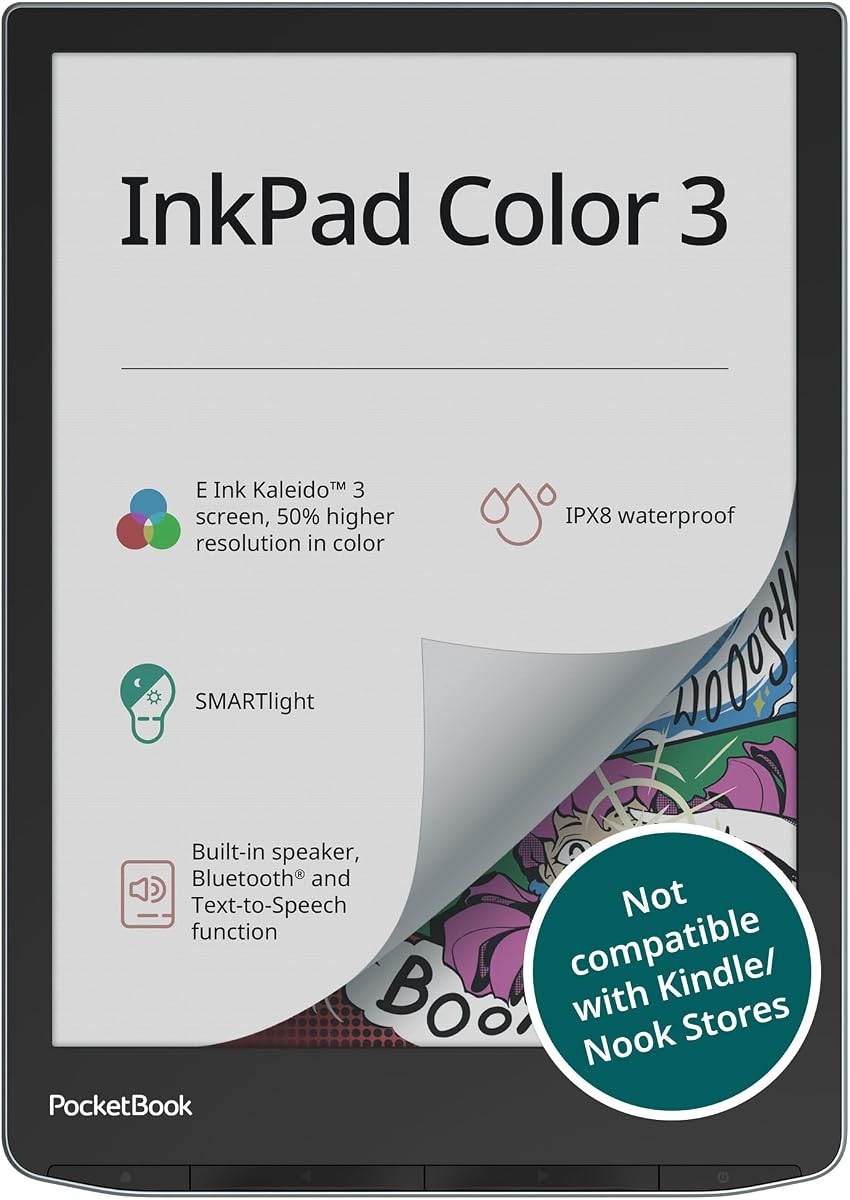
The PocketBook InkPad Color 3 is a dedicated e-reader that brings color to comics and magazines with a waterproof design. It is perfect for readers who enjoy audiobooks and text-to-speech features.
We may earn a commission when you buy through this link, at no additional cost to you.
With IPX8 water protection and long battery life, it is ideal for travel or reading by the pool. The 7.8-inch display offers comfortable viewing for graphics and text alike.
The built-in speaker and Bluetooth support allow for audio consumption without external devices. It stores thousands of books and supports external memory expansion for even more content.
This device is best for readers who prioritize a durable waterproof build and audio features over writing capabilities.
IPX8 water protection makes it ideal for travel or outdoor reading near water.
Built-in speaker and Bluetooth allow you to listen to audiobooks or text-to-speech.
We may earn a commission when you buy through this link, at no additional cost to you.
Choosing the right color E Ink tablet depends on your specific needs for reading, writing, and note-taking. Use these factors to narrow down your options.
Display size affects how much content you can view at once. Larger 10-inch screens are better for documents, while 7-inch models offer portability. Look for Kaleido 3 technology for the best color balance.
Choose a screen size that matches your typical content type. Large screens are ideal for PDFs while small screens are perfect for novels.
A good stylus should feel natural and not require frequent charging. Check if the pen is included or sold separately to budget correctly. Pressure sensitivity levels impact drawing precision.
Always prefer devices with included pens and high pressure sensitivity. It saves money and ensures a smooth writing experience.
Android models allow third-party app installation while closed systems focus on reading. Decide if you need external apps like Kindle or generic PDF readers. Open OS offers flexibility.
Open Android systems offer more flexibility but may have slower performance. Closed systems ensure better focus for reading and writing.
E Ink tablets generally offer weeks of battery life compared to standard tablets. Check the mAh capacity and expected usage hours. A longer battery means less interruption during travel.
Prioritize devices with at least 2000mAh battery capacity. This ensures you can read for days without recharging.
Storage determines how many books and files you can keep locally. 32GB is sufficient for text but 64GB is better for comics. Check if external card slots are available for expansion.
Choose 64GB or higher if you read many graphic novels. External card slots add future flexibility for storage.
Water resistance protects your device from spills or beach trips. Look for IPX8 ratings for true waterproof capability. Build quality should be durable enough to withstand regular use.
If you read outdoors often, a waterproof device is essential. It protects your investment from accidental damage.
AI features like handwriting to text and summaries help manage notes efficiently. Tags and folders make it easy to find old documents. These features save time on manual sorting.
Look for devices with AI tools if you take notes often. They automate the sorting process effectively.
Price varies significantly between budget and premium models. Determine your must-have features before spending. Sometimes extra cost buys durability rather than just screen size.
Set a budget based on your core needs. Don't pay for features you won't use regularly.
Start by charging the device fully before first use. Download your preferred e-book apps and set up your notes folder. Adjust the front light settings to match your environment for eye comfort.
Use the stylus gently to avoid damaging the screen surface. Clean the display with a dry microfiber cloth to remove dust. Avoid using liquid cleaners directly on the screen surface.
Store the device in a protective case to prevent scratches. Keep firmware updated for the best performance and new features. Recharge every few weeks if unused to maintain battery health.
Yes, color E Ink tablets are excellent for reading comics and graphic novels. They offer better eye comfort than LCD screens and support color displays. However, refresh rates may be slower than standard tablets.
Most color E Ink tablets run Android so you can install third-party apps. However, dynamic content like Instagram may appear slow or blurry. They are optimized for static content like books and PDFs.
Many premium models use EMR or battery-free styluses that do not need charging. However, some active styluses require a small battery. Always check the product description for charging details.
Battery life typically lasts for weeks with standard reading use. Heavy note-taking may reduce this to a few days. Most devices have 3000mAh batteries or larger.
Not all models are waterproof. Some like the PocketBook offer IPX8 water resistance. Always check the specifications before using them near water or outdoors.
Many modern models support handwriting to text conversion. Some require a subscription for advanced AI features. Check the software capabilities before purchase.
The Amazon Kindle Scribe Colorsoft and reMarkable Paper Pro lead the market with superior writing and display quality. These models are perfect for professionals seeking a distraction-free experience.
For budget-conscious buyers, the BOOX Go Color 7 offers great value with Android support. Choose based on whether you need apps or pure reading focus.
Remember that prices and features can change over time. Always check current listings and read recent user reviews before making your final purchase.