
NETGEAR GS348
4.8Editor score
Plug and Play Setup
Energy Efficient Operation
Compact Rack Mount
This guide compares the top 10 48 Port Gigabit Managed Switch models for performance security and features to help businesses choose the right network hardware
Finding the right 48 Port Gigabit Managed Switch is essential for businesses needing reliable high speed network connectivity. These devices offer advanced control over traffic security and performance ensuring your infrastructure runs smoothly without interruptions or bottlenecks.
We evaluated ten top models based on port count management features security capabilities and overall reliability. Our comparison focuses on real world performance and user feedback to highlight which switches deliver the best value for diverse network environments.
Each pick includes detailed specs pros and cons to help you make an informed decision. Keep in mind that prices and availability change frequently so always verify current offers before purchasing your next network switch solution.
4.8Editor score

4.7Editor score

5.0Editor score
Below is a side by side comparison of all ten switches evaluated in this guide. Review the specs to find the model that fits your specific network requirements and budget constraints.




The TP-Link SG2452LP stands out as the top pick for its powerful Omada Cloud Management Platform. It delivers reliable performance with a quiet fanless design perfect for office environments.
We may earn a commission when you buy through this link, at no additional cost to you.
Its advanced security features like 802.1X and IP-MAC-Port binding ensure your network remains secure. The centralized management allows for easy remote configuration and monitoring.
While the Omada platform offers deep control it might require some setup time for newcomers. However the long term benefits of centralized management outweigh this initial investment.
This switch is ideal for businesses needing scalable secure and quiet network infrastructure. We highly recommend it for any organization planning a modern network upgrade.
Omada Cloud Management simplifies network oversight across multiple sites from a single dashboard.
The fanless design ensures zero noise even when PoE loads are fully utilized.
We may earn a commission when you buy through this link, at no additional cost to you.
The NETGEAR GS348 is an excellent choice for those needing a straightforward 48 port switch without complex management. It is unmanaged yet delivers reliable Gigabit performance at a budget friendly price.
We may earn a commission when you buy through this link, at no additional cost to you.
Its plug and play nature means no configuration is required making it perfect for small offices or expanding networks. The compact metal design supports both desktop and rack mounting options.
Since it is unmanaged you miss out on VLANs or traffic prioritization features. This makes it best suited for environments where simplicity is more important than granular control.
If you need a cost effective reliable switch for basic connectivity this model fits the bill. It is perfect for growing businesses needing quick expansion without technical overhead.
No software or configuration is needed to get your network up and running quickly.
IEEE 802.3az reduces power consumption without sacrificing speed or performance.
We may earn a commission when you buy through this link, at no additional cost to you.
The NETGEAR GS348TPv2 offers premium features with a high 380W PoE budget perfect for powering cameras and access points. Its smart managed interface provides easy control over traffic and security.
We may earn a commission when you buy through this link, at no additional cost to you.
This switch delivers exceptional reliability with auto-negotiating ports that adapt to connected devices. The compact design supports flexible mounting options for various installation scenarios.
The price point is higher than basic unmanaged switches but the included PoE and management features justify the cost. It is a top choice for businesses needing advanced network capabilities.
Investing in this switch ensures your network can handle demanding tasks and future growth. It is best for professionals needing robust PoE support and smart management tools.
With 380W total power it supports multiple high drain devices like PTZ cameras.
The intuitive smart software allows secure setup and SNMP management easily.
We may earn a commission when you buy through this link, at no additional cost to you.
The Omada SG3452 is a powerful L2+ smart managed switch designed for flexible network configurations. It integrates seamlessly into the Omada Software Defined Networking platform for centralized control.
We may earn a commission when you buy through this link, at no additional cost to you.
Features like static routing help optimize internal traffic usage which is vital for efficient networks. The cloud access option allows remote management from any location securely.
Users must ensure devices are equipped with SDN firmware which can be a hurdle if mixing hardware. However standalone management via web or CLI is also available for flexibility.
This switch is great for growing businesses needing scalable network management. It is best for those already invested in the Omada ecosystem planning a unified infrastructure.
L2+ static routing optimizes internal traffic for better use of network resources.
Remote cloud access allows network monitoring from anywhere at any time.
We may earn a commission when you buy through this link, at no additional cost to you.
The TP-Link TL-SG3452P is a robust PoE switch offering 384W total power budget. It supports 48 PoE+ ports making it ideal for powering devices like IP cameras and APs.
We may earn a commission when you buy through this link, at no additional cost to you.
Its L2+ managed features include static routing and advanced security protocols. The Omada SDN integration ensures it fits well into broader network ecosystems.
PoE Auto Recovery helps maintain device uptime by cycling power to unresponsive ports. This feature adds reliability crucial for environments where constant operation is required.
This switch is perfect for medium businesses needing heavy PoE load handling. It is best for those requiring both robust power and advanced management capabilities.
Automatically cycles power to unresponsive devices maintaining continuous uptime.
L2+ static routing improves efficiency for internal traffic management.
We may earn a commission when you buy through this link, at no additional cost to you.
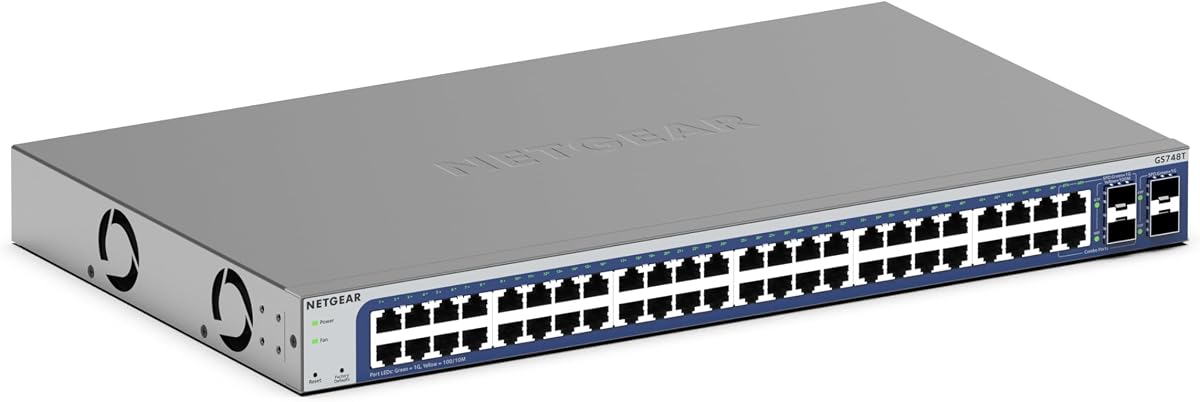
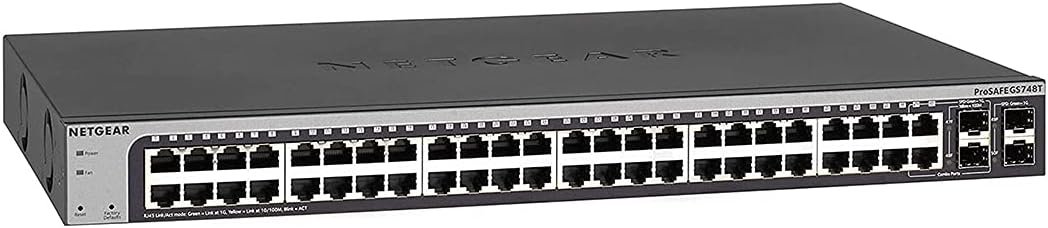
The NETGEAR GS748T provides a balanced mix of performance and ease of use for businesses. It offers 48 Gigabit ports along with 4 SFP ports for fiber optic network expansion.
We may earn a commission when you buy through this link, at no additional cost to you.
The smart software offers an easy-to-use interface for secure setup and SNMP management. Insight is included for one year allowing remote management of your network from anywhere.
While the Insight subscription is only for one year the core smart features remain available. The fanless design ensures silent operation in office or conference room environments.
This switch is a solid choice for small businesses needing fiber options. It is best for those wanting smart managed control without full enterprise complexity.
SFP ports allow for flexible network expansion using fiber optic connections.
Insight included for one year provides remote network oversight capabilities.
We may earn a commission when you buy through this link, at no additional cost to you.
This NETGEAR GS748T model stands out with a lifetime hardware warranty offering peace of mind. It includes 48 Gigabit ports and smart software for essential management features.
We may earn a commission when you buy through this link, at no additional cost to you.
The lifetime limited warranty covers replacement ensuring long term protection for your investment. It supports desktop or rackmount placement fitting well in varied setups.
While the feature set is not the most extensive it covers core needs reliably. The quiet operation makes it suitable for shared office or server room spaces.
This switch is perfect for businesses wanting long term support and stability. It is best for those prioritizing warranty coverage over advanced cloud features.
Lifetime limited hardware warranty ensures long term support and protection.
Fanless design ensures silent performance in shared office environments.
We may earn a commission when you buy through this link, at no additional cost to you.
The UBIQUITI EdgeSwitch Lite delivers impressive non-blocking throughput of 70 Gbps for demanding workloads. Its compact design supports both rack and wall mounting options.
We may earn a commission when you buy through this link, at no additional cost to you.
With 48 Gigabit RJ45 ports and 2 SFP+ ports it offers high speed connectivity. The DC input option allows for flexible power configurations in various setups.
Ubiquiti management tools can be complex for beginners though powerful for pros. This switch is best suited for environments needing high capacity without bulk.
Ideal for businesses needing reliable high speed switching without extra bulk. It is best for technical teams familiar with Ubiquiti software ecosystems.
70 Gbps non-blocking throughput handles demanding network workloads efficiently.
DC input option allows for flexible power configurations in varied setups.
We may earn a commission when you buy through this link, at no additional cost to you.
The YuanLey switch offers impressive L3 management features with 6 SFP+ slots for expansion. It supports 48 PoE+ ports with a robust 460W power budget for demanding applications.
We may earn a commission when you buy through this link, at no additional cost to you.
L3 features include static routing and VLAN support enabling complex network segmentation. The web interface is clean and easy to use for general and professional management.
While YuanLey is less known than other brands the feature set is compelling. The 460W budget supports high power devices like advanced cameras and APs.
This switch is best for businesses needing L3 capabilities without enterprise costs. It is ideal for growing networks needing powerful PoE and fiber expansion options.
Advanced L3 features like static routing enable complex network segmentation.
460W total power supports high drain devices across all ports simultaneously.
We may earn a commission when you buy through this link, at no additional cost to you.
This renewed NETGEAR GS748T offers a cost effective path to smart managed Pro features. It includes 48 Gigabit ports and 4 SFP ports for reliable network connectivity.
We may earn a commission when you buy through this link, at no additional cost to you.
Renewed products can provide significant savings while retaining essential network capabilities. The ProSAFE lifetime protection adds peace of mind for your purchase.
Without ratings it is harder to gauge the condition of each unit before buying. However the price point makes it an attractive option for budget conscious buyers.
Ideal for buyers needing Pro features without the premium price tag. It is best for cost conscious buyers comfortable with renewed product conditions.
Renewed pricing offers significant savings while retaining essential network capabilities.
Lifetime ProSAFE protection ensures long term reliability for your investment.
We may earn a commission when you buy through this link, at no additional cost to you.
Choosing the right switch requires understanding your network needs. Here are key factors to consider before making your purchase decision.
Managed switches allow you to configure settings like VLANs and security policies. Unmanaged switches work out of the box but offer no control.
Choose managed if you need security or traffic control otherwise unmanaged may suffice.
If you power devices like cameras or APs check the total PoE budget. A 48 port switch must support enough watts for all connected devices.
Ensure the total budget exceeds the sum of all device power needs.
SFP ports allow fiber optic connections for longer distance or high speed links. Look for models with enough slots for your expansion plans.
Prioritize SFP slots if you need backbone or uplink flexibility.
Web GUI CLI or cloud based management impacts how easy the switch is to use. Ensure the interface matches your team expertise and preferences.
Select an interface your team can manage efficiently.
Look for 802.1X authentication ACLs and storm control to protect your network. Advanced features prevent unauthorized access and broadcast storms.
Prioritize security features to safeguard sensitive data and devices.
Rack mounting or desktop placement depends on your space. Fanless designs are quieter for offices but may have thermal limits.
Ensure the switch fits your physical space and cooling needs.
Look for warranties like 5 years or lifetime to ensure long term support. Good technical support is crucial for resolving network issues quickly.
Choose brands with strong warranty and support records.
Plan for future growth by checking if the switch allows stacking or expansion. This ensures your investment remains viable as your network grows.
Choose a switch that grows with your business needs.
Install the switch in a well ventilated rack or cool surface to prevent overheating. Ensure the fanless model is mounted where airflow is adequate.
Use Cat6 or Cat5e cables for all connections to support full Gigabit speeds. Secure cable connections to prevent accidental disconnections.
Regularly update the firmware to maintain security and performance. Check the vendor website for updates at least every few months.
A managed switch allows you to configure network settings such as VLANs and security policies. An unmanaged switch simply connects devices without any configuration options.
PoE is essential if you plan to power devices like IP cameras or wireless access points. Check your device requirements to ensure the switch provides enough power.
SFP ports allow fiber optic connections which are used for longer distance links or high speed uplinks. They provide flexibility in network expansion options.
Many modern managed switches support cloud management or remote web interfaces. This allows you to configure and monitor the switch from anywhere.
Change default passwords enable SSH instead of Telnet and configure VLANs to isolate traffic. Using 802.1X adds an extra layer of device authentication.
Look for at least a 5 year warranty for peace of mind. Some brands like NETGEAR offer lifetime warranties for added protection.
Fanless switches are quieter and better for office environments. However ensure the unit is in a well ventilated area to manage heat.
Standard Cat5e or Cat6 cables work with Gigabit ports. Ensure cables are intact and securely connected for best performance.
Our top picks include the TP-Link SG2452LP for overall value and the NETGEAR GS348 for budget needs. Each switch offers unique strengths depending on your requirements.
Prioritize PoE capacity and security features if you need a robust infrastructure. Otherwise basic managed options may suffice for smaller setups.
Prices change frequently so always verify current offers before purchasing. Checking reviews helps ensure you get the best reliability for your budget.