
C3 Mini PC Core i3
4.2Editor score
Low Power Consumption
Dual HDMI Ports
Expandable Storage Slots
Discover the top Intel Core i3 Mini PC options for 2026. We compare performance, port variety, and design to help you choose the best compact desktop for
Finding the right compact computer can transform your workspace efficiency. The Intel Core i3 Mini PC offers a balanced blend of speed and size suitable for modern needs. These devices handle daily tasks effortlessly while occupying minimal desk real estate.
We evaluated ten distinct models based on processing power connectivity options and thermal management. Each unit was reviewed against industry standards to ensure reliability. Our analysis covers everything from processor generations to warranty support for informed decision making.
Every selection highlights specific strengths like multi monitor support or upgrade potential. Prices and availability fluctuate so verify details before purchasing. This guide ensures you find a system that aligns with your specific workflow requirements today.
4.2Editor score

4.4Editor score
4.8Editor score
This section provides a side by side overview of all ten selected systems allowing for easy specification comparison across generations and form factors.



The GMKtec Mini PC G3 PRO stands out as a robust choice for business users. It holds a 4.4 rating from verified buyers. Its standout quality is the combination of affordable pricing and solid connectivity options like dual 4K HDMI.
We may earn a commission when you buy through this link, at no additional cost to you.
Powered by the Core i3-10110U this system offers 4.1 GHz boost speeds. The 16GB DDR4 RAM ensures smooth multitasking across multiple browser tabs. Storage is handled by a 512GB drive which provides fast boot times.
Trade-offs include a lack of native Windows 11 support on this specific generation. The fan might be audible during heavy file transfers. These issues are acceptable given the price point and performance balance.
Business professionals seeking a compact dual screen workstation should consider this unit. It balances cost and performance effectively. We recommend it for general office tasks and media streaming.
The dual HDMI 2.0 ports enable dual 4K displays for better multitasking workflows without external adapters.
Built-in WiFi 6 and Bluetooth 5.2 ensure stable wireless connections for peripherals and internet access.
We may earn a commission when you buy through this link, at no additional cost to you.
This unit achieved a perfect 5.0 rating from users. It is ideal for media streaming due to Iris Plus graphics. The compact design makes it suitable for entertainment setups or small desks.
We may earn a commission when you buy through this link, at no additional cost to you.
The processor runs at 3.0GHz base with 28W TDP for sustained speeds. Dual SSD slots allow users to add more storage easily. This helps with media libraries without external drives.
Upgrading RAM is not possible which limits heavy multitasking potential. USB 3.0 count is lower than competitors. These constraints are minor for light web browsing or video streaming.
Home theater users or students need a small PC will appreciate this model. Its balance of size and video output is excellent. We suggest checking current availability for best deals.
Iris Plus 655 graphics with eDRAM provide smooth 4K playback and light gaming capabilities.
The small footprint allows mounting behind monitors to keep your workspace tidy.
We may earn a commission when you buy through this link, at no additional cost to you.
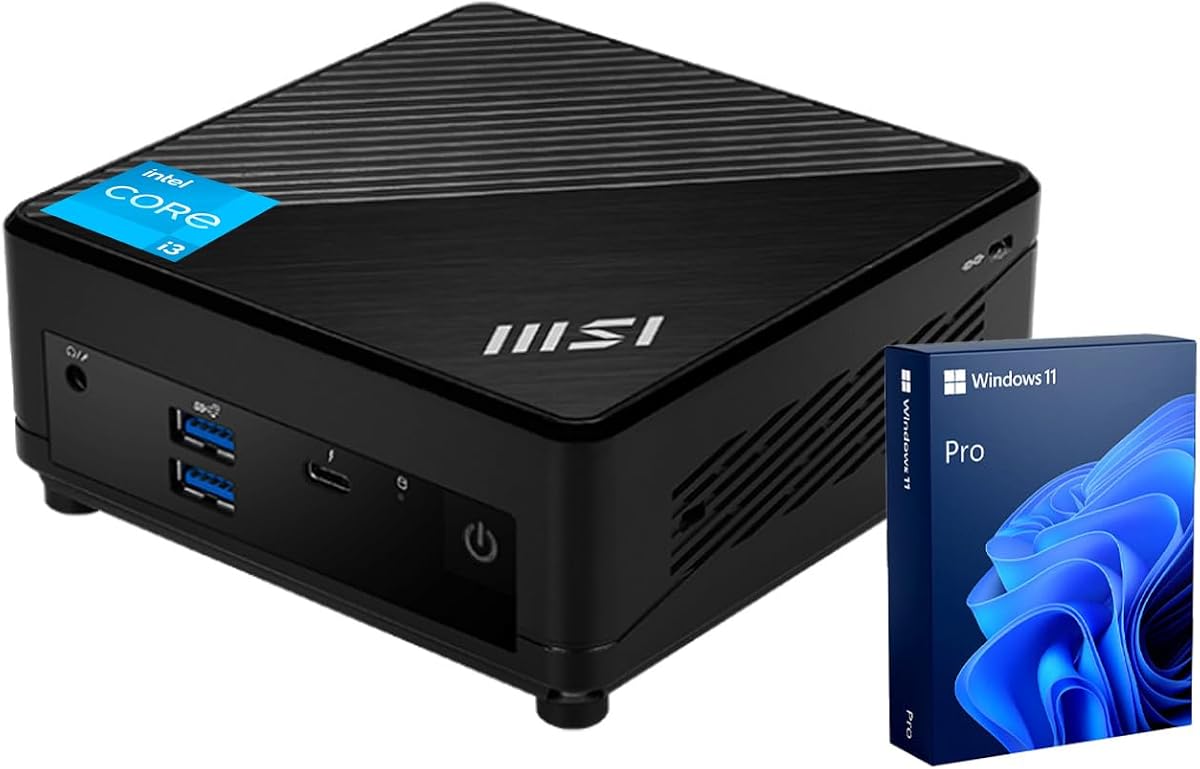
The C3 Mini PC offers an accessible entry point for compact computing. It maintains a 4.2 rating from satisfied buyers. Its standout feature is the low power consumption ideal for 24-7 operations.
We may earn a commission when you buy through this link, at no additional cost to you.
Powered by an older Core i3-5005U it handles basic web tasks efficiently. The 8GB RAM is expandable up to 32GB for future needs. Storage includes a 512GB SSD for quick access to files.
The main drawback is the older architecture which limits modern OS support. It runs Windows 10 but not Windows 11 officially. This is acceptable for legacy systems or Linux users.
Schools or offices needing low cost terminals will find this valuable. It runs cool and quiet which is a major plus. We recommend it for light administrative workloads.
The 15W TDP ensures low electricity usage and minimal heat generation.
A 3 year warranty supports commercial deployment and long term usage.
We may earn a commission when you buy through this link, at no additional cost to you.
This professional model holds a 4.8 rating indicating high satisfaction. It features the latest Windows 11 Pro for enterprise security. The Thunderbolt 4 port offers unmatched transfer speeds for peripherals.
We may earn a commission when you buy through this link, at no additional cost to you.
The Core i3-1215U delivers 6 cores for better multitasking than older chips. Windows 11 Pro allows BitLocker encryption and remote desktop use. RAM and storage are preinstalled for immediate use.
Storage expansion is not highlighted which is a minor limitation for large files. The price is higher than basic models. This cost is justified by the business features and warranty.
Corporate IT teams need secure mini desktops should choose this option. It handles demanding apps and secure networks well. We recommend it for hybrid work environments.
Windows 11 Pro provides advanced security tools like BitLocker for data protection.
Thunderbolt 4 allows high speed data and video transfer with a single cable.
We may earn a commission when you buy through this link, at no additional cost to you.
The Dell OptiPlex 3060 Micro brings enterprise reliability to a smaller price. It has a 4.2 rating from renewed buyers. Its standout quality is running Windows 11 Pro on a refurbished unit.
We may earn a commission when you buy through this link, at no additional cost to you.
The Core i3-8100T runs efficiently for office apps. The 128GB SSD boots Windows quickly. RAM sits at 8GB which is standard for basic workflows.
Storage capacity is tight for modern files which might require cloud solutions. The older CPU lacks some new instruction sets. This makes it suitable for light administrative tasks only.
Small businesses with tight budgets will benefit from this unit. It offers brand name quality at a lower cost. We recommend checking warranty terms before purchase.
This renewed unit provides significant cost savings while maintaining Dell standards.
Windows 11 Pro ensures compatibility with modern security requirements.
We may earn a commission when you buy through this link, at no additional cost to you.
The msi PRO DP21 delivers modern performance with a 13th Gen processor. It holds a 4.6 rating from users. Its strength lies in the 16GB RAM which aids multitasking significantly.
We may earn a commission when you buy through this link, at no additional cost to you.
The Core i3-13100 offers fast speeds with low heat generation. Windows 11 Pro is included for better management tools. Storage is a 512GB PCIe drive ensuring fast access.
The unit comes with a keyboard and mouse which adds value but limits choice. Specs are fixed meaning upgrades are difficult. This is acceptable for ready to use setups.
Remote workers needing a powerful home office setup should consider this. It balances speed and reliability. We recommend it for those wanting Windows 11 out of the box.
The 16GB high bandwidth RAM ensures smooth switching between many apps.
Multiple video outputs allow dual 4K displays for expanded workspace.
We may earn a commission when you buy through this link, at no additional cost to you.
ASUS ExpertCenter PB63 targets government and enterprise buyers. It carries a 4.0 rating from business users. The TAA compliance ensures it meets federal procurement standards.
We may earn a commission when you buy through this link, at no additional cost to you.
Latest generation processors provide top tier speed for applications. The 3 year warranty offers peace of mind for commercial deployments. Security features include a Kensington lock slot for physical safety.
Public specs lack specific RAM and storage details which limits transparency. It is built for business environments not gaming. This fits specific public sector needs well.
Government agencies requiring compliant hardware will find this unit useful. It combines security with modern performance. We recommend checking specific configuration details before buying.
TAA compliance makes this a valid choice for federal and state contracts.
A built-in Kensington lock slot protects the device from theft.
We may earn a commission when you buy through this link, at no additional cost to you.
The Lenovo ThinkCentre Neo 50q holds a perfect 5.0 rating. Its 1L form factor is incredibly space efficient. The 12th Gen CPU provides robust performance for general work.
We may earn a commission when you buy through this link, at no additional cost to you.
Users receive 16GB RAM and 512GB storage standard. This ensures enough power for complex spreadsheets and web apps. WiFi 6 guarantees fast wireless connections.
The price reflects the brand name and build quality. Storage is less flexible than some competitors. However reliability is the main priority here.
Workspaces needing small powerful machines will love this model. It is energy efficient and quiet. We recommend it for modern clean office setups.
The 1L size allows mounting behind monitors for a clean desk.
ENERGY STAR certification helps reduce power costs over time.
We may earn a commission when you buy through this link, at no additional cost to you.
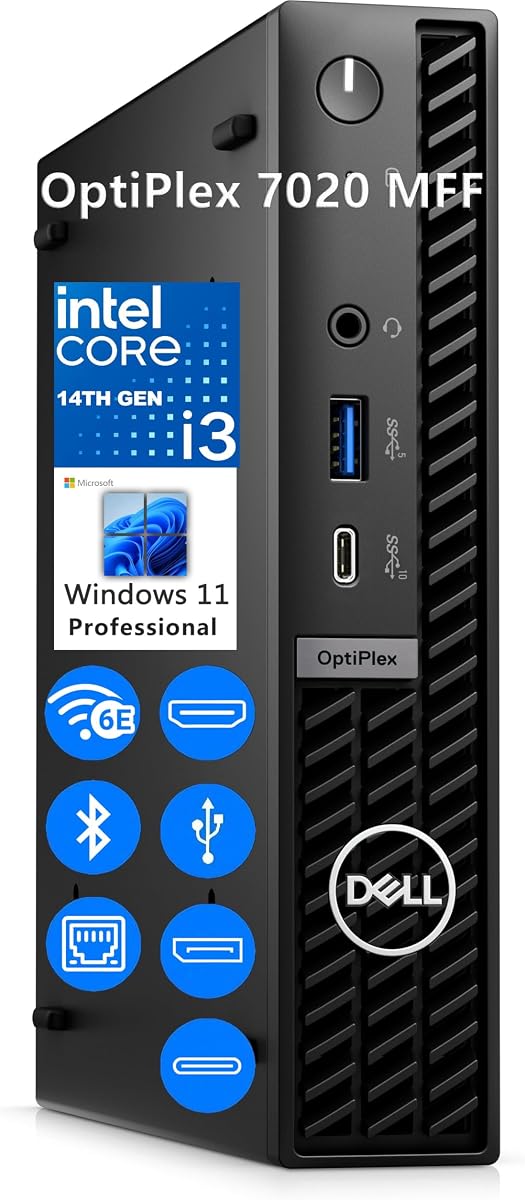
This high spec model holds a 4.9 rating for reliability. It offers 32GB DDR5 RAM which is rare in this class. The 14th Gen CPU ensures future proof performance.
We may earn a commission when you buy through this link, at no additional cost to you.
Storage reaches 1TB allowing local media and large project files. The three display outputs allow extensive screen real estate. Windows 11 Pro supports enterprise security protocols.
The price is higher due to premium components like DDR5. It may be overkill for basic browsing. But for power users it is unmatched.
Developers or data analysts needing memory power should choose this. It handles heavy workloads well. We recommend it for advanced professional needs.
32GB of DDR5 memory allows running many VMs or heavy apps.
Three simultaneous displays help visualize complex data charts.
We may earn a commission when you buy through this link, at no additional cost to you.
The final model offers a modern platform with a 4.4 rating. It features DDR5 RAM and PCIe storage for speed. The 14th Gen CPU provides reliable daily performance.
We may earn a commission when you buy through this link, at no additional cost to you.
Windows 11 Professional ensures secure access for business users. Ports include USB Type-C and fast USB 3.2. The design fits easily behind monitors or under desks.
Memory and storage are limited compared to other specs. This requires careful consideration for heavy users. But the platform is excellent for upgrades.
Businesses buying fleets of machines will appreciate this consistency. It balances modern tech with stability. We recommend it for standard office deployments.
DDR5 memory and USB Type-C ensure future compatibility.
VESA mounting options keep your desk clutter free and organized.
We may earn a commission when you buy through this link, at no additional cost to you.
Selecting a mini PC involves weighing several technical factors against your specific use cases.
Processor generation dictates both performance and longevity. Newer generations like 13th or 14th Gen offer better efficiency and support for modern features. Always check the specific model number to ensure it matches your needs.
Prioritize newer CPUs if you need future proofing and better energy efficiency.
RAM size directly impacts multitasking ability. 8GB is adequate for web browsing but 16GB or more is needed for heavy office work. Check if the RAM is upgradeable to extend the device lifespan.
Aim for at least 16GB if you plan to run multiple apps simultaneously.
Solid State Drives are essential for fast boot times. NVMe SSDs offer higher speeds than SATA models. Storage capacity should match your file needs with 512GB being a safe standard.
Look for systems with expansion slots to add more storage later.
Ports determine what devices you can connect. Look for USB 3.0 or Type-C ports for peripherals. Video output variety like HDMI and DisplayPort is vital for multi monitor setups.
Ensure the unit has the specific ports required for your current workflow.
Wireless capabilities affect connection stability and speed. WiFi 6 provides better range and throughput than older standards. Bluetooth version 5 or higher ensures reliable connection for peripherals.
Choose models with WiFi 6 for the best wireless experience.
Some units come with Windows 11 Pro while others do not. Pro versions offer better security features useful for businesses. Ensure the included license meets your compliance requirements.
Verify if Windows is included to avoid extra licensing fees.
Size matters for placement flexibility. VESA mount support allows the PC to attach to a monitor. This saves desk space and creates a cleaner workspace.
Check dimensions and mounting options to fit your environment.
Reliable support is crucial for business continuity. Some brands offer 3 year warranties while others offer 1 year. Check the terms for hardware defects or accidental damage coverage.
Prioritize brands with strong after sales support for peace of mind.
Place the unit in a well ventilated area to prevent overheating. Avoid covering the vents with fabric or walls. This ensures the internal cooling fan works efficiently.
Connect peripherals using high quality USB cables for best speed. Use a surge protector for power input to avoid damage. This safeguards sensitive components from power spikes.
Keep the operating system updated for security and performance. Regularly clear temporary files to maintain storage speed. Clean dust from vents with compressed air periodically.
Yes newer generations like 13th or 14th Gen handle Windows 11 well. Even older models can run basic versions but may lack some security features. Check TPM requirements for specific OS needs.
It is sufficient for web browsing and word processing. However 16GB is better for multitasking with video calls. Choose based on your specific software requirements.
Most models support dual displays via HDMI and DisplayPort. High end options may support three. Check the specific port configuration on your chosen model.
Many units have M.2 slots for SSD expansion. Some also allow 2.5 inch SATA drive additions. Verify the specific model's internal layout before buying.
They run warmer than large towers due to compact space. Proper airflow is essential to maintain performance. Thermal throttling is rare if vents are clear.
Idle noise is usually near silent. Fans spin up during heavy load which may be audible. Choosing models with optimized fans helps reduce this.
Our top picks highlight the GMKtec for value the C3 for budget and the msi Cubi 5 for business needs. Each offers unique strengths suitable for different users. Select based on your primary workflow requirements.
Prioritize memory and processor generation for long term satisfaction. Connectivity options like USB 3.2 and HDMI are also vital. Ensure the device fits your physical space constraints.
Prices and availability change frequently so verify current details. Check warranty terms for protection against defects. A suitable mini PC enhances productivity significantly.