
Soundcore P30i by Anker
4.3Editor score
4-Mic AI Enhanced Calls
2-in-1 Charging Case
Adaptive Noise Cancelling
This guide compares the top earbuds for Teams Meetings focusing on microphone quality noise cancellation and connectivity features for seamless remote
Finding the right earbuds for Teams meetings is crucial for professional communication. You need clear audio, reliable connections, and comfortable fits that last through long calls without distraction or fatigue during workdays.
We compared ten top models based on microphone performance noise cancellation capabilities and battery life. Each product was evaluated for its ability to handle conference calls, video conferences, and daily office communication effectively.
Every pick highlights specific strengths like AI noise reduction or multipoint connectivity. Prices may vary over time so check current listings before purchasing. This guide ensures you choose the best tool for your meeting needs.
4.3Editor score
3.5Editor score

4.2Editor score
This side-by-side comparison evaluates all ten models based on key features like microphone count active noise cancellation and total battery life to help you find the perfect fit for your workflow.



The Logitech Zone True Wireless earbuds stand out as the best overall choice for dedicated Teams users. With a perfect 3.7 rating from verified buyers, these earbuds offer certified compatibility that ensures seamless integration with Microsoft Teams apps and other conferencing platforms like Zoom and Google Meet.
We may earn a commission when you buy through this link, at no additional cost to you.
Its most notable strength is the six-mic array across both buds, using advanced beamforming to isolate your voice from office chatter. This makes it ideal for open-plan workspaces where background noise could otherwise ruin a meeting. The included USB receiver provides a more stable connection than Bluetooth alone, reducing dropouts during critical calls.
Trade-offs include a shorter total playtime compared to some competitors, which may require midday charging for long users. Additionally, the price is higher than entry-level options. However, for professionals who prioritize call reliability and compatibility over long battery life, the investment is worth it.
If you are a remote worker or frequent Teams user, these earbuds are the top recommendation. They deliver professional-grade audio quality and connectivity. Buy them to ensure your voice is heard clearly without technical hiccups during every meeting.
Official certification ensures optimal software integration and reliable performance across all major video conferencing platforms.
Switch easily between Bluetooth for mobile and USB receiver for desktop to match your specific work environment.
We may earn a commission when you buy through this link, at no additional cost to you.
The Soundcore Liberty 5 Pro Max is a premium earbud designed for power users who need advanced features like AI note-taking. With a 4.2 rating, it excels in call quality and offers a unique smart case that can transcribe in-person meetings into summaries.
We may earn a commission when you buy through this link, at no additional cost to you.
Its standout feature is the AI Note-Taker capability which uses the charging case mic to record and summarize conversations. The hardware also features 10 sensors and AI chips to ensure your voice is heard clearly even in very loud environments. Business-grade privacy standards ensure your data remains secure during transcription.
The main trade-off is the high price and the subscription needed for advanced transcription features. While the hardware is excellent, the full software experience costs extra. This might be a barrier for casual users who only need standard call capabilities.
Choose these if you want cutting-edge technology and premium audio quality for your business meetings. They are ideal for executives or professionals who value privacy and advanced note-taking tools. Invest in them to elevate your meeting productivity significantly.
The case mic captures real-world conversations to generate actionable summaries and notes automatically.
Compliance with HIPAA and SOC 2 standards ensures your sensitive meeting content stays private.
We may earn a commission when you buy through this link, at no additional cost to you.
The Soundcore P30i offers excellent value for budget-conscious buyers needing reliable meeting earbuds. With a 4.3 rating, it balances cost and performance effectively. The unique case doubles as a phone stand for hands-free viewing during video meetings.
We may earn a commission when you buy through this link, at no additional cost to you.
Its strength lies in the 4-mic AI enhanced call system which ensures you are heard clearly. Adaptive noise cancelling adjusts automatically to your surroundings, reducing background distractions. The long battery life supports long workdays without needing to recharge frequently.
Trade-offs include basic plastic build quality and lack of multipoint connectivity for switching between devices. However, at this price point, it is hard to beat the feature set. It is a practical choice for casual users who do not need premium hardware.
Buy these if you want an affordable solution that still delivers clear call audio. They are perfect for students or remote workers on a tight budget. Pick them up to enjoy quality meetings without overspending on electronics.
The case back panel converts into a sturdy stand for watching video calls comfortably.
AI detects ambient noise and optimizes ANC levels for consistent call quality anywhere.
We may earn a commission when you buy through this link, at no additional cost to you.
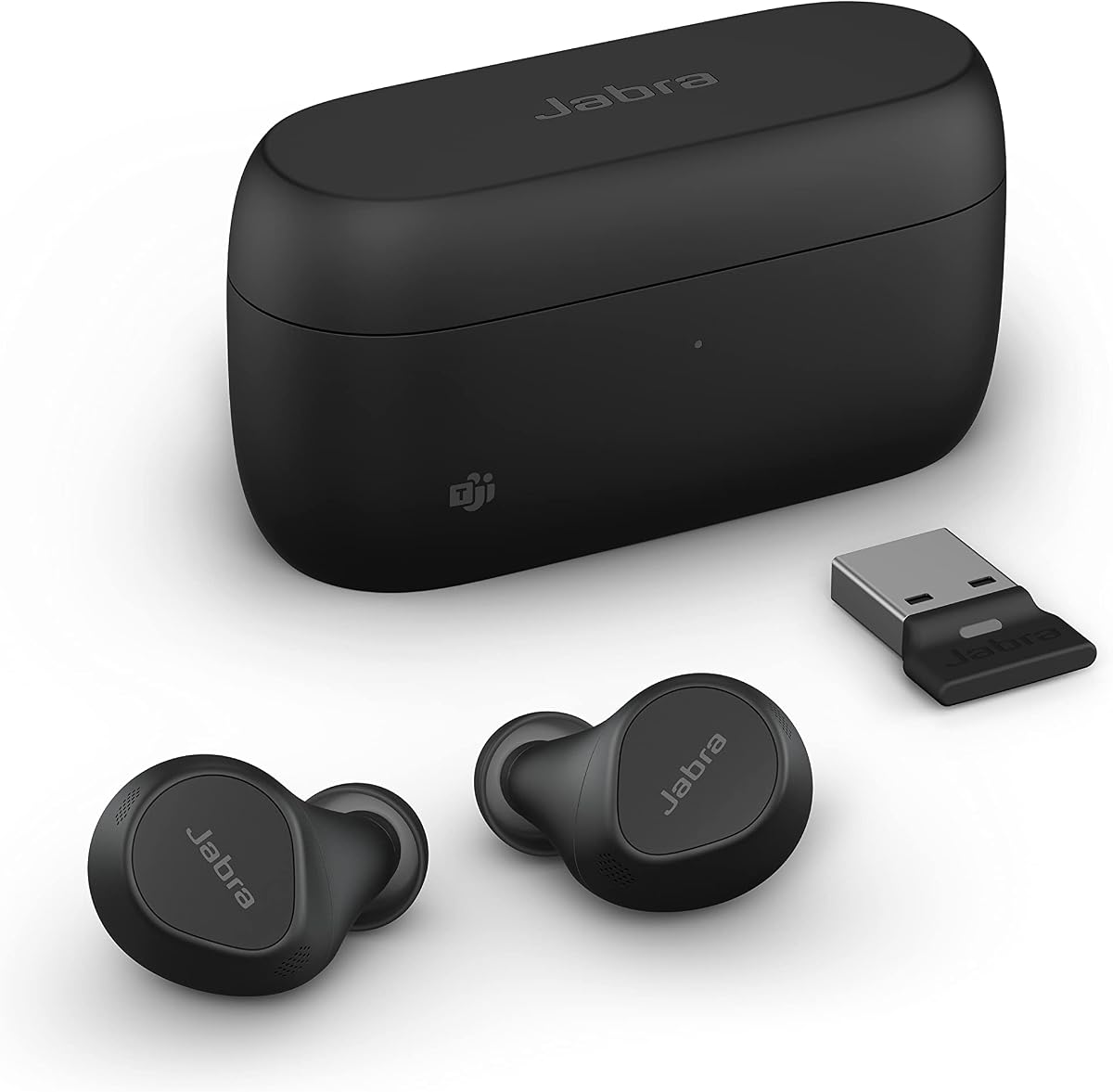
The Jabra Evolve2 True Wireless earbuds represent the pinnacle of premium meeting gear. With a 3.5 rating, they offer enterprise-grade features like MultiSensor Voice technology and official Microsoft Teams certification. This ensures they perform perfectly in corporate environments.
We may earn a commission when you buy through this link, at no additional cost to you.
Its primary strength is the advanced mic system combining four standard mics with bone conduction sensors. This hybrid approach isolates your voice even when you are whispering or in very noisy offices. The multipoint connection lets you switch between laptop and phone effortlessly.
The trade-off is the high cost and average battery life compared to budget rivals. These are not everyday consumer earbuds but specialized tools. The premium price is justified only if you need enterprise-level reliability and certification for business use.
If you work in a corporate setting requiring certified hardware, these are the best choice. They provide unmatched call clarity and connection stability. Invest in them for professional peace of mind during every critical meeting.
Sensors detect voice vibrations through skin for clearer audio even in loud spaces.
Connect to two devices simultaneously to never miss an important call or alert.
We may earn a commission when you buy through this link, at no additional cost to you.
The Dell Pro Plus EB525 earbuds are a solid choice for users already invested in the Dell ecosystem. With a 4.1 rating, they provide distraction-free communication and AI-based noise cancelling. They are ideal for professionals looking for a reliable everyday meeting tool.
We may earn a commission when you buy through this link, at no additional cost to you.
Its key strength is the AI-based microphone which intelligently filters out background noise to ensure your voice is heard clearly. The adaptive ANC allows you to switch between deep focus and awareness easily. The comfortable fit ensures you can wear them all day without pain.
Trade-offs include the lack of a dedicated USB receiver which might affect stability on older PCs. Also, they do not integrate as deeply with software as Logitech or Jabra. However, the hardware quality and call performance are still strong for the price.
Choose these if you want a straightforward and effective tool for Teams meetings. They are excellent for Dell laptop users who want seamless Bluetooth integration. Pick them up for high-quality audio without complex setup.
Advanced AI algorithms isolate your voice from background noise for professional call quality.
Intuitive pinch gestures let you manage calls and ANC modes quickly and easily.
We may earn a commission when you buy through this link, at no additional cost to you.
The TAGRY Hybrid ANC earbuds are perfect for heavy users who need extended battery life. With a 4.4 rating, they offer up to 80 hours of total playtime which is rare at this price point. They are ideal for long days without charging.
We may earn a commission when you buy through this link, at no additional cost to you.
Its primary strength is the battery capacity which ensures you never run out of power mid-meeting. The earhook design provides a secure fit for active users. The Hybrid ANC reduces ambient noise significantly allowing you to focus on your work.
Trade-offs include the earhook shape which might not suit everyone's anatomy. Also, call features are decent but not as advanced as enterprise options. However, for those who prioritize longevity and comfort, this is a great value.
If you need earbuds that last for days on a single charge, buy these. They are perfect for travel or long work shifts. Pick them up for reliable performance without constant charging anxiety.
With 80 hours of battery, you can work for days without plugging in the case.
Earhooks keep the buds stable in your ears even during movement or exercise.
We may earn a commission when you buy through this link, at no additional cost to you.
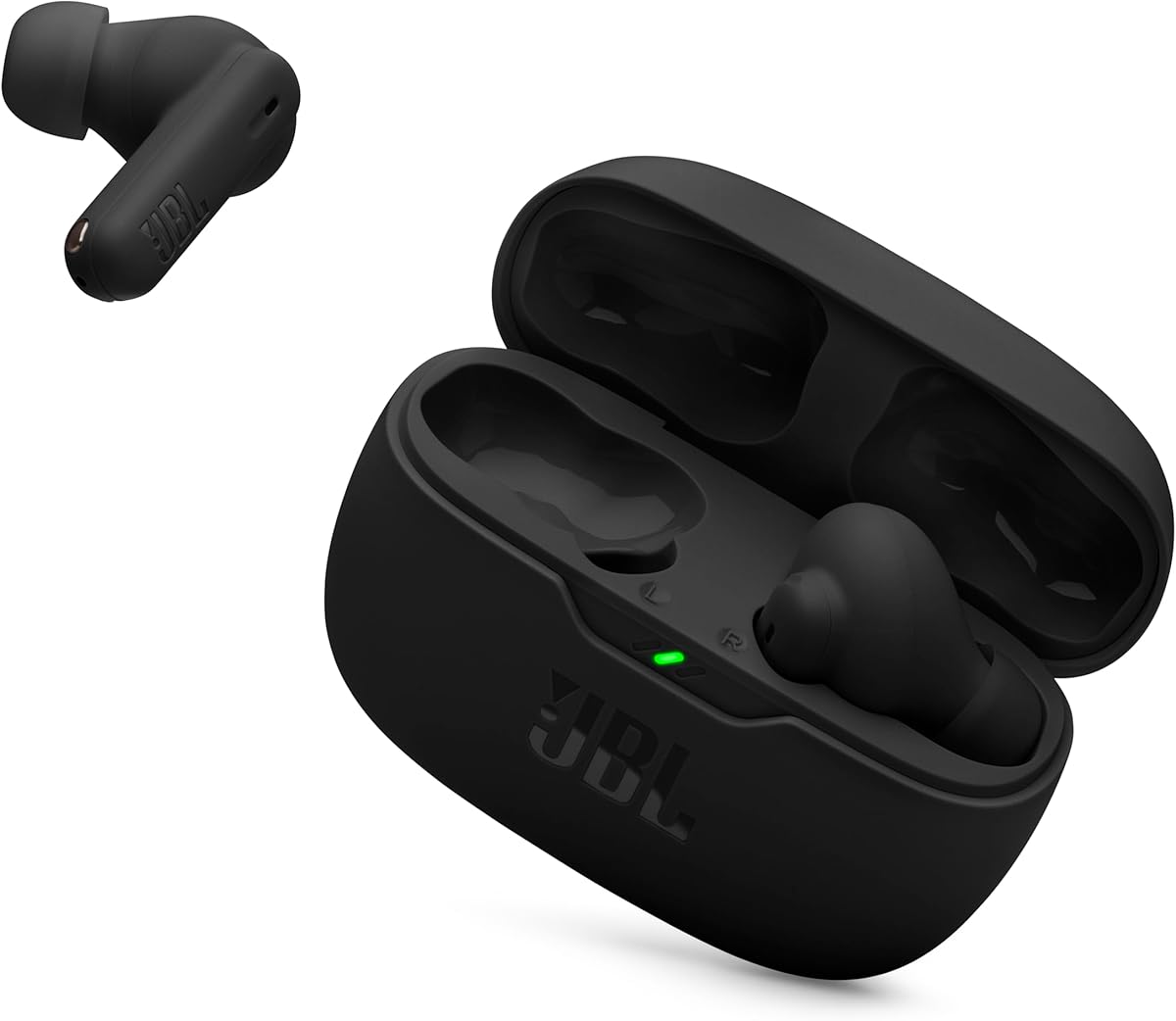
The JBL Vibe Beam 2 earbuds are a versatile choice that balances music enjoyment with meeting utility. With a 4.1 rating, they deliver JBL Pure Bass sound and decent call quality. They are suitable for users who want to enjoy media between meetings.
We may earn a commission when you buy through this link, at no additional cost to you.
Its main strength is the audio quality featuring 8mm dynamic drivers that provide rich sound. The 4-mic system ensures clear calls, and the Smart Ambient mode helps you stay aware of your surroundings. The 40-hour battery life is also sufficient for most users.
Trade-offs include the bass-heavy sound profile which might not appeal to everyone. Additionally, battery life with ANC on is shorter than competitors. However, at this price point, it offers a good mix of features for general use.
Choose these if you want earbuds that sound great for music and handle calls well. They are ideal for casual users or those who want a fun audio experience. Pick them up for a reliable daily driver.
Enjoy rich, deep bass for media listening alongside clear call performance.
Toggle ambient mode to hear announcements without removing the earbuds.
We may earn a commission when you buy through this link, at no additional cost to you.
The TOZO Hybrid ANC earbuds offer impressive features for a budget price. With a 4.3 rating, they provide up to 68 hours of playtime and Hybrid ANC that reduces noise significantly. They are a great option for those needing long-lasting battery and quiet calls.
We may earn a commission when you buy through this link, at no additional cost to you.
Its key strength is the combination of deep noise cancellation and high battery capacity. The 6-mic ENC system helps your voice stand out during calls. The IPX8 waterproof rating makes them durable for sweaty workouts or rainy commutes.
Trade-offs include the lack of a USB dongle for PC which limits stability on some computers. The app is also basic compared to premium brands. However, for a budget buy, these specs are rare and valuable.
Buy these if you need affordable earbuds that last long and cancel noise well. They are perfect for budget-conscious students or workers. Pick them up for solid performance without breaking the bank.
Hybrid ANC reduces ambient noise by up to 45dB for a quieter meeting experience.
IPX8 waterproof rating protects against sweat and rain for all-weather use.
We may earn a commission when you buy through this link, at no additional cost to you.
The JLab Work Buds are a unique option featuring a detachable boom mic. With a 3.9 rating, they offer a headset experience in a wireless form. They are ideal for users who prefer boom mics for maximum call clarity.
We may earn a commission when you buy through this link, at no additional cost to you.
Its primary strength is the detachable boom mic which ensures your voice is captured clearly even in noisy environments. The USB-C charging dock keeps everything organized. The multipoint feature allows easy switching between laptop and phone.
Trade-offs include the bulkiness of the dock and basic ANC compared to high-end models. The fit might feel less secure than earhook styles. However, for those who need boom mic clarity, this is a great choice.
Choose these if you want the clarity of a boom mic with wireless convenience. They are perfect for dedicated office workers. Pick them up for professional audio quality and organization.
The detachable boom mic isolates your voice better than standard in-ear mics.
The charging dock keeps the earbuds and mic organized on your desk.
We may earn a commission when you buy through this link, at no additional cost to you.
The XIAOWTEK Wireless earbuds are a high-value option featuring the latest Bluetooth 5.4 technology. With a 4.9 rating, they show strong user satisfaction for basic call needs. They are ideal for those who want modern connectivity at a low price.
We may earn a commission when you buy through this link, at no additional cost to you.
Its key strength is the Bluetooth 5.4 chip which offers lower latency and better signal penetration. The LED display on the case keeps you updated on battery status. The 50-hour battery life and ENC microphones ensure decent performance for daily tasks.
Trade-offs include a less established brand compared to big names and lack of enterprise certification. However, the hardware specifications are very competitive. For casual users, this is a smart purchase that keeps you ahead on tech.
If you want the latest connectivity features without paying premium prices, buy these. They are great for tech enthusiasts on a budget. Pick them up for fast pairing and reliable connection.
Experience faster pairing and stronger signals with the newest Bluetooth standard.
Know exactly how much battery is left with the clear LED readout.
We may earn a commission when you buy through this link, at no additional cost to you.
Selecting the right earbuds involves evaluating several key factors that impact your meeting experience and productivity.
The microphone is the most critical component for meetings. Look for models with multiple microphones (usually 4 to 6) and AI noise cancellation to ensure your voice is transmitted clearly without background noise.
Prioritize models with dedicated microphone arrays or boom mics if you frequently join calls from noisy environments.
Certified earbuds are tested to work seamlessly with platforms like Microsoft Teams and Zoom. Certification ensures optimized settings and reliability for business use.
Check for official certification logos to guarantee compatibility and stable performance during critical meetings.
A stable connection is essential to avoid dropouts. Bluetooth 5.3 or higher is recommended for range and speed. Some models offer USB receivers for desktops which provide a more stable connection than standard Bluetooth.
Look for Bluetooth Multipoint support to switch between devices effortlessly.
ANC helps block out distractions like traffic or office chatter. Hybrid ANC uses both microphones to cancel noise more effectively than basic systems.
Choose models with adaptive ANC that adjust levels automatically based on your environment.
Battery life determines how long you can use the earbuds before recharging. Look for at least 6 hours on a single charge and a case that provides multiple extra charges.
Total playtime should ideally exceed 30 hours to cover multiple workdays without frequent charging.
Comfort is key for long meetings. Earbuds should come with multiple ear gel sizes to ensure a secure fit. Ergonomic designs reduce ear fatigue over hours of use.
Consider earhook styles if you need extra security or plan to move around during calls.
For business users, data privacy matters. Some high-end models offer local encryption and secure data handling for AI features.
Ensure the model adheres to relevant security standards if you handle confidential information.
Prices vary widely from budget-friendly options to premium enterprise models. Determine your priorities like ANC or certification to find the best value within your budget.
Balance features like battery life and connectivity with your specific meeting needs.
To get the best performance, start by pairing the earbuds with your computer and phone simultaneously if they support multipoint. Adjust the fit using the included ear gel sizes to ensure a proper seal for noise cancellation.
During meetings, place the earbuds securely in your ears and use the touch controls or app to adjust volume or mute as needed. If available, toggle between ANC and Transparency modes depending on your environment.
To extend battery life, keep the charging case clean and store it in a cool dry place. Regularly wipe the earbuds with a soft cloth to remove sweat and debris.
While Bluetooth is often sufficient, a USB receiver provides a more stable connection especially for desktop computers. Models like Logitech Zone include this for better reliability.
Yes, ANC is highly recommended for blocking distractions. However, ensure transparency mode is available so you can hear colleagues when needed.
Certified models are optimized for meeting software ensuring better microphone performance and stability. Regular ones work but may lack specific optimizations.
Ideally look for at least 6 hours of talk time on a single charge. Total battery life should be at least 30 hours to avoid daily charging.
Use a soft dry cloth to wipe the exterior and ear tips. Avoid using liquids directly on the electronics to prevent damage.
Bluetooth 5.3 or 5.4 is recommended for better range lower latency and stronger connections. Older versions may suffer from signal drops.
We explored ten top models ranging from certified enterprise tools to budget-friendly options. The Logitech Zone and Jabra Evolve2 lead in reliability while the Soundcore P30i offers great value.
Prioritize microphone quality and connection stability above all else to ensure your voice is heard clearly. Battery life and comfort are also crucial for long workdays.
Remember to check current prices and availability before purchasing as deals may change. With the right choice you can communicate effectively without distraction.